
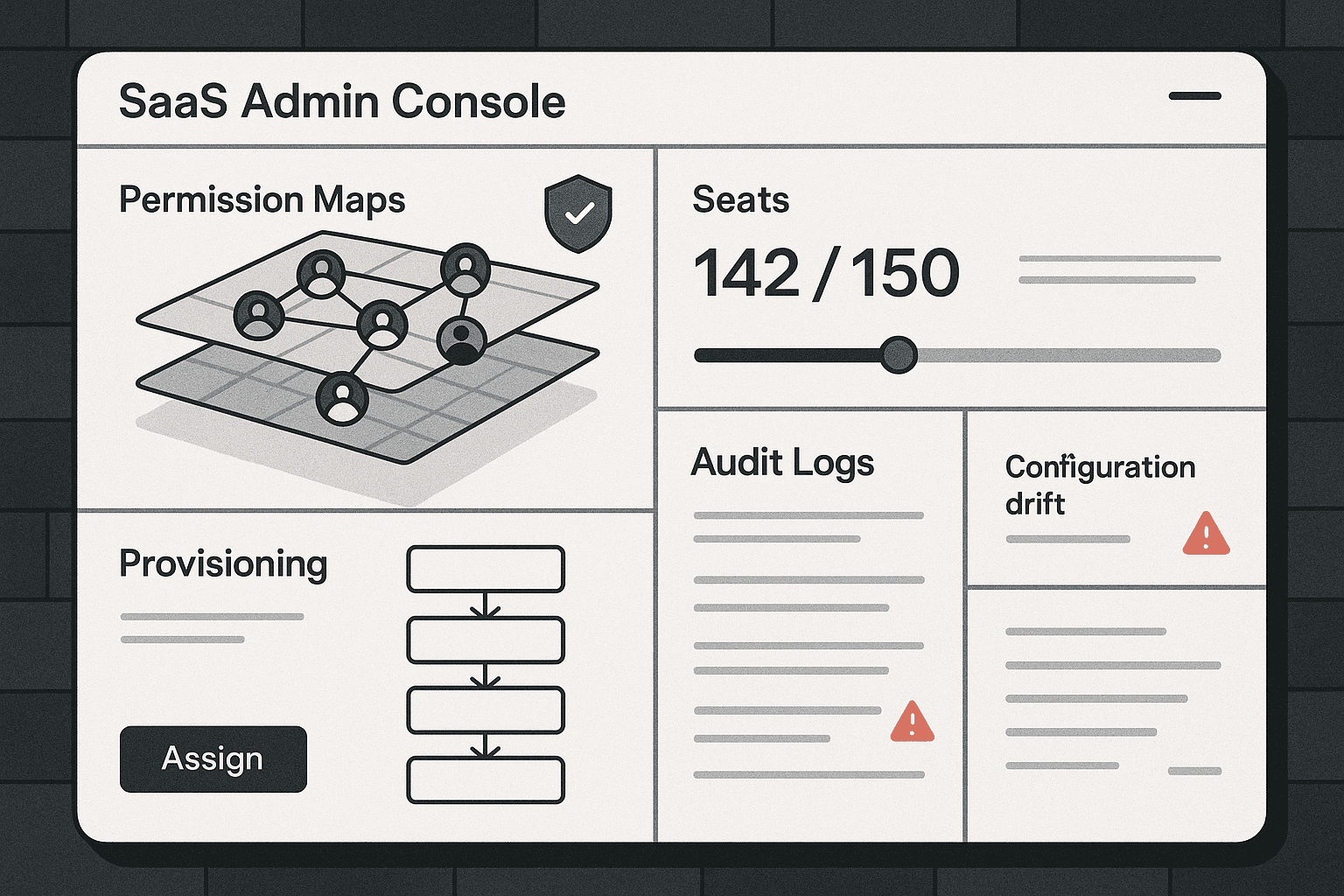
A founder sells the first few customers on a clean story: invite your team, assign roles, connect SSO later if needed, and let your admin manage seats and access without involving us.
At 10 customers, that story is mostly true.
At 50 customers, the product has shipped around reality. A support rep can manually add seats in Stripe but the app does not sync until nightly. An “Admin” role can export data in one part of the product but not in another because a new reporting module shipped with its own permission checks. The onboarding doc says SCIM is supported, but only for user creation, not deprovisioning. Customer success tells enterprise prospects that role customization is “coming soon” and works around gaps with internal runbooks. Sales promises delegated admin controls. Engineering adds a hidden feature flag. Nobody updates the help center. Nobody rewrites the underlying model.
Then the symptoms start to stack.
A customer provisions 80 users and 17 never receive the right access. A terminated employee keeps access for nine days because the IdP removed the user, but your product never revoked a downstream session. A department admin accidentally sees billing information because your UI reused a component with the wrong gate. Support handles “urgent access issue” tickets every week. Finance disputes invoice counts because purchased seats, occupied seats, billable seats, and active seats mean different things in different systems. Renewal calls get awkward because the champion remembers every painful workaround from onboarding.
This is admin console drift.
It is not one bug. It is not just weak access control. It is what happens when the customer-facing control plane for users, permissions, seats, and provisioning evolves feature by feature without a canonical operating model. The drift is quiet because each local decision feels reasonable: ship the enterprise deal, unblock support, patch the permission, add a flag, let success handle exceptions. But over time, the admin surface stops matching the story your go-to-market team tells, the workflows your customers expect, and the trust boundaries your security posture requires.
For early-stage B2B startups, this problem usually appears right after initial traction, when the company still thinks of itself as “too small” to need real admin discipline, but customers have already started treating the product like infrastructure. That gap is dangerous. Admin failures don’t just create friction. They undermine trust, create latent security risk, inflate support costs, and show up at the worst possible moments: onboarding, audit review, incident response, and renewal.
This article is a tactical playbook for fixing it.
We’ll cover how to spot admin console drift before it becomes a company-wide tax, why standard startup advice often makes it worse, how to define a canonical permissions and provisioning model, and how to operationalize change management so product behavior, internal workflows, and GTM promises stop drifting apart.
The failure scenario most teams recognize too late
Let’s make this concrete.
Imagine a startup selling workflow software to mid-market operations teams. In year one, the product has a single workspace owner role and basic member access. Seats are effectively unlimited because early customers are small. User invites are email-based. Billing is handled manually.
Then growth happens.
A larger prospect asks for:
- department-level admins
- approval permissions
- SSO
- audit logs
- temporary contractor access
- automated deprovisioning
- seat caps by workspace
- separation between billing admin and security admin
The team does what startups do. They say yes in layers.
First, engineering adds a second admin type. Then sales lands another deal requiring SCIM, so provisioning support gets added via an integration partner. Another customer wants read-only access, so a viewer role appears. Finance asks for seat enforcement because gross margin matters now. Product launches a new analytics module with its own permission matrix because the core role model is too rigid. Support gets an internal script to recover “stuck invites.” Success maintains a spreadsheet of customer-specific exceptions. Legal updates the security questionnaire response to say “role-based access control supported.”
No one pauses to answer basic system questions:
- What is the source of truth for a user’s lifecycle?
- What exactly is a seat?
- Which roles are global versus scoped?
- What actions are permissioned at the API layer versus only hidden in UI?
- What happens on deprovisioning: remove access immediately, suspend, archive, transfer ownership?
- Who can invite whom?
- Can billing admins consume seats?
- Does SSO enforce login for all users or just some domains?
- What events are auditable?
- What promises have been made externally that the product does not fully satisfy?
Without those answers, the team builds an admin surface that looks complete from the outside but behaves inconsistently under normal customer operations.
That inconsistency creates four kinds of damage.
1. Support load grows in a way dashboards often hide
Most startups track bug counts and ticket volume, but admin console drift creates support demand that gets mislabeled as onboarding help, user confusion, billing clarification, or enterprise setup assistance. These tickets are expensive because they require cross-functional context. The agent needs to understand pricing, permissions, identity, and customer history, not just the UI.
A simple invite issue can touch:
- email deliverability
- seat availability
- role eligibility
- SSO enforcement settings
- domain restrictions
- SCIM sync timing
- contract-specific entitlements
That means longer first response times, more escalations, and more exceptions managed manually.
2. Security risk compounds gradually, not dramatically
Founders tend to think of security failures as major incidents: a breach, a leaked credential, a public vulnerability. Admin drift creates quieter problems: over-permissioned users, orphaned accounts, stale sessions, inconsistent auditability, and policy bypasses hidden in exception paths.
These issues rarely blow up on day one. They surface during due diligence, enterprise security review, a customer’s internal audit, or after a personnel change where someone discovers departed users still had access.
3. Onboarding and expansion get harder exactly when you need them to scale
At small scale, customer success can hand-hold every implementation. At larger scale, admin workflows must be teachable, predictable, and repeatable. If every customer needs a special explanation of how seats, roles, and provisioning “really work,” your onboarding motion never becomes efficient.
And if admins do not trust the system, expansion slows. Customers hesitate to roll out to more teams when they fear accidental exposure, failed provisioning, or billing confusion.
4. Renewals become a referendum on operational credibility
Customers forgive product gaps faster than they forgive governance chaos. A missing feature is understandable. An admin console that says one thing and does another feels unreliable.
By renewal, the champion has collected a memory bank of pain:
- permissions didn’t behave as expected
- user access cleanup required support
- invoices didn’t line up with admin reports
- onboarding docs were outdated
- role changes broke workflows
That memory affects not only churn risk but also who inside the account will sponsor expansion.
The pattern behind the problem
Admin console drift is usually driven by five repeating patterns.
Pattern 1: The product ships features before it ships a control plane
Startups naturally prioritize end-user value first. That is rational. But if new modules, actions, and workflows launch faster than the admin layer that governs them, the control plane becomes a patchwork.
You see this when:
- each product area defines its own roles
- permissions are checked differently by service
- some controls exist only in UI
- audit logs cover some actions but not others
- entitlements, billing, and access are loosely coupled
Pattern 2: Enterprise promises get encoded as exceptions, not product rules
The first enterprise deals often depend on “we can support that.” But instead of translating those commitments into product-level invariants, teams handle them with feature flags, support procedures, and customer-specific runbooks.
That gets deals signed. It also creates non-obvious behavior the rest of the company cannot reason about.
Pattern 3: Identity lifecycle ownership is unclear
Who owns provisioning and deprovisioning logic? Engineering? IT-minded founders? Support? A solutions engineer? If no single function owns the user lifecycle model end to end, the system accumulates half-solutions.
A common smell: SCIM is “supported” by the integrations team, seat counts live with finance logic, and role assignment lives inside the app team. Nobody owns the whole lifecycle.
Pattern 4: Terminology diverges across teams and systems
When product, sales, finance, success, and engineering use the same words differently, drift becomes inevitable.
Examples:
- “active user” means last-login user to product, but billable user to finance
- “admin” means workspace owner in product, but anyone who can manage users to success
- “seat” means purchased capacity in contract, but assigned license in the app
- “provisioned” means user record created to engineering, but ready-to-use account to customers
If the language is inconsistent, behavior will be too.
Pattern 5: Change management is treated as documentation, not operations
Teams often believe the solution is “update the help center.” Documentation matters, but the real problem is that admin-surface changes affect multiple operating systems at once:
- product logic
- internal support workflows
- customer onboarding scripts
- security posture
- pricing and packaging interpretation
- renewal conversations
If there is no release discipline around these changes, drift accelerates.
Why the standard advice fails
A lot of common startup advice is directionally right but dangerous here.
“Just keep it simple until customers demand more”
This works for many product areas. It fails for permissions and provisioning because “simple” decisions harden into customer expectations and technical constraints. A role model that starts simple without explicit future boundaries often becomes impossible to extend cleanly.
Keeping it simple is not the same as avoiding a model. You still need a canonical model, even if version one exposes only a small part of it.
“Handle edge cases manually”
Manual handling is often correct early. The mistake is not labeling what is manual, temporary, and unsupported. Once a manual path is used in a signed deal, it becomes part of the real product in the customer’s eyes.
The cost is not just labor. It is ambiguity.
“We’ll unify it later”
Later usually means after two more enterprise deals, three more roles, and one compliance review. By then, unification is no longer a cleanup task. It is a migration problem touching data models, contracts, customer training, and risk posture.
“SSO/SCIM will solve this”
Identity integrations help, but they do not define your internal permission model. SCIM can create and deactivate users; it does not answer who should inherit what access, what a seat means, how scoped roles work, or how exceptions are handled.
“We can hide dangerous actions in the UI”
If access control is not enforced consistently at the API and service layers, UI gating is theater. Customers increasingly test this. Security reviewers definitely do.
The better approach: treat the admin surface as a product and an operating system
The fix is not to add more admin features. The fix is to define a canonical control plane for account administration, then force product behavior, internal operations, and GTM messaging to align with it.
That means doing five things in order:
- Audit the current admin surface and find drift.
- Define a canonical permissions and provisioning model.
- Separate access control, entitlements, and billing semantics.
- Align external promises with actual product behavior.
- Operationalize change management across functions.
Let’s go through each one.
1. Audit the current admin surface and find drift
Do not start with architecture diagrams. Start with observed reality.
Run a two-week audit with one owner, usually a product manager or founder-level operator working with engineering, support, success, and finance.
Map the admin surface end to end
Inventory every customer-facing and internal path that affects:
- user creation
- invitations
- seat assignment
- role assignment
- group mapping
- permission changes
- SSO enforcement
- SCIM provisioning
- deprovisioning
- session invalidation
- billing admin rights
- data export rights
- audit log visibility
- ownership transfer
- account suspension/reactivation
For each path, document:
- where it happens: UI, API, internal script, back office tool, Stripe, IdP, support workflow
- who can trigger it
- what source of truth is used
- downstream systems affected
- expected timing: immediate, eventual, nightly sync
- failure modes
- customer-visible messaging
- whether it is documented internally and externally
Build a drift register
A drift register is a simple table of mismatches. You are looking for things like:
- help center says “admins can manage all users,” but department admins cannot modify contractor roles
- pricing says “per seat,” but archived users still consume billable licenses for 30 days
- sales deck says “SCIM provisioning,” but deprovisioning only disables login and leaves API tokens active
- UI prevents duplicate invites, but API allows them
- support can change roles not available to customers
- audit logs capture role changes but not seat changes
This register quickly becomes one of the highest-leverage documents in the company because it turns fuzzy operational pain into a visible backlog.
Pull the numbers
You need baseline economics, not just anecdotes.
Measure for the last 90 days:
- number of support tickets related to access, roles, seats, SSO, SCIM, invites, billing admin confusion
- average handle time for those tickets
- number of manual admin changes made by support/engineering
- number of customers with custom permission or provisioning exceptions
- time-to-first-active-user during onboarding for SSO vs non-SSO customers
- failed invite rate
- deprovisioning lag
- discrepancies between purchased seats, assigned seats, and billed seats
- number of security questionnaire escalations related to access control or lifecycle management
If you want a rough cost model, use fully loaded labor cost.
Example:
- 80 access-related tickets/month
- 35 minutes average handle time
- $45/hour blended support cost
That is about $2,100/month in direct support labor. Now add escalations:
- 20 engineering escalations/month
- 30 minutes average
- $90/hour blended engineering cost
That adds another $900/month. You are already at $36,000/year before counting CS, sales friction, delayed go-live, or churn risk.
For a seed or Series A startup, that is not trivial overhead. It is a drag on scale.
2. Define a canonical permissions and provisioning model
This is the core move. You need one model that the company can explain clearly.
Start with primitives, not roles
Most teams jump straight to role names. Better: define primitives first.
At minimum, specify:
- principal: user, group, service account
- resource: workspace, project, report, integration, billing profile
- action: view, create, edit, approve, export, manage users, manage billing
- scope: global, workspace, project, team
- policy source: direct assignment, group inheritance, role template, system default
- lifecycle state: invited, active, suspended, deprovisioned, archived
This gives you a language for reasoning about access without burying logic inside role labels.
Then define role templates as packaging of primitives
Roles should be a productized bundle of permissions, not the source of truth.
A workable early-stage model often includes:
- Owner: full account control including billing and security settings
- Admin: operational administration without ownership transfer
- Security Admin: SSO, SCIM, policy, audit settings
- Billing Admin: plans, invoices, seat purchases
- Manager: team-scoped operational permissions
- Member: standard usage permissions
- Viewer: read-only access
Not every startup needs all of these exposed in v1. But the model should explain how they relate.
Be explicit about scope
A huge amount of drift comes from ambiguous scoping. “Admin” without scope becomes chaos.
Define for every role:
- what scope it applies to
- whether the role can grant the same role to others
- whether the role can manage users outside its scope
- what admin settings it can view versus modify
If you support multiple scopes, avoid pretending they are equivalent. A workspace admin and an account admin are not the same thing.
Define lifecycle transitions clearly
Provisioning problems usually reflect a missing lifecycle state machine.
You need explicit transitions such as:
- invited → active
- active → suspended
- active → deprovisioned
- suspended → reactivated
- deprovisioned → archived
For each transition, define:
- trigger source: admin action, SCIM event, contract downgrade, inactivity policy
- effect on login
- effect on sessions
- effect on tokens
- effect on owned assets
- effect on seat consumption
- effect on billing
- audit event emitted
If you cannot answer these consistently, customers will discover the ambiguity for you.
Separate “identity exists” from “access granted” from “seat consumed”
This is where many startups get into trouble.
These are three different concepts:
- a user record exists
- that user has permissions
- that user consumes a paid seat
When they are conflated, billing disputes and provisioning bugs multiply.
For example, a SCIM-created user may exist before first login. Do they consume a seat immediately? On role assignment? On activation? On first successful login? There is no universally correct answer, but there must be one answer.
3. Separate access control, entitlements, and billing semantics
Founders often merge these because they all touch admin settings. They should be coordinated, not collapsed.
Access control
Answers: what can this principal do on this resource?
Entitlements
Answers: what features or capacity does this customer’s plan or contract allow?
Billing semantics
Answers: what usage or assignments are billable and when?
If these are mixed together in code and in messaging, you get nonsense outcomes like:
- user has permission but feature hidden because plan lacks entitlement
- customer bought seats but cannot assign them due to stale sync
- user removed from role but still billed because billing counts active identities
A practical decision table
Create a decision table for major admin actions.
Example for inviting a user:
- Access control: does inviter have manage-users permission in this scope?
- Entitlement: does plan allow more managed users or role type requested?
- Billing: does invite reserve a seat, consume a seat on activation, or wait for login?
- Provisioning: is account created by email invite, JIT SSO, or SCIM?
- Audit: is invite event logged?
This sounds bureaucratic. It is actually how you stop the same argument from happening 40 times in Slack.
4. Align product behavior with GTM promises
This is the uncomfortable part. You will find promises that are broader than reality.
Good. Better to find them internally than in a renewal call.
Create a promise matrix
For every major admin capability, document four columns:
- what sales/marketing says
- what onboarding/success says
- what support believes
- what the product actually does
Capabilities to include:
- seat management
- custom roles
- SSO enforcement
- SCIM create/update/deactivate
- delegated admin
- audit logs
- domain restrictions
- guest or contractor access
- billing admin separation
- export controls
Any mismatch needs one of three actions:
- Fix the product.
- Change the messaging.
- Define the workaround as an explicitly temporary exception with an owner and sunset date.
Stop vague language in customer-facing assets
Phrases like these cause real damage:
- “supports SCIM”
- “flexible RBAC”
- “enterprise-grade admin controls”
- “granular permissions”
Replace them with specifics.
For example:
- “SCIM supports user create, update, deactivate; group-based role mapping not yet supported.”
- “Admins can manage users at the workspace level; billing and security settings remain account-owner only.”
- “Audit logs include login, invite, role change, and SSO policy events; seat assignment events not yet included.”
Specificity may reduce top-of-funnel appeal slightly. It increases trust and shortens enterprise cycles because buyers can reason about fit faster.
5. Operationalize change management across functions
This is where most fixes die. Teams define a better model, then continue shipping exceptions because the operating process never changes.
You need lightweight but mandatory governance.
Add an admin-surface review to product development
Any change affecting users, roles, provisioning, authentication, seat logic, or account settings must answer a short review checklist:
- what permission or lifecycle state changes?
- which role(s) are affected?
- is enforcement at API/service layer or UI only?
- are entitlements affected?
- are billing semantics affected?
- what happens in SSO/SCIM customers?
- are audit events added or changed?
- what docs, support macros, and onboarding guides must update?
- does GTM positioning change?
This is not a committee. It is a forcing function.
Assign a DRI for the admin control plane
Someone must own coherence. In early-stage companies, this is often not a full-time role, but it must be a named responsibility.
The DRI should own:
- the canonical model
- drift register backlog
- cross-functional review of changes
- quarterly audit metrics
- external promise alignment
Without a DRI, drift becomes everyone’s problem and therefore no one’s.
Version internal runbooks and customer documentation together
When admin behavior changes, update:
- release notes
- help center
- onboarding implementation guide
- support macros
- internal exception list
- security questionnaire source answers
Bundle these into one release task. If docs update is optional, it will not happen.
Track exceptions like debt, not heroics
Maintain a live exception log for customer-specific admin/provisioning deviations.
For each exception, store:
- customer name
- promised behavior
- actual behavior
- workaround owner
- renewal date
- risk type: support, security, billing, trust
- sunset plan
This matters because many “small” exceptions only become visible when a renewal or audit forces them into the open.
Tooling: what to use at an early-stage startup
You do not need an overbuilt enterprise IAM stack, but you do need sane tooling boundaries.
Core categories
Product analytics / eventing
Use it to measure invite failures, activation lag, role-change frequency, and admin workflow drop-off.
Options:
- PostHog: strong for startup-friendly product analytics, lower cost, flexible eventing
- Amplitude: stronger out-of-the-box behavioral analysis, often pricier as data volume grows
- Mixpanel: straightforward funnels and retention, good if already in stack
Recommendation: if you are seed to Series A, PostHog is usually enough unless the org already runs deeply on Amplitude.
Support system
You need admin-related ticket tagging and escalation visibility.
Options:
- Zendesk: mature workflows, macros, reporting, broad ecosystem
- Intercom: good if support and lifecycle messaging are combined, less robust for some heavier support ops
- Front: useful for email-heavy workflows, lighter structured support operations
Recommendation: Zendesk if admin complexity is becoming material; Intercom can work earlier but may need process discipline to avoid ambiguity.
Identity provider / auth layer
For your own product auth and enterprise features.
Options:
- Auth0 / Okta Customer Identity: broad enterprise capabilities, can get expensive
- WorkOS: startup-friendly abstractions for SSO/SCIM/audit logs, faster to market
- In-house auth: viable only if scope remains narrow and team truly understands lifecycle edge cases
Recommendation: WorkOS is often the practical path for early B2B teams needing enterprise features quickly, but you still need your own canonical model. It is not a substitute for one.
Authorization layer
If your permission logic is growing, centralization matters.
Options:
- In-code RBAC checks: fastest initially, highest drift risk over time
- Oso / Permit.io / similar policy tooling: more structure and reusability, introduces policy system overhead
- Custom policy service: powerful, expensive, easy to overbuild
Recommendation: if you have more than a handful of roles/scopes and multiple services, moving to a dedicated authorization layer early can save pain. If still monolithic and simple, a well-structured in-app policy module can be enough, provided it is canonical and tested.
Simple comparison table
| Need | Fastest path | Better scaling path | Main tradeoff |
|---|---|---|---|
| Enterprise SSO/SCIM | WorkOS | Native deeper integration over time | Faster launch vs less bespoke control |
| Analytics for admin flows | PostHog | Amplitude | Lower cost/flexibility vs richer analysis |
| Support ops | Intercom | Zendesk | Simplicity vs operational depth |
| Authorization | In-code policy module | Oso/Permit/custom service | Lower overhead vs stronger consistency |
A practical workflow example: how a healthy admin change ships
Let’s say product wants to add a new “Approver” role for procurement workflows.
In a drifting organization, engineering adds a flag, support gets a note, sales starts pitching delegated approvals, and edge cases pile up.
In a disciplined organization, the workflow looks like this:
Step 1: Model review
- Is Approver a new role template or a scoped permission bundle?
- What resources/actions does it affect?
- Can Approver invite users? No.
- Can Approver export data? Only approval-related records.
- Does it consume a paid seat? Yes.
- Can it be assigned through SCIM group mapping? Not in v1.
Step 2: Technical implementation
- API/service authorization checks added
- UI gating added second, not first
- Audit events emitted for assignment/removal
- Seat logic updated
- migration tests written for existing admins who may get reassigned
Step 3: Operational updates
- support macros updated for role explanation
- onboarding docs updated with exact scope
- sales enablement updated: “Approver role available for approval workflows; not a delegated admin role.”
- security questionnaire source answer updated if relevant
Step 4: Release gate
Before shipping, owner confirms:
- no mismatch between role behavior and customer-facing copy
- billing and seat counts reconcile
- SSO/SCIM implications understood
- support knows likely failure modes
That sounds slower. In reality, it is faster than three months of repair work.
Time and cost analysis: when to invest
Founders always ask: when is this worth doing?
Usually earlier than you think.
Signals you should act now
- more than 10–15% of support tickets touch admin/access/billing-provisioning confusion
- enterprise deals increasingly include security/admin requirements
- support or engineering makes manual user/role changes weekly
- sales collateral includes claims about admin controls not defined in product specs
- invoice disputes involve user counts or seat semantics
- customers ask for implementation calls focused on “how access really works”
Rough investment levels
Light intervention: 2–3 weeks
Best for teams with early symptoms.
Includes:
- admin surface audit
- drift register
- canonical terminology doc
- promise matrix
- basic release checklist
Cost:
- 1 DRI at 50–70% for 2–3 weeks
- engineering support for data gathering
Medium intervention: 4–8 weeks
Best for teams with meaningful support burden or enterprise motion.
Includes:
- everything above
- canonical permissions model
- lifecycle state machine
- docs/runbook rewrite
- metrics instrumentation
- top 5 drift issue fixes
Cost:
- PM/founder/operator DRI
- engineering implementation time
- support and CS training
Heavy intervention: 2–4+ months
Best when drift is materially impacting security posture, renewals, or enterprise expansion.
Includes:
- authz refactor
- seat/billing reconciliation changes
- SCIM/SSO rework
- migration plan for customers on exceptions
- formal change management process
Cost:
- significant engineering effort
- possible customer migration risk
- temporary GTM constraint while messaging is corrected
The mistake is waiting until only the heavy intervention remains.
How to run the first 30 days
If you want a founder-level operating plan, use this.
Week 1: establish reality
- appoint admin control-plane DRI
- pull 90-day support/admin metrics
- inventory admin workflows and systems of record
- create drift register shell
Week 2: define the model
- align on canonical terms: user, seat, active, admin, provisioned, deprovisioned
- draft permission primitives and role templates
- define lifecycle states and transition rules
- identify top 10 customer-facing mismatches
Week 3: fix the highest-risk gaps
Prioritize:
- deprovisioning lag
- API/UI permission inconsistencies
- billing-seat mismatch
- inaccurate GTM claims
- undocumented support-only changes
Week 4: operationalize
- ship admin-surface review checklist
- update help center, support macros, onboarding docs
- train sales, support, and CS on what is true now
- publish exception log with owners and sunset dates
At the end of 30 days, you do not need a perfect enterprise IAM architecture. You need a company that can explain its admin behavior truthfully and operate it consistently.
The hard tradeoffs
There is no free answer here.
If you tighten the model, you may temporarily slow feature shipping. If you clarify messaging, some deals may get harder in the short term. If you separate billing from access semantics, finance and product may need to rework existing assumptions. If you kill exceptions, success may lose some flexibility.
Good. Those are healthy costs.
The alternative is worse: a product that appears more enterprise-ready than it is, while the company silently pays in support burn, customer mistrust, and renewal risk.
The best founders I know eventually learn the same lesson: anything customer admins touch repeatedly becomes part of your credibility layer. Not just your feature set, your credibility.
That means the admin console is not a settings page. It is your product’s constitution.
If it drifts, the company drifts with it.
Takeaways
- Admin console drift is the accumulation of inconsistent decisions across permissions, seats, provisioning, and customer promises.
- The damage shows up as support load, security risk, onboarding friction, and renewal pain, not just bugs.
- Standard startup shortcuts fail here when temporary workarounds become undeclared product behavior.
- The fix starts with an audit and a drift register, not a grand rewrite.
- Build a canonical model based on primitives, scopes, lifecycle states, and clear separation between identity, access, entitlements, and billing.
- Align GTM claims with actual behavior. Specific truth beats vague enterprise language.
- Add lightweight operational governance: a DRI, release checklist, exception log, and coordinated documentation updates.
- Do this before the company has 100 customers and a maze of enterprise promises. It is far cheaper then.
If your team is already feeling this pain, do not frame it as a support problem or a docs problem. It is a control-plane problem. Treat it like core product infrastructure, because to your customers, that is exactly what it is.