
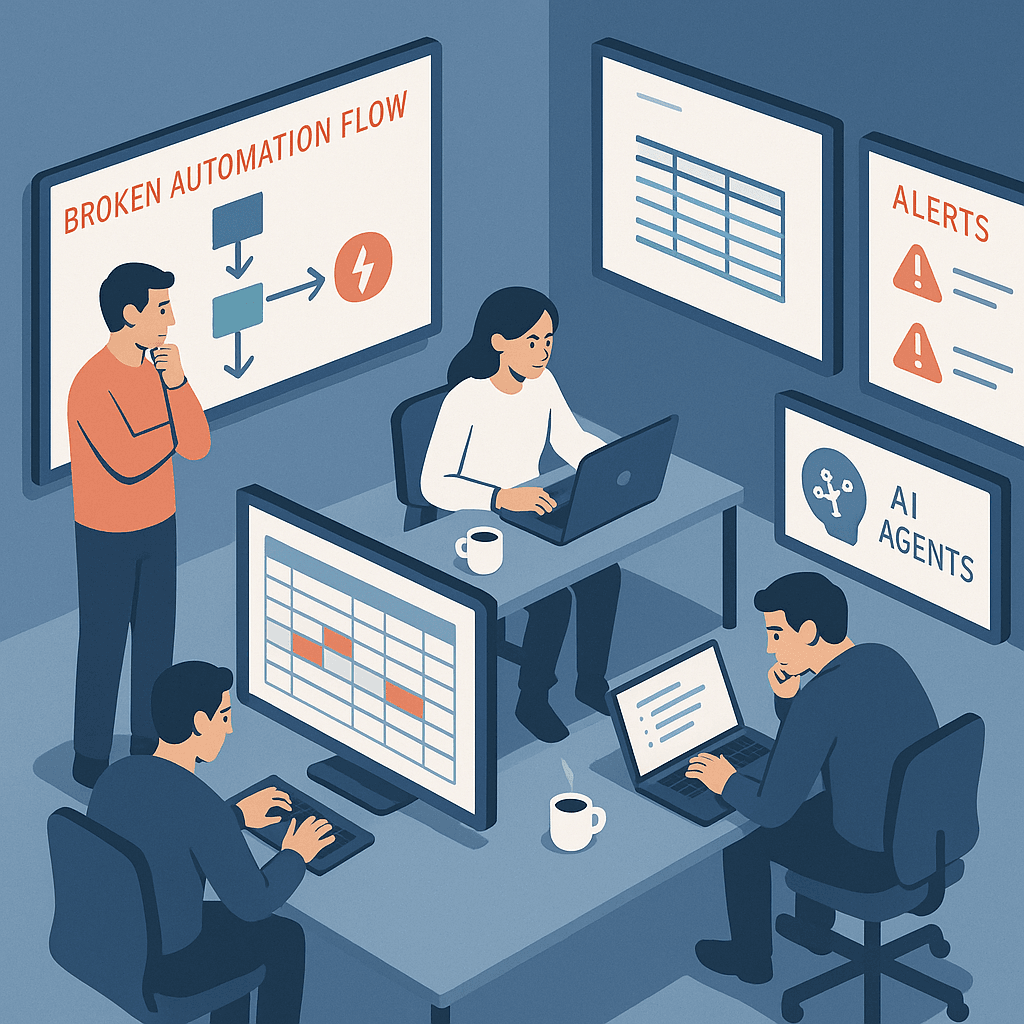
The failure usually starts small.
A founder notices that inbound demo requests feel lighter this week, but paid traffic is steady. Sales assumes marketing quality dipped. Marketing assumes sales is slow to follow up. Two weeks later, someone discovers the real issue: a form field changed in Typeform, the Zapier route to the CRM stopped mapping company size correctly, high-intent leads no longer triggered the “booked-demo-in-5-minutes” workflow, and the GPT-based lead qualification step quietly began returning malformed JSON after a prompt edit.
Nobody saw it because the workflow “belonged” to everyone and no one. Marketing created the form. RevOps set up the CRM. A growth hire built the Zap. An engineer added a webhook. A PM experimented with GPT scoring. Then one person left, another changed roles, and the automation kept running, until it didn’t.
This is the AI Ops Orphan problem.
It shows up in startups that move fast with Zapier, Make, Airtable automations, Google Apps Script, Retool jobs, Slack bots, internal cron jobs, GPT agents, support triage rules, and spreadsheet logic glued together by urgency. In the beginning, this feels like leverage. One sharp generalist can replace weeks of engineering with a stack of lightweight automations. The problem is not that these tools are bad. The problem is that the workflow becomes infrastructure before the team treats it like infrastructure.
At that point, your company starts depending on systems that have no clear owner, no change log, no test environment, no alerting, no rollback path, and no agreed process for when they fail. The result is automation debt that doesn’t look like debt until revenue slips, customers wait, finance closes late, or onboarding gets stuck.
If you’re under 100 people, you are especially vulnerable. You likely have enough complexity to rely on automation across core workflows, but not enough process to manage it formally. That’s where silent failure thrives.
This article is a tactical playbook for fixing that. Not by overbuilding enterprise governance, but by putting just enough ownership, visibility, and response structure around the workflows that can block revenue and execution.
The pattern: orphaned automations become invisible critical infrastructure
Most internal automation in startups is born in a rational way.
A team has a recurring operational problem:
- Leads need to route to the right rep.
- Support tickets need categorization and urgency scoring.
- New customers need onboarding tasks created across tools.
- Weekly KPI reporting needs to pull data from six systems.
- Invoice requests need approval and entry into accounting.
Nobody wants to wait for the product roadmap or backend resources. So an operator builds the first version in Zapier, Make, Airtable, Notion, Google Sheets, or a simple script. It saves hours. Everyone loves it. More logic gets added. Soon one workflow has:
- 4 triggers n- 11 branching conditions
- 3 human approval steps
- 2 GPT calls
- 5 downstream systems
- 1 Slack notification that everyone muted months ago
The workflow now does real operational work. But its origin story still shapes how people treat it: as a handy automation, not a business-critical system.
That mismatch creates the orphan condition.
An automation becomes an orphan when three things are true:
- The workflow is business-critical.
- No single person is accountable for its reliability.
- The knowledge required to maintain it is fragmented across people, prompts, tools, and undocumented assumptions.
Notice that this is not just about a missing name in a spreadsheet. Plenty of workflows have a nominal owner who is not actually equipped, empowered, or expected to maintain the full system.
A true owner knows:
- What triggers the workflow.
- What systems and permissions it depends on.
- What “healthy” output looks like.
- What happens when an upstream or downstream dependency breaks.
- How changes get made safely.
- What to do when the workflow fails.
Without that, your automation stack becomes haunted infrastructure: everyone uses it, no one understands it, and problems surface only through downstream pain.
Where orphaned automations hurt startups first
In early-stage companies, orphan risk clusters around workflows that cross functions. That’s because cross-functional work has the weakest natural ownership boundary.
Here are the usual hotspots.
1. Lead routing and revenue ops
This is often the highest-cost failure mode because the blast radius hits pipeline immediately.
Typical stack:
- Ad platform or website form
- Typeform/Webflow/HubSpot form
- Zapier or Make
- Enrichment provider
- GPT lead scoring or company classification
- CRM assignment logic
- Slack alert or calendar flow
Common failures:
- Form schema changes break mappings.
- Duplicate detection gets bypassed.
- Territory logic becomes outdated after sales org changes.
- GPT output format shifts and downstream parsing fails.
- API rate limits delay assignment.
- A rep offboarding breaks ownership rules.
- A fallback queue doesn’t exist, so leads just sit.
A one-day failure in this flow can be expensive. If you’re generating 20 inbound opportunities a week and 25% fail to route properly, you may not notice immediately. But over a month, that can become a material revenue miss.
2. Support triage and customer success handoffs
Teams increasingly use AI to classify tickets, suggest responses, route issues by product area, and escalate urgent accounts.
Typical stack:
- Intercom/Zendesk/Freshdesk
- GPT classifier or custom AI agent
- Rules engine or no-code automation layer
- Jira/Linear bug creation
- Slack escalation
- CRM/account tier lookup
Common failures:
- Prompt edits degrade classification quality.
- Model changes produce inconsistent labels.
- Permissions expire between support and engineering tools.
- High-priority customers don’t trigger escalation.
- AI confidence thresholds aren’t monitored.
- A queue builds silently because one branch no longer creates tickets.
This failure is dangerous because the team often sees activity, just not correctness. Tickets are still moving, but not to the right place or priority level.
3. Reporting and KPI pipelines
Founders often trust reporting automations more than they should because dashboards look clean even when upstream data is stale or wrong.
Typical stack:
- Stripe, HubSpot, product DB, ad platforms
- Spreadsheet imports or ETL-lite tools
- Scripts or scheduled jobs
- GPT-generated summaries or board updates
- Notion/Slack/email delivery
Common failures:
- Source columns rename.
- Manual exports stop happening after role changes.
- Spreadsheet formulas get overwritten.
- Timezone mismatches skew numbers.
- A script runs but pulls incomplete data.
- AI-generated summaries confidently describe wrong metrics.
This creates management drift. The company starts making decisions based on stale or corrupted information, which is often worse than having no dashboard at all.
4. Customer onboarding workflows
Onboarding chains often span sales, success, product, and finance.
Typical stack:
- Closed-won deal in CRM
- Contract or billing signal
- Project/task generation
- Account provisioning
- Welcome emails and kickoff scheduling
- Internal handoff checklists
Common failures:
- Closed-won stage definitions change.
- A signed contract doesn’t sync correctly to kickoff creation.
- Tasks get created without owner assignments.
- AI-generated implementation briefs omit critical fields.
- Customer data lands in the wrong workspace.
These failures damage first impressions and create internal cleanup work that wipes out the productivity gain automation promised.
5. Finance ops and approvals
Finance automations are often among the least documented and most dangerous because they evolve under deadline pressure.
Typical stack:
- Intake forms or inbox parsing
- Spreadsheet approval logic
- ERP/accounting system sync
- Slack approvals
- GPT extraction from invoices/contracts
- Payment status notifications
Common failures:
- Parser accuracy drifts after vendor format changes.
- Approval chains reference former employees.
- Spreadsheet scripts fail on edge cases.
- Duplicate payment checks stop working.
- Missing alerts delay close or payroll-adjacent tasks.
These aren’t just efficiency issues. They can become cash control, compliance, or trust problems.
Why the standard advice fails
When teams realize they have automation sprawl, the default advice usually falls into one of three buckets.
“Document everything”
This sounds right and usually fails.
Founders tell teams to document all workflows in Notion. A few pages appear. Then the business changes, the documentation drifts, and the pages become a false comfort object. Documentation without ownership and update triggers decays fast.
The problem is not missing prose. The problem is missing operational accountability.
“Move it all into engineering”
Also tempting, also usually wrong.
Some workflows absolutely should be rebuilt as product-grade internal systems. But treating every Zap, Make scenario, or spreadsheet script as technical debt to be “properly engineered” is unrealistic for most startups. It creates a migration backlog larger than the original problem and often slows down the operators closest to the work.
Worse, engineering teams frequently inherit workflows without the process context that made them useful. You end up with technically cleaner systems that don’t actually fit operations.
“Use better tools”
Teams often respond to failure by switching vendors: Zapier to Make, Sheets to Airtable, custom GPT to agent platform, or vice versa.
Sometimes the tool is part of the issue. More often, the issue is that no one defined:
- workflow criticality,
- ownership,
- dependencies,
- test procedures,
- fallback paths,
- and alerting.
A messy unowned system in a better tool is still a messy unowned system.
Tooling can reduce friction, but governance-lite is what prevents orphaning.
The better approach: treat internal automation like an ops product
The right mental model is not “random productivity hacks.” It’s “internal ops products.”
Each meaningful automation should have:
- an owner,
- a clear business purpose,
- defined inputs and outputs,
- documented dependencies,
- a health check,
- a fallback mode,
- and a change process.
Not enterprise bureaucracy. Just enough structure that the workflow can survive role changes, prompt edits, tool migrations, and normal startup chaos.
Here’s the practical framework.
Step 1: Create an automation inventory by business process, not by tool
Most teams start by exporting a list of Zaps, scripts, bots, and automations. That’s useful but incomplete. People think in tools; failures happen in workflows.
Instead, build your inventory around business outcomes.
Example categories:
- Inbound lead capture and routing
- Trial signup qualification
- Support ticket triage
- Churn risk alerts
- Closed-won onboarding
- Weekly executive reporting
- Invoice intake and approvals
- Contractor onboarding/offboarding
For each workflow, capture:
- Workflow name
- Business purpose
- Trigger event
- Systems touched
- Output/action taken
- Frequency/volume
- Business criticality
- Named owner
- Backup owner
- Last changed date
- Last tested date
- Fallback manual process
This matters because one “workflow” may involve multiple tools and hidden dependencies. If you inventory by tool alone, you miss the actual chain.
Simple criticality score
Score each workflow 1–3 on:
- Revenue impact
- Customer impact
- Financial/control impact
- Operational dependency
Then classify:
- Tier 1: Failure causes direct revenue loss, customer harm, or financial risk.
- Tier 2: Failure causes significant internal delays or quality issues.
- Tier 3: Failure is annoying but non-critical.
Start with Tier 1. Don’t try to fix everything at once.
Step 2: Map the full trigger chain, including AI and human dependencies
This is where most audits become useful.
For each Tier 1 workflow, build a simple chain map:
- Trigger
- Transformation/logic steps
- AI decision points
- Human approvals/interventions
- Destination systems/actions
- Alerts and logs
- Fallback path
A lead routing example:
- Website form submitted in Webflow
- Zapier trigger fires
- Enrichment via Clearbit alternative/provider
- GPT classification of segment and urgency
- Formatter step normalizes output
- HubSpot contact/company created or updated
- Owner assigned based on territory table in Airtable
- Slack alert sent to #new-inbound
- If assignment fails, route to unassigned queue and alert RevOps
Now document each dependency:
- Which API keys are used?
- Which user account owns the connection?
- Which prompt version is active?
- What output schema is expected?
- What happens if enrichment fails?
- What happens if GPT confidence is low?
- What happens if Airtable is unavailable?
- Who gets notified if step 8 fails?
Most teams have never written this down. And the act of mapping it surfaces the orphan points immediately.
What to look for in AI steps specifically
AI introduces a new category of fragile dependency that no-code audits often miss.
Review:
- Prompt location: Where is the prompt stored? Who can edit it?
- Model version: Is it pinned or floating?
- Output format: Is strict JSON enforced or loosely parsed?
- Confidence thresholds: Are they defined and acted on?
- Failure handling: What happens on malformed output, timeout, or ambiguity?
- Grounding/data source: What context does the model rely on?
- Drift checks: How do you know the output quality degraded?
- Human review path: Which cases get kicked to manual review?
A GPT step that “usually works” is not a control. It’s a risk surface.
Step 3: Audit five failure classes every workflow should survive
You don’t need a perfect reliability program. You do need every critical workflow to withstand the five most common startup failure modes.
1. Trigger failure
Question: How do you know the workflow started when it was supposed to?
Examples:
- A webhook stops firing.
- A polling interval misses data.
- A source field name changes.
- A scheduled script no longer runs.
Controls:
- Trigger run count monitoring
- “No events received in X hours” alerts
- Synthetic test events for critical workflows
- Daily reconciliation against source system volume
For example, if your site received 18 demo form submissions today and only 15 records entered the CRM, that mismatch should be visible the same day.
2. Logic failure
Question: Did the workflow run but make the wrong decision?
Examples:
- Territory rules are outdated.
- GPT classifier mislabels enterprise leads.
- Spreadsheet formulas break with new categories.
- Branch conditions no longer reflect current process.
Controls:
- Sample-based QA review
- Rule tables with explicit versioning
- AI output validation against allowed values
- Monthly logic review for workflows tied to org structure
Silent logic failure is often worse than a hard error because the team keeps trusting the output.
3. Dependency failure
Question: What happens when an external system or credential breaks?
Examples:
- API token expires.
- An integration account belongs to a departed employee.
- Downstream destination is rate-limited.
- Sheet permissions change.
Controls:
- Shared service accounts, not personal accounts
- Credential rotation calendar
- Dependency owner list
- Retry logic and failure queues
- Visible error destinations, not hidden task histories
If the only place failures appear is a forgotten Zapier task history, you do not have observability.
4. Output failure
Question: Did the workflow complete, but produce unusable or partial output?
Examples:
- Ticket created without priority.
- CRM record created without owner.
- Invoice parsed without tax field.
- AI summary sent with fabricated numbers.
Controls:
- Required field checks before final write
- Schema validation
- “Quarantine” queue for incomplete records
- Human review for low-confidence AI outputs
Completion status is not enough. You need quality thresholds.
5. Alerting failure
Question: If the workflow breaks, who knows, and how fast?
Examples:
- Alerts go to a dead Slack channel.
- Everyone ignores noisy failures.
- The owner left and notifications still mention them.
- No escalation exists for unresolved issues.
Controls:
- Tiered alerts by severity
- Named primary and backup responders
- Escalation after time threshold
- Weekly review of unresolved automation errors
A broken alerting system turns every small issue into a discovery problem.
Step 4: Assign ownership using a lightweight model that actually works
This is the core fix.
Every critical workflow needs three roles, even in a 15-person startup.
1. Business owner
This person is accountable for the business outcome.
Examples:
- Head of Sales for lead routing
- Support lead for ticket triage
- Finance lead for invoice processing
- Customer Success lead for onboarding handoff
They define what “working” means and what the fallback is if it fails.
2. System owner
This person is accountable for workflow reliability and change coordination.
This may be an ops generalist, RevOps lead, biz ops manager, PM, or technical operator. They do not need to build every step personally. They do need to maintain the map, testing, alerts, and change process.
3. Technical steward
Only needed where code, APIs, or more complex AI infrastructure is involved.
This may be an engineer, analytics engineer, or technically strong operator who can help with debugging, schema changes, auth issues, or model behavior.
In small startups, one person may wear two roles. That’s fine. The important part is explicit assignment.
A simple ownership table
For each workflow, define:
- Business owner
- System owner
- Backup owner
- Response SLA
- Last review date
- Manual fallback operator
This takes under an hour for the first pass and removes most ambiguity immediately.
Step 5: Create a change log and force every meaningful edit through it
You do not need enterprise change management. You need enough friction to stop accidental breakage.
A lightweight change log should record:
- Date
- Workflow name
- What changed
- Why it changed
- Who changed it
- Risk level (low/med/high)
- Was it tested?
- Rollback plan
- Were downstream owners notified?
This can live in Notion, Airtable, Linear, or a shared doc. The tool matters less than habit.
Changes that should always be logged
- Trigger/source changes
- Field mapping changes
- Routing rule changes
- Prompt changes
- Model changes
- Permission/account changes
- Destination schema changes
- Alerting changes
Prompt edits are where AI workflows get especially dangerous. Teams treat them like copy changes when they are actually logic changes.
If a prompt affects classification, extraction, summarization, scoring, or routing, log it like code.
Step 6: Add minimum viable observability
You do not need Datadog for every Zap. But you do need a way to answer three questions quickly:
- Did the workflow run?
- Did it produce the expected result?
- If not, who is notified?
Minimum viable observability for Tier 1 workflows:
- Daily run volume
- Daily failure count
- Time since last successful run
- Queue length for exceptions/manual review
- Output quality spot-check rate
- Alert destination and responder
A practical dashboard
Airtable, Notion database, Google Sheet, or a simple internal dashboard can work.
Columns:
- Workflow
- Tier
- Owner
- Last success timestamp
- Failures past 24h
- Exceptions waiting
- Last reviewed
- Status (green/yellow/red)
This is enough for a weekly ops review and real-time spot checks.
Slack is not observability by itself
A common mistake is treating Slack notifications as monitoring. Slack is a transport layer, not a system of record. Alerts disappear in noise.
Better pattern:
- Log events/errors in a durable place
- Send only actionable alerts to Slack
- Escalate unresolved failures after threshold
- Review aggregate errors weekly
Step 7: Define manual fallbacks before you need them
A workflow without a fallback is not automation. It’s a single point of failure.
For every Tier 1 workflow, answer:
- If this breaks today, how do we continue operating manually for 48 hours?
- Who does the manual work?
- Where do they pull inputs from?
- How do they know what has and hasn’t been processed?
- What customer/revenue actions take priority?
Examples:
Lead routing fallback
- Export new form submissions every 2 hours
- Assign manually from a territory sheet
- Post assignee summary to sales Slack channel
- Backfill CRM ownership once workflow is restored
Support triage fallback
- Route all tickets to general queue
- Have support lead manually tag enterprise/high-risk accounts
- Escalate urgent bugs through Slack template
Finance ops fallback
- Intake through shared inbox
- Approvals via named approver list
- Daily payment tracker sheet until sync is restored
You don’t need the fallback to be elegant. You need it to prevent revenue, customer, or control damage.
Tool comparisons: where each category helps and where it creates orphan risk
The goal here is not to crown one winner. It’s to understand tradeoffs.
Zapier
Best for:
- Fast setup
- Broad app ecosystem
- Linear workflows
- Operator-managed automation
Strengths:
- Low learning curve
- Good for straightforward triggers/actions
- Easy for non-technical teams to adopt
Weaknesses:
- Complex branching becomes hard to reason about
- Debugging deep workflows is painful
- Hidden logic sprawls across many Zaps
- Observability can be limited unless designed intentionally
Best use case:
- Early workflow prototypes and moderate-complexity operational automations with clear ownership
Make
Best for:
- More complex branching and multi-step scenarios
- Data transformation-heavy workflows
- Teams comfortable with more visual complexity
Strengths:
- More flexible scenario design
- Better suited for non-linear logic
- Can consolidate workflows that would sprawl in Zapier
Weaknesses:
- Easier to create “clever” systems no one else can maintain
- Visual complexity can hide fragility
- Requires stronger operator discipline
Best use case:
- Ops teams with a real system owner and moderately advanced process automation needs
Airtable automations / internal databases
Best for:
- Workflows centered around structured operational records
- Human-in-the-loop processes
- Lightweight internal control layers
Strengths:
- Strong visibility for record-based workflows
- Good for exception queues and ownership tracking
- Easier to build an operations control plane around workflows
Weaknesses:
- Can become an accidental database of truth
- Permissions and formula complexity create risk
- Scalability and integrity depend on disciplined structure
Best use case:
- Onboarding, approvals, task orchestration, exception handling
Google Sheets + Apps Script
Best for:
- Fast ad hoc automation
- Founder-mode reporting and lightweight internal tooling
Strengths:
- Universal adoption
- Extremely flexible
- Cheap and fast
Weaknesses:
- Fragile formulas and scripts
- Poor permission hygiene in many startups
- Easy to create silent corruption
- Very high orphan risk when built by one power user
Best use case:
- Temporary solutions with explicit deprecation or upgrade plan
GPT agents / LLM workflows
Best for:
- Classification
- Extraction
- Summarization
- Draft generation
- Context handling where rules are brittle
Strengths:
- Can replace high-maintenance manual heuristics
- Helpful in messy, unstructured workflows
- Speeds up support, ops, and analysis tasks
Weaknesses:
- Output variability
- Prompt drift
- Hidden model changes if not pinned/controlled
- Harder QA than deterministic logic
- Teams over-trust plausible outputs
Best use case:
- Decision support and bounded automation with clear validation, confidence handling, and human review paths
Custom code / internal tools
Best for:
- Highly critical workflows
- Complex logic with long-term stability needs
- Strong auditability and testing requirements
Strengths:
- Better control, testing, versioning, and observability
- More maintainable once stabilized
- Easier to integrate with broader engineering systems
Weaknesses:
- Higher upfront cost
- Slower to iterate initially
- Risks losing process nuance if rebuilt too early
Best use case:
- Tier 1 workflows with repeated failures, heavy business dependence, or high control requirements
Cost and time analysis: what this actually takes
Founders often avoid this work because it sounds like internal overhead. In practice, the lightweight version is cheap.
Initial audit cost for a startup with 15–40 meaningful automations
Reasonable estimate:
- Inventory creation: 4–8 hours
- Tiering/criticality scoring: 2–3 hours
- Mapping top 10 critical workflows: 8–15 hours
- Ownership assignment: 2–4 hours
- Change log setup: 1–2 hours
- Monitoring dashboard: 3–6 hours
- Fallback definitions: 4–8 hours
Total: roughly 24–46 hours of focused ops work
That is usually less than the cost of one serious silent failure.
Ongoing operating cost
Per month:
- Weekly review: 30–45 minutes
- Workflow QA/testing: 1–3 hours
- Change log hygiene: 30 minutes
- Quarterly ownership review: 1–2 hours
Call it 4–8 hours per month for a startup with a moderately complex automation footprint.
That is a very cheap insurance policy if your automations touch inbound revenue, support, onboarding, or finance.
When to rebuild instead of patch
Move a workflow from no-code/AI glue to more robust internal tooling when:
- It fails repeatedly in high-impact ways
- It has too many hidden dependencies
- The QA burden exceeds the original time savings
- It requires stronger auditability or access control
- The volume has scaled beyond tool comfort zones
- The workflow logic changes constantly with business growth and versioning matters
A useful heuristic: if a workflow affects more than one core function and would create a painful all-hands scramble if it broke for 24 hours, it deserves product-like treatment.
A practical weekly workflow review ritual
You do not need a committee. You need a recurring 30-minute ops reliability check.
Attendees:
- Ops/system owner
- Relevant business owner
- Technical steward if needed
Agenda:
- Review Tier 1 workflow status dashboard
- Look at failures/exceptions from the past week
- Review any prompt or logic changes made
- Confirm owners/responders are current
- Spot-check one workflow for output quality
- Identify one workflow that needs simplification or rebuild
This meeting prevents “set and forget” from becoming “forgot until broken.”
A failure-response system that works in a startup
When a critical workflow fails, most startups handle it chaotically. The person who notices posts in Slack. People guess where the issue is. Nobody knows whether to stop traffic, switch to manual, revert the prompt, or wait for the vendor.
Create a simple incident playbook for Tier 1 workflows.
Trigger criteria
Define what counts as an incident:
- Workflow down for more than X minutes/hours
- More than Y failed events
- Misrouting above threshold
- Missing daily report by deadline
- AI error/low-confidence rate above threshold
Incident roles
- Incident lead: usually system owner
- Business decision maker: business owner
- Technical support: technical steward
Response sequence
- Acknowledge failure
- Assess scope and impacted records/time window
- Pause or isolate broken branch if needed
- Switch to manual fallback
- Restore, reroute, or roll back
- Reconcile missed items
- Log root cause and prevention step
Postmortem questions
- What failed first?
- Why wasn’t it detected sooner?
- Did ownership create confusion?
- Was there a fallback?
- What monitoring or validation was missing?
- Should this workflow remain in its current tool?
Keep this lightweight. The goal is faster recovery and learning, not ceremony.
Common anti-patterns to eliminate immediately
If you do nothing else, kill these patterns.
1. Personal account ownership
If a mission-critical automation runs on someone’s personal Google account, Slack token, OpenAI key, or Zapier login, fix that this week.
Use shared service accounts wherever possible.
2. Prompt edits with no review
If anyone can tweak the prompt powering triage, scoring, extraction, or routing without logging/testing the change, you have production logic with no release process.
3. No exception queue
If malformed, incomplete, or low-confidence records disappear instead of landing in a visible queue, you are accepting silent loss.
4. “Success” defined as task completion
A workflow that technically ran but produced garbage is not healthy. Add output validation.
5. Dead Slack alerts
If your alerts channel is muted, noisy, or unowned, you have no alerting.
6. Spreadsheet-as-database with no guardrails
If a core workflow depends on tabs, formulas, and scripts only one person understands, you need ownership, backups, and a migration plan.
What a good lightweight ownership system looks like in practice
Let’s make this concrete.
Imagine a 35-person B2B SaaS company.
Their core automations include:
- inbound demo routing,
- trial signup enrichment,
- support ticket triage,
- weekly KPI reporting,
- closed-won onboarding,
- invoice intake and coding.
In 30 days, they implement:
Week 1
- Inventory all workflows
- Score criticality
- Identify top 8 Tier 1/Tier 2 workflows
- Assign business and system owners
Week 2
- Map trigger chains for Tier 1 workflows
- Move integrations to shared accounts
- Add fallback steps for demo routing, support triage, and finance intake
Week 3
- Create change log
- Add prompt version notes for AI steps
- Set up a simple dashboard with last success, failures, and exceptions
- Clean up alert destinations
Week 4
- Run test cases through each Tier 1 workflow
- Simulate one failure per workflow
- Document manual recovery steps
- Schedule recurring 30-minute weekly review
Result:
- The company does not eliminate all automation risk.
- It does reduce time-to-detection and time-to-recovery dramatically.
- New hires can understand what exists.
- Role changes stop breaking invisible dependencies.
- Founders regain trust in automated internal operations.
That is the actual win. Not perfect systems. Operational resilience that matches the company’s stage.
The founder’s job here
This problem persists because founders often see internal automation as beneath strategic attention until something expensive breaks.
But if your startup runs on automated lead routing, support classification, reporting, onboarding, or finance workflows, these systems are part of your execution engine.
You do not need to personally own them. You do need to insist that they are owned.
Specifically, founders should ask:
- Which automations, if broken for 24 hours, would hurt revenue or customers?
- Who specifically owns each one?
- What changed in the past 30 days?
- How would we know if it failed silently?
- What is the manual fallback?
If nobody can answer those quickly, you have AI ops orphan risk right now.
Takeaways
The AI Ops Orphan problem is not really about AI. AI just makes orphaned workflows more fragile because prompts, models, and non-deterministic outputs create new hidden dependencies.
The deeper issue is that startups build internal automation faster than they build ownership around it.
The fix is not heavyweight governance, a giant migration project, or a new vendor by itself.
It’s a lightweight operating system for internal automation:
- Inventory workflows by business process
- Tier them by impact
- Map the full trigger chain
- Audit trigger, logic, dependency, output, and alerting failure modes
- Assign business and system ownership
- Log changes, including prompts
- Add minimum viable observability
- Define manual fallbacks
- Review critical workflows weekly
Do this before automation debt starts blocking revenue and execution.
Because the worst automation failures in startups are not dramatic outages. They are silent misses that compound in the background while everyone assumes the machine is still working.
And by the time you notice, you are not debugging a Zap. You are debugging trust in how your company runs.