
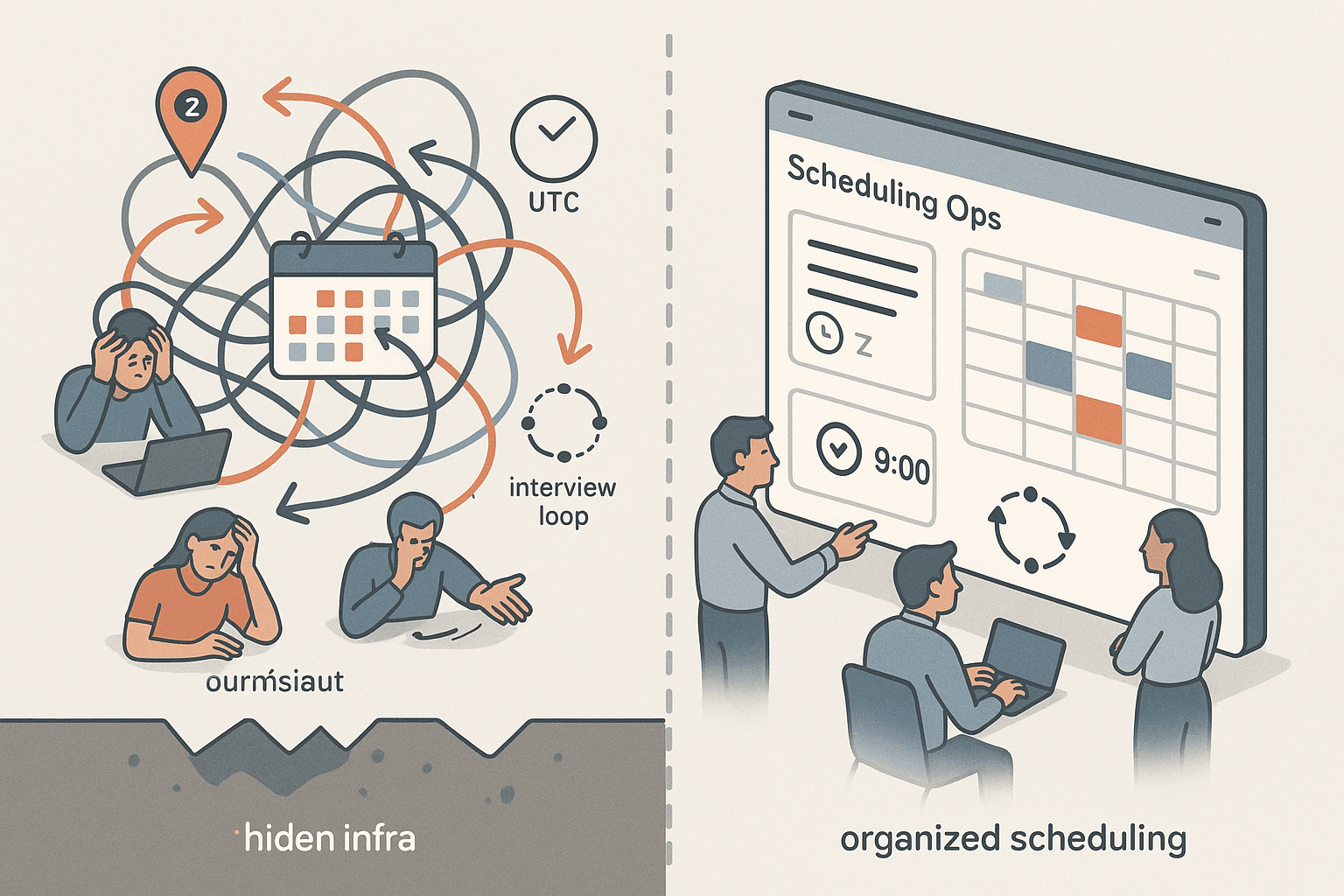
You usually don’t notice calendar routing debt when the company is small.
At five people, everyone knows who owns what. The founder forwards hot inbound leads to the AE with the best close rate. The recruiter Slacks interview times to whichever engineer is least underwater. Customer onboarding gets scheduled by the CSM who happens to be online. If someone is on vacation, people work around it. If a prospect is in Europe, someone remembers to send a different booking link. If an enterprise account needs a solutions engineer, sales just pulls one in manually.
Nothing looks broken because humans are compensating for missing system design.
Then the company grows from “we all know what’s happening” to “we have enough volume that habits become hidden infrastructure.” That’s when weird symptoms start showing up:
- Inbound demo speed drops even though lead volume only increased modestly.
- One interviewer is booked into the ground while another barely gets used.
- Prospects book calls with the wrong rep because old links are still floating around.
- Customer escalations wait a day because the account owner changed but the calendar flow didn’t.
- SDRs qualify leads one way, AEs schedule another way, and RevOps can’t explain where scheduling lag actually occurs.
- Candidates get a smooth recruiter screen but then wait six days for a panel because no one designed panel availability as a system.
This is calendar routing debt: the accumulated operational risk created when scheduling logic lives in memory, workarounds, and social habits rather than explicit routing rules, owned workflows, and inspectable systems.
It looks minor because it hides inside links, defaults, and “the way we usually do it.” But the consequence is serious: speed-to-action slows down right where your business needs it to be fastest.
For startups, that means lost pipeline, lower conversion, interviewer burnout, messy handoffs, weaker customer experience, and reporting you can’t trust.
This article is a practical playbook for fixing it before it becomes one more invisible tax on growth.
A real failure scenario: everything works until volume exposes the habits
Consider a seed-stage B2B SaaS company at 28 people.
The company has:
- 2 founders
- 3 AEs
- 2 SDRs
- 1 RevOps generalist
- 1 recruiter
- 6 engineers involved in interviews
- 3 CSMs
- 1 implementation manager
For the first year, scheduling looked “fine.” They used a mix of Calendly links, Google Calendar, Slack coordination, and some light CRM automation.
Here’s how the flows evolved:
Inbound sales demos
Originally, all inbound demo requests went to the founder’s calendar link. If the founder was unavailable, they’d manually redirect the lead to an AE.
Later, they created separate links for:
- SMB demo
- Mid-market demo
- EMEA demo
- Technical deep dive
But nobody formally defined how a lead should route between them. SDRs used one link after qualification. The website used another. Paid campaign forms used a different embedded scheduler. The founder still sent their legacy link to warm intros. One AE had a personal booking page in their email signature. Another used a pooled round-robin link.
Result: routing depended on who touched the lead first.
Hiring interviews
The recruiter used a screen link for themselves, then manually coordinated technical interviews through Slack with engineering managers. Some engineers blocked time correctly; others didn’t. One of the interviewers had an old booking page with no minimum notice rule. Another allowed interviews to stack back-to-back. Time zone handling was inconsistent.
Result: candidates could move fast at the top of funnel, then hit unpredictable bottlenecks in panels.
Customer handoffs
Sales closed deals and introduced the CSM over email. Sometimes implementation joined. Sometimes not. Existing customers booked support-ish issues using old onboarding links because those were still in the help center. When account ownership changed, booking links didn’t.
Result: customer calls often landed with the wrong person, or sat waiting for manual reassignment.
Internal operating rhythm
Leadership used ad hoc links for board prep, recruiting debriefs, and deal reviews. Executive assistants didn’t exist yet, so coordination burdens were distributed across whoever cared enough to solve the immediate problem.
Result: every cross-functional workflow depended on heroics.
None of this felt catastrophic day to day. But over three quarters, the company saw the following:
- Median time from inbound form fill to first scheduled sales meeting increased from 18 minutes to 11 hours.
- No-show rates rose because prospects received delayed follow-up instead of booking immediately.
- One AE handled 41% of all first meetings because their link was easiest to find.
- Engineering interview load clustered on 2 of 6 engineers, causing velocity complaints.
- Candidate onsite scheduling time stretched from 3 days to 8 days.
- 14% of customer-facing booked meetings were reassigned after scheduling.
- CRM reports showed meeting volume, but not routing quality or scheduling delay by path.
Leadership interpreted these as separate issues:
- “Marketing quality is getting worse.”
- “Engineering is too slow to support hiring.”
- “CSM handoffs need better communication.”
- “AEs aren’t following process.”
But the deeper pattern was simpler: the company had built critical speed-to-action workflows on tribal scheduling behavior.
That’s calendar routing debt.
The pattern: scheduling logic becomes infrastructure before anyone treats it that way
Most startups think of scheduling as an admin convenience. In reality, it becomes a decision engine.
A booking link is not just a way to find time. It encodes policy:
- Who gets the meeting
- How fast they can get it
- Which time zones are supported
- Whether workload is distributed fairly
- Whether qualification is enforced
- Whether ownership changes are reflected
- Whether buffers protect focus time
- Whether a customer or candidate hits the right next step
- Whether reporting can explain what happened
The minute your company has more than one person who can take a call, more than one type of meeting, or more than one stage transition, scheduling is no longer simple coordination. It is routing infrastructure.
And startup teams usually build that infrastructure accidentally.
The pattern tends to unfold in predictable stages:
Stage 1: founder convenience
One person owns most external conversations. A personal booking link works fine.
Stage 2: link sprawl
More people need links. Different teams create them independently. Naming conventions drift. Defaults vary.
Stage 3: hidden policy divergence
Each link embeds slightly different assumptions: notice periods, buffers, working hours, time zones, host availability, reassignment rules, form questions, and reminders.
Stage 4: volume meets ambiguity
As lead volume, candidate volume, or customer complexity rises, manual intervention increases. Teams compensate through Slack, email, and DMs.
Stage 5: reporting blindness
The company can count meetings, but not reliably diagnose why the wrong meetings happen, why speed varies, or where bottlenecks originate.
Stage 6: trust erosion
People stop trusting the system, so they bypass it even more. That creates still more inconsistency.
At this point, the real system is not what the calendar tool says. The real system is the combination of:
- Legacy links in circulation
- Human memory
- Team-specific workarounds
- Calendar settings no one audits
- CRM ownership that does not match booking ownership
- Slack messages used as routing glue
That is operational debt in the purest sense: a business-critical function exists, but nobody designed it as a product.
Why standard advice fails
A lot of scheduling advice is too shallow for scaling startups.
You’ll hear things like:
- “Just use a round-robin.”
- “Standardize on one booking tool.”
- “Set better calendar availability.”
- “Use routing forms.”
- “Add a RevOps person.”
None of these are wrong. They’re just incomplete.
“Just use a round-robin”
Round-robin sounds fair, but fairness is not the only goal.
You may need to route by:
- Territory n- Account ownership
- Segment
- Language
- Product line
- Existing relationship
- Qualification score
- Technical complexity
- Interview load balancing
- Customer tier or contract value
A simple round-robin often breaks the moment real business rules appear. Worse, it can create false confidence: the team thinks routing is “solved” because meetings distribute evenly, while the wrong people are still taking them.
“Standardize on one booking tool”
One tool helps, but tooling standardization does not equal workflow design.
You can have one vendor and still have:
- 40 unmanaged event types
- conflicting defaults
- duplicated links
- no ownership taxonomy
- poor CRM sync
- stale embedded schedulers
- inconsistent qualification paths
A unified mess is still a mess.
“Set better calendar availability”
Availability matters, but routing debt is broader than open slots.
The problem is not just whether time exists. It’s whether the right person, at the right stage, with the right constraints, can be booked through the right path, with the right data attached, and measured afterward.
“Use routing forms”
Routing forms are useful, but many startups overestimate them.
If the downstream system is sloppy, a routing form just feeds ambiguity faster. For example:
- The form identifies enterprise prospects, but there’s no clean enterprise owner pool.
- The form asks region, but EMEA coverage is inconsistent.
- The form filters for technical evaluation, but the SE calendar doesn’t enforce buffers.
- The form sends existing customers to success, but account ownership has not synced correctly.
The form is only the front door. Routing logic includes what happens after the decision.
“Add a RevOps person”
RevOps can help, but this issue crosses teams.
Sales, recruiting, success, implementation, support, and leadership all create scheduling logic. If one person becomes the cleanup crew for every team’s tribal process, you’ve centralized pain, not solved design.
The issue is not lack of effort. It’s lack of explicit operating model.
The better approach: build a scheduling ops layer
The fix is to treat scheduling as an operational layer with explicit rules, ownership, instrumentation, and change management.
Call it scheduling ops.
This does not need to be heavy. In an early-stage startup, it can be lightweight and still dramatically improve speed and reliability.
The core shift is this:
Stop thinking in terms of booking links. Start thinking in terms of routed workflows.
A booking link is just an interface. The real asset is the policy behind it.
A scheduling ops layer has six components:
- Workflow inventory: every meaningful scheduling flow documented
- Routing rules: explicit logic for who gets what and when
- Capacity rules: availability, buffers, limits, and fallback paths
- Ownership model: who maintains each workflow and approves changes
- System integration: CRM, ATS, help desk, and calendar data aligned
- Operational reporting: speed, load, exceptions, and reroutes measured by path
Let’s break this down in practical terms.
Implementation detail 1: inventory your scheduling workflows before touching tools
Do not start by rebuilding links. Start by mapping the workflows that currently depend on scheduling.
Most teams underestimate how many there are.
At minimum, list flows across:
GTM
- Inbound demo request
- SDR-qualified handoff to AE
- Expansion/opportunity review
- Technical validation or SE call
- Executive sponsor call
- Renewal risk escalation
Hiring
- Recruiter screen
- Hiring manager screen
- Technical interview
- Panel/onsite scheduling
- Debrief and decision meeting
Customer
- Onboarding kickoff
- Implementation checkpoint
- Escalation review
- QBR/EBR scheduling
- Support-to-CS handoff
Internal
- Cross-functional incident review
- Leadership syncs
- Board prep
- Vendor evaluation calls
For each workflow, document:
- Trigger: what causes scheduling to start?
- Source: website, CRM, ATS, email, Slack, support portal, etc.
- Meeting owner: who should host?
- Routing inputs: territory, stage, segment, language, account owner, role, team, urgency
- Constraints: time zone, notice period, panel composition, maximum meetings/day, required attendees
- Fallbacks: what happens if no slots are available?
- Data sync: where should the meeting be logged?
- SLA: what is acceptable speed-to-schedule?
- Reporting need: what do you need to observe?
This sounds basic, but it usually surfaces the real problem fast.
You’ll discover things like:
- Three different links serve the same purpose
- A critical workflow has no owner
- Existing customers and prospects share a path
- Candidate scheduling depends on one recruiter’s personal process
- Time zone support exists informally, not in system rules
- Fallback logic is “message someone in Slack”
That is your routing debt inventory.
Implementation detail 2: define routing logic as policy, not preference
Next, convert tribal behavior into written routing rules.
The key is to define what should happen, independent of the tool.
For example, don’t write:
- “Use John’s link for enterprise demos.”
Write:
- “Enterprise demo requests from North America route to the assigned territory AE if ownership exists; otherwise to the NA enterprise round-robin pool; if technical requirements are indicated, append SE availability within 3 business days.”
That level of specificity matters.
A useful rule template:
- Workflow: Inbound demo
- Condition: Company size > 500 employees and region = EMEA
- Primary route: Assigned EMEA AE if owner present in CRM
- Secondary route: EMEA enterprise round-robin
- Tertiary route: Global overflow pool during local holidays
- Notice rule: Minimum 4 hours
- Buffer rule: 15 minutes before and after
- Load rule: Max 4 first meetings/day per AE
- Fallback: If no slot within 2 business days, alert SDR manager
- Logging: Create meeting record in CRM with route source = “enterprise_emea_inbound”
This is not bureaucracy. This is the minimum policy layer needed for reliability.
Implementation detail 3: separate routing from capacity
A common mistake is combining “who should get this meeting” with “who happens to have an open slot.”
That creates hidden distortions. The person with the loosest calendar receives more meetings, regardless of ownership or fit.
Keep these as separate decisions:
- Routing decision: who is supposed to own this interaction?
- Capacity decision: when can that owner or pool actually take it?
If the right owner has no availability, decide consciously what the system should do:
- Wait for the owner’s next slot
- Escalate to overflow coverage
- Offer alternate host with reassignment notice
- Trigger manual intervention
This matters a lot in sales and customer success.
Example:
- A strategic expansion account should probably wait 24 hours for the correct AE or CSM rather than get booked instantly with the wrong person.
- A fast-moving SMB inbound lead might be better served by immediate overflow routing to preserve speed-to-action.
Different workflows need different tradeoffs.
Implementation detail 4: design capacity rules like an operator, not just a scheduler
Availability is where calendar debt often becomes human burnout.
You need explicit capacity rules for each workflow type.
Examples:
For sales
- Max number of first meetings per AE per day
- Minimum time between demos
- Time blocks reserved for follow-up and proposal work
- Regional coverage windows
- Overflow rules during PTO or field events
For hiring
- Max interviews per interviewer per week
- Panel composition requirements
- No back-to-back interview blocks over a threshold
- Dedicated interview windows instead of ad hoc availability
- Backup interviewer pools by competency
For customer success
- Dedicated escalation slots
- Time reserved for onboarding vs ongoing book of business
- Priority rules for high-risk accounts
- Ownership swap rules during leave
Without these, your “efficient” scheduling layer will quietly consume the very people you depend on.
The system should optimize not just for booking speed, but for sustainable responsiveness.
Implementation detail 5: create a link architecture, not a link pile
Once the workflow and policy layers are clear, then build or rebuild your actual scheduler setup.
A good link architecture has:
1. Canonical links only
For each workflow, there should be one canonical path. Legacy links should redirect or be retired.
Examples:
/demo/customer-onboarding/candidate-tech-screen
Not six vaguely named event types spread across personal workspaces.
2. Naming conventions
Use consistent event naming that reflects workflow and audience.
Examples:
GTM | Inbound Demo | SMB | NAHiring | Recruiter Screen | G&ACS | Onboarding Kickoff | Standard
This sounds boring. It is also the difference between maintainable infrastructure and archaeology.
3. Environment control
Decide where links can live:
- Website embedded scheduler
- CRM email templates
- SDR sequences
- ATS candidate scheduling emails
- Help center or customer portal
If links are allowed to proliferate inside personal signatures and one-off docs, debt returns fast.
4. Versioning and retirement
When routing rules change, old links need deprecation handling.
Maintain a basic registry with:
- Link owner
- Created date
- Intended use
- Current status
- Replacement path
This can live in Notion or Airtable early on. It does not need to be fancy.
Implementation detail 6: instrument the system for routing quality, not just meeting count
Most teams track volume. Few track routing performance.
You need metrics that answer:
- How fast did someone get from trigger to booked meeting?
- Did they book through the intended path?
- Was the meeting hosted by the intended owner?
- How often are meetings reassigned?
- Which pools are overloaded?
- Which workflows create the longest scheduling lag?
- How often does fallback logic trigger?
Useful metrics include:
Speed metrics
- Median time from inbound trigger to scheduled meeting
- Median time from qualification to AE handoff meeting booked
- Median candidate stage transition scheduling time
- Median customer escalation scheduling time
Quality metrics
- % meetings booked to correct owner on first attempt
- % meetings rerouted after booking
- % meetings scheduled via non-canonical links
- % records missing routing metadata
Capacity metrics
- Meetings per host per day/week by workflow
- Interview load distribution by interviewer
- Overflow pool usage rate
- % no-availability events by route
Outcome metrics
- Show rate by route
- Opportunity conversion by scheduling path
- Candidate pass-through by interview scheduling speed
- Customer expansion/renewal outcomes by handoff responsiveness
Add route-source metadata wherever possible. If you can’t tell which path produced a meeting, your reporting will stay shallow.
Tool comparison: what different categories are good and bad at
You do not need an enterprise stack on day one. But you should understand the tradeoffs by tool category.
Basic scheduling tools
Examples: Calendly, SavvyCal, Google Appointment Schedule, Cron-style schedulers
Strengths:
- Fast to deploy
- Low cost
- Easy for individual contributors
- Good for simple event types and basic round-robin
Weaknesses:
- Governance can get sloppy quickly
- Cross-functional workflow logic is limited
- Reporting on routing quality is often weak
- Version control and link sprawl become issues
Best for:
- Very early-stage teams
- Single-owner meeting flows
- Lightweight canonical link layer after policies are defined
CRM-native routing and scheduling
Examples: HubSpot scheduling/routing, Salesforce plus scheduling integrations
Strengths:
- Better ownership alignment
- Easier reporting against pipeline/customer records
- Can support qualification-based routing more cleanly
- Stronger source-of-truth potential
Weaknesses:
- Setup complexity rises quickly
- Still may need external scheduler UX
- Changes can require ops/admin bandwidth
- Non-GTM use cases like hiring may fit poorly
Best for:
- Sales and success workflows where CRM ownership matters heavily
- Teams that need route reporting tied to revenue outcomes
ATS scheduling features
Examples: Greenhouse scheduling, Lever scheduling, Ashby scheduling
Strengths:
- Candidate stage context built in
- Better interviewer coordination than generic links
- Easier reporting on time-to-schedule by hiring stage
Weaknesses:
- Interviewer availability quality still depends on discipline
- Cross-functional panel complexity can still be messy
- Limited relevance outside hiring workflows
Best for:
- Teams with increasing interview volume
- Structured interview loops needing stage-based ownership
Workflow automation tools
Examples: Zapier, Make, Workato, Tray
Strengths:
- Can stitch together CRM, scheduler, ATS, Slack, and help desk
- Good for alerts, exceptions, metadata sync, and fallback workflows
- Helpful before building custom software
Weaknesses:
- Can create fragile hidden logic if poorly documented
- Error handling is often under-managed in startups
- Another layer of operational debt if no owner exists
Best for:
- Exception routing n- Notifications
- Metadata synchronization
- Bridging tool gaps
Custom internal scheduling/routing layer
Strengths:
- Maximum control
- Tailored qualification, ownership, and capacity logic
- Better for complex multi-step routing across functions
Weaknesses:
- Expensive to build and maintain
- Easy to over-engineer too early
- Requires product/engineering time for ops infrastructure
Best for:
- Companies with significant scale or unusual complexity
- Cases where off-the-shelf tooling cannot support critical routing rules
For most startups under 100 people, the right answer is usually:
- One primary scheduler platform
- CRM or ATS as source of truth where relevant
- Lightweight automation for exceptions and alerts
- A documented policy layer in Notion/Airtable
- Quarterly audit discipline
Not glamorous. Very effective.
Workflow example 1: fixing inbound demo routing
Let’s make this concrete.
Broken version
- Website form submits to marketing automation
- SDR follows up manually
- Some pages include direct AE links
- Warm intros go to founder’s personal link
- Enterprise accounts occasionally get booked with SMB reps
- EMEA leads wait overnight because only one regional rep’s link is embedded
Better design
Trigger: inbound demo request submitted
Inputs collected: region, employee count, current tool, work email, existing customer status, product interest
Routing policy:
- Existing customer → customer success path, not new logo sales
- Enterprise segment + owner in CRM → account owner
- Enterprise segment + no owner → enterprise pool by region
- SMB → SMB round-robin by region
- Technical evaluation indicated → add SE follow-up workflow
Capacity policy:
- SMB pool: instant booking preferred, max 6 first meetings/day per rep
- Enterprise owner: prioritize ownership, allow 48-hour slot window before overflow
- EMEA fallback: route to global coverage pool during regional blackout windows
Operational controls:
- Website and all outbound templates point only to canonical entry point
- Personal links prohibited for first-touch inbound
- Route metadata written to CRM
- Alert generated if no slot booked within SLA
Likely impact
In many teams, this alone can materially reduce lead response lag and stop random ownership errors.
A practical benchmark:
- Setup time: 1–2 weeks for policy, config, testing
- Tool cost: often no major increase if current scheduler supports routing; maybe incremental ops tooling cost of $50–$300/month
- Business impact: improved show rates and faster first meetings usually repay this quickly if inbound volume matters at all
Workflow example 2: fixing interview scheduling overload
Broken version
- Recruiter manually DMs engineers for availability
- Engineers expose uneven scheduling windows
- One “reliable” interviewer gets overloaded
- Time zones and debrief timing create candidate drift
Better design
Trigger: candidate passes recruiter screen
Inputs: role family, stage, interviewer competencies needed, candidate time zone
Routing policy:
- Technical screen pool selected by role competency
- Panel composition defined by interview kit
- Debrief participants preassigned by role
Capacity policy:
- Max 3 interviews/week per engineer for non-hiring-manager interviewers
- Dedicated interview blocks Tue/Thu only
- Minimum 30-minute buffer between interviews
- Backup pool activated if primary pool cannot schedule within 3 business days
Operational controls:
- ATS scheduling only, no personal links for panel stages
- Interview load dashboard reviewed weekly
- Interviewer availability audited biweekly
- Candidate scheduling SLA by stage tracked in ATS
Cost/time analysis
This is usually less about software spend and more about operating discipline.
- Initial design: 4–8 hours from recruiter + eng manager + ops
- ATS config/testing: 1–3 days
- Weekly maintenance: 30 minutes to review load and exceptions
Compare that to the hidden cost of poor scheduling:
- Slower close times for strong candidates
- Engineering resentment from chaotic interruptions
- Recruiter hours burned on coordination
- Candidate experience degradation that never shows up neatly in one dashboard
Workflow example 3: fixing customer handoff confusion
Broken version
- Sales closes deal
- Intro email sent manually
- Customer books onboarding through stale link
- Ownership changes after close aren’t reflected
- Escalations arrive via whoever’s calendar link the customer already has
Better design
Trigger: opportunity marked closed-won
Inputs: segment, implementation complexity, account owner, customer tier, support plan
Routing policy:
- Standard onboarding → CSM kickoff path
- Complex implementation → implementation manager first, then CSM handoff
- High-touch enterprise → named owner booking only
- Escalations → current owner or coverage owner from CRM
Capacity policy:
- Onboarding slots reserved weekly by CSMs
- Escalation reserve blocks for priority accounts
- Ownership transfer updates scheduler assignments automatically or triggers review task
Operational controls:
- Help center and onboarding emails use canonical current-state links only
- Old links retired after handoff
- CRM owner change triggers link/path validation
- Reassignment rate tracked monthly
This is where startups often realize scheduling is part of customer operations, not just calendar hygiene.
Governance: who should own scheduling ops?
If everyone can create critical scheduling logic, nobody owns the system.
A workable early-stage model:
Central owner
Usually one of:
- RevOps
- BizOps
- Recruiting Ops for hiring flows
- COO/founder delegate in very early stage companies
This person owns:
- Workflow registry
- Policy documentation
- Audit process
- Exception review
- Tool governance
Functional owners
Each workflow needs a business owner:
- Sales leader for inbound/AE routing
- Recruiter or head of talent for interview flows
- CS leader for customer scheduling workflows
They define business rules and approve tradeoffs.
Admin/config owner
The person who actually changes the tool may be central ops or delegated, but changes should not happen ad hoc in personal workspaces without review.
You do not need a committee. You need clear accountability.
A lightweight operating cadence that actually works
Here’s a practical cadence for startups:
Weekly
- Review failed bookings or no-availability exceptions
- Review overloaded individuals or pools
- Check critical SLA breaches
Monthly
- Audit top 10 highest-volume scheduling workflows
- Review reroutes and reassignment rate
- Validate CRM/ATS ownership alignment
- Retire stale links discovered in circulation
Quarterly
- Full workflow inventory review
- Revisit routing logic after org changes, new territories, or role changes
- Compare conversion/show-rate outcomes by path
- Reassess whether tool stack still fits complexity
This can be a 60-minute monthly review plus a quarterly deep dive. The key is consistency.
Common failure modes when teams try to fix this
A few traps to avoid:
Over-automation before policy clarity
If you automate a bad process, you just hide the badness deeper.
Treating every workflow the same
Sales inbound, executive recruiting, and customer escalations should not share the same routing philosophy.
Ignoring legacy links
Old links are operational malware. If they remain in email templates, decks, help docs, or signatures, the system never truly resets.
Optimizing only for speed
Fast booking with the wrong owner can create more downstream drag than a slightly slower but correct route.
No metadata strategy
If meeting records don’t capture route source, owner intent, and path type, you won’t learn anything from the system.
No fallback design
Every workflow eventually hits unavailable owners, PTO, interviews running long, local holidays, or bad sync data. Fallback is not edge-case design. It is core design.
The economics of calendar routing debt
Founders often delay this because it feels operationally small.
It isn’t.
Let’s do rough math for an early-stage team:
- 120 inbound demo requests/month
- 40 candidate interviews/month
- 80 customer-facing scheduled interactions/month
- 30 internal high-value coordination events/month
If routing debt adds just:
- 20 minutes of manual coordination to 25% of those interactions
- 1 reassignment or reschedule cycle to 10%
- 12 hours median delay to high-intent inbound leads
The cost shows up as:
- Lost pipeline from slower speed-to-lead
- Recruiter and ops hours consumed by manual patching
- High-value employee time fragmented by random scheduling load
- Candidate drop-off due to slower process
- Customer frustration and weaker handoffs
- Bad management decisions from incomplete reporting
Even conservatively, it’s easy to waste tens of hours per month and meaningful revenue opportunity.
The fix typically costs far less:
Lightweight fix for sub-50-person startup
- 1–2 weeks of ops design work
- some leader input across GTM/hiring/customer teams
- scheduler cleanup and canonical rebuild
- CRM/ATS field alignment
- simple dashboarding
Likely cash spend:
- $0–$500 incremental monthly tooling
- internal time from ops + functional leads
That is usually an excellent trade.
Takeaways
Calendar routing debt is what happens when scheduling logic becomes mission-critical before the company treats it like infrastructure.
The warning sign is not “our calendar tool is messy.” The warning sign is that speed-to-action depends on who remembers the workaround.
If demos, interviews, customer calls, and handoffs rely on tribal behavior, you are already carrying hidden operating risk.
The fix is not just buying a better scheduler. It is building a scheduling ops layer:
- inventory the workflows
- define routing rules explicitly
- separate routing from capacity
- design load and buffer policies
- create canonical link architecture
- instrument for routing quality and exceptions
- assign clear ownership and review cadence
Founder to founder: this is one of those problems that feels too small to deserve attention right until it quietly slows your business everywhere at once.
If your startup is growing and external interactions matter, scheduling is no longer admin. It is operations. Treat it that way before human habit becomes your bottleneck.