
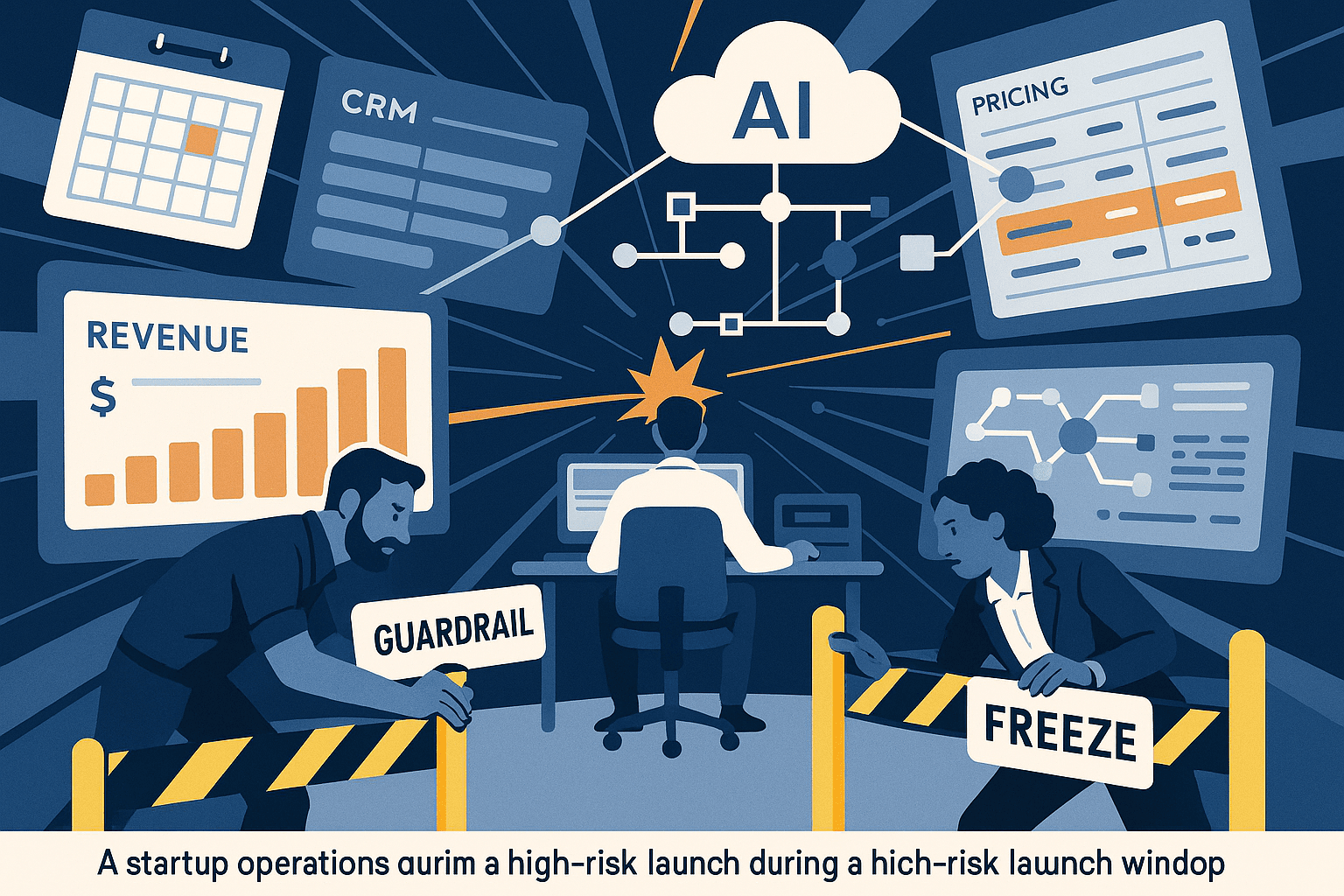
Three days before quarter-end, a startup decides to push through “just a few” changes.
Sales ops wants to update CRM lifecycle stages before the board pipeline review. Finance wants to adjust pricing logic in billing so a new annual discount can go live on the first. Product wants to ship onboarding copy updates to improve activation for a launch campaign. Engineering is finishing an infrastructure migration that has already slipped twice. Meanwhile, growth is editing an AI-assisted lead routing workflow because the old prompt is sending too many low-intent demo requests to sales.
Individually, none of these changes feels reckless. Collectively, they create a perfect failure pattern.
The CRM field update breaks a dashboard dependency, so pipeline numbers stop matching what sales leadership expects. The billing logic change interacts badly with an older coupon rule and creates invoice errors for a subset of self-serve upgrades. The onboarding tweak changes event names in analytics without anyone realizing it, which means activation reporting goes dark during the exact week leadership is trying to understand launch performance. The infrastructure migration adds intermittent latency, and the AI routing workflow starts misclassifying enterprise leads because the prompt was tested on old data but not current campaign traffic.
Nobody intended to create an incident. Nobody made a wildly irresponsible decision. There was no dramatic outage, no single villain, no obviously broken process.
But by the following Monday, the company has four competing versions of “what happened,” two customer escalations, one finance cleanup project, a sales team that no longer trusts the dashboard, and an executive team arguing about whether the real issue was engineering quality, ops hygiene, or “just bad timing.”
This is the change freeze debt problem.
It’s what happens when startups avoid operational guardrails because they sound like big-company bureaucracy, then slowly accumulate enough system coupling that timing itself becomes a source of risk. At first, the lack of formal freeze windows feels fast. Later, it becomes expensive confusion.
The core issue is not that startups move too quickly. Startups should move quickly. The issue is that many teams keep making changes during high-risk windows without any shared model for blast radius, coordination, exceptions, approvals, or rollback responsibility. They are effectively borrowing against operational stability every time they say, “It’s a small change,” in a week where multiple mission-critical workflows are already under stress.
That borrowed risk is change freeze debt.
The pattern most startups miss
Founders usually recognize technical debt because the symptoms are visible: bugs, slow shipping, brittle code, expensive rewrites. Change freeze debt is different. It lives in timing, coordination, and operational ambiguity.
You can have solid engineers, competent operators, and decent tooling and still get hurt by it.
The pattern usually looks like this:
- The company starts simple.
- Teams ship changes whenever they are ready.
- Nothing catastrophic happens for a while.
- More systems get connected: CRM, billing, support, analytics, identity, data warehouse, product instrumentation, marketing automation, AI workflows, internal scripts.
- The company enters more “high-risk windows”: launches, migrations, renewals, quarter-end, payroll periods, board prep, pricing changes, partner rollouts, enterprise onboarding waves.
- The number of cross-functional dependencies quietly multiplies.
- The company still behaves operationally like it did at 15 people, even though its systems now behave like a 150-person business.
That mismatch is where the pain starts.
The dangerous part is that freeze debt usually does not show up as one giant failure. It shows up as recurring trust erosion:
- Revenue numbers need manual reconciliation too often.
- Sales stops trusting CRM reports.
- Finance exports data into spreadsheets “just to verify.”
- Support gets surprised by product or billing changes.
- Ops becomes the human middleware between tools that should have predictable behavior.
- Leadership loses confidence in launch metrics because instrumentation changes during measurement windows.
- AI automations drift because prompt, model, routing, and fallback changes happen with no release discipline.
Every one of these creates hidden drag. The company starts spending more time confirming reality than creating value.
That is the real cost: not just outages, but decision degradation.
Why standard startup advice fails here
A lot of startup operating advice breaks down once the company has meaningful system coupling.
You have probably heard versions of these:
- “Don’t add process too early.”
- “If it’s slowing you down, remove it.”
- “Keep approvals lightweight.”
- “Move fast and fix forward.”
- “Everyone should be able to ship.”
These ideas are directionally useful in the earliest stages. They are terrible when applied blindly to high-risk operating windows.
Here’s why.
1. “Don’t add process too early” becomes “don’t define control until after damage”
Founders often wait for a severe incident before adding operational guardrails. But by then, the organization already has too many interdependencies for ad hoc coordination to work reliably.
This is the same mistake companies make with access control, incident management, and financial controls. They treat structure as overhead right until the lack of structure creates rework, mistrust, or loss.
A lightweight freeze policy is not enterprise theater. It is a timing control.
2. “Fix forward” assumes the cost of mistakes is mainly technical
A broken feature can often be rolled back or patched. A broken quarter-end close, corrupted CRM attribution window, misrouted enterprise leads, or bad pricing push is different. Even if you technically fix the issue fast, the downstream cleanup can last weeks.
Operational mistakes create accounting corrections, contract confusion, sales compensation disputes, customer trust hits, and leadership reporting noise. Those are not “just bugs.”
3. “Small changes” are often only small locally
A prompt edit to an AI triage workflow seems small. A field rename in the CRM seems small. A billing rule update seems small. A product analytics event rename seems small.
But the blast radius is determined by connected systems, timing, and dependency visibility, not by the amount of effort required to make the change.
Five-minute changes can create five-day recovery projects.
4. Founders over-index on shipping speed and under-index on timing risk
Most teams think about change quality and code quality. Far fewer think rigorously about change timing.
A decent change at the wrong time can be a bad decision.
The same pricing update that is harmless in the middle of the month can be dangerous 48 hours before quarter-end. The same CRM workflow edit that is safe during normal periods can be reckless during a major campaign or migration. The same AI workflow adjustment that is useful in a quiet week can be impossible to evaluate during a launch surge.
Without a shared operating rule for timing, every team optimizes locally.
What a better approach looks like
You do not need a heavyweight “change advisory board.” You do not need a giant ITIL manual. You do not need to freeze all progress any time something important is happening.
What you need is a practical startup-grade operating model with five parts:
- Defined high-risk windows
- A simple change classification system based on blast radius
- Predefined freeze rules for those windows
- A fast exception path
- Named approvers and rollback owners
That’s it.
If you implement those five pieces well, you can avoid most of the chaos without slowing the company to a crawl.
Start with a real definition of high-risk windows
Most startups only think of freezes around code deploys or major product launches. That is too narrow.
A high-risk window is any period where changes can disproportionately affect revenue, reporting, customer experience, compliance, or leadership decision-making.
That includes more than engineering.
Common startup high-risk windows:
- 3–5 business days before quarter-end and 1–2 business days after
- Billing cycle close periods
- Major pricing or packaging launches
- CRM migration or field model changes
- Identity/authentication migrations
- Data warehouse schema transitions
- Product launches with board-level visibility
- Enterprise go-live weeks
- Payroll and finance close windows
- Marketing campaign launches with heavy attribution dependence
- AI workflow changes tied to lead scoring, support triage, or customer-facing outputs
- Infrastructure migrations, DNS changes, or vendor switches
The mistake is assuming that only infrastructure work deserves protection. In reality, the biggest startup incidents often come from the overlap between business systems and product systems.
A CRM edit can be as dangerous as a deploy. A pricing table change can matter more than a feature release. An AI routing tweak can do more revenue damage than a short-lived frontend bug.
Classify changes by blast radius, not by department
This is where most companies get stuck. They define rules by team: engineering changes, ops changes, finance changes. That creates blind spots.
Instead, classify changes by impact potential.
A simple four-tier model works well.
Tier 0: No meaningful operational risk
Examples:
- Internal document edits
- Copy changes in non-critical knowledge base articles
- Design changes in draft files
- Read-only dashboard updates with no source logic changes
Rule: No freeze concern.
Tier 1: Low-risk, reversible changes with narrow scope
Examples:
- Non-critical UI copy updates
- Internal Slack automation edits
- Low-impact email template changes
- Minor support macro updates
- AI prompt changes for internal-only research workflows
Rule: Usually allowed during freeze windows if owner confirms no connected system or reporting dependency.
Tier 2: Moderate-risk changes affecting a workflow, team, or reporting layer
Examples:
- CRM stage logic updates
- Product event renaming
- Marketing automation routing edits
- AI lead qualification prompt changes
- Billing display changes
- Customer onboarding sequence edits
- Support workflow automations tied to SLAs
Rule: Restricted during freeze windows unless explicitly reviewed.
Tier 3: High-risk changes with cross-functional blast radius
Examples:
- Pricing logic updates
- Billing rules and invoice generation changes
- Identity/auth migrations
- CRM object or field model changes tied to forecasts
- Data pipeline/schema changes affecting executive reporting
- Production infrastructure migrations
- Payment processor configuration changes
- AI workflow changes that make autonomous customer-facing decisions or sales routing decisions
Rule: Default freeze during high-risk windows, with exception approval required.
This matters because teams systematically underestimate risk when they define it from inside their own function. A product manager sees onboarding copy. RevOps sees a stage cleanup. ML ops sees a prompt adjustment. Finance sees a pricing configuration update.
The company experiences all of these as changes to a shared operating system.
Build lightweight freeze rules, not blanket shutdowns
A good startup freeze policy is narrow, clear, and temporary.
Here is an example:
Sample policy
During defined high-risk windows:
- Tier 0 changes: always allowed
- Tier 1 changes: allowed with owner self-attestation
- Tier 2 changes: require functional lead approval and rollback plan
- Tier 3 changes: frozen by default unless exception approved by designated cross-functional approver
This is much better than “no changes allowed,” which usually fails because it is unrealistic, gets bypassed, and teaches teams to hide work.
The goal is not to stop the company. The goal is to stop uncoordinated high-blast-radius changes during periods when the company’s ability to absorb issues is low.
That distinction matters.
Why startups accumulate change freeze debt in the first place
There are a few repeat reasons.
1. Founders confuse visible speed with actual throughput
If anyone can change anything at any time, it feels fast. But when issues happen during sensitive windows, the cost is paid later in investigation, reconciliation, exception handling, and trust rebuilding.
Actual throughput includes cleanup.
A team that ships 20 uncoordinated changes and spends 12 hours untangling side effects is not moving faster than a team that delayed three risky changes by four days.
2. Nobody owns timing decisions across systems
Engineering may own deploys. RevOps may own CRM. Finance may own billing. Growth may own lifecycle automation. Data may own reporting. No one owns change timing across these boundaries.
So dependencies go unmanaged.
3. Freeze periods are treated as an engineering concept
They are not. They are an operating cadence concept.
If quarter-end matters, finance systems, CRM workflows, pricing logic, reporting pipelines, and support macros may all deserve protection. If a launch matters, product analytics and customer comms deserve protection alongside code deploys.
4. Exception paths do not exist, so teams route around the policy
If a freeze is rigid, people bypass it. They claim a change is smaller than it is, push work under another label, or create urgency theatre.
A usable freeze policy must have a clear exception path with named approvers and fast turnaround.
5. AI workflows create hidden operational surface area
This is new and increasingly important.
A lot of startups now have AI agents, prompts, routing layers, enrichment logic, support triage flows, or internal copilots embedded in operations. These often change outside normal software release discipline because they live in no-code tools, workflow builders, or model orchestration layers.
That makes them easy to edit and easy to underestimate.
But if they affect lead qualification, customer responses, onboarding guidance, fraud review, or contract workflows, they are operational changes. They need the same timing discipline as any other production system.
A practical implementation model for startups
Here is a playbook that works for teams roughly from 20 to 300 people without creating enterprise drag.
Step 1: Publish a one-page freeze calendar
Create a shared calendar or Notion page with all recurring high-risk windows for the quarter.
Include:
- Quarter-end freeze windows
- Billing close windows
- Planned migrations
- Major launches
- Enterprise go-live windows
- Board reporting lock periods if relevant
Do not overcomplicate this. Start with the next 90 days.
Recommended owners:
- Finance contributes close periods
- RevOps contributes forecast/reporting windows
- Engineering contributes migrations/releases
- Product/Growth contributes launches
- Support contributes known high-volume periods
If there is no single ops owner, the chief of staff, COO, head of ops, or an operations-minded founder should own consolidation.
Time cost: 2–4 hours initially, 30 minutes weekly to maintain.
Tools that work
Notion/Airtable/Google Calendar
- Best for early-stage teams
- Cheap and easy to update
- Weak on automation and approval trails
Asana/ClickUp/Monday
- Better if you already run cross-functional planning there
- Good for tagging launch windows and dependencies
- Can become noisy if your workspace is messy
Jira + shared business calendar
- Fine if engineering is disciplined, but usually weak for non-engineering adoption
My recommendation: use the tool people already check. For most startups under 100 people, that is Notion plus a shared calendar, not a specialized change management platform.
Step 2: Create a blast-radius intake template
Every meaningful change should be described in a standard way before execution during a freeze-sensitive period.
Minimum fields:
- Change name
- Owner
- Requested date/time
- Systems affected
- Customer-facing? Y/N
- Revenue-impacting? Y/N
- Reporting-impacting? Y/N
- Security/auth impact? Y/N
- AI workflow/model/prompt involved? Y/N
- Rollback method
- Validation plan
- Blast-radius tier
This can live in a simple form.
Tool comparison
Google Form or Typeform → Slack/Notion
- Fastest to launch
- Good enough for smaller teams
- Weak on workflow branching
Airtable form + views
- Strong balance of speed and structure
- Easy to filter by risk tier and freeze window
- Good for creating lightweight approval workflows
Jira Service Management
- Better auditability and approvals
- Usually too heavy for earlier-stage teams unless already in use
Linear + Notion combo
- Works if engineering changes are primary, but weaker for finance/revops/support requests
Best default: Airtable. It is flexible enough for cross-functional change tracking without requiring enterprise setup.
Estimated setup time: 3–6 hours. Estimated monthly maintenance: 1–2 hours.
Step 3: Define approvers by risk category
Do not send every change to the same person. That creates bottlenecks and encourages policy avoidance.
Use a matrix.
Example:
- Tier 1 during freeze: owner self-approves
- Tier 2 affecting one function: functional lead approves
- Tier 2 affecting multiple functions: functional lead + impacted system owner
- Tier 3 revenue/reporting/customer trust impact: cross-functional approver required
Cross-functional approver options:
- COO
- Head of Operations
- CTO for infrastructure-heavy changes
- VP Finance for billing/reporting close windows
- Chief of Staff if they truly understand cross-functional dependencies
What matters is not seniority alone. It is context.
The approver must be able to weigh urgency against operational timing risk.
Step 4: Define a real exception path
If you do not define this, people will invent one.
A usable exception process should answer:
- What qualifies as an exception?
- Who can request it?
- Who approves it?
- What evidence is required?
- What validation is needed after release?
Good exception reasons:
- Security vulnerability
- Production bug materially affecting customers or revenue
- Contractual commitment with meaningful downside if missed
- Compliance issue
- Severe data integrity issue
Bad exception reasons:
- “We’re already behind”
- “This is small”
- “It should be safe”
- “The launch team wants it”
- “We need to clean this up before the board meeting”
Required fields for exception approval:
- Business justification
- Why delay is worse than execution risk
- Rollback owner
- Monitoring owner
- Stakeholders notified
- Timeboxed validation plan
Target SLA for exception review:
- Normal urgency: same business day
- Active incident or customer harm: immediate
Step 5: Require rollback and validation ownership
A surprising number of startups approve risky changes without assigning who verifies success and who executes rollback.
That is how changes become “done” before anyone confirms real outcomes.
For every Tier 2 or Tier 3 change during a freeze-sensitive period, assign:
- Executor
- Rollback owner
- Validator
- Business signoff owner
These can be the same person in small teams, but the roles must be named.
Example:
Pricing logic update:
- Executor: billing engineer
- Rollback owner: billing engineer
- Validator: finance systems lead
- Business signoff: VP Finance or founder
AI lead routing change:
- Executor: growth ops manager
- Rollback owner: growth ops manager
- Validator: revops analyst
- Business signoff: sales leader
If no one can tell you who validates a change after it ships, you do not have release discipline. You have optimism.
Step 6: Protect observability during the freeze itself
Freeze periods fail when the company keeps changing the systems used to detect whether other changes worked.
Examples of things you should rarely change during a high-risk window:
- Core product event names
- Dashboard logic for executive reporting
- CRM forecast field definitions
- Alert thresholds for migration monitoring
- Lead scoring definitions during campaign launches
- AI evaluation criteria while testing AI workflow changes
You need stable measurement while other systems are under stress.
This is where many launch weeks go sideways. Teams try to improve both the product and the measuring instruments simultaneously.
Do not do that.
A workflow example: quarter-end without operational guardrails
Let’s compare.
Scenario A: no freeze discipline
In the final four business days of the quarter:
- RevOps updates opportunity stage mapping
- Finance adjusts billing plan names and invoice logic
- Product renames activation events
- Engineering migrates a background job queue
- Growth updates AI lead qualification prompts
- CS changes onboarding tasks in the customer success platform
Result:
- Pipeline report mismatch
- Revenue reconciliation issue
- Launch metrics become incomparable midstream
- Queue latency creates support tickets
- Sales receives lower-quality enterprise leads
- CS loses consistency in onboarding reporting
Cleanup cost:
- 20–40 cross-functional hours
- 2–5 executive alignment meetings
- Real risk of delayed close or inaccurate board narratives
- Customer trust damage if billing or onboarding is affected
Scenario B: lightweight freeze discipline
Same quarter-end period, but with rules:
- Freeze window published 3 weeks prior
- Tier 3 billing logic change moved to first business day after close
- Tier 2 CRM stage cleanup deferred until reporting lock ends
- Product event rename blocked during measurement-sensitive window
- Infra queue migration approved only with explicit rollback and monitoring owner
- AI prompt update submitted as exception, denied because current routing quality is acceptable and launch traffic makes evaluation noisy
- CS onboarding task edits allowed because they are cosmetic and isolated
Result:
- Some desired changes delayed by 3–5 days
- Minimal confusion during close
- Better confidence in reporting and launch interpretation
- Lower chance of revenue-affecting surprises
This is the entire argument in practical terms: a few days of delay can save weeks of ambiguity.
Cost and time analysis
Founders often resist this because they imagine a bureaucracy tax. In practice, a lightweight system is cheap.
Initial setup cost
For a 30–100 person startup:
- Freeze calendar setup: 2–4 hours
- Change classification definition: 2–3 hours
- Intake form + approval workflow: 3–6 hours
- Socialization with team leads: 2–3 hours
- First retrospective and tuning: 1 hour
Total initial cost: roughly 10–16 hours of operator/leader time.
Ongoing cost per month
- Calendar maintenance: 30–60 minutes weekly
- Reviewing change requests during active freeze windows: 30–90 minutes weekly depending on company activity
- Retrospective after major incidents/windows: 30 minutes
Typical monthly cost: 3–6 hours.
Likely payoff
Avoiding just one of the following usually pays for the entire system:
- A quarter-end reporting cleanup involving finance, revops, and engineering
- A billing issue causing credits, invoice corrections, or collections friction
- A botched onboarding flow during a launch week
- A CRM logic error that creates forecast confusion during board prep
- An AI routing mistake that sends bad leads to sales for several days
If your fully loaded cost of cross-functional operator time is high, one medium-sized cleanup can easily burn $3,000–$15,000 in internal time alone. That excludes customer trust and revenue impact.
This is not a compliance project. It is cheap insurance for decision quality.
Where AI workflows need special handling
This deserves explicit treatment because many startups now have meaningful business logic embedded in AI systems without acknowledging it operationally.
Examples:
- Lead scoring prompts that decide whether a rep sees the lead
- Customer support triage agents assigning ticket priority
- Onboarding assistants deciding next-step guidance
- Internal copilots generating account summaries for CSMs
- Contract review workflows extracting clauses for legal or sales
- Finance categorization models affecting reporting queues
These systems are often edited by ops or product teams in tools that do not look like “production.” But if they influence customer outcomes, revenue routing, or reporting, they belong inside freeze guardrails.
Practical rules:
- Treat prompt changes like workflow changes, not copy edits, if outputs affect customer or revenue decisions
- Version prompts and routing logic
- Require side-by-side test samples before approving changes during sensitive periods
- Freeze eval criteria during measurement windows
- Maintain fallback behavior if model outputs degrade
- Log who changed what and when
A good rule of thumb: if an AI workflow can silently make the wrong decision at scale, it is at least Tier 2 and often Tier 3.
Common failure modes when implementing freeze policies
Even good intentions can go wrong.
Failure mode 1: Everything becomes urgent
If leaders approve every exception, the policy collapses.
Fix: review exception rates monthly. If more than 20–30% of frozen changes get exceptions, your definitions are weak or leadership discipline is poor.
Failure mode 2: The policy is too vague
If teams cannot tell whether a change is Tier 1, 2, or 3, they will self-classify optimistically.
Fix: publish examples from your actual environment. Real examples beat abstract definitions.
Failure mode 3: The process lives only in engineering
Then finance, revops, growth, and support keep changing critical systems outside the model.
Fix: put the policy under company operations, not just engineering operations.
Failure mode 4: No one updates the freeze calendar
Then teams stop trusting it.
Fix: assign one DRI and include calendar review in weekly planning.
Failure mode 5: Rollback is theoretical
People write “can revert if needed,” but no one tests how.
Fix: for Tier 3 changes, require explicit rollback steps and expected rollback duration.
Failure mode 6: Teams treat no-code systems as harmless
Zapier, HubSpot workflows, Salesforce flows, Stripe settings, support automations, feature flag consoles, AI orchestration tools, these are all production environments in disguise.
Fix: include them explicitly in system inventories and risk examples.
The minimum viable policy you can adopt this week
If your company has no change freeze discipline today, do this first.
Minimum viable startup change freeze policy
-
Define three recurring freeze windows for the next quarter:
- Quarter-end
- Billing close
- Major launch periods
-
Define three risk labels:
- Low: isolated and reversible
- Medium: workflow or reporting impact
- High: revenue, customer trust, data integrity, or multi-system impact
-
During freeze windows:
- Low: allowed
- Medium: lead approval required
- High: frozen unless exception approved
-
Require every medium/high change to list:
- owner
- affected systems
- rollback plan
- validator
-
Create one Slack channel or inbox for freeze exceptions.
-
Review what happened after the next high-risk window.
That alone will put you ahead of most startups.
What founders should say to the team
The framing matters. If you present this as process for process’s sake, people will resist. If you present it as protecting decision quality and customer trust during sensitive windows, smart teams will understand.
A strong message sounds like this:
“We are not adding heavyweight change management. We are defining a few periods where uncoordinated changes create outsized risk. During those windows, we will be more deliberate about anything that can affect revenue, reporting, customer experience, or critical infrastructure. Low-risk work should keep moving. High-blast-radius work needs visibility, approvals, and rollback ownership. The goal is to stay fast without creating avoidable chaos.”
That is the correct posture.
The bigger lesson
Change freeze debt is really a maturity mismatch.
The company has become operationally interconnected, but its coordination model has not caught up. Teams still behave as though changes are isolated when they are not. Timing remains informal when timing now matters. Approvals remain implicit when cross-functional consequences are explicit.
The answer is not to become bureaucratic. The answer is to admit that high-risk windows deserve different operating behavior than normal weeks.
That is what experienced operators learn the hard way: speed is not just about how fast you can make changes. It is also about how rarely your changes force the company into cleanup mode.
If you can protect quarter-end, launches, migrations, reporting windows, and AI workflow edits with a lightweight guardrail system, you preserve something more important than momentum theater.
You preserve control.
Takeaways
- Change freeze debt builds when startups keep making meaningful changes during high-risk windows without coordination rules.
- The damage usually appears as trust erosion, reporting confusion, revenue cleanup, and customer friction, not just outages.
- Standard startup advice about avoiding process fails when system coupling increases.
- You do not need heavy enterprise governance; you need lightweight freeze windows, blast-radius tiers, exception paths, and named approvers.
- Classify changes by impact, not by department.
- CRM, billing, onboarding, analytics, support workflows, and AI automations all count as operational systems.
- A few days of delay for high-risk changes often saves weeks of reconciliation and confusion.
- The minimum viable version can be launched in a week with a calendar, a simple form, and one exception channel.
If your startup is still treating every week like a safe week to change anything, you are probably not moving faster. You are just carrying more invisible timing risk than you think.