
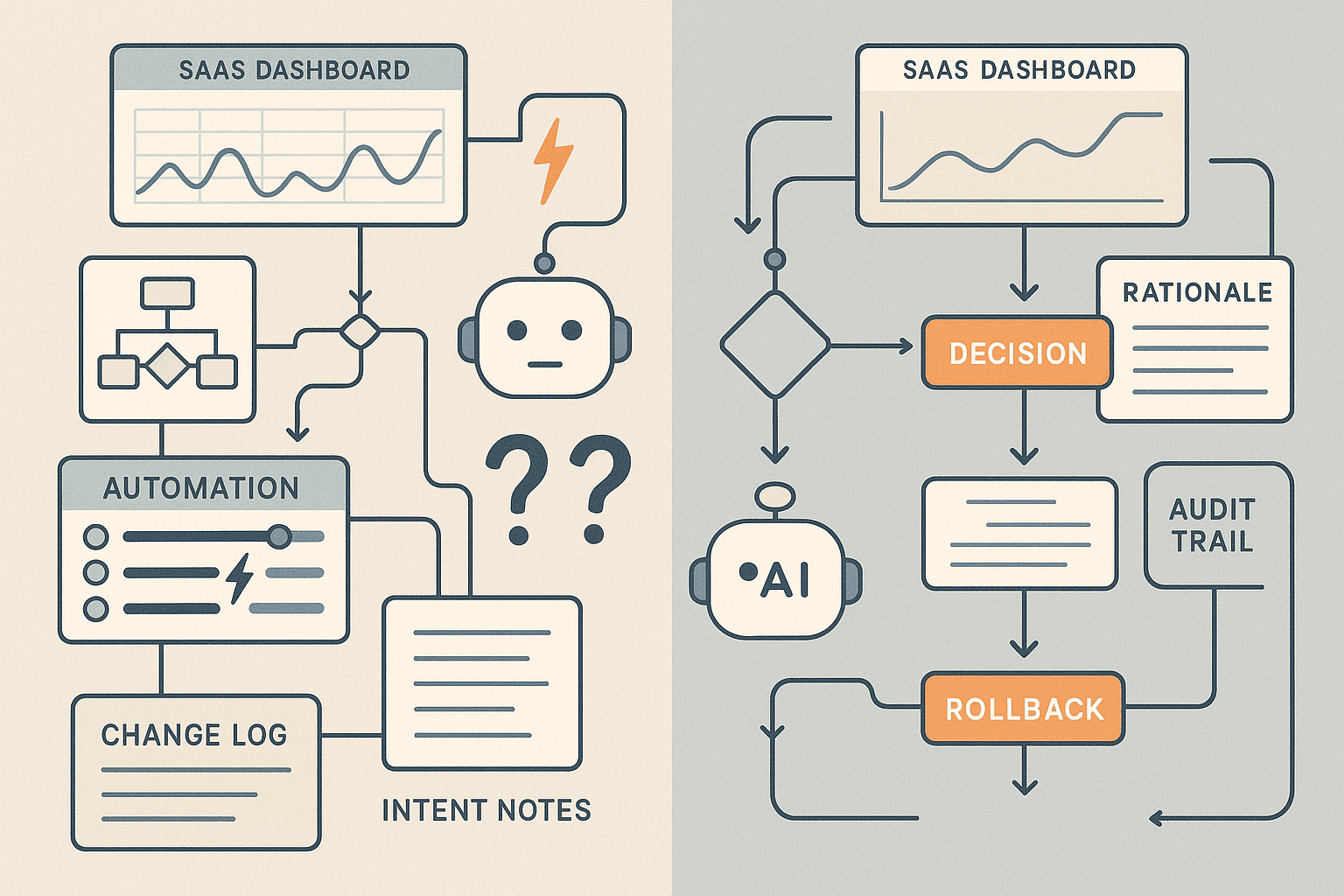
A founder updates a CRM field mapping on Friday because sales says the current setup is confusing. On Monday, attribution reports look wrong. Two weeks later, lifecycle emails stop firing for a segment that used to convert well. A month later, an ops lead tries to “fix” the issue by reverting the mapping, only to discover three other workflows were rebuilt around the new field. Nobody can answer the central question: why was the change made in the first place?
That is the real failure mode.
Most startups are not bad at recording that something changed. Your SaaS tools have audit logs. Git has commits. Notion has page history. Zapier shows task runs. Slack has launch threads. AI tools store prompt versions. The problem is that these systems mostly record state changes, not decision intent.
They can tell you that a workflow changed from A to B, that a prompt was updated, that a field was renamed, that a permission was granted, that a routing rule was modified. They usually cannot tell you the operating rationale behind the change in a way that survives turnover, scale, incident response, and future reinterpretation.
That missing layer is what I call the change intent gap: the distance between the record of what changed and the reason the startup believed the change was worth making.
When that gap gets large, four things happen fast:
- Broken automations become hard to debug because nobody knows the intended behavior.
- Teams repeat the same debates because prior tradeoffs are invisible.
- Rollbacks fail because the old state no longer matches current assumptions.
- Handoffs across operators, tools, and AI systems become low-trust because context lives in memory, Slack, or nowhere.
This problem shows up everywhere in startups because modern operating stacks are fragmented and fast-moving. You are changing CRM properties, billing settings, lead scoring logic, onboarding sequences, support macros, access controls, data sync rules, analytics schemas, prompt templates, agent routing logic, and spreadsheet formulas. Every one of those changes is a small product decision disguised as an ops task.
If you document only the implementation and not the intent, you are accumulating invisible decision debt.
The pattern: your company remembers edits but forgets reasoning
The change intent gap is not one bug. It is an operating pattern.
Here is what it looks like in real companies.
Pattern 1: The SaaS admin change that outlives its author
An operator changes a HubSpot lifecycle rule, Salesforce validation, Intercom routing workflow, or Stripe billing setting. The audit log records the user and timestamp. Maybe there is a Jira ticket saying “Update lifecycle stage logic.” But the actual reason is trapped in an old meeting, a Slack thread, or one person’s head.
Six months later, a new ops hire sees what looks like a bad setup and “cleans it up.” That cleanup breaks a downstream process that existed for a specific exception case nobody documented.
Pattern 2: The workflow automation that works until the business changes
A Zapier, Make, n8n, Workato, or internal script is built around an assumption: enterprise leads should bypass self-serve onboarding, refunds over a certain amount need review, support escalations should tag churn-risk accounts, or failed OCR should route to human QA.
The automation is visible. The assumption is not.
So when the company changes pricing, segments, ownership, or SLAs, the automation starts producing weird behavior. The debugging team can inspect the steps, but they cannot reconstruct the original business rule or constraint.
Pattern 3: The AI prompt or agent update with no decision trail
An AI support bot prompt is changed to reduce refunds. A lead qualification agent is updated to be stricter. An internal writing assistant is told to avoid certain claims. A retrieval pipeline changes source priority.
The team stores prompt versions and maybe test outputs. What they often do not store is:
- What failure was this change addressing?
- What metric was expected to improve?
- What tradeoff was accepted?
- What behavior was explicitly not desired?
- Under what condition should we reverse this?
That creates an especially dangerous problem with AI systems because outputs are probabilistic and context-sensitive. Without intent records, every regression becomes interpretive warfare.
Pattern 4: The “temporary” workaround that becomes policy
A team ships a workaround during an outage, migration, launch, or customer escalation. It stays because everyone is busy. Over time, the workaround becomes embedded in reports, habits, and tool configuration.
Eventually someone asks why it exists. Nobody knows.
This is how startups become operationally weird.
Not because people are careless, but because the business can move faster than its reasoning systems.
Why the standard advice fails
Most common advice sounds good but breaks in practice.
“Just document better” is too vague
Founders tell teams to document decisions. Teams respond by creating long pages nobody reads, or by adding generic notes that are too thin to be useful.
“Updated lead routing due to new GTM motion.”
That is documentation. It is also nearly useless when you are trying to decide whether to reverse the change nine months later.
The issue is not effort alone. It is schema. Most teams do not know what minimum decision context needs to be captured to make future debugging and handoffs easier.
“The ticket is enough” is usually false
Jira, Linear, Asana, ClickUp, and similar tools can hold rationale. But in practice, tickets are poor long-term intent stores for operational changes because:
- Ticket titles drift toward implementation language.
- Discussion happens in comments, meetings, and Slack.
- Tickets get closed once shipped, not maintained as living context.
- Future operators often do not know which ticket mattered.
- One operational change may touch five tools and ten micro-decisions.
Tickets are useful references. They are not, by default, durable intent records.
“Audit logs solve this” misunderstands the problem
Audit logs answer “who did what, when.”
They rarely answer:
- What business problem was being solved?
- What alternatives were considered?
- What dependencies were known at the time?
- What metric or observation justified the move?
- What would make this decision invalid later?
Those are the questions you need during incidents, audits, postmortems, and handoffs.
“We’ll remember” fails under turnover and time
Early-stage teams overrate oral continuity. It works while the same three people are in every meeting. It fails when:
- One operator leaves
- One founder stops touching the system
- The company adds layers
- AI automations multiply
- Customer complexity increases
- New constraints appear from finance, legal, or enterprise buyers
Memory is not infrastructure.
“We can infer the reasoning later” is expensive fantasy
This is the quiet killer. Teams assume they can reconstruct intent from surrounding artifacts if needed.
Sometimes they can. Usually they cannot do it cheaply or confidently.
You end up with five people reading old Slack threads, pulling reports, testing workflows, and arguing over interpretations while a production issue keeps running. This is a terrible use of expensive startup attention.
The better approach: record decision intent in a lightweight, linkable, reversible way
You do not need a heavyweight governance system.
You need a minimum viable intent layer that sits between discussion and implementation.
The goal is simple: whenever a meaningful change is made to a tool, workflow, rule, or AI behavior, capture a small structured record explaining why the change exists and what future operators need to know.
Think of it as a receipt for operational reasoning.
A good intent record should be:
- Lightweight enough to create in 3–7 minutes
- Structured enough to be machine-searchable
- Linked to the actual change location
- Durable across people and tools
- Specific enough to support rollback and audit decisions
If you get this right, you do not create bureaucracy. You reduce rework.
What an intent record should include
Keep the schema small. If you make it too broad, nobody will use it.
A practical format for startups:
- Change summary
- Problem being solved
- Expected outcome
- Key tradeoff or risk accepted
- Dependencies affected
- Rollback condition
- Owner
- Date
- Links to artifacts
- Review date if applicable
Here is what that looks like in plain language.
1. Change summary
One sentence on what changed.
Example: “Changed inbound demo routing so companies above 200 employees go directly to AE scheduling instead of SDR qualification.”
2. Problem being solved
What pain, failure, opportunity, or constraint triggered the change?
Example: “Enterprise leads were waiting 1–2 days for SDR qualification and dropping before first meeting; routing delay was costing pipeline.”
3. Expected outcome
What did you expect to improve, and how would you roughly know?
Example: “Reduce time-to-meeting for enterprise leads from 36 hours to under 4 hours and improve enterprise meeting conversion by at least 10%.”
4. Key tradeoff or risk accepted
What downside did you knowingly accept?
Example: “AEs may receive lower-fit enterprise-segment leads that SDRs previously filtered; calendar quality may drop somewhat.”
5. Dependencies affected
What other systems, reports, prompts, teams, or workflows depend on this?
Example: “HubSpot owner assignment, Slack lead alerts, Salesforce opportunity creation, revenue dashboard segment logic, enrichment fallback path.”
6. Rollback condition
Under what condition should this be reversed or reconsidered?
Example: “Revisit if AE no-show rate or disqualification rate rises more than 20% over 3 weeks, or if enterprise response time remains above 12 hours.”
7. Owner
Who can explain this decision now?
8. Date
Obvious, but useful in context.
9. Links to artifacts
Include the ticket, workflow URL, dashboard, Slack thread, Loom, prompt version, query, or PR.
10. Review date if applicable
Some changes are permanent. Others are clearly temporary or experimental.
Example: “Review after Q4 launch” or “Check after 500 conversations.”
That is enough in most cases.
A simple template you can actually deploy
Use this template across tools and teams:
markdownIntent ID: INT-2026-014
Change:
Problem:
Expected outcome:
Tradeoff accepted:
Dependencies affected:
Rollback / reconsideration trigger:
Owner:
Date:
Links:
Review date:
If you want one more field, add “Alternatives considered.” But only add it if your team will fill it honestly.
Where to store intent records
Do not over-engineer storage. Optimize for discoverability and linkability.
For most startups, there are three workable patterns.
Option 1: Notion or Confluence intent database
Best for: early-stage to growth-stage teams that need speed and cross-functional access.
How it works:
- One database/table for intent records
- Standard template
- Tags by system: CRM, billing, support, AI, analytics, security, finance
- Status field: proposed, shipped, reversed, superseded
- Linked fields to owner, project, workflow, incident, KPI
Pros:
- Fast to deploy
- Easy for non-technical operators
- Searchable and flexible
- Good for handoffs
Cons:
- Can drift without strong conventions
- Linking back into SaaS tools is partly manual
- Not ideal for deeply technical dependency mapping
Typical setup time: 2–4 hours Typical monthly maintenance: 1–2 hours plus record creation time Cost: usually already covered by existing workspace
Option 2: Git-based decision log for technical and AI-heavy teams
Best for: startups with internal tooling, prompt repositories, infra-managed workflows, or engineering-led ops.
How it works:
- Store intent records as markdown files in a repo
- Name files by ID and date
- Link from PRs, prompt files, config changes, and workflow definitions
- Optionally render to an internal docs site
Pros:
- Version controlled
- Close to implementation changes
- Strong review discipline
- Easy to require in PR templates
Cons:
- Less friendly for non-technical operators
- Weak for changes made directly inside external SaaS tools
- Can become engineering-owned and ignored by GTM/ops
Typical setup time: 3–6 hours Typical monthly maintenance: low if embedded into PR flow Cost: minimal if already using GitHub/GitLab
Option 3: Ticket-system custom form plus central index
Best for: teams already disciplined in Linear/Jira and unwilling to add another system.
How it works:
- Add required custom fields or a template section for intent
- Use labels to mark “intent-recorded” changes
- Sync closed change tickets into a central searchable index or docs page
Pros:
- Fits existing work intake
- Easier adoption because it uses current habits
- Keeps execution and rationale close together
Cons:
- Weak as a long-term knowledge layer unless indexed well
- Discoverability is worse than a true intent database
- Comments still scatter rationale
Typical setup time: 2–5 hours Cost: low, assuming existing project management tool
Tool comparison: what I would choose by stage
Here is the blunt version.
Pre-seed to seed
Use Notion.
You do not need a perfect governance system. You need one place where anyone can answer, “Why does this weird thing exist?” Notion is good enough and deploys this afternoon.
Series A with heavier automation and more technical operators
Use a hybrid:
- Notion for broad operating changes
- Git-based decision records for code, prompts, infra, and internal tooling
This avoids the classic failure where everything becomes engineering-native and business operators stop contributing.
Series B+ or startup with high compliance pressure
Use a hybrid plus stronger workflow enforcement:
- Ticket template or change request form
- Central intent index
- Mandatory linking to implementation artifacts
- Review cadence for temporary changes
At this stage, the issue is less creating records and more making sure they survive volume.
How to decide when a change needs an intent record
Not every tweak deserves one.
If you require intent records for every tiny edit, your team will revolt and then ignore the system.
Use a threshold rule.
Create an intent record when a change affects any of the following:
- Cross-functional workflows
- Customer-facing behavior
- Reporting or metric interpretation
- Access, permissions, or compliance posture
- Billing or revenue logic
- AI prompts, routing, or decision thresholds
- Automations with downstream dependencies
- Exceptions that future operators might remove “by cleanup”
- Temporary workarounds likely to persist beyond a week
Do not require records for purely cosmetic edits, typo fixes, or low-risk layout changes.
A good rule of thumb:
If a future person might ask “why on earth is it set up this way?” then create an intent record.
Implementation details: how to roll this out without creating process theater
This is where teams usually mess it up. They announce a documentation initiative, everyone nods, and nothing changes.
You need a practical rollout.
Step 1: Start with one painful system
Do not launch company-wide on day one.
Pick one area where change intent is already causing pain:
- CRM and lead routing
- Billing and entitlements
- Customer support workflows
- Analytics definitions
- AI prompts and agent behavior
The best pilot zone is where changes are frequent, cross-functional, and annoying to debug.
For many startups, that is CRM + automations.
Step 2: Backfill only the high-risk weird stuff
Do not attempt a historical cleanup of every decision your company has ever made. That is a morale-killing swamp.
Instead, backfill intent records for:
- Current workarounds
- Fragile automations
- Critical dashboards with custom logic
- Important AI prompts
- Permissions exceptions
- Known “nobody touch this” configurations
In most startups, that is 10–30 records, not 300.
Step 3: Add the requirement at the moment of change
The intent record has to be created as part of the change workflow, not as a separate afterthought.
Examples:
- PR template includes “Intent ID”
- Jira ticket cannot move to Done without rationale fields
- Notion change request page auto-generates an intent record section
- Slack launch message must include the intent link
- AI prompt registry requires expected outcome and rollback condition
If you rely on people to “document later,” they will not.
Step 4: Put the link in both directions
This is critical.
Link from the intent record to the implementation artifact, and from the artifact back to the intent record.
Examples:
- Zapier workflow description includes “Intent ID: INT-2026-014”
- HubSpot property internal description references the decision page
- Prompt file header links to the intent record
- Notion SOP includes related intent IDs
- Jira ticket links to workflow URL and intent doc
Bidirectional linking is what makes this system actually usable during incidents.
Step 5: Add a “reversal” field, not just a “decision” field
Many teams document why they shipped something but not how to know when it should stop existing.
That is a mistake.
In startups, assumptions expire quickly. The rollback or reconsideration trigger is often more valuable than the original rationale.
Examples:
- “Temporary until finance system migration completes”
- “Reverse if support handle time increases by >15%”
- “Revisit once self-serve expansion reaches EU market”
- “Replace after better enrichment provider is live”
This prevents temporary logic from fossilizing.
Step 6: Review intent records during incidents and handoffs
If nobody uses the records in live moments, they will degrade into compliance fluff.
Use them in:
- Incident response
- Postmortems
- New hire onboarding
- Tool migrations
- Quarterly ops reviews
- AI regression debugging
The fastest way to build adoption is to visibly save time with them.
Workflow examples
Example 1: CRM routing change
Old way:
- Sales leader Slacks ops asking for faster routing
- Ops changes HubSpot workflow
- A few messages discuss tradeoffs
- No durable rationale captured
- Two months later, SDR manager changes logic back
- Enterprise conversion data gets muddy
Better way:
- Sales request opened as ticket
- Intent record created before workflow edit
- Record states enterprise speed is the goal, AE filtering risk accepted, dashboard dependencies listed
- HubSpot workflow description updated with Intent ID
- Weekly KPI dashboard linked
- Review date set for 21 days
Time cost upfront: 5–8 minutes Time saved later: easily 2–6 hours of debugging and argument
Example 2: AI support prompt update
Old way:
- CX lead edits prompt to reduce refund approvals
- Refund rate drops slightly but CSAT also dips
- Team debates whether the prompt caused it
- Nobody recorded intended behavior boundaries
Better way:
Intent record says:
- Problem: refund policy too loosely interpreted by bot
- Expected outcome: reduce avoidable refunds by 15%
- Tradeoff: slightly more human escalations accepted
- Dependencies: Zendesk macro fallback, policy retrieval docs, QA rubric
- Rollback trigger: CSAT drop >5 points or escalation backlog >20%
Now when metrics shift, the team is not arguing from memory. They are evaluating against the actual decision frame.
Example 3: Temporary finance workaround
Old way:
- Finance ops creates manual spreadsheet adjustment during billing migration
- Team says it is temporary
- Eight months later it still feeds board reporting
- Nobody trusts the source of truth
Better way:
Intent record marks the workaround as temporary, names the migration dependency, assigns owner, and sets review date every 30 days until removal.
That one record can prevent quarters of reporting confusion.
Cost and time analysis
Founders often resist process because they imagine the worst-case bureaucracy cost and ignore the rework cost they are already paying.
Let’s quantify this.
Lightweight intent system cost
Assume:
- 20 meaningful operational changes per month
- 5 minutes average per intent record
- 100 minutes per month total
- Maybe another 60 minutes for review and cleanup
That is roughly 2.5–3 hours per month.
At a blended operator cost of, say, $75–$150/hour, your monthly direct cost is around $190–$450.
Even if you double it for sloppiness, it is still small.
No-intent system cost
Now assume just one of these happens per month:
- 2 hours debugging a broken automation
- 1 hour re-litigating a prior decision in meeting time across 4 people
- 3 hours on a failed rollback or metric investigation
- 1 hour onboarding context transfer
That can easily exceed 10 person-hours in a light month. At the same blended rate, you are already at $750–$1,500 monthly. In messy months, much more.
And that excludes slower deal cycles, customer friction, reporting mistrust, and decision hesitation.
The math is not close.
Common failure modes when implementing this system
Failure mode 1: Making records too long
If your template reads like an architecture review memo, people will skip it or fill it with garbage.
Fix: force one- to three-sentence answers.
Failure mode 2: Storing records where nobody looks
A perfect intent doc in a dead folder is still operationally dead.
Fix: store it in a searchable place and link it directly from the tool or workflow.
Failure mode 3: Requiring records only for engineering changes
This misses where a lot of startup risk lives: GTM systems, support operations, finance logic, and AI tooling managed outside engineering.
Fix: define “meaningful change” broadly.
Failure mode 4: No owner after the original author leaves
Intent records without living ownership become archaeology.
Fix: assign a functional owner even if the original decision-maker departs.
Failure mode 5: No review mechanism for temporary changes
Temporary workarounds become permanent because nobody is forced to reopen the decision.
Fix: use review dates and tag records as temporary.
Failure mode 6: Treating rationale as politics instead of operations
Teams sometimes avoid documenting tradeoffs because they do not want to expose disagreement.
That is immature and costly.
Tradeoffs are the point. Future operators need to know what you knowingly sacrificed.
A practical operating model by function
Revenue operations
Record intent for:
- Lead routing
- Lifecycle stages
- Scoring thresholds
- Territory rules
- Attribution assumptions
- Pipeline stage definitions
Most valuable field: dependencies affected
Why: revops changes quietly break dashboards, notifications, handoffs, and meeting ownership.
Customer operations / support
Record intent for:
- Triage workflows
- SLA rules
- Macro changes with policy implications
- Escalation routing
- Bot behavior changes
- Refund or exception logic
Most valuable field: rollback trigger
Why: support changes directly affect customer trust and are often hard to unwind.
Finance and billing ops
Record intent for:
- Manual overrides
- Revenue recognition workarounds
- Pricing logic exceptions
- Credit or refund controls
- Entitlement mapping
Most valuable field: review date
Why: temporary finance logic has a habit of becoming permanent and contaminating reporting.
Product ops / internal tools
Record intent for:
- Workflow rules
- Approval chains
- Data sync assumptions
- Internal policy automation
- Feature flag operating logic
Most valuable field: problem being solved
Why: otherwise teams optimize for local neatness and forget the original operational pain.
AI / automation owners
Record intent for:
- Prompt changes
- Agent routing rules
- Retrieval source ranking
- Confidence thresholds
- Human handoff logic
- Tool permission changes
Most valuable field: expected outcome plus explicit tradeoff
Why: AI systems are inherently less deterministic, so you need clearer decision frames, not less.
How this improves audits, debugging, and reversals
This is not just about nice documentation.
It materially changes your speed and confidence in three high-stakes situations.
1. Debugging
Without intent, you ask: “What changed?”
With intent, you ask: “What behavior was the system trying to produce, and what tradeoff did we accept?”
That is a much better debugging question.
2. Audits and compliance checks
Even if you are not heavily regulated, customers, finance teams, and security reviews increasingly ask how decisions are made and maintained.
An intent layer gives you a lightweight answer to:
- Why does this workflow exist?
- Who approved this logic?
- What systems does it affect?
- Is it still valid?
That builds credibility fast.
3. Reversals and rollbacks
Rollbacks fail when you only know the previous configuration, not the previous decision context.
Sometimes the old state should not be restored because the business conditions changed. An intent record lets you distinguish between:
- “This was a bad implementation of a valid idea”
- “This idea itself is no longer valid”
- “This was temporary and overstayed its life”
That distinction saves a lot of self-inflicted damage.
The minimum viable policy I would implement tomorrow
If I were running startup ops and wanted this fixed in a week, I would implement this policy:
- Any meaningful change to SaaS configuration, workflow logic, reporting definitions, billing rules, or AI behavior requires an intent record.
- Intent records use a fixed 10-field template.
- Every record gets an ID.
- Every shipped change must link to the ID in the ticket, workflow, PR, or tool description.
- Temporary changes require a review date.
- During incidents, responders must check related intent records before rollback.
- Once per month, owners review temporary and superseded records.
That is enough to materially improve operational memory.
Final takeaways
Startups usually do a decent job documenting that something changed. They do a bad job preserving why the change deserved to exist.
That gap sounds abstract until it shows up as broken automations, repeated debates, failed rollbacks, messy audits, weird AI behavior, and new hires who are afraid to touch anything.
The fix is not heavy governance. It is a lightweight intent layer:
- small structured records
- created at the moment of change
- linked directly to implementation artifacts
- explicit about tradeoffs and reversal conditions
- maintained where future operators can actually find them
If you build this habit early, you get a company that is easier to debug, easier to hand off, easier to audit, and much easier to change without fear.
That matters because in a startup, every system is temporary, every workflow is a hypothesis, and every automation is really a decision in disguise.
Record the intent, not just the edit.
Future you will need the receipt.