
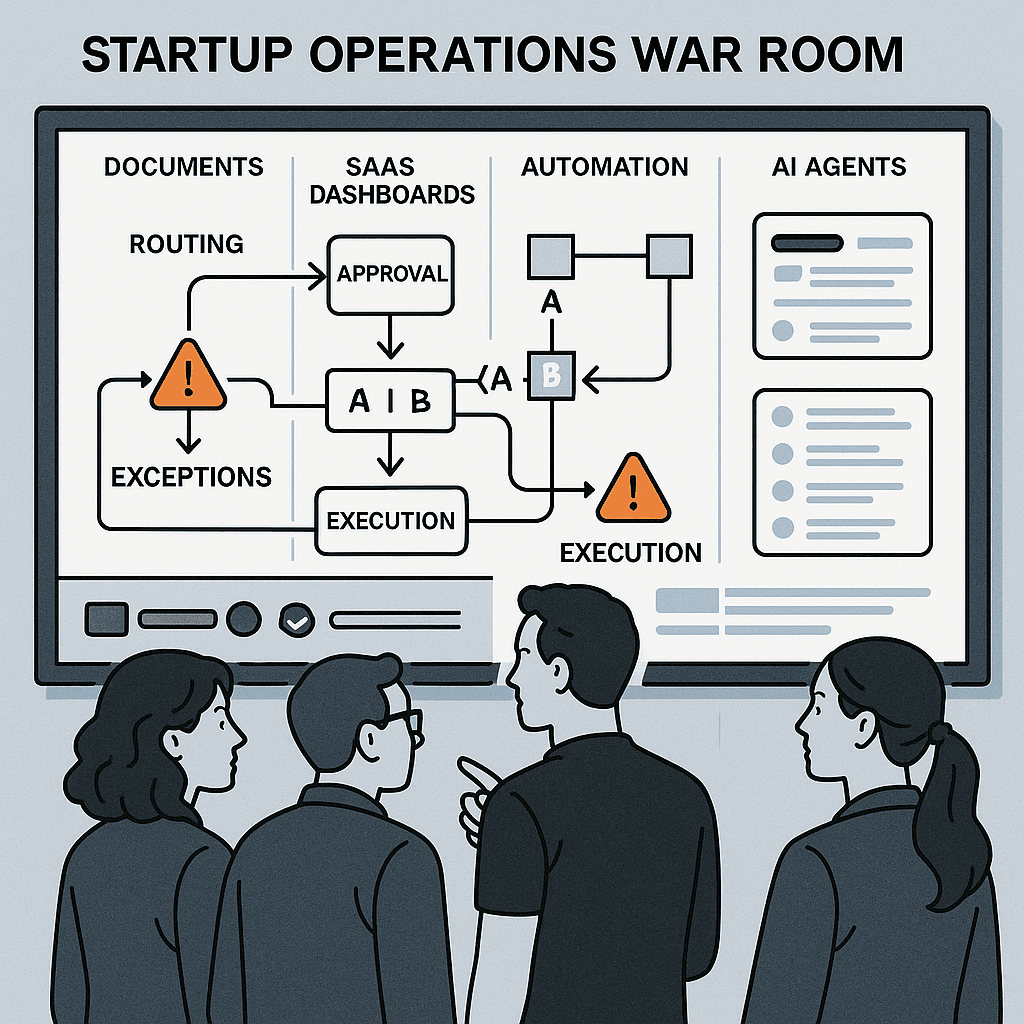
A few months after a startup closes its Series A, the team usually feels like it has finally become “operational.” There’s a CRM. There’s a support platform. Finance has approval rules. RevOps has automations. Customer success has playbooks. Security has access policies. Someone has started using AI agents to triage tickets, generate contract redlines, or answer vendor questionnaires. On paper, this looks like maturity.
Then something breaks in a way that no one can fully explain.
A customer gets a refund that should have required VP approval. A high-risk vendor is onboarded despite a procurement checklist saying legal review is mandatory. A support escalation that should have reached engineering gets answered by an AI assistant with an outdated workaround. Finance closes the books based on one system’s definition of “approved,” while another team assumes approval means a Slack emoji from the department owner. During an audit, the company can show documentation, app logs, and automation histories, but cannot answer the most basic question with confidence: who or what actually had the authority to make this decision?
That is the control plane gap.
It’s not a software bug. It’s not exactly a process problem either. It’s the hidden operational failure mode that appears when authority over a workflow gets split across three layers that were never designed to act as one system:
- Human SOPs and tribal knowledge
- SaaS configuration and permission settings
- Automations and AI agents acting on inferred or delegated authority
When those layers drift, startups quietly lose operational authority. Decisions still happen. Work still moves. Customers still get served. But the company can no longer reliably say why a decision happened, who controlled it, what exceptions were allowed, or how to recover when outcomes diverge.
This problem gets expensive long before it becomes obvious. It shows up as inconsistent decisions, failed audits, founder-dependent escalations, brittle incident recovery, and a slow erosion of trust between teams. It also creates a weird form of pseudo-scale: the company looks automated, but in reality it is operating on fragmented authority and manual interpretation.
If you’re a founder, COO, head of ops, RevOps lead, CTO, or anyone else responsible for making the company run, this article is your tactical playbook. We’ll walk through how the control plane gap forms, why normal “document your process” advice fails, how to map actual authority across systems, and how to rebuild a practical operating model before fragmentation turns into a real incident.
A real failure scenario: the refund system that no one owned
Let’s make this concrete.
A B2B SaaS company has grown from $2M to $12M ARR in 18 months. Refunds and service credits used to be simple. In the early days, the founder approved anything over $1,000 in Slack. As the company scaled, ownership diffused:
- Customer support handles requests in Zendesk.
- CSMs log account context in the CRM.
- Finance owns payout rules in Stripe and the ERP.
- RevOps built a Zapier workflow that routes “urgent retention-risk” accounts into a Slack channel.
- The support AI assistant drafts first responses and suggests resolution options.
- The policy doc in Notion says credits above 10% of contract value require director approval.
- A billing admin in Stripe has permission to issue refunds manually.
- A support manager created a macro six months ago that references an older threshold.
- The AI assistant was trained on the macro library plus old policy pages.
Then a major customer threatens churn over an implementation issue. A frontline rep asks the AI assistant for guidance. The assistant suggests a service credit path based on stale thresholds. The rep uses a macro that says manager approval is sufficient. The manager reacts with a checkmark emoji in Slack because they’re boarding a flight. Finance sees the record in Stripe later and assumes the support manager had authority. The customer receives a credit larger than allowed under current policy.
That by itself is not catastrophic. Startups make judgment calls.
The real problem starts when the CFO asks a week later: “Walk me through how this was approved, under what policy, and how we know it won’t happen again.”
No one can answer cleanly.
Support points to the SOP. RevOps points to the routing automation. Finance points to Stripe permissions. The manager points to Slack. The rep points to the AI suggestion. The AI vendor says the model only provided recommendations, not final approvals. Everyone is partially right. No one controlled the system end to end.
That’s the failure pattern.
The company did not lack process. It lacked a control plane.
What the control plane gap actually is
In infrastructure, a control plane governs how decisions are made and enforced across a distributed system. In operations, the equivalent control plane is the layer that defines:
- Who can decide
- What rules they use
- Where those rules live
- How exceptions get handled
- What systems execute the decision
- How evidence of the decision is recorded
- How the company detects drift between intended policy and actual behavior
Most startups do not design this explicitly. They inherit it accidentally.
A process starts as a founder habit. Then it becomes a Notion page. Then a manager creates a checklist. Then ops automates one branch in Zapier or Make. Then someone changes a field default in HubSpot or Salesforce. Then finance tightens permissions in Stripe. Then legal adds a clause approval rule in Ironclad or DocuSign. Then an AI agent gets connected to the inbox, CRM, or knowledge base. Every change feels local and reasonable.
The result is a workflow where authority is fragmented across artifacts with different update cycles, permission models, and definitions of truth.
Here’s the simplest way to think about the control plane gap:
Your company has a gap whenever the place where a decision is described is different from the place where it is actually enforced, and neither side is reliably synchronized.
Examples:
- The SOP says legal approval is required, but the contract tool allows sales managers to send redlines directly.
- The CRM stage definition says security review is mandatory, but the automation creates provisioning tasks as soon as the opportunity is marked closed-won.
- The support policy says certain refunds require finance review, but Stripe permissions let team leads issue them directly.
- The AI support copilot suggests actions based on an outdated knowledge source.
- The onboarding checklist says background checks must clear before account access, but IT automation creates credentials at contract signature.
In each case, the company thinks it has one process. In reality, it has multiple conflicting control surfaces.
The pattern: operational authority drifts into four hidden places
When I see this in startups, fragmented authority usually accumulates in four buckets.
1. Narrative authority
This is what the company says happens.
It lives in Notion, Google Docs, Loom walkthroughs, onboarding materials, playbooks, wiki pages, and the memories of experienced operators. Narrative authority is often the most complete description of intended process. It is also the least enforceable.
Narrative authority becomes dangerous when teams assume documented policy equals applied policy.
2. Configured authority
This is what the software allows.
It lives in roles, permissions, routing tables, queue logic, approval thresholds, field validations, stage gates, SLA timers, access groups, and admin settings inside each tool. Configured authority often determines what can actually happen, regardless of what the SOP says.
Configured authority is dangerous because it is distributed. No one sees it all at once.
3. Automated authority
This is what workflows do by default.
It lives in Zapier, Make, Workato, native SaaS automations, webhook listeners, scripts, cron jobs, and event-driven systems. Automated authority decides what gets routed, escalated, created, updated, or skipped without human review.
Automated authority is dangerous because people trust it after the builder has left or forgotten edge cases.
4. Delegated machine authority
This is what AI agents, copilots, classifiers, and recommendation systems influence or execute.
It lives in support AI, sales assistants, internal chat agents, document review copilots, autonomous task runners, and retrieval systems connected to your knowledge base. Even when the AI doesn’t have final click authority, it may still have practical authority because humans follow its recommendation under time pressure.
Delegated machine authority is dangerous because it often appears advisory while functioning operationally.
Most startups have all four. Very few have them aligned.
Why standard advice fails
The default advice for operational inconsistency is usually one of these:
- “Document the process better.”
- “Add approvals.”
- “Restrict permissions.”
- “Automate the workflow.”
- “Use AI to reduce human error.”
Each of these helps at the margin. None of them solves the core issue.
“Document the process” fails because documentation is not enforcement
A polished SOP does not matter if app settings and automations route around it. In fact, better documentation can increase false confidence. Leaders think the system is under control because the process is written down.
“Add approvals” fails because approval surfaces multiply
If the same decision can be approved in Slack, in a ticket, in a contract tool, or by changing a field in the CRM, adding one more approval step just creates more ambiguity unless you define the canonical approval event.
“Restrict permissions” fails because workflows still encode policy elsewhere
You can lock down Stripe and still have support agents promise credits they cannot actually issue. You can lock down contracts and still let sales trigger onboarding before legal clears redlines. Permissions matter, but they are only one layer.
“Automate it” fails because automation can harden the wrong logic
Startups frequently automate an already fragmented process. That speeds up throughput while making authority less visible. Once a workflow runs automatically, teams stop checking whether the rule source is still valid.
“Use AI” fails because AI amplifies ambiguity
AI works well when policy is clear, bounded, and current. It works badly when authority is fragmented, exceptions are common, and source material conflicts. In those environments, AI does not eliminate inconsistency. It industrializes it.
The issue is not a lack of process assets. The issue is the absence of a designed operational control plane.
The better approach: map authority before you optimize throughput
The right move is not “more process.” It is authority mapping.
Before you add another automation, AI agent, or approval layer, you need to answer five questions for each critical workflow:
- What decision is actually being made?
- Who or what has authority to make it?
- Where is that authority encoded?
- How is the decision executed across systems?
- What happens when the normal path breaks?
This sounds abstract, so make it concrete. Pick workflows where inconsistent authority can create financial, legal, security, customer, or audit exposure.
Typical candidates:
- Refunds and credits
- Discount approvals
- Contract redlines and signature authority
- Vendor onboarding
- Customer onboarding and provisioning
- Access grants and offboarding
- Incident severity classification and escalation
- Security exception approvals
- Collections and write-offs
- Support escalations and SLA exception handling
For each workflow, produce a control map, not just a process map.
A process map shows steps. A control map shows authority.
Those are not the same thing.
The control map: the minimum viable artifact
A useful control map can fit in one table. You do not need enterprise GRC software to start.
Use columns like these:
- Workflow name
- Decision point
- Intended authority owner
- Actual actor(s)
- Source of rule/policy
- Enforcement point
- Execution system
- Evidence trail
- Exception path
- Failure mode if drift occurs
- Last validation date
- Tool/admin owner
Example for a refund workflow:
| Workflow | Decision point | Intended authority owner | Actual actors | Source of rule | Enforcement point | Execution system | Evidence trail | Exception path | Drift risk |
|---|---|---|---|---|---|---|---|---|---|
| Refunds | Refund > $5k | Director CS + Finance | Support manager, billing admin, AI assistant recommendation | Notion policy page | None in Zendesk; partial in Stripe role permissions | Zendesk, Slack, Stripe, ERP | Ticket notes, Slack thread, Stripe event log | Slack escalation to CS director | Old macros, stale AI retrieval, Stripe admin override |
This table forces the real question: is intended authority the same as enforceable authority?
If the answer is no, you have a control plane gap.
A practical method: the 7-step authority mapping exercise
Here’s the process I recommend for startups. You can run this in two weeks for your highest-risk workflows.
Step 1: Inventory your “decision-heavy” workflows
Do not start with every process in the company. Start with the workflows where authority matters more than speed.
Score workflows on:
- Financial impact
- Customer trust impact
- Compliance or audit exposure
- Security exposure
- Frequency
- Exception rate
- Founder escalation frequency
A high-frequency, high-exception workflow is usually more dangerous than a low-frequency formal policy area because drift compounds silently.
If you need a shortlist, start with 10 workflows max.
Step 2: Define the decision, not the department
Teams often map processes departmentally: support, finance, legal, IT. That’s too fuzzy. Anchor around the actual decisions.
Examples:
- “Can we issue this refund?”
- “Can this contract be sent without legal review?”
- “Can this vendor access customer data?”
- “Can this employee receive production access?”
- “Can this customer bypass onboarding prerequisites?”
This framing surfaces hidden authority because decisions often cross multiple teams and tools.
Step 3: Trace the happy path and the real path
Ask operators to walk you through two versions:
- The official path
- The path that usually happens under time pressure
These will differ.
You want to know:
- Which Slack channels are used?
- Which app fields trigger downstream actions?
- What macros/templates are reused?
- Where are approvals implied rather than explicit?
- When do people bypass the ticketing system?
- What role do AI suggestions play in practice?
If possible, shadow 3–5 recent examples in the logs. Operators are not lying when they describe the SOP. They’re describing the story of the process. Logs reveal the system of the process.
Step 4: Mark every control surface
For each workflow, list every place control exists:
- SOP or wiki page
- Form or intake tool
- CRM field or stage
- Helpdesk macro n- Billing/admin console
- Contract tool approval rule
- IAM group or SCIM automation
- Zapier/Make/Workato scenario
- Internal script or cron job
- Slack approval convention
- AI prompt, policy file, retrieval source, or action permission
This step usually shocks teams. A “simple” workflow often has 8–15 control surfaces.
Step 5: Separate advisory authority from execution authority
This is especially important with AI.
Ask of each actor or system:
- Does it recommend?
- Does it route?
- Does it approve?
- Does it execute?
- Can a human override it?
- Is override logged?
A support AI that recommends the wrong path but never executes still has meaningful advisory authority. A routing automation that silently assigns a ticket priority has execution authority over queue outcomes even if no one thinks of it that way.
Step 6: Identify canonical decisions and canonical evidence
For each decision point, declare:
- What event counts as the actual approval?
- Where must that approval be recorded?
- Which system is the system of record?
This matters because ambiguity usually comes from parallel evidence trails.
Examples:
- A Slack emoji is not a valid approval for refunds over $5k; the canonical event is an approved finance workflow record.
- A sales rep changing a CRM stage is not contract approval; the canonical event is legal sign-off in the contract system.
- An AI recommendation is not access approval; the canonical event is manager approval in the IAM request tool.
Without canonical decisions and evidence, post-incident reconstruction becomes politics.
Step 7: Design exception paths explicitly
Startups often overfocus on the happy path. Control failure usually happens in exceptions:
- VIP customer pressure
- End-of-quarter sales urgency
- Founder override
- After-hours incidents
- Tool outages
- Staff turnover
- New geographies or products
For each workflow, define:
- Who can authorize an exception?
- How long is it valid?
- Where is it recorded?
- Who reviews it afterward?
- What systems must be updated if the exception becomes standard?
A company with no formal exception path will invent one in Slack every time.
Tool comparisons: where startups lose control fastest
Not all tools create equal control risk. Here’s the practical view.
Notion / Google Docs / Confluence
Strengths: fast documentation, collaborative, easy to update.
Weaknesses: no native enforcement, weak linkage to execution systems, easy for stale pages to persist, hard to prove operational compliance.
Best use: narrative authority, policy explanation, training context.
Do not rely on for: final approval evidence, hard gates, permission enforcement.
Slack / Teams
Strengths: rapid escalation, exception handling, decision velocity.
Weaknesses: approval ambiguity, weak structured evidence, easy to bypass formal systems, high context loss.
Best use: communication and escalation.
Do not rely on for: canonical approvals unless paired with structured workflow capture.
CRM / Helpdesk systems
Strengths: central operational records, stage/status logic, audit history, triggers.
Weaknesses: field changes can masquerade as approvals, admin sprawl, local automations often invisible cross-functionally.
Best use: workflow state tracking and operational visibility.
Do not rely on for: policy definition unless governance is explicit.
Billing / finance / ERP tools
Strengths: strong execution controls, financial audit trails, role permissions.
Weaknesses: often disconnected from customer context and frontline approval flow.
Best use: monetary execution and final financial evidence.
Do not rely on for: upstream policy interpretation by frontline teams.
Automation tools like Zapier, Make, Workato
Strengths: speed, integration, low engineering lift.
Weaknesses: hidden logic, brittle edge cases, builder dependency, fragmented ownership, weak change governance in many startups.
Best use: deterministic routing and orchestration where authority is already clear.
Do not rely on for: encoding ambiguous policy or exception-heavy decisions without review.
AI agents and copilots
Strengths: speed, summarization, retrieval, draft generation, classification, repetitive workflow support.
Weaknesses: stale knowledge risk, probabilistic output, source conflicts, hidden practical authority, difficult post-hoc accountability if not instrumented.
Best use: advisory assistance, bounded classification, draft creation, low-risk workflow augmentation.
Do not rely on for: final authority in high-risk workflows unless controls, guardrails, and evidence are mature.
Workflow example: vendor onboarding control map
Let’s walk one through.
A startup thinks vendor onboarding is straightforward:
- Team submits request form.
- Procurement reviews.
- Security reviews if vendor touches customer data.
- Legal reviews contract.
- Finance sets vendor up for payment.
In reality, control surfaces are split like this:
- Request policy in Notion
- Intake form in Airtable or Jira
- Security review checklist in Google Sheets
- DPA requirements in legal’s template folder
- Approval routing in Slack
- Vendor classification field in procurement SaaS
- Finance setup in NetSuite/Bill.com
- AI assistant used by requesters to answer “Do I need security review?”
- SSO app provisioning enabled by IT once the tool is selected
Failure case:
A team lead uses the AI assistant, which says low-risk SaaS with no production data access may skip security review. The assistant retrieved an outdated policy. Procurement marks the vendor as “business ops tool” in their system. Legal signs the standard agreement. IT provisions access. Six weeks later, the vendor is found storing support transcripts with customer PII.
Who failed?
Everyone and no one.
The real issue is that vendor classification authority was split across the requester’s interpretation, AI guidance, procurement configuration, and security policy, with no canonical gating event before execution.
A better design:
- Canonical risk classification must occur in the intake system.
- Security review requirement is derived from structured answers, not freeform interpretation.
- AI can explain policy but cannot classify without the form data.
- No finance setup or SSO provisioning occurs before classification and required approvals complete.
- The final classification event is logged in the procurement system and referenced downstream.
That is what closing the control plane gap looks like. Not more policy. Better authority design.
Cost and time analysis: why this matters before you “need” it
Founders tend to delay this work because it sounds bureaucratic. The usual argument is: “We’re too early for formal governance.” Sometimes that’s true. Often it’s an excuse.
Here’s the practical cost profile.
Cost of not fixing it
For a 50–200 person startup, the hidden costs usually show up as:
- 2–10 hours per week of founder or exec exception handling
- Rework across ops, finance, support, legal, or IT
- Audit prep scrambles because evidence is fragmented
- Customer inconsistency from case-by-case decisions
- Increased onboarding time for new managers who must learn unwritten authority paths
- Higher incident recovery time because ownership is unclear
- Reduced trust in automation and AI tools
One failed audit cycle, one bad enterprise customer escalation, or one security exception gone wrong can easily cost more than the entire mapping exercise.
Cost of the initial fix
For 10 core workflows, a lightweight authority mapping sprint typically requires:
- 1 operator lead for 20–30 hours
- 4–8 stakeholders for 2–4 hours each
- 1 technical admin or systems person for 10–15 hours
- Optional founder/exec review for 2–3 hours
Call it roughly 50–90 hours of focused work.
At startup labor costs, that is cheap insurance compared with recurring operational leakage.
Cost of overengineering it
This is the trap on the other side.
You do not need a six-month BPM program, a consulting engagement, or a giant governance committee. The goal is not enterprise process theater. The goal is to reduce ambiguity in the workflows where fragmented authority can hurt you.
The sweet spot for most startups is:
- 10 critical workflows
- 1-page control map each
- 1 canonical system of record per major decision
- 1 explicit exception path
- Quarterly validation
That’s enough to materially reduce risk without slowing the company down.
Implementation details: a 30-day startup playbook
If I were implementing this with a startup team, I’d run it like this.
Week 1: Pick workflows and collect artifacts
Deliverables:
- Prioritized workflow list
- Existing SOPs, forms, automations, AI touchpoints, settings owners
- Named stakeholders per workflow
Questions to ask:
- Where do exceptions happen most?
- Where does the founder still get pulled in?
- Which workflows would fail an audit walkthrough today?
- Which AI systems are advising or taking actions in production?
Week 2: Run authority mapping sessions
For each workflow, gather the operator, system owner, and downstream executor.
Agenda:
- Describe intended process.
- Show actual system steps live.
- Identify every decision point.
- Name who or what controls each one.
- Mark evidence trails.
- List exception paths.
- Flag drift between policy and enforcement.
Do not let this become a theoretical workshop. Screen-share the tools.
Week 3: Choose canonical controls and remove dangerous ambiguity
For each workflow, decide:
- What is the approval event?
- What is the execution event?
- Which system is canonical?
- Which other surfaces become advisory only?
- What permissions or automations must change?
- What AI actions or knowledge sources must be constrained?
Typical fixes include:
- Removing manual refund rights from broad admin roles
- Replacing Slack approvals with form-based approvals
- Locking automations until required fields are completed
- Updating AI retrieval to only approved current policy sources
- Adding structured reason codes for overrides
- Routing exceptions into a weekly review queue
Week 4: Ship controls, train teams, validate examples
Deliverables:
- Updated control maps
- Revised SOPs that reference canonical systems
- Adjusted permissions and workflows
- AI policy boundaries documented
- Validation of 2–3 sample cases per workflow
Training message to teams should be simple:
- Where to make the decision
- What counts as approval
- What does not count
- How to handle exceptions
- Where evidence lives
If your training cannot be summarized in five bullets, the system is probably still too complicated.
How AI changes the problem
AI deserves special handling because it changes both speed and visibility.
Three practical rules:
1. Treat AI as a control surface, not just a productivity layer
If an AI assistant drafts responses, recommends approvals, classifies requests, or triggers actions, it is participating in your control plane. Inventory it accordingly.
2. Separate retrieval truth from generative flexibility
The model can be flexible. Policy cannot.
For high-risk workflows, AI should retrieve from approved, versioned, current sources and cite them. If your AI is blending SOPs, old macros, random docs, and tribal Slack history, it is manufacturing authority from noise.
3. Limit AI execution authority before you limit AI usage
You do not need to ban AI from operations. You do need to bound where it can act.
A good startup pattern is:
- AI summarizes and drafts freely in low-risk contexts.
- AI recommends in medium-risk contexts with human confirmation.
- AI cannot execute irreversible or high-risk actions without structured approvals and logs.
That preserves leverage without pretending probabilistic systems are policy engines.
Warning signs you already have a control plane gap
If any of these are true, you likely have one already:
- Different teams give different answers to “Who approves this?”
- Critical approvals happen in Slack or email with no canonical record.
- Your AI assistant is trained on broad internal knowledge without source governance.
- The person who built key automations has left.
- You have multiple admin super-users because it was “faster.”
- New managers need tribal knowledge to navigate exceptions.
- Audit prep requires screenshot hunting across tools.
- Founders are still final escalation for recurring workflow ambiguity.
- System settings conflict with written policy.
- Exceptions become standard practice without any system change.
This is one of those areas where operational pain feels isolated until you see the pattern. Then you realize half the company is running on implied authority.
The operating principle: authority should be explicit, enforceable, and observable
If you remember one framework from this article, make it this:
For every important operational decision, authority should be:
- Explicit: clearly assigned to a role, rule, or system
- Enforceable: reflected in permissions, workflow gates, or structured approvals
- Observable: traceable after the fact with clear evidence
Most startups are good at one of these. Few are good at all three.
Documentation gives explicitness. Software settings give enforceability. Audit trails give observability.
Your job is to make them line up.
Takeaways
The control plane gap is what happens when your startup’s real authority model gets split across human SOPs, SaaS settings, automations, and AI agents.
It is dangerous because work still gets done, which hides the fact that decisions are being made inconsistently and recovered manually.
The solution is not more process theater. It is a practical authority map for your most important workflows.
If you want the shortest possible action plan, do this:
- Pick 10 critical workflows.
- Define the real decision in each one.
- Map every control surface involved.
- Declare the canonical approval event and system of record.
- Remove ambiguous approval paths.
- Constrain AI to approved sources and bounded actions.
- Design exception handling explicitly.
- Revalidate quarterly.
This work is boring right up until the moment it saves you from a customer incident, security failure, failed audit, or founder bottleneck.
That’s usually how operational infrastructure works. The companies that scale cleanly are not the ones with the most documentation or the most automation. They are the ones that know, with precision, who or what is actually in control.
Founder to founder: if a workflow matters, don’t just ask whether it exists. Ask where authority lives, how it is enforced, and what happens when the system disagrees with the document.
That is the difference between having operations and having control.