
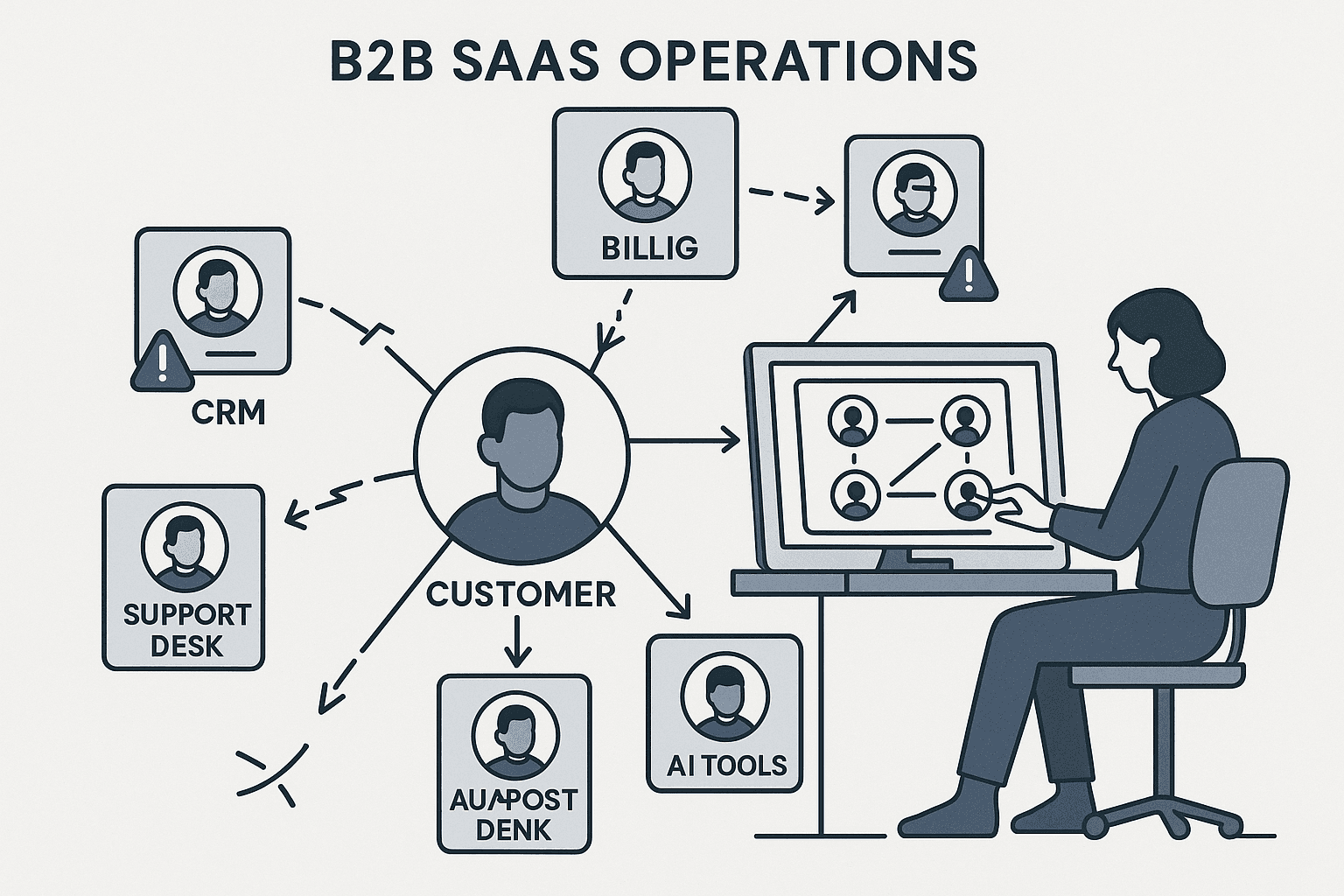
A familiar failure starts small.
A VP of Operations at a 40-person B2B SaaS company is preparing for a quarterly renewal review. Sales says the account is healthy and expanding. Product says adoption is flat. Finance says two invoices are overdue. Support says the customer has opened eleven tickets in the last month. Customer success says the executive sponsor has gone dark.
All of those statements are technically true.
They are also talking about the same customer through five different identities.
In the CRM, the buyer exists as an original lead created from a webinar form under maria@acme.com, a contact created by an AE under maria.fernandez@acme.com, and a duplicate contact synced from the support tool because Maria once emailed from ops@acme.com. In the product database, she is tied to a workspace created by an implementation manager using a personal Gmail during setup. In billing, the active subscription belongs to an admin who left six months ago. In the support system, half the tickets are filed by a contractor under the same company domain but routed as a separate account because the workspace name is slightly different. In the enrichment layer, an AI SDR tool has created yet another person record because it interpreted “Maria F.” and “M Fernandez” as separate prospects.
Now the company has a revenue problem that looks like a reporting problem.
The AE misses an expansion signal because product usage is attached to the wrong account. Customer success sends the renewal deck to the wrong stakeholder. Finance chases the former admin. Support cannot see the contract tier when prioritizing tickets. Marketing overstates pipeline because duplicated contacts inflate MQL counts. The CEO sees contradictory dashboards and starts distrusting the entire stack.
Nobody intended to create this mess. Nobody even “broke” a system in the classic sense. The company just allowed identity to fragment one tool at a time until core workflows stopped lining up.
This is the customer identity resolution problem in startups: one real-world buyer, user, admin, champion, or company becomes multiple records across the stack, each with partial truth and separate workflow consequences.
And if you do not deal with it early, the duplication tax compounds quietly until it starts showing up in renewals, attribution, escalation handling, and customer trust.
The pattern: fragmentation happens because every tool has a different idea of who the customer is
Founders usually assume “customer data” is a syncing problem. It is not. It is a modeling problem first, a systems problem second, and a process problem forever.
The core issue is simple: each system in the stack was built around a different primary object and different assumptions.
- CRM cares about leads, contacts, accounts, and opportunities.
- Product systems care about users, workspaces, organizations, seats, and events.
- Billing cares about customer entities, subscriptions, invoices, payment methods, and billing admins.
- Support cares about requesters, organizations, tickets, satisfaction history, and entitlements.
- Marketing automation cares about emails, form fills, campaign members, and audience membership.
- Data warehouses care about event streams and IDs.
- AI tools care about whatever identity they can infer from prompts, transcripts, emails, and scraped context.
Each system is rational in isolation.
The problem is that your company operates on workflows that cross them.
A renewal motion assumes:
- the account owner in CRM maps to
- the active contract in billing, which maps to
- the real product workspace, which maps to
- the support organization, which maps to
- the current executive sponsor and day-to-day admin.
If those mappings are weak, every cross-functional process becomes more manual, slower, and less trustworthy.
Identity fragmentation typically shows up in a few repeat patterns.
Pattern 1: Email-address-as-identity breaks immediately in B2B
A single person may appear under:
- work email
- alias email
- forwarded support inbox
- personal email used during trial
- acquired-company domain
- contractor email
- billing or AP mailbox
If your systems use email as the de facto unique key, you do not have identity resolution. You have string matching with delusions of adequacy.
Pattern 2: Company identity is even messier than person identity
A customer company may have:
- parent and subsidiary entities
- multiple domains
- regional legal entities
- multiple product workspaces
- separate billing entities
- acquired brands
- inconsistent naming across systems
“Acme,” “Acme Inc,” “Acme Corporation,” and “Acme EMEA Ltd” are not data hygiene issues by themselves. They are signs that you have not defined what your business means by an account.
Pattern 3: Product-led and sales-led motions create conflicting sources of truth
PLG workflows tend to create product organizations first and ask for human cleanup later.
Sales-led workflows tend to create account structures in CRM first and expect downstream systems to align.
If you run both motions, and most startups eventually do, duplication becomes structural. Trials start in product with one identity. Expansion gets sold in CRM under another. Billing follows whichever system closed first. Support organizes around whichever inbox got connected. Now you have three account graphs.
Pattern 4: Internal teams optimize locally
Marketing wants forms to convert, so they allow generic emails. Sales wants speed, so reps create records manually. Implementation wants onboarding to start, so they create a workspace from whatever info they have. Support wants ticket visibility, so they auto-create requesters and orgs. Finance wants invoices paid, so they update billing contacts directly in the billing system. Data wants reporting consistency, so they build warehouse-side mapping tables that nobody operationally uses.
Again, all rational locally. Disastrous globally.
Pattern 5: AI compounds bad identity instead of fixing it
A lot of teams assume AI will clean up fragmentation. In practice, AI often accelerates it unless tightly governed.
Examples:
- AI note takers write back “new contacts” to CRM from meeting participants with fuzzy matching.
- AI SDR tools enrich duplicate prospects separately.
- LLM-based support copilots pull the wrong account context because the requester email matched multiple orgs.
- Revenue intelligence tools attribute product signals to the wrong opportunity because account mapping is probabilistic and unchecked.
AI is not a substitute for a canonical identity model. It is a multiplier of whatever model you already have.
Why the standard advice fails
When this problem becomes visible, most startups reach for one of four bad answers.
Bad answer 1: “Let’s do a cleanup project”
This usually means exporting contacts from the CRM, deduping in spreadsheets, merging obvious duplicates, and declaring victory.
It fails because duplicates are not just records. They are workflow entry points.
Even if you merge 20,000 CRM contacts, the problem returns next week if:
- support still auto-creates requesters
- product still lets any email create a workspace
- billing admins still live independently in Stripe or Chargebee
- AI tools still write new person records back into CRM
Cleanup without governance is just mowing weeds.
Bad answer 2: “The CRM should be our source of truth”
This sounds good and is usually wrong in practice.
The CRM may be the source of truth for account ownership and pipeline. It is usually not the source of truth for:
- actual product access
- active billing authority
- ticket request history
- real-time user lifecycle state
- technical org/workspace identifiers
Declaring one tool the global source of truth does not resolve identity unless the rest of the stack is contractually synced around specific fields and object relationships.
Bad answer 3: “We’ll buy a CDP/revops platform and it will solve it”
Tools help. They do not absolve you from design.
Whether you use Segment Personas, Hightouch, Census, RudderStack, HubSpot Operations Hub, Salesforce duplicate management, Workato, Tray, Clay, Clearbit, or a warehouse-native identity graph, the platform can only operationalize the identity logic you define.
If your team has not answered basic questions like:
- What counts as a canonical account?
- Can one person belong to multiple accounts?
- What is the primary key for a workspace?
- Which system owns billing admin state?
- When is auto-merge allowed versus manual review required?
then buying more software mostly gives you faster inconsistency.
Bad answer 4: “We’ll rely on humans to use the right records”
This is the quiet default at many startups.
You train reps not to create duplicates. You ask CSMs to check aliases. You tell support to verify org names. You ask finance to loop sales in before changing billing contacts.
That may work for 20 customers and two operators. It breaks at scale because the process requires continuous memory across teams, tools, and edge cases.
Humans can catch exceptions. They cannot be your identity layer.
The better approach: define canonical identity and sync contracts like product infrastructure
The practical way to solve this is not to chase every duplicate manually. It is to define an identity model and operating rules that the rest of the stack conforms to.
Think of it as building a lightweight customer identity layer for revenue operations.
At minimum, every B2B startup should explicitly define five things:
- Canonical objects
- Ownership by system
- Match and merge rules
- Sync contracts
- Exception handling workflows
Let’s make that concrete.
1. Define your canonical objects
Most startups blur people, accounts, product orgs, and billing entities together. That is the root of the problem.
You need separate canonical definitions for each.
Canonical Person
A real individual human.
Possible attributes:
person_idinternal canonical ID- full name
- primary email
- secondary emails / aliases
- employment status if known
- title / role
- linked account IDs
- linked product user IDs
- linked support requester IDs
- linked billing contact IDs
- status flags: champion, admin, signer, end user, former employee
Important rule: a person can have multiple emails and may belong to multiple accounts over time, but should still be one canonical person if confidently matched.
Canonical Account
The commercial customer relationship you manage operationally.
Possible attributes:
account_idcanonical ID- legal entity name
- commercial account name
- parent account ID
- domain set
- CRM account IDs
- contract status
- owner / CSM / renewal date
- linked product org IDs
- linked billing customer IDs
- linked support org IDs
Important rule: decide whether your account model is based on legal entity, commercial relationship, or deployment boundary. There is no universal right answer. There is only consistency.
Canonical Product Organization
The actual workspace/team/org/container in your product.
Possible attributes:
product_org_id- workspace name
- creation source
- linked canonical account
- active seats
- usage metrics
- environment type if relevant
Important rule: product orgs are not always accounts. One account may have multiple workspaces. One workspace might begin unclaimed before being associated with an account.
Canonical Billing Entity
The entity responsible for subscription and payment.
Possible attributes:
billing_entity_id- billing platform customer ID
- subscription IDs
- invoice recipient emails
- AP contact
- plan / term / renewal
- linked canonical account
Important rule: billing entity ownership should be explicit because finance workflows need certainty, not inferred joins.
Canonical Support Identity
The requester or support organization context used for service workflows.
Possible attributes:
- support requester IDs
- support organization IDs
- entitlement tier
- linked canonical person and account
Important rule: support often creates identities fastest and dirtiest. Treat it as an edge system, not your identity authority.
2. Assign system ownership by field, not by vague “source of truth” slogans
Do not say “Salesforce is the source of truth.” Say which system owns which field and who is allowed to write to it.
A good ownership table might look like this:
| Object | Field / Attribute | Owning System | Allowed Updaters | Notes |
|---|---|---|---|---|
| Canonical Account | account owner | CRM | sales ops, CS ops | downstream read-only |
| Canonical Account | renewal date | billing/CRM contract object | finance ops, revops | define precedence |
| Canonical Person | primary email | identity layer | automated + manual review | not every app can overwrite |
| Product Org | active seats | product DB | product systems only | sync downstream |
| Billing Entity | invoice status | billing system | finance only | do not overwrite from CRM |
| Support Identity | requester role | support system with review | support ops | map to person/account |
This sounds bureaucratic. It is not. It is cheaper than debugging broken renewals every quarter.
If you are under 50 employees, this can literally be a Notion page plus a mapping sheet plus a few integration rules. The key is being explicit.
3. Create match rules and merge rules separately
Many teams combine matching and merging into one sloppy step. Don’t.
Matching asks: “Do these records likely refer to the same real-world thing?” Merging asks: “Should we collapse them into one operational identity now?”
Those are different decisions.
Person-level match hierarchy
A practical startup-grade hierarchy:
High-confidence auto-match
- exact known external ID already linked
- exact email match on normalized business email
- SSO subject or auth provider unique ID match
Medium-confidence review match
- same full name + same company domain
- same email local part across approved aliases
- same calendar participant plus existing linked account
Low-confidence do not auto-merge
- same first and last initial only
- personal email matching company admin by name
- inferred from AI transcript/entity extraction
Account-level match hierarchy
High-confidence auto-link
- exact CRM account external ID
- verified billing customer linked to signed order form
- verified product org claimed by known company domain and manually approved
Medium-confidence review
- same root domain + same legal entity name variant
- support org domain aligns with existing account but naming differs
- multiple subsidiaries under parent account structure
Low-confidence no auto-merge
- fuzzy company name only
- same website but no commercial relationship confirmed
- acquired brand with uncertain ownership mapping
Merge rules
Once records are matched, you still need policy on whether to merge in-system or link through a canonical identity graph.
For example:
- Merge duplicate CRM contacts if same person and same account context.
- Do not merge product users across workspaces just because emails match.
- Link multiple billing contacts to one person, but keep role distinctions.
- Link subsidiaries to parent account; do not flatten unless GTM runs them as one commercial account.
A big mistake is over-merging too early. Once you collapse records incorrectly, unwinding workflow history is painful.
Default to linking first, merging selectively.
4. Define sync contracts between systems
This is where most startups are weakest.
A sync is not “data moves from A to B.” A sync contract specifies:
- what object moves
- what fields move
- directionality
- frequency
- write permissions
- conflict resolution
- failure behavior
- audit logging
Example sync contract:
CRM Account -> Support Organization
- Purpose: ensure support routing and entitlement align with commercial account
- Key: canonical account ID
- Fields pushed: account name, plan tier, CSM owner, SLA tier
- Direction: CRM/identity layer to support only
- Frequency: on change + nightly reconciliation
- Conflict rule: support cannot overwrite account owner or SLA tier
- Failure rule: if match ambiguous, queue manual review and keep existing support org unchanged
Another example:
Product Org -> CRM Usage Summary
- Purpose: expose adoption signals to sales/CS
- Key: product org ID linked to canonical account
- Fields pushed: active users 30d, feature usage, workspace status
- Direction: product to CRM
- Frequency: daily
- Conflict rule: product metrics never manually edited in CRM
- Failure rule: if product org not linked to canonical account, suppress sync and create exception ticket
The point is not elegance. The point is predictable behavior.
5. Build exception handling like an ops queue, not a heroic cleanup ritual
There will always be ambiguous cases.
You need a queue with owners and SLAs for identity exceptions.
Common queue items:
- new contact created with personal email on existing company account
- support requester matches two possible accounts
- billing admin changed to unknown person
- product workspace created under unrecognized domain
- AI-generated contact suggests duplicate with low confidence
A simple process:
- auto-detect exception
- assign to revops or CS ops owner
- resolve using documented rules
- log reason code
- update identity mapping table
- feed insights back into prevention rules
If you do this well, the queue volume drops over time because patterns get encoded upstream.
What this looks like in a real startup stack
Let’s use a common stack:
- HubSpot or Salesforce for CRM
- Postgres app DB plus product analytics in Segment/Mixpanel/Amplitude
- Stripe or Chargebee for billing
- Zendesk or Intercom for support
- dbt + Snowflake/BigQuery warehouse
- Hightouch/Census for reverse ETL
- Slack/Jira for exception handling
- AI tools for meeting notes, enrichment, and support copilots
You do not need an enterprise MDM project to get control. You need a thin operational architecture.
Practical reference architecture
Layer 1: Operational systems CRM, product DB, billing, support, marketing, AI tools.
Layer 2: Canonical identity mapping Usually a warehouse table or lightweight service containing:
- canonical person table
- canonical account table
- crosswalk tables for external IDs
- match confidence scores
- record status
- merge history
- exception flags
Layer 3: Sync orchestration Reverse ETL/integration layer pushes approved canonical mappings and selected fields back into operational tools.
Layer 4: Human review workflow Slack/Jira queue for ambiguous matches and policy exceptions.
For most startups, the warehouse is the cheapest place to build the identity graph initially because:
- it centralizes cross-system data
- versioning and auditability are easier
- logic can be expressed in SQL/dbt
- reverse ETL can operationalize outputs without custom app development
You can later move portions into a dedicated identity service if needed.
Tool comparisons: what to use at different stages
There is no perfect stack, but there are good-enough choices by stage.
Option 1: CRM-native dedupe + manual ops
Best for: very early teams, <$1M ARR, simple sales-led motion
Tools:
- HubSpot duplicate management / Salesforce matching rules
- basic workflows
- manual spreadsheets
Pros:
- cheap
- fast to implement
- no new infrastructure
Cons:
- weak cross-system identity
- poor auditability
- doesn’t solve product/billing/support fragmentation
- quickly breaks in PLG or multi-product setups
Approximate cost:
- software incremental cost: low
- operator time: high and rising
My take: acceptable only as a temporary phase.
Option 2: Warehouse-first identity layer + reverse ETL
Best for: startups with multiple systems and one decent ops/data person
Tools:
- dbt + warehouse
- Hightouch or Census
- CRM duplicate controls
- Slack/Jira queue
Pros:
- flexible
- auditable
- can unify data across revenue and product systems
- relatively low engineering burden if data foundation exists
Cons:
- requires disciplined modeling
- can become analytics-only if not wired back into operations
- needs ownership between data and revops
Approximate cost:
- software: moderate
- setup time: 2-6 weeks for usable v1
- maintenance: moderate
My take: best default for many Series A/B startups.
Option 3: Integration-led orchestration
Tools:
- Workato, Tray, Zapier for lighter use cases
- custom logic in workflows
Pros:
- quick event-based actions
- good for routing and exception handling
- useful around edge-case automation
Cons:
- logic sprawls across recipes/flows
- hard to audit identity decisions globally
- brittle if used as the identity brain
Approximate cost:
- software: moderate to high
- ops complexity: hidden and cumulative
My take: useful as plumbing, dangerous as the system of identity policy.
Option 4: Dedicated CDP / identity platform
Tools vary widely depending on B2B or B2C orientation.
Pros:
- stronger profile unification in some cases
- event and trait resolution can be robust
- useful if you already invested heavily in customer data infrastructure
Cons:
- expensive
- often optimized for marketing use cases, not revenue operations edge cases
- still requires internal policy decisions
Approximate cost:
- software: high
- implementation: significant
My take: usually overkill for early-stage B2B unless identity complexity is core to your product or GTM motion.
A 30-day implementation plan for a startup ops team
Here is a pragmatic version, not a transformation fantasy.
Week 1: map the breakage
Objective: identify where duplicate identity is actively harming revenue workflows.
Do this:
- Pull 20 recent examples from renewals, support escalations, routing failures, attribution disputes, invoice confusion.
- For each, trace the identities involved across CRM, product, billing, support.
- Document where one real-world person/account became multiple records.
- Quantify impact categories: revenue risk, time wasted, customer confusion, reporting distortion.
Deliverables:
- top 5 failure modes
- list of systems and object types involved
- first draft of canonical object definitions
Time:
- 3-5 working days
Week 2: define canonical IDs and ownership
Objective: stop arguing abstractly and create a model.
Do this:
- Define canonical person, account, product org, billing entity, support identity.
- Assign internal IDs.
- Create a field ownership matrix.
- Decide initial match confidence rules.
- Decide which merges are allowed automatically.
Deliverables:
- identity policy doc
- ownership matrix
- merge/match policy v1
Time:
- 3-4 working days with revops, data, product ops, finance input
Week 3: build the crosswalk and exception queue
Objective: make identity operational.
Do this:
- Build warehouse tables or equivalent for canonical identity and external ID mapping.
- Populate with current records from CRM, product, billing, support.
- Flag ambiguous matches.
- Set up Slack/Jira queue for review.
- Add reason codes for decisions.
Deliverables:
- canonical mapping tables
- exception workflow
- first pass linked identities for top accounts
Time:
- 4-7 working days depending on data access
Week 4: wire back high-value syncs
Objective: improve workflows where pain is highest.
Start with three syncs max, usually:
- product org -> CRM account usage rollup
- billing entity -> CRM renewal/account health context
- CRM account tier/owner -> support org routing context
Deliverables:
- live sync contracts
- audit dashboard
- weekly review of unresolved exceptions
Time:
- 4-6 working days
This is enough to materially reduce duplication pain without boiling the ocean.
Cost and time analysis: why doing this early is cheaper than it looks
Many founders delay identity work because it feels like back-office cleanup. That is the wrong economic framing.
The real comparison is not “identity project vs no project.” It is “small upfront systems design vs ongoing workflow tax.”
The hidden cost of doing nothing
For a startup with:
- 10 sales/customer-facing reps
- 2 support reps
- 1 finance operator
- 1 revops/data hybrid
- 200 customers
- 5 core systems
It is easy to waste:
- 5-10 hours/week on duplicate cleanup, record tracing, and manual routing
- 3-5 hours/week on renewal confusion and account research
- 2-4 hours/week on invoice/billing contact corrections
- 3-6 hours/week on dashboard trust disputes and attribution arguments
That is conservatively 13-25 operating hours per week.
At blended loaded cost of, say, $70-$120/hour across those roles, you are burning roughly:
- $900-$3,000/week
- $46k-$156k/year
And that excludes actual revenue loss from:
- missed expansions n- delayed renewals
- poor support prioritization
- incorrect lead/account routing
- customer frustration from repeated requests for the same information
One bad renewal because the wrong stakeholder was managed is often more expensive than a quarter of identity cleanup work.
Cost of a pragmatic v1
A warehouse-first v1 might cost:
- 1 ops/data owner for 2-4 weeks part-time or 1-2 weeks full-time
- possible reverse ETL/tooling spend of $500-$3,000/month depending on stack
- modest engineering help if product IDs are messy
That is not trivial, but it is usually much cheaper than continuing to scale on fractured records.
Workflow examples: before and after
Example 1: support escalation
Before
A high-value customer writes from help@acme.com. Zendesk creates a new requester and ambiguous org. Support cannot see plan tier. Ticket gets standard queue treatment. CSM finds out two days later in Slack.
After Requester email maps to canonical account through domain plus approved alias mapping. Support org inherits SLA tier and CSM owner from canonical account sync. High-priority routing fires automatically. If ambiguous, exception queue triggers immediately instead of creating silent drift.
Example 2: renewal prep
Before CS pulls CRM account. Product usage belongs to two unlinked workspaces. Billing contract is under a former admin. Support volume is attached to a duplicate org. Renewal deck tells a false story.
After Canonical account links both product orgs, current billing entity, and support org. Renewal dashboard shows combined adoption, actual invoice status, and ticket trends. Team discusses strategy, not data archaeology.
Example 3: AI account research assistant
Before AI assistant summarizes account risk from CRM notes and recent tickets, but misses half the context because tickets and product events sit under duplicate identities. Summary looks polished and wrong.
After AI assistant is grounded on canonical account/person IDs and linked source objects. Context retrieval is constrained to approved relationships. Output quality improves because the identity layer is sane.
That last point matters more over time. AI workflows inherit your identity quality. If you fix identity now, future automation gets dramatically better.
Common tradeoffs and hard decisions
There are real tradeoffs here. Pretending otherwise leads to bad designs.
Tradeoff 1: auto-merge speed vs false-merge risk
Aggressive merging reduces duplicate counts quickly but can corrupt history and account ownership.
My bias: auto-link broadly, auto-merge narrowly.
Tradeoff 2: legal entity accuracy vs GTM usability
Finance may want legal entities handled precisely. Sales may want one parent account view.
You often need both: canonical commercial account plus linked legal/billing entities.
Tradeoff 3: product freedom vs operational consistency
Letting anyone start a workspace reduces friction. It also creates identity debt.
Good compromise:
- allow low-friction creation
- mark unclaimed/unverified orgs clearly
- require claim/association step before certain revenue workflows depend on them
Tradeoff 4: centralized ownership vs team autonomy
If no team owns identity, it rots. If one team owns everything without domain input, it becomes detached from reality.
Best pattern:
- revops/data owns canonical model and policy
- each domain team owns correctness of its operational source fields
- exception process resolves conflicts visibly
Who should own this?
For most startups, the accountable owner should be a revops or bizops leader with enough technical fluency to work with data/engineering.
Not because this is “a sales ops problem,” but because the pain shows up first in revenue workflows and cross-functional coordination.
A practical ownership split:
- RevOps / BizOps: canonical identity policy, exception queue, sync contracts
- Data: warehouse modeling, match scoring, observability
- Engineering / Product Ops: product org instrumentation, stable IDs, auth mappings
- Finance Ops: billing entity definitions and update controls
- Support Ops: requester/org hygiene and routing logic
If you are very small, this may all sit with one sharp operator. That is fine. Just make ownership explicit.
The minimum viable identity policy every startup should write
If you do nothing else after reading this, write a one-page policy with these answers:
- What is a canonical account in our business?
- What is a canonical person?
- Which systems create identities automatically?
- Which fields does each system own?
- What keys do we use for linking people, accounts, workspaces, and billing entities?
- What can auto-merge, and what requires review?
- Who resolves ambiguous identity cases?
- Where is the mapping table stored?
- Which three workflows break most when identity fragments?
- What metrics will we track to know if this is improving?
Good starter metrics:
- duplicate contacts per active account
- % product orgs linked to canonical account
- % billing entities linked to active account owner
- support tickets with ambiguous account mapping
- time to resolve identity exceptions
- renewals requiring manual record reconciliation
If you measure those monthly, you will know whether the duplication tax is shrinking.
Final takeaway
Customer identity resolution sounds like a data hygiene problem. In startups, it is really a revenue infrastructure problem.
When one buyer becomes five records across CRM, product, billing, support, and AI tools, you do not just get uglier data. You get broken routing, wrong attribution, messy renewals, slower escalations, and customers who feel like they are dealing with five different versions of your company.
The fix is not a heroic one-time dedupe or a vague declaration that one app is the source of truth.
The fix is to define canonical identity deliberately:
- separate person, account, product org, billing entity, and support identity
- assign field-level ownership
- create explicit match and merge rules
- define sync contracts
- run an exception queue for ambiguity
Do this while you are still small and it feels slightly premature.
Because once the company reaches real scale, identity debt stops being an ops annoyance and starts becoming a revenue drag hiding inside every major workflow.
Founder to founder: this is one of those boring problems that decides whether the rest of your stack becomes leverage or liability. Build the identity layer before your dashboards, automations, and AI assistants learn the wrong version of your customer.