
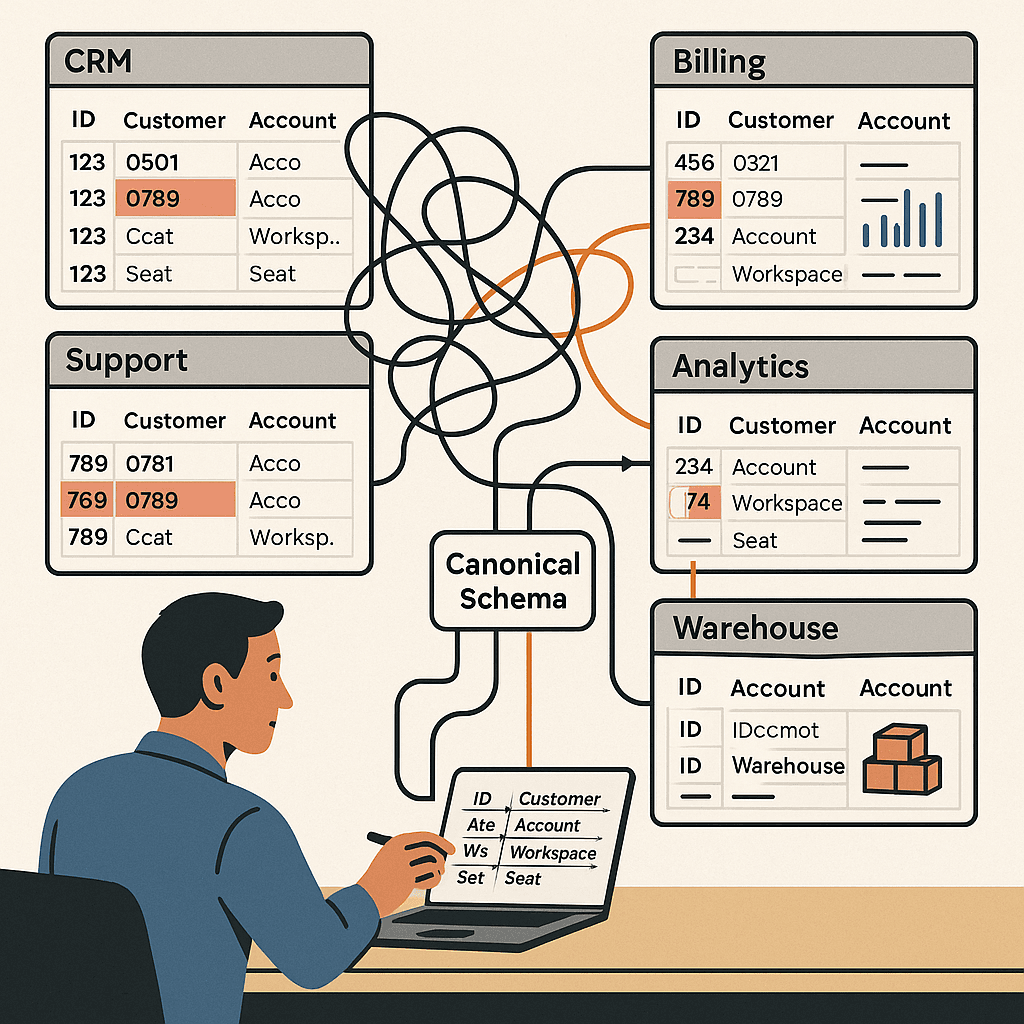
The failure mode usually doesn’t look dramatic at first. It looks like a rep asking why Salesforce says an account has 42 seats while Stripe shows 31 paying users, the product team sees 58 active members in PostHog, and support is replying to tickets from three different “customers” that are actually the same company.
Then the second-order damage starts.
A CSM sends a renewal email to the wrong admin because “owner” in the CRM means account executive, while “owner” in the product means workspace creator, while “billing owner” in Stripe is just whoever entered the credit card six months ago. Finance can’t explain MRR by segment because the warehouse joins on email domain, which breaks for holding companies, agencies, and customers with multiple workspaces. Product launches seat-based entitlements, but nobody agrees on what a “seat” means: invited user, activated user, monthly active user, or billable member. A high-intent expansion account gets missed because support sees a flood of usage questions under a subsidiary account that sales doesn’t know belongs to the parent.
By the time leadership notices, every function has built local workarounds:
- Sales exports CSVs and manually dedupes accounts.
- Success maintains a “real customer map” in Notion.
- Finance keeps a Stripe-to-CRM lookup sheet.
- Support tags tickets by hand.
- Data writes brittle dbt models full of CASE statements to reconcile entity messes after the fact.
This is customer schema drift: every system in the stack evolves its own definition of customer, account, workspace, seat, contact, owner, and subscription. The problem is not just data quality. It is operational reality fragmenting across tools until reporting, handoffs, automations, and decisions become unreliable.
For an early-stage startup, this hurts more than teams expect because your operating leverage comes from connecting systems before you can afford large ops teams. The stack is supposed to let 15 people operate like 50. Instead, schema drift forces 15 people to spend half their time compensating for tool disagreement.
The standard advice is usually too shallow: “pick a source of truth,” “clean your CRM,” “set up a CDP,” or “hire rev ops.” Those are directionally right but operationally incomplete. The hard part is not declaring a source of truth. The hard part is deciding which system is authoritative for which entity, field, and lifecycle event, and then enforcing those rules as the business changes.
What follows is a tactical playbook for fixing this before it becomes a permanent tax.
The recurring pattern behind the mess
Customer schema drift usually appears in the same sequence.
1. The company ships fast, and each team adds tools for its own immediate use case
- Sales creates accounts and contacts in HubSpot or Salesforce.
- Product creates organizations, workspaces, teams, or instances in the app database.
- Billing creates customers, subscriptions, invoices, and payment contacts in Stripe.
- Support creates organizations and requesters in Zendesk, Intercom, or Front.
- Data starts ingesting everything into the warehouse.
- Marketing adds lifecycle stages and lead owners.
None of these systems were wrong to model the world the way they did. They were optimized for different jobs.
The problem starts when everyone assumes their local entity model is close enough to everyone else’s.
2. Early shortcuts harden into production definitions
At the beginning, you might use email domain as the account key. That works until:
- customers use multiple domains,
- multiple companies share a parent domain,
- agencies manage clients from one domain,
- enterprise buyers use SSO domains that differ from billing domains,
- sandbox and production workspaces need to roll up together.
Or maybe the app creates one workspace per signup. That works until a customer wants multiple business units, or one legal entity owns five workspaces, or one workspace has internal and external collaborators who should not all count as billable seats.
A temporary approximation becomes a hidden dependency in reports, routing logic, account assignment, and pricing ops.
3. Teams optimize locally and redefine key terms without coordinating
This is where language breaks.
Take a few common terms:
- Customer: paying company? active logo? signed contract? any account with a workspace?
- Account: CRM company record? product org? billing entity? top-level parent?
- Seat: invited member? accepted invite? provisioned license? active user? paid unit?
- Owner: sales rep? CSM? executive sponsor? product admin? billing contact?
- Workspace: deployment instance? team container? billable environment? tenant?
Each team picks the interpretation that makes its workflow function. That is rational locally and destructive globally.
4. Integrations create the illusion of alignment
Native integrations and reverse ETL make the stack look connected, but most integrations move records, not meaning.
A Salesforce account synced to Zendesk org does not guarantee that both represent the same real-world entity. Sending Stripe MRR into the CRM does not define whether revenue belongs to the workspace, customer legal entity, or parent account. Segment, RudderStack, Hightouch, Census, Zapier, and native syncs help distribute data, but they do not settle canonical entity design.
5. Growth multiplies edge cases
At 20 customers, people can patch inconsistencies manually. At 200, exceptions dominate.
You start seeing:
- one parent with multiple subsidiaries,
- resellers and channel partners,
- multi-product contracts,
- annual contracts billed to procurement but used by separate teams,
- merged companies with overlapping domains,
- customers who churn one workspace but expand another,
- free product usage under a subsidiary that drives enterprise expansion at the parent.
Now every metric depends on definitions nobody wrote down.
Why standard advice fails
The usual fixes sound good but break in practice.
“Just make the CRM the source of truth”
The CRM is rarely authoritative for everything. It may be best for commercial ownership, pipeline stage, and account hierarchy. It is often not best for active seats, workspace count, entitlements, or product admins.
If you force the CRM to be authoritative for product-native entities, you create lag, manual sync debt, and broken automation. Reps should not be responsible for maintaining fields that are generated by app behavior.
“Just make the product database the source of truth”
Same issue in reverse. Your app knows users, orgs, roles, and events. It usually does not know legal billing entity, contracted ARR, procurement owner, renewal date, or sales region logic. Product data is critical, but not sufficient.
“Buy a CDP”
A CDP or event pipeline can help standardize tracking and identity resolution for events and users. It does not solve business entity governance by itself.
Segment, RudderStack, mParticle, or a warehouse-native stack can normalize user-level event flows. They do not decide whether three workspaces roll up into one commercial account, or whether finance recognizes one invoice customer or many.
“Hire rev ops / data ops”
Helpful, but dangerous as a deferral mechanism. One operator cannot reconcile undefined business concepts. Ops can enforce decisions. They cannot magically infer them.
“Clean it up in the warehouse”
You do need warehouse reconciliation, but if your only fix lives in dbt models, downstream systems still operate on conflicting definitions. Support routing remains wrong. Billing notifications still go to the wrong person. CRM automation still misfires. The warehouse can explain reality; it cannot substitute for operational alignment.
The better approach: canonical schema, explicit field authority, and ID mapping
The fix is not one source of truth. It is a system of truth with three layers:
- Canonical business entities and definitions
- Per-field system authority
- Cross-tool identity mapping and sync rules
If you do these three well, your stack can grow without operational drift taking over.
Step 1: Run a schema drift audit
Before redesigning anything, document the current mess. This audit is faster than most teams think if you keep it tactical.
Create a spreadsheet or lightweight spec with one row per entity and field.
Core entities to audit
At minimum:
- Lead
- Contact
- User
- Account
- Organization
- Workspace
- Team
- Subscription
- Invoice customer
- Seat / license
- Owner
- Parent account
- Contract
- Support org
- Environment (if sandbox/prod matters)
Systems to include
Usually:
- CRM: HubSpot, Salesforce
- Product DB: Postgres, MySQL, app backend
- Billing: Stripe, Chargebee, Paddle, Zuora
- Support: Zendesk, Intercom, Front
- Analytics: PostHog, Amplitude, Mixpanel
- Warehouse: BigQuery, Snowflake, Redshift
- Reverse ETL / sync: Hightouch, Census
- Marketing automation: Customer.io, Braze, Marketo, HubSpot
Questions to answer for each entity
For each system, ask:
- What is this entity called here?
- What creates it?
- What is its primary key?
- Can it be merged, split, archived, or duplicated?
- What lifecycle states exist?
- What related entities does it connect to?
- What fields are used by automations or reports?
- Who updates it?
- Which fields are manual vs system-generated?
Questions to answer for ambiguous fields
These are the landmines:
- account_id
- organization_id
- owner
- admin
- plan
- seat_count
- active_users
- ARR / MRR
- domain
- company_name
- customer_status
- renewal_date
- parent_account_id
For each one, define the actual semantic meaning in each tool. You’ll usually find the same field name means different things, and different field names mean the same thing.
Output of the audit
You want three outputs:
- Entity mismatch map: where one real-world entity becomes many records or many real-world entities collapse into one record.
- Critical field conflict list: fields that drive decisions but disagree.
- Broken workflow inventory: concrete operational failures caused by drift.
Examples of broken workflows to capture:
- Expansion playbook misses usage in non-primary workspace.
- Support tickets don’t attach to the commercial account.
- Finance cannot tie invoice customer to CRM parent.
- Seat overage alerts use active users while billing uses provisioned seats.
- Churn reporting treats workspace closure as logo churn even when parent account remains active.
This last output matters because it turns a “data hygiene project” into a revenue, support, and finance project.
Step 2: Define a canonical customer schema
Now define the business model you actually want every system to reference.
This does not mean every tool stores every field. It means every tool aligns to the same entity logic.
A practical canonical schema for many B2B SaaS startups looks like this.
Canonical entities
1. Party
A generalized actor: company or individual. Useful if you support both self-serve and enterprise.
2. Account
The top-level commercial relationship you manage in GTM. This is usually the unit of pipeline, ownership, forecast, renewal strategy, and parent-child hierarchy.
Examples:
- Acme Holdings as parent account
- Acme UK Ltd as child account if sold/billed separately
3. Billing Account
The legal/payment entity responsible for invoices and subscriptions.
One account can have multiple billing accounts. One billing account may map to one account or a child within a hierarchy.
4. Workspace
A product container or tenant where usage happens.
One account may have many workspaces. This distinction is where many startups fail.
5. User
A human identity in the product.
6. Membership / Seat
The relationship between a user and workspace, with role, status, and billable state.
This should usually be modeled as a relationship, not just a count field.
7. Contact
A person record for GTM communication. May or may not correspond 1:1 with a product user.
8. Owner Roles
Separate commercial owner types instead of one overloaded “owner” field.
Examples:
- account_executive_owner
- customer_success_owner
- support_owner
- technical_admin
- billing_contact
- executive_sponsor
9. Subscription
The commercial agreement governing plan, term, and billable units.
10. Contract / Order Form
If you’re selling larger deals, keep this distinct from subscription where needed.
Canonical relationship rules
Write these explicitly:
- An Account can have many Workspaces.
- A Billing Account can pay for many Subscriptions.
- A Subscription can apply to one or many Workspaces, but the allocation logic must be defined.
- A User can belong to many Workspaces.
- A Contact may map to a User, but not always.
- An Account may have parent-child hierarchy.
- A Seat is not a user; it is a billable membership definition.
That last line alone prevents a lot of future pain.
Canonical definition examples
Be brutally specific.
- Customer: an account with at least one active paid subscription or active signed contract.
- Active workspace: workspace with at least one event in last 30 days and not archived.
- Billable seat: membership in active state with a role included in paid pricing, regardless of recent activity.
- Product admin: user with workspace role that grants administrative permissions.
- Billing contact: contact designated to receive invoices; not necessarily the product admin or executive buyer.
- Logo churn: account with no active paid subscriptions across all workspaces and child entities after grace period.
If you can’t use a term in a board deck and in a SQL model with the same meaning, it is not defined enough.
Step 3: Assign system authority by field, not by slogan
Here is where most cleanups succeed or fail.
Do not say “Salesforce is the source of truth.” Instead build a field authority matrix.
Example field authority matrix
- account_name → CRM authoritative, with controlled writeback from data only for dedupe suggestions
- parent_account_id → CRM authoritative
- workspace_id → product DB authoritative
- workspace_status → product DB authoritative
- billing_customer_id → billing system authoritative
- subscription_status → billing system authoritative
- contracted_arr → CRM or CPQ authoritative depending on process
- invoiced_mrr → billing/warehouse authoritative
- active_users_30d → analytics or warehouse authoritative
- billable_seat_count → product DB or billing logic layer authoritative, but definition must be explicit
- billing_contact_email → billing system authoritative unless sales ops owns collection process
- technical_admin_user_id → product DB authoritative
- account_executive_owner → CRM authoritative
- support_tier → CRM or support system, but one only
Then define sync behavior:
- push only from authority to consumers,
- never allow bidirectional overwrite for authoritative fields,
- use derived fields for convenience instead of editing copies,
- keep raw source IDs on consuming systems.
This sounds simple. In practice it eliminates an enormous amount of accidental corruption.
Step 4: Build a cross-tool ID map
This is the backbone.
Every important entity needs a stable canonical ID and a mapping table to external system IDs.
Minimum mapping tables
- canonical_account_id ↔ salesforce_account_id / hubspot_company_id
- canonical_account_id ↔ stripe_customer_id / chargebee_customer_id
- canonical_workspace_id ↔ app_workspace_id ↔ support_org_id ↔ analytics_group_id
- canonical_user_id ↔ app_user_id ↔ crm_contact_id ↔ support_requester_id ↔ analytics_user_id
- canonical_subscription_id ↔ stripe_subscription_id / billing_subscription_id
What to store in each map
At minimum:
- canonical_id
- system_name
- external_id
- entity_type
- match_method
- confidence
- valid_from
- valid_to
- active_flag
- merged_into_canonical_id if applicable
Why this matters: identities change. Accounts merge. Workspaces get consolidated. CRM records are deduped. Billing customers are recreated. If you only keep “current join keys,” your historical reporting breaks every time operations cleans something up.
Matching strategy
Use a tiered approach, not just domain matching.
Order of confidence:
- Explicit application linkage created in workflow
- Contract/order form reference
- Billing metadata linked from product or CRM
- Admin-confirmed relationship
- Verified domain + company name match
- Heuristic/domain-only match
Anything below a threshold should queue for review, not silently merge.
Step 5: Decide where the canonical model lives
For most early-stage startups, the pragmatic answer is:
- Operational authority remains distributed across systems
- Canonical model lives in the warehouse plus documented schema spec
- Critical derived fields sync back to operational tools
This is usually better than trying to force one operational tool to become the master database for everything.
A practical stack option
- Product DB for product-native entities and permissions
- CRM for commercial relationships and ownership
- Stripe/Chargebee for billing artifacts
- Warehouse for canonical joins, history, and derived customer model
- Hightouch/Census for syncing derived attributes back to CRM/support/marketing
Tool comparison: where startups go wrong
CRM as master-everything
Pros
- familiar to GTM teams
- easy ownership workflows
- strong reporting for pipeline and accounts
Cons
- weak for product hierarchy and event-driven updates
- manual field maintenance creeps in fast
- difficult for engineering-owned identity logic
Best when: sales-led motion dominates and product complexity is low.
Product DB as master-everything
Pros
- real-time product truth
- good for permissions, workspace/user relationships
- engineering can enforce rigor
Cons
- commercial concepts become second-class
- GTM teams depend on engineering for changes
- poor native workflow tooling for sales/support
Best when: product-led motion is dominant and contracts are simple.
Warehouse-centric canonical layer
Pros
- best place for reconciliation and historical truth
- flexible for many-to-many relationships
- supports reverse ETL to downstream tools
Cons
- not real-time by default
- requires data maturity
- if over-engineered, can become a bottleneck
Best when: you already have 3+ operational systems and recurring reporting pain.
For most Series A-ish teams, warehouse-centric canonical modeling with clear system authority is the sweet spot.
Step 6: Define ownership for every critical field
A schema without owners drifts again.
You need both business ownership and technical ownership.
Example:
- billable_seat_count
- business owner: finance + product
- technical owner: engineering/data
- account hierarchy
- business owner: rev ops
- technical owner: CRM admin/data
- technical_admin
- business owner: support/product
- technical owner: engineering
- customer_status
- business owner: rev ops/finance
- technical owner: data
For each critical field, document:
- definition
- authoritative system
- update mechanism
- allowed editors
- SLA for corrections
- downstream consumers
This is boring governance work. It is also what prevents smart people from breaking your stack with good intentions.
Step 7: Fix the highest-cost workflows first
Do not try to normalize everything at once. Start where entity drift is costing money, customer experience, or executive trust.
A good prioritization framework:
Tier 1: Revenue and customer-facing pain
- Renewal and expansion targeting
- Support routing and context
- Billing notifications and invoice accuracy
- Churn and MRR reporting
- Entitlement / seat enforcement
Tier 2: Efficiency pain
- Lead-to-account matching
- lifecycle stage automation
- onboarding handoffs
- product usage alerts to CSMs
Tier 3: Nice-to-have cleanup
- dashboard consistency
- field naming polish
- legacy archived records
If you start with naming cleanup before fixing renewal/account rollups, you’ll lose momentum.
Workflow examples: what “fixed” looks like
Example 1: Expansion alert from product usage
Broken version
- Product sends workspace usage spike to Slack.
- CSM cannot tell which commercial account owns the workspace.
- Sales sees no expansion because CRM account is separate.
Fixed version
- Product DB emits usage by workspace_id.
- Warehouse joins workspace_id → canonical_account_id.
- Derived field
expansion_signal_scorecomputed at account level. - Hightouch syncs score and top active workspace summary into CRM account.
- Account owner task created only for canonical account owner.
Tradeoff
- Slight latency versus app-native trigger.
- Much better account-level actionability.
Example 2: Support ticket routing
Broken version
- Zendesk org is based on requester domain.
- Enterprise customer with multiple domains appears as several orgs.
- Tickets from strategic account don’t get priority SLA.
Fixed version
- Requester mapped to canonical_user_id and canonical_account_id.
- Zendesk org metadata updated from canonical account mapping.
- SLA policy reads synced support_tier derived from canonical account.
- Sidebar app or sync shows parent account, ARR tier, workspace list, technical admin.
Tradeoff
- Requires identity resolution work.
- Dramatically better support context and escalation handling.
Example 3: Seat-based billing reconciliation
Broken version
- Product counts monthly actives.
- Billing charges provisioned licenses.
- Finance reports “seat utilization” using invited users.
- Nobody trusts overage numbers.
Fixed version
- Canonical definitions:
- provisioned_seat_count
- billable_seat_count
- active_seat_count_30d
- Billing system stores charged quantity.
- Product DB stores membership states.
- Warehouse computes reconciliation by workspace and account.
- Exceptions > threshold create review queue for finance/ops.
Tradeoff
- More metrics instead of one simplistic “seats” metric.
- Much higher clarity and less invoice dispute risk.
Implementation details for a lean team
Let’s make this concrete for a startup with:
- HubSpot or Salesforce
- Stripe
- Postgres app DB
- Zendesk or Intercom
- PostHog or Amplitude
- BigQuery or Snowflake
- dbt
- Hightouch or Census
Phase 1: 2 weeks, audit and schema spec
Deliverables:
- entity inventory
- field authority matrix
- canonical schema doc
- top 10 broken workflows
- list of required mapping tables
People needed:
- 1 operator (rev ops, biz ops, founder, or head of ops)
- 1 engineer or analytics engineer
- input from finance/support/product
Time cost:
- ~15–25 total cross-functional hours
- 1–2 working sessions to settle definitions
This is mostly decision-making, not engineering.
Phase 2: 2–4 weeks, build mapping backbone
Deliverables:
- canonical account table
- canonical workspace table
- ID bridge tables
- merge/split handling logic
- documented confidence rules for matching
Typical dbt models:
stg_crm_accountsstg_billing_customersstg_product_workspacesbridge_account_system_idsbridge_workspace_system_idsdim_canonical_accountsdim_canonical_workspacesfct_account_subscription_reconciliation
Time cost:
- 1 analytics engineer or strong data person for 1–2 weeks
- additional engineering support if product IDs need instrumentation fixes
Phase 3: 2–6 weeks, sync derived truth back into tools
Start with 5–10 high-value fields, not 80.
Good first sync fields:
- canonical_account_id
- parent_account_name
- support_tier
- active_workspace_count
- active_users_30d
- billable_seat_count
- current_mrr / contracted_arr
- billing_status
- technical_admin_email
- expansion_signal_score
Push into:
- CRM account/contact views
- support org/requester profiles
- lifecycle messaging tools
Time cost:
- 1 ops owner + 1 data owner + limited admin work
Phase 4: ongoing, guardrails
Deliverables:
- new field request process
- naming conventions
- automation review checklist
- monthly exception dashboard
- ownership register
This phase is what keeps drift from reappearing six months later.
Cost analysis: the cheap way vs the expensive way
Founders often delay this because it sounds like internal plumbing. Here’s the real tradeoff.
Cheap-seeming approach: patch forever
Direct costs:
- a few spreadsheets
- some Zapier automations
- a rep manually fixing records
Hidden costs:
- 5–10 hours/week of cross-functional manual reconciliation
- inaccurate board metrics
- missed expansions
- invoice disputes
- support escalations handled without context
- automation mistrust leading to more manual work
At fully loaded startup labor rates, even 8 hours/week of senior team reconciliation is easily $20k–$40k/year in hidden cost, and that excludes revenue leakage.
Structured approach: canonical model + mappings
Direct costs:
- 2–8 weeks of focused work depending on complexity
- some data/ops tooling if not already in place
- ongoing governance overhead
Typical software cost ranges:
- dbt Cloud or Core: low to moderate
- warehouse: low at early-stage scale
- Hightouch/Census: moderate depending on sync volume
- CRM admin time: moderate internal cost
Net effect:
- less manual reconciliation
- better routing and account context
- more trustworthy reporting
- lower support and billing error rate
- much easier stack additions later
The inflection point comes sooner than people think. Once you have a sales motion, usage-based or seat-based pricing, and more than one customer-facing system, drift starts taxing every team.
Preventing drift as the stack grows
Fixing the current mess is only half the work. Preventing recurrence matters more.
1. Add an architecture review for any new tool
Before buying a new tool, answer:
- Which canonical entities will it create or consume?
- Which IDs will it store?
- Which fields will it be authoritative for, if any?
- How will merges/splits be handled?
- What automations depend on its records?
If a vendor cannot support external IDs and stable syncing, that matters more than some flashy dashboard.
2. Ban ambiguous field names in new builds
Avoid raw fields like:
- owner
- seats
- status
- plan
- account_id
Prefer:
- account_executive_owner_id
- billable_seat_count
- subscription_status
- workspace_plan_name
- canonical_account_id
This feels pedantic and saves you later.
3. Separate counts from relationships
Do not model important concepts only as rollup numbers.
Instead of only seat_count, keep membership-level logic. Instead of only workspace_count, store workspace-account mappings explicitly. Aggregates can always be computed later; lost relationship structure is painful to recover.
4. Keep a schema changelog
When definitions change, record:
- what changed,
- why,
- when it took effect,
- historical backfill policy,
- downstream impact.
If you change what counts as a billable seat and do not log it, every trend chart becomes a debate.
5. Monitor exceptions, not just dashboards
Build a monthly operational exception review.
Examples:
- active workspaces with no canonical account
- Stripe customers linked to multiple canonical accounts without approval
- CRM accounts with paid subscription but no billing account mapping
- support orgs with high ticket volume but no account owner
- workspaces with parent-child ambiguity
Healthy systems are not the ones with zero exceptions. They are the ones where exceptions are visible and resolved quickly.
Common tradeoffs founders should accept
A few direct truths.
You will not get one perfect customer object
Your business has multiple valid entity layers: commercial account, billing entity, product workspace, user identity, support org. The goal is not flattening them into one record. The goal is making relationships explicit.
Some fields should remain duplicated for usability
It is okay to sync current_mrr into the CRM even if Stripe or the warehouse is authoritative. Operators need context where they work. Duplication is fine; uncontrolled editing is not.
Real-time is not always worth it
Not every field needs streaming sync. Ownership, MRR, support tier, and workspace count often work fine on hourly or daily syncs. Save real-time complexity for entitlement and customer-facing in-product logic.
Manual review is part of a good system
For entity resolution, 95% automation plus a review queue is often better than 100% automated bad merges. Founders love automation; operators love not corrupting the account model.
A simple operating model to adopt now
If you want the minimum viable version of this without overbuilding, use this model:
- Define five canonical entities: account, billing account, workspace, user, subscription.
- Create explicit definitions for customer, seat, owner, active workspace, and churn.
- Assign field authority for the top 25 fields that drive reporting or automation.
- Build ID bridge tables in the warehouse.
- Sync 5–10 derived account fields back into CRM and support.
- Review exceptions monthly.
- Require an entity review before any new tool or major automation launches.
That gets you most of the value without turning into an enterprise data governance committee.
Final takeaways
Customer schema drift is not a data team problem. It is what happens when the company scales faster than its shared definition of the customer.
The visible symptoms are bad reports, messy handoffs, broken automations, and billing confusion. The underlying issue is deeper: your systems disagree on the basic unit of the business.
The fix is not “choose one source of truth.” The fix is to:
- define canonical business entities,
- assign per-field authority,
- map IDs across tools,
- sync derived truth back where teams work,
- and install enough governance that drift does not return.
If you do this early, your stack becomes leverage. If you wait too long, every new tool multiplies ambiguity and every team builds its own unofficial customer model.
Founder-to-founder: this is one of those unglamorous systems projects that feels deferrable right up until it starts distorting revenue decisions. Treat it like core infrastructure. Because once sales, support, billing, product, and finance all speak different account languages, you are not just messy. You are operating with multiple conflicting versions of reality.