
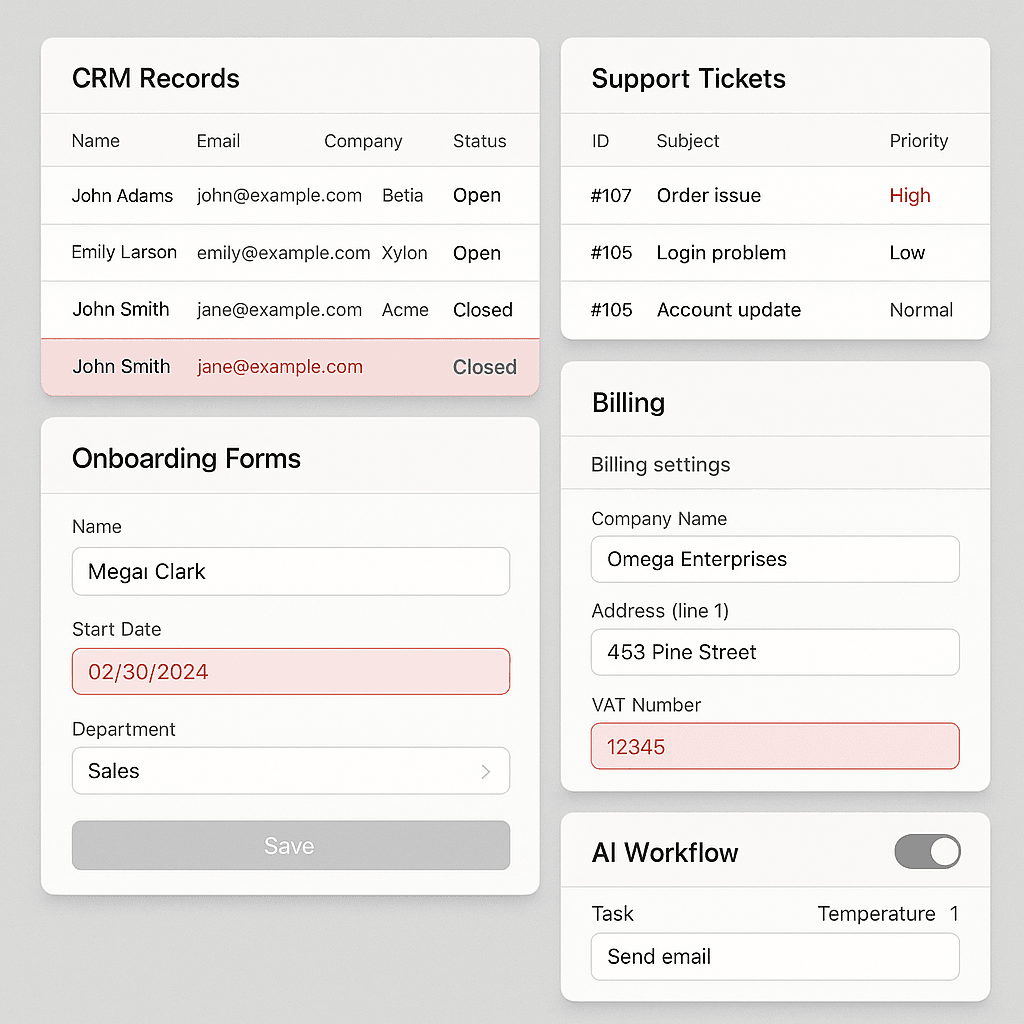
A few months into scale, a startup usually develops a strange kind of confidence.
The dashboard says lead response time is improving. The support queue looks neatly prioritized. Customer segments appear clean. Revenue attribution seems more complete than it used to be. The AI classifier is producing tidy tags with impressive consistency. Ops reviews feel calm because almost every required field is populated.
Then reality leaks in.
Sales complains that inbound enterprise leads keep landing with the SMB team. Support says urgent tickets are being marked medium and sitting too long. Finance finds billing exceptions hidden under a generic status. Product notices onboarding data says nearly everyone came from the same use case, which makes no sense. The AI workflow that summarizes accounts and suggests next steps starts making confident but wrong recommendations because it learned from records that were “complete” but not true.
Nothing broke in a dramatic way. No single integration failed. No one person made a catastrophic mistake.
Instead, the company accumulated default value debt.
That debt forms when critical fields are pre-filled with values that are convenient for software or operations teams, but unsafe for decision-making. A form defaults the owner to the person who created the workflow. A support ticket defaults priority to “medium.” A CRM record defaults lifecycle stage to “lead” or region to “North America.” An onboarding workflow defaults implementation status to “not needed.” An internal AI prompt defaults missing context to a generic customer profile. A billing tool defaults contract start date to today. Users move fast, skip review, and submit. The system records certainty where none existed.
This is not a data hygiene problem in the usual sense. It is not mainly about missing fields. It is the opposite.
It is about fields that look complete while being operationally false.
That is more dangerous than nulls.
Nulls cause discomfort. False defaults create fake confidence.
A real failure scenario: the pre-filled field that poisoned four systems at once
Consider a B2B SaaS startup at around 80 employees. They have:
- HubSpot for CRM
- Zendesk or Intercom for support
- Stripe plus a lightweight billing ops layer
- Typeform and in-app onboarding forms
- A warehouse feeding metrics into Looker or Metabase
- A few AI workflows for lead qualification, support triage, and account summaries
The team wants speed. So over time they make a series of “helpful” choices:
- New inbound leads default
owner = SDR Team Queue Lead - Company size defaults
segment = SMB - Support tickets default
priority = medium - Onboarding projects default
implementation_required = no - Renewal records default
risk_status = healthy - Invoice exception forms default
issue_type = one-time adjustment - AI lead enrichment prompt defaults unknown industry to
software - Internal handoff form defaults
go_live_date = today
Each change seems harmless. In isolation, it often is.
But then the compounding starts.
What happened operationally
1. Routing broke quietly.
Enterprise leads without manually selected segments stayed tagged as SMB, so they routed to junior reps. Response was fast, but wrong. High-value accounts got shallow discovery and lower conversion.
2. Reporting improved on paper.
Required fields looked nearly 100% complete. Management celebrated cleaner dashboards. But “data quality” was fake because the system measured field population, not field correctness.
3. Prioritization decayed.
Support agents accepted “medium” because changing it took extra thought. True urgency only surfaced in free text. SLA breaches rose without obvious queue alarms because tickets still looked categorized.
4. AI training data got polluted.
The support triage model learned from historical priorities that were default-generated, not judgment-based. The lead scoring workflow learned that many large prospects were “SMB software leads” because those were the pre-filled fallback values. The account summary assistant pulled “healthy renewal” status from fields no CSM had explicitly verified.
5. Exceptions disappeared into averages.
Billing edge cases clustered under default issue types. Finance spent longer investigating because the taxonomy said one thing while notes said another.
6. Accountability dissolved.
When errors surfaced, every team could say, truthfully, that the field had been filled in. No one could say whether anyone had actually made the decision.
That last point matters. Default value debt doesn’t just create inaccurate records. It erases the line between known and assumed.
The pattern: default value debt accumulates like operational interest
Founders usually understand tech debt because code shortcuts slow future development. Default value debt works the same way in operations.
A pre-filled value saves a few seconds now. But later it costs across multiple layers:
- Data quality: false completeness
- Routing: wrong queues and owners
- Analytics: misleading segment, funnel, SLA, and revenue metrics
- Automation: workflows trigger based on assumptions
- AI systems: training and inference use corrupted labels and context
- Management judgment: leaders trust reports that should be treated as uncertain
The operational interest compounds because defaults propagate.
A single bad default can move through:
- Source form
- CRM record
- Routing automation
- Warehouse model
- BI dashboard
- AI feature store or prompt context
- Executive review
By the time you see the damage, the original default feels invisible. People stop noticing it because it has become “normal.”
That is why this problem is persistent in startups. Early systems are built under time pressure, often by smart generalists doing reasonable things. A default is easier than building decision logic. Easier than making a field optional. Easier than designing an explicit “unknown” state. Easier than training a team to choose carefully.
So the company chooses speed.
Then speed quietly becomes distortion.
Why standard advice fails
Most teams respond to data quality issues with generic advice:
- Make fields required
- Add validation
- Standardize picklists
- Train users better
- Sync systems more reliably
- Add more automation
Those are not wrong. They are incomplete.
1. “Make it required” often makes the problem worse
If users must submit something, and you hand them a default, they will often accept the default.
A required field with a dangerous default is worse than an optional field with uncertainty visible.
Example:
- Required field:
Customer segment - Default:
SMB
Now you get 100% completion and 70% truth. That is operationally worse than 75% completion and visible unknowns.
2. Training does not beat interface gravity
Teams love saying, “People should know to change the value if it’s wrong.”
In reality, interfaces train behavior more than docs do.
If a workflow encourages fast submission, people will scan for blockers, not truth. Pre-filled values are interpreted as recommendations. Users assume someone upstream chose them intentionally.
This is especially true when:
- the field is one of many
- the submitter is under time pressure
- the consequences are delayed
- the correct value requires judgment
- the default is plausible enough to pass
3. More automation can amplify bad defaults
Automation fans often treat populated fields as signal. But if those fields are default-generated, automation scales errors.
Common failure mode:
- Field defaults to a value
- Workflow triggers based on that field
- Result writes more data downstream
- AI uses downstream records as examples
You now have a self-reinforcing loop where assumed values create behavior that makes the assumptions look real.
4. Dashboards reward completeness, not epistemic honesty
Most BI setups are not designed to distinguish:
- explicitly chosen values
- inferred values
- system defaults
- stale values
- unknown values
So leadership ends up managing a world where confidence is overstated.
A dashboard that shows 98% of tickets prioritized looks healthy.
A dashboard that shows 98% of tickets have some value in the priority field, 63% of which were never explicitly set by an agent would tell a different story.
5. AI workflows are uniquely vulnerable to false defaults
AI systems are hungry for labels, context, and examples. Startups feed them operational data because it is available. But operational data is only useful if the meaning of fields is trustworthy.
If your CRM says “segment = SMB” because that was the default, your AI lead router treats that as truth. If support priority was defaulted to medium, your classifier learns caution where urgency should exist. If renewal health defaults to healthy, your account assistant becomes systematically optimistic.
This is one of the biggest near-term operational AI risks for startups: not model sophistication, but label contamination from default-filled fields.
The better approach: design for uncertainty, not cosmetic completeness
The fix is not “remove all defaults.” Some defaults are good. They reduce friction, encode real business logic, and speed repetitive work.
The goal is to separate:
- safe defaults that reflect deterministic system behavior, from
- harmful defaults that masquerade as user judgment or business truth
A better approach starts with one principle:
If a field drives routing, prioritization, reporting, financial handling, compliance, or AI decisions, do not pre-fill it unless the system can determine the value with high confidence and traceable logic.
Everything else flows from that.
A practical framework: classify fields by consequence and certainty
Here is the operating model I recommend.
Field type 1: Deterministic system defaults
These are safe when the value comes directly from known context.
Examples:
- Currency defaults from contract country where legal entity mapping is deterministic
- Workspace timezone defaults from account setting
- Ticket source defaults to
chatwhen created through chat - Form locale defaults from browser/session
These are fine because the system knows the answer or has a clear, auditable rule.
Field type 2: Convenience defaults for low-risk preferences
These can be acceptable when errors are cheap and localized.
Examples:
- Dashboard date range defaults to last 30 days
- Notification preference defaults to weekly summary
- Internal view defaults to current team queue
These do not usually corrupt core records.
Field type 3: High-risk judgment defaults
These are the danger zone.
Examples:
- Owner
- Priority
- Segment
- Lifecycle stage
- Risk status
- Eligibility
- Implementation required
- Due date
- Billing issue type
- Renewal health
- AI prompt assumptions about persona/use case/industry
These should rarely be pre-filled unless a rule engine can justify them and the system stores the basis.
Field type 4: Unknown-required fields
These should explicitly support “unknown,” “not yet assessed,” or “needs review.”
This is where many startups fail philosophically. They think unknown is messy.
Unknown is honest. Honest data is operable.
False certainty is tidy but dangerous.
The audit: where to look for default value debt first
If you’re serious, run a two-week audit across these six surfaces.
1. CRM
Check fields such as:
- Lead owner
- Account owner
- Segment/company size
- Lead source
- Region/territory
- Lifecycle stage
- Opportunity type
- Forecast category
- Closed-lost reason
Common issues:
- default owner set by workflow creator
- segment defaulted to smallest bucket
- source overwritten by latest touch
- stage advanced by automation without explicit qualification
What to inspect:
- percentage of records where values are set within seconds of creation
- percentage of fields never changed after creation
- concentration of one value among records with low enrichment completeness
- mismatch between free text notes and structured field value
2. Forms and onboarding
Check:
- Use case
- Team size
- Implementation timeline n- Technical readiness
- Success criteria
- Go-live date
- Admin/contact role
Common issues:
- first option selected by default
- dates default to current date
- optional complexity hidden behind “no” default
- onboarding need understated because “implementation not required” is preselected
3. Support and success systems
Check:
- Priority
- Severity
- Product area
- Escalation status
- Renewal risk
- Root cause
- Resolution type
Common issues:
- medium priority default becomes universal bucket
- “general” or “other” catches everything
- healthy risk status carries over until too late
- AI summarization tools assume existing tags are true
4. Billing and finance ops
Check:
- Contract start date
- Tax status
- Billing owner
- Invoice exception type
- Credit reason
- Payment follow-up status
Common issues:
- today’s date defaulted despite future effective dates
- issue types collapsed into generic defaults
- collections stage appears current but was never deliberately set
5. Internal tools and admin workflows
Check:
- Approver
- Team assignment
- Security classification
- Launch readiness
- Incident impact
- SLA tier
Common issues:
- admin builders set static defaults to avoid broken forms
- hidden fields carry stale assumptions
- copied workflows preserve old owner/team IDs
6. AI workflows and prompt layers
This is where many teams still aren’t looking hard enough.
Check:
- default prompt instructions for missing context
- fallback customer personas
- assumed sentiment labels
- assumed product line or use case
- default confidence thresholds
- default action recommendations
Common issues:
- “If unknown, assume SMB software buyer” style prompts
- retrieval pipelines preferring stale structured fields over raw notes
- missing context silently replaced by generic assumptions
- no distinction between explicit labels and inferred metadata
How to identify harmful defaults empirically
You do not need a huge data team to find this. Start with practical signals.
Signal 1: Low override rate on high-judgment fields
If a field requires human judgment but is almost never changed from its initial value, that is suspicious.
Examples:
- 92% of tickets remain medium priority
- 88% of inbound leads remain SMB segment
- 95% of onboarding projects remain implementation not required
That may be true. More often, it means the default is doing the thinking.
Signal 2: Time-to-set is near zero
If fields are populated immediately at record creation before enough information exists, they are likely defaulted or blindly inherited.
Signal 3: Distribution cliffs
If one value dominates far beyond business reality, investigate.
Example:
- 73% of customers tagged “software” despite broad ICP
Signal 4: Downstream contradiction
Compare structured values to notes, emails, transcripts, or subsequent actions.
Examples:
- Ticket says medium priority, but manager manually escalates in Slack
- Lead tagged SMB, but rep books enterprise architect for call
- Renewal marked healthy, but discount approval request appears same week
Signal 5: Correlation with creator or channel
If the value strongly correlates with which workflow created the record rather than underlying reality, you have a default problem.
Signal 6: AI overconfidence on wrong labels
If your AI outputs are consistent but often wrong in one direction, trace the upstream labels and context fields. Many “model issues” are actually default-value data issues.
A redesign framework: remove, replace, reveal, or require
For every critical field with a default, make one of four choices.
1. Remove the default
Use when the field requires judgment and no deterministic rule exists.
Best for:
- priority
- risk status
- segment
- implementation required
- issue type
Tradeoff:
- slower form completion
- more visible unknowns
- short-term discomfort
Benefit:
- truth improves
- uncertainty becomes explicit
- better downstream decisions
2. Replace with a rule-based value plus provenance
Use when the value can be inferred from reliable logic.
Example:
Instead of defaulting segment = SMB, calculate:
- if employee count < 50, set
segment = SMB - if 50–500,
mid-market - if >500,
enterprise - if unknown,
segment = unknown
And store:
segment_source = enrichment_rule_v3segment_confidence = high/medium/low
This is much better than a silent static default.
3. Reveal uncertainty explicitly
Use states like:
- Unknown
- Not yet assessed
- Needs qualification
- Awaiting customer confirmation
- Inferred, unverified
This is especially powerful in support, success, billing, and AI-assisted workflows.
Example:
Priority options:
- P1 urgent
- P2 high
- P3 normal
- Unassessed
Then route Unassessed to a triage view with an SLA of 15 minutes. Now uncertainty is operationalized instead of hidden.
4. Require explicit selection
Use when the decision must be made before work proceeds.
Good candidates:
- data handling classification
- refund approval reason
- legal entity
- escalation severity
- owner when accountability matters immediately
Design matters here. Required explicit selection should not be punitive. It should happen at the moment the user has enough context to choose.
Implementation details: how to fix this without creating workflow revolt
The hardest part is not identifying bad defaults. It’s removing them without slowing the company to a crawl.
Here’s a practical rollout plan.
Phase 1: Build the default registry
Create a simple spreadsheet or table with columns:
- System
- Object/form/workflow
- Field name
- Current default value
- How default is set (UI, automation, hidden field, prompt, script)
- Why it exists
- Who owns the field
- Downstream uses (routing, reporting, billing, AI, compliance)
- Risk level
- Recommended action
This alone is eye-opening. Most startups do not know how many defaults they have.
Phase 2: Rank by blast radius
Prioritize fields that affect:
- customer experience
- revenue routing
- finance/compliance
- executive reporting
- AI labels and prompts
Do not start with harmless UX preferences. Start where false data changes decisions.
Phase 3: Add provenance fields
For important records, track not just the value but how it was set.
Useful metadata:
set_by = user | workflow | integration | ai | ruleset_atsource_systemconfidencelast_verified_atverified_by
This is one of the highest-leverage changes you can make.
Once provenance exists, you can stop treating all populated fields as equal.
Phase 4: Introduce explicit unknown states
If you remove defaults without giving people a valid uncertainty option, they will invent one in notes or choose random values.
Define allowed uncertainty states carefully.
Bad:
- Other
- Misc
- TBD
Better:
- Unknown
- Not assessed
- Awaiting customer input
- Inferred, unverified
Phase 5: Redesign workflows, not just fields
The right fix is often process-level.
Examples:
- Don’t ask support agents to set final root cause at intake; require it at resolution.
- Don’t force segment selection on top-of-funnel forms; route to qualification queue if unknown.
- Don’t default onboarding dates at sale close; trigger date confirmation step during kickoff.
- Don’t let AI prompts assume missing context; require retrieval layer to pass unknown explicitly.
Phase 6: Monitor override rates and unknown rates
These are your early-warning signals.
Track:
- default override rate by field
- share of records in unknown/unassessed state
- time spent in unknown state
- downstream error rate by initial field value source
- AI error rate segmented by explicit vs inferred/defaulted context
Counterintuitive point: an increase in unknown rates after cleanup is often a sign of improvement, not regression.
It means you stopped lying to yourself.
Tool comparisons: where defaults tend to hide
Different systems make this problem worse in different ways.
CRM tools: HubSpot, Salesforce, Pipedrive
HubSpot
Easy to create workflows and hidden defaults. Great for speed, dangerous because automation is accessible to many operators. Watch for property defaults and workflow updates that look innocuous.
Salesforce
More governance possible, but complexity hides defaults in validation rules, flows, page layouts, and managed packages. Safer in theory, harder to fully audit.
Pipedrive
Simpler setups often mean fewer layers, but teams may overuse static defaults to keep pipelines moving.
Practical advice: CRM fields that drive assignment and reporting should always have provenance and review cadence.
Support tools: Zendesk, Intercom, Front
Zendesk
Powerful triggers and macros. Easy to over-standardize ticket fields. Priority defaults can spread fast.
Intercom
Messenger and automation layers may apply convenient tags that later get mistaken for deliberate classification.
Front
Collaborative inbox workflows can hide assignment defaults inside rules that users don’t think about.
Practical advice: distinguish intake classification from resolved root-cause classification.
Form tools: Typeform, Jotform, in-app custom forms
Form builders often make preselection feel harmless. It isn’t when forms feed operational systems.
Practical advice:
- never default the first option for judgment fields
- use placeholders instead of selections
- separate informational convenience from record-creating truth
Billing/ops tools: Stripe, Chargebee, Maxio, internal admin panels
Billing exceptions are full of edge cases, which means bad defaults can bury real financial nuance.
Practical advice: contract dates, tax handling, credits, and exception reasons should favor explicitness over speed.
AI tooling: prompt orchestration layers, support copilots, CRM assistants
The most dangerous defaults often sit outside the model itself.
Examples:
- fallback prompt variables
- static account assumptions
- hidden “if blank then X” transforms in middleware
- confidence thresholds that still auto-act
Practical advice: treat prompt defaults as production ops logic, not harmless copy.
A workflow example: fixing lead routing without making reps hate you
Let’s take a common problem: segment defaults to SMB, which drives routing.
Old workflow
- Inbound form submitted
- CRM creates lead
segment = SMBby default- Round-robin sends to SMB SDR
- Enterprise lead gets shallow handling
- Dashboard says response SLA was great
Better workflow
- Inbound form submitted
- CRM creates lead
- employee count enrichment runs
- if count available, segment inferred by rule
- if count unavailable,
segment = unknown - unknown records route to qualification queue
- SDR or revops verifies segment before assignment
- dashboard separates inferred, verified, and unknown leads
Tradeoff analysis
Old workflow:
- Faster first touch
- Cleaner-looking reports
- Higher misrouting cost
- Lower enterprise conversion
- Polluted AI lead scoring labels
Better workflow:
- Slightly slower for a subset of leads
- More visible unknowns
- Lower misrouting cost
- Better accountability
- Better future automation and AI performance
If qualification adds 3 minutes for 20% of leads, but prevents mishandling even a few enterprise opportunities per quarter, the ROI is obvious.
Cost and time analysis: what this really costs a startup
Founders often underinvest here because default value debt feels abstract. So make it concrete.
Cost category 1: Misrouting
Say you get 2,000 inbound leads/month.
- 15% are mis-segmented because of defaults = 300 leads
- 20 of those are high-value accounts
- 5 opportunities are materially mishandled
- 1 deal per quarter is lost or delayed
At even a modest ACV, this can justify a cleanup project immediately.
Cost category 2: Support inefficiency
If 5,000 tickets/month default to medium priority and agents spend an extra 45 seconds each re-triaging through notes or Slack escalation, that is 62.5 hours/month of waste before you count SLA damage.
Cost category 3: Reporting distortion
If forecast, funnel, or segment reports are wrong, leaders allocate headcount and budget poorly. One bad hiring or territory decision dwarfs the cost of an audit.
Cost category 4: AI workflow degradation
This is the sleeper cost.
If you build AI workflows on corrupted labels, you pay three times:
- performance is worse than expected
- debugging takes longer because the model looks guilty
- trust in automation drops across the org
A week spent tuning prompts against bad operational data is usually more expensive than a day spent fixing default provenance and unknown states.
Rough cleanup estimate
For a 50–150 person startup:
- Audit and registry: 3–5 days
- Top 20 harmful defaults remediation: 1–3 weeks
- Provenance instrumentation for critical fields: 1–2 weeks
- Dashboard and monitoring updates: 3–5 days
- Training and rollout: 2–3 sessions plus docs
This is not free, but it is far cheaper than living with compounding false certainty.
How this affects AI specifically
Most startups adopting AI in ops are making one silent assumption:
If the field exists, it is ground truth.
That assumption is often wrong.
You should treat operational fields as belonging to one of these buckets:
- explicitly selected by a human with sufficient context
- inferred by a deterministic rule
- predicted by AI
- default-filled for convenience
- stale from a prior process stage
- unknown
If your AI stack cannot distinguish those states, it will make bad decisions with high confidence.
Minimum standards for AI-ready operational data
Before using a field for model training, retrieval, prompt context, or auto-action, ask:
- Was this value explicitly chosen or silently defaulted?
- At what stage was it set?
- Was enough information available at that time?
- Has it been verified since?
- How often is it overridden later?
- Does free text disagree with it?
If you cannot answer those questions, the field is not trustworthy enough for important AI use.
Better AI workflow design
Instead of this:
- If industry missing, assume software
- If priority missing, treat as medium
- If sentiment unclear, mark neutral
Do this:
- Pass
industry = unknown - Pass
priority = unassessed - Ask model to reason under uncertainty
- Require confidence threshold for action
- Log whether recommendation relied on explicit vs inferred context
The point is not to make AI cautious for its own sake. It is to stop blending unknowns into false facts.
What to measure going forward
If you only do one thing after reading this, track default behavior as a first-class ops metric.
Create a monthly review with these metrics:
- percentage of critical fields populated by defaults/rules/user/AI
- override rate by field and source
- unknown rate for critical judgment fields
- median time from creation to explicit verification
- routing error rate by original field source
- dashboard metric sensitivity to unknown vs assumed values
- AI error rate where upstream context was defaulted
Two specific metrics are especially powerful:
1. Default override rate
If a critical field is frequently overridden, your initial value logic is weak.
If it is almost never overridden, that can mean one of two things:
- the logic is excellent, or
- the default is socially sticky and no one questions it
Interpret carefully.
2. Unknown aging
Unknown is only good if it gets resolved when resolution matters.
Track how long records sit in unknown/unassessed states and whether that delays key actions. This helps you avoid swinging from false certainty into unmanaged ambiguity.
The operating takeaway
Default value debt is dangerous because it makes a startup feel more organized than it is.
That feeling is seductive. Filled fields. Clean dashboards. Stable automations. Consistent AI outputs. Everything looks mature.
But if critical values are pre-filled without justified certainty, your systems are not mature. They are cosmetically complete.
The fix is not perfection. It is epistemic discipline.
- Let deterministic systems fill what they truly know.
- Force explicit choice where accountability matters.
- Represent uncertainty honestly where knowledge is incomplete.
- Track provenance so populated does not mean trusted.
- Audit defaults before using operational data to train or guide AI.
Founders should care because this is not back-office neatness. It is revenue routing, customer experience, financial accuracy, strategic reporting, and automation quality.
Operators should care because harmful defaults are one of the highest-leverage hidden problems in scaling systems. They create work, hide errors, and poison downstream tools while presenting themselves as efficiency.
If you want one practical rule to end on, use this:
Every pre-filled value on a critical field should have to earn its existence.
If it cannot explain where it came from, why it is likely correct, and what happens when it is wrong, it should not be there.
That standard will make some dashboards uglier for a while.
Good.
Ugly truth scales better than tidy fiction.