
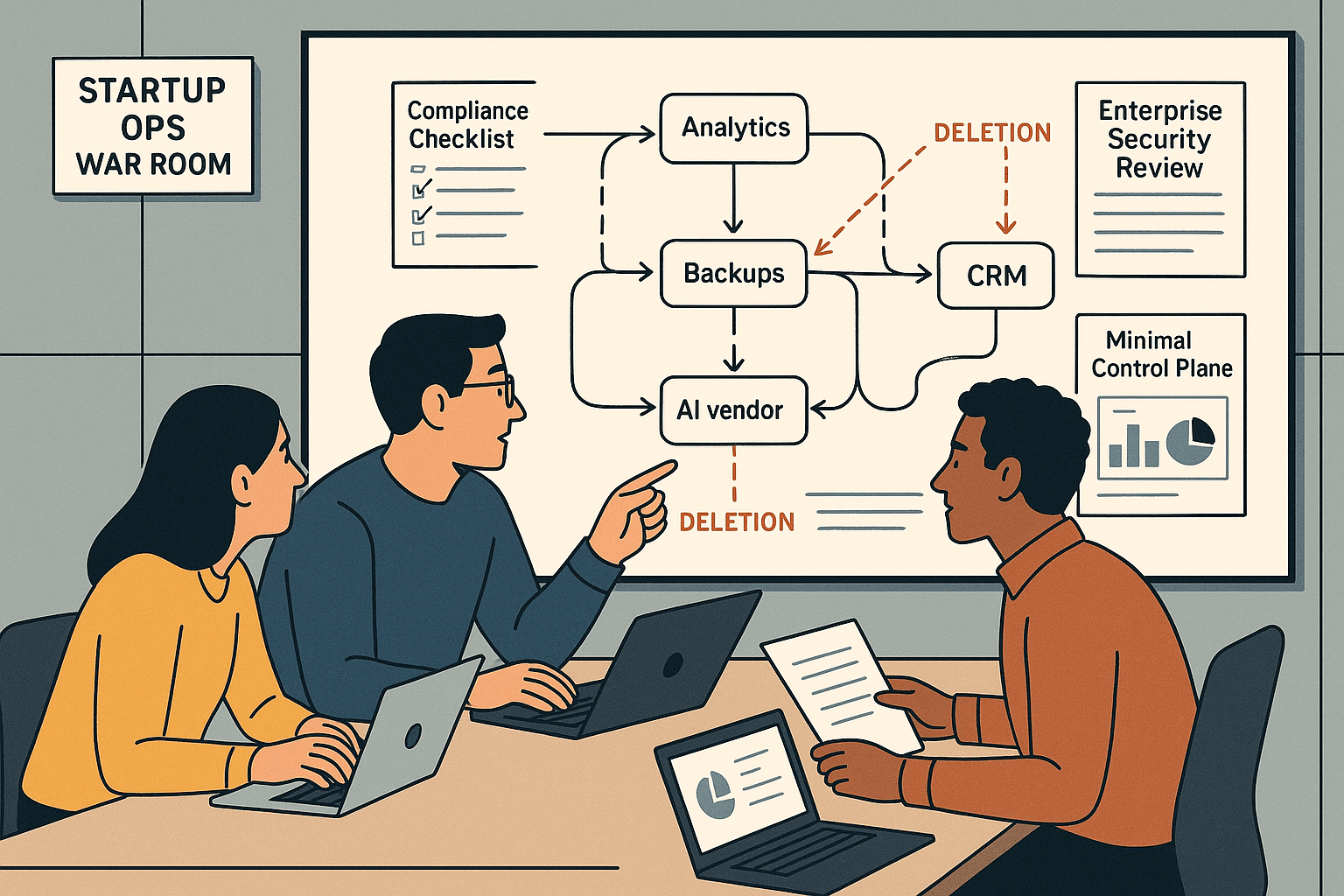
A founder tells a prospect, confidently, “Yes, of course we support account deletion.” The enterprise security reviewer asks a follow-up: “Across which systems, on what timeline, with what proof, and how are backups handled?” That is usually the moment the room gets quiet.
In a lot of startups, “delete user” is not a system. It is a belief. There is a button in the app or an admin panel. It removes the user from the primary database. Maybe it soft-deletes a record. Maybe it hides the account from the UI. Everyone assumes the rest gets handled somehow.
Then reality shows up.
The support platform still has transcripts with personal data. The CRM still has contact records and enrichment fields. The analytics warehouse still contains user-level events. A Slack alerting workflow copied the user’s email into a channel. Internal scripts exported old rows to a spreadsheet. Your AI vendor used support tickets for model processing and retained logs longer than expected. The backups team says deletion from snapshots is “not really a thing.” Legal says the privacy policy promises deletion “upon request.” Sales says the enterprise buyer needs answers by Friday. The customer says they already requested deletion three weeks ago.
This is the deletion readiness problem.
It is not only a compliance issue. It is a product architecture issue, a vendor management issue, an operations issue, and increasingly a revenue issue. Startups quietly fail GDPR expectations, enterprise security reviews, and customer trust not because they are malicious, but because they do not know where data actually flows after ingestion.
The dangerous part is that this failure can stay hidden for a long time. Many teams do not discover the gap until one of four moments:
- An enterprise prospect sends a security questionnaire.
- A customer submits a deletion or privacy request.
- An incident or audit forces a system-by-system review.
- A big customer churns and asks for certification that their data is gone.
By then, deletion is no longer a design question. It is a scramble.
This article is a tactical playbook for early-stage teams to operationalize deletion before it becomes a credibility problem. We will cover how to map systems, verify lineage, decide where tombstones are acceptable and where hard deletes are necessary, manage vendor deletion obligations, handle backups without lying, and build a lightweight deletion control plane without needing a full privacy engineering team.
The real failure scenario: the “delete user” button that mostly deletes nothing
Here is what this looks like in practice.
A B2B SaaS startup with 25 employees has:
- Postgres for application data
- S3 for file uploads
- Segment feeding Mixpanel and a warehouse
- Zendesk for support
- HubSpot for CRM and sales ops
- Stripe for billing
- OpenAI or another AI vendor integrated into support workflows
- A couple of no-code automations moving data between systems
- Periodic CSV exports for finance, support, and customer success
- Daily backups from the primary database
The PM assumes account deletion means deleting from the app DB. The engineer who built the feature two years ago used deleted_at on the users table and filtered the user out of queries. Attachments in S3 were left in place because “we might need them if the deletion was a mistake.” Events already sent to Segment were not addressed. Zendesk tickets remain because support operations rely on history. HubSpot still has the contact. The warehouse contains years of events keyed by email and user ID. A RevOps workflow duplicated the customer into enrichment tools. Internal bug reports copied names and emails into Linear or Jira tickets. Backups retain the data for 30 days. Nobody documented any of this.
Then an enterprise prospect asks:
- Describe your deletion process across sub-processors.
- What is your deletion SLA after contract termination?
- Can you delete customer data selectively by user, workspace, or tenant?
- Do you retain deleted data in backups and, if so, for how long?
- How do you evidence completion?
- Are support logs, analytics, and model-processing vendors in scope?
Now the startup has a problem.
If they answer honestly, the response is messy and weak. If they answer aspirationally, they risk making claims they cannot operationally support. Either way, the buyer learns something important: this company does not fully control where customer data lives.
That hurts more than compliance posture. It creates doubt about incident response, tenant isolation, offboarding, and general operational maturity.
The pattern: deletion fails where ownership is fragmented
Deletion readiness problems are almost never caused by one bad database design decision. They come from organizational fragmentation.
Data enters the company through the product, but then it spreads into tools owned by different functions:
- Engineering owns app databases and storage.
- Data team owns warehouse and transformations.
- Support owns ticketing systems.
- GTM owns CRM and enrichment vendors.
- Finance owns billing systems and exports.
- IT or security owns backup policy.
- Individual employees own ad hoc exports and automation scripts.
When ownership is fragmented, deletion becomes everyone’s responsibility in theory and no one’s responsibility in practice.
Three recurring patterns create most of the damage.
1. The primary-system fallacy
Teams equate deletion with removing data from the system of record. That is necessary, but it is not sufficient.
If personal data was copied into downstream systems, derived datasets, cached stores, search indexes, message queues, support tools, analytics tools, and AI vendors, then deleting only the source record does not delete the data footprint.
2. The soft-delete trap
Soft deletes are operationally useful. They help with reversibility, auditability, and referential integrity. But many startups quietly turn soft delete into permanent retention without realizing it.
A deleted_at column is not deletion if:
- the record remains queryable by admins,
- downstream exports still include it,
- personal fields remain intact,
- the record stays in analytics forever,
- vendors continue retaining associated data.
Soft delete is a state transition, not a compliance outcome.
3. The vendor blind spot
Startups spend time on product deletion logic and little time on vendor deletion mechanics.
But support tools, CRMs, analytics platforms, AI APIs, session replay tools, monitoring tools, and automation platforms often contain some of the most sensitive and least-governed copies of user data. If you do not know each vendor’s retention behavior, deletion API support, and SLA, you do not have a deletion process. You have a hope-based process.
Why standard advice fails
The usual advice sounds reasonable but breaks down fast in real companies.
“Just maintain a data inventory”
Good advice, incomplete in practice.
A static spreadsheet listing tools is not enough. You need lineage, not just inventory. Knowing you use Zendesk is less valuable than knowing exactly which fields enter Zendesk, how they get there, whether attachments are included, whether AI summarization processes them, and who can export them.
Inventory without movement is documentation theater.
“Just delete everything everywhere”
This is emotionally satisfying and technically naive.
Some data must be retained for legal, security, fraud, accounting, or contractual reasons. Billing records, tax records, access logs tied to security investigations, and certain transaction records may need retention under different rules than product content.
The real problem is not “delete everything immediately.” It is creating a rule system that distinguishes:
- personal data requiring deletion,
- business records requiring retention,
- security records requiring controlled retention,
- aggregated/anonymized data that may be preserved,
- backups that age out on schedule rather than being surgically edited.
“Enterprise buyers only care that you have a policy”
This might have been true for lightweight procurement years ago. It is less true now.
Serious buyers increasingly ask operational questions:
- Is deletion automated or manual?
- Can you delete by tenant?
- What is your retention schedule by system?
- Which subprocessors retain deleted data and for how long?
- Is deletion included in offboarding runbooks?
- Can you provide deletion confirmation?
A policy without controls reads like copy.
“We’ll solve it later when we’re bigger”
This is probably the most expensive version.
Deletion debt compounds because every new system, integration, and automation creates more copies. Solving it at 8 systems is manageable. Solving it at 35 systems, with years of undocumented workflows and former employees’ scripts, is much harder.
Also, if you sell into mid-market or enterprise, “later” often arrives before you are operationally ready.
A better approach: build deletion readiness as an operating capability
Deletion readiness is not one feature. It is an operating capability with five components:
- System mapping: know where user and customer data exists.
- Data classification: know what must be deleted, retained, anonymized, or tombstoned.
- Workflow orchestration: know how deletion requests move across systems.
- Vendor control: know what each processor does when you ask for deletion.
- Evidence: know how to prove what happened, when, and what remains by design.
For early-stage teams, the goal is not building a perfect privacy platform. The goal is getting from mythology to operational truth.
Step 1: Map the stack by data movement, not by tool list
Start with a practical question: if a customer asks you to erase one user, one workspace, or their full account, where exactly would you need to touch data?
Build a deletion map with these columns:
- System name
- Owner
- Data types stored
- Identifier used (email, user ID, workspace ID, external ID)
- How data enters the system
- Whether data can be searched by that identifier
- Deletion method (API, UI, support ticket, none)
- Retention behavior
- SLA to complete deletion
- Proof available
- Notes on legal/security exceptions
Your first pass should include at minimum:
- Primary DBs
- Object/file storage
- Search indexes
- Caches
- Event pipelines
- Analytics tools
- Warehouse/lake
- BI tools or derived marts
- Support systems
- CRMs and marketing tools
- Billing systems
- Error/logging tools
- Session replay tools
- Feature flag tools
- AI vendors and prompt/logging layers
- Workflow automation tools
- Internal docs/spreadsheets where exports land
- Backups and snapshot systems
A common founder mistake is excluding “internal operational data.” That is often where deletion fails hardest.
Workflow example: user data map
Suppose a user signs up with name, email, company, and uploads documents. A realistic data path might be:
- App DB: user profile, auth record, workspace membership
- S3: uploaded documents
- Segment: events with user ID/email traits
- Mixpanel: event history and user profiles
- Warehouse: raw events + transformed user table
- Zendesk: support tickets and attachments
- HubSpot: contact, lifecycle stage, notes from sales calls
- Slack: account alerts mentioning email/domain
- OpenAI vendor: support summarization prompts containing ticket content
- Backups: DB snapshots, S3 versioning
That is your deletion surface.
If you cannot identify the full surface, you are not deletion-ready.
Step 2: Define deletion rules by data class
Not all data should be treated identically. You need a simple rule framework early teams can actually use.
A workable model is four buckets.
Bucket A: Hard-delete personal/user content
This is data that should be erased from active systems when the user or customer deletion workflow runs, subject to narrow exceptions.
Examples:
- User profile fields
- User-generated content if contractually required
- Uploaded files
- Support attachments containing personal data
- Session recordings tied to a user
- AI prompt payloads stored by your own middleware
Bucket B: Anonymize or pseudonymize where full deletion breaks system integrity
Some records need to persist for product consistency, analytics continuity, or audit trails, but do not require identifiable personal fields.
Examples:
- Historical event rows in a warehouse where user ID can be replaced with a non-reversible surrogate
- Audit logs that retain event type and timestamp but remove direct identifiers
- Comments or activity records where “Deleted User” is sufficient
This only works if re-identification is actually prevented in practice.
Bucket C: Retain under legal or financial obligation
Examples:
- Invoices
- Payment transaction records
- Tax documentation
- Certain anti-fraud/security artifacts
- Contractual records needed for disputes
The key is minimizing fields, restricting access, and documenting the basis for retention.
Bucket D: Backups that expire on policy
Backups are their own category. Most startups cannot surgically remove one user from immutable snapshots without wrecking backup integrity or operational sanity.
That is usually acceptable if:
- backups are segregated,
- tightly access-controlled,
- not used to restore deleted users into production except in narrowly governed disaster recovery,
- subject to a defined expiration window.
The mistake is pretending backups are deleted instantly. The correct answer is usually controlled retention plus expiry.
Tombstone vs. hard delete: where teams get confused
You need explicit rules here, because “soft delete everything” and “hard delete everything” are both bad defaults.
Use tombstones when:
- You need referential integrity.
- You must preserve evidence that an entity existed.
- You need to prevent accidental recreation collisions.
- You want to record deletion status and downstream completion state.
A good tombstone often contains:
- internal entity ID
- deletion request timestamp
- deletion completed timestamp
- scope requested
- status by downstream system
- minimal legal retention flags
What it should not contain is the original full personal payload.
Use hard delete when:
- The data is directly identifying and no longer needed.
- The object is user content or attachment with no retention basis.
- The field exists only for convenience.
- The system does not need history for safe operation.
Practical rule
Keep a tombstone for the fact of deletion. Hard-delete or anonymize the personal data itself.
That distinction solves many operational problems.
Step 3: Verify lineage, not just storage
Most teams know where data rests. Fewer know how it moves.
Deletion breaks when you miss hidden replication paths such as:
- reverse ETL pushing warehouse data back into GTM tools
- support automations posting ticket metadata into Slack
- no-code tools syncing signups into spreadsheets
- ML or AI evaluation datasets built from support or product logs
- engineering debug logs with raw payloads
- third-party enrichment tools appending or copying user fields
Run a lineage check for your top entities:
- User n- Workspace/account/tenant
- Uploaded file
- Support ticket
- Billing customer
For each entity, trace:
- where it originates,
- which identifiers follow it,
- which systems can be searched by those identifiers,
- which transformations duplicate it,
- which human workflows export it.
Lightweight lineage method for small teams
You do not need enterprise metadata tooling to begin. Use:
- architecture diagram
- event tracking plan
- list of active integrations/webhooks
- ETL and reverse ETL job list
- Zapier/Make/n8n workflow export
- admin scripts repo search
- interviews with ops-heavy team members
The highest-value deletion discoveries often come from asking support, RevOps, and data people: “Where else do you copy this when trying to do your job?”
Step 4: Create vendor deletion standards before procurement forces it
A lot of startups discover vendor retention terms only when a prospect asks for them. Reverse that.
For every processor or important SaaS tool, capture:
- what customer/user data they receive
- whether they are a processor/subprocessor or independent controller in some contexts
- whether they support deletion by API
- whether deletion is object-level, user-level, or account-level only
- whether deletion propagates to sub-processors n- their standard retention period after deletion or termination
- how backups are handled
- whether training/log retention applies for AI vendors
- what evidence of deletion they provide
AI vendor caution
This now matters a lot more than many founders assume.
If support transcripts, product prompts, or uploaded files go to AI APIs, ask very specifically:
- Are prompts retained? For how long?
- Are they used for model training by default?
- Can retention be disabled?
- Are application logs separate from model retention?
- Can deletion be requested per conversation, file, customer, or account?
- If outputs are cached by your own app, what is your deletion behavior there?
“Vendor says they don’t train on our data” is not the same as “vendor stores nothing” and definitely not the same as “vendor supports fast deletion by customer.”
Tool comparison: vendor categories by deletion maturity
Not all tools are equal. A practical maturity ranking looks like this:
High deletion maturity
- Clear APIs for deletion/export
- Searchable by external identifiers
- Documented retention and backup handling
- Enterprise-facing privacy docs
- Deletion auditability
Common examples: mature CRMs, ticketing platforms, some cloud infrastructure providers.
Medium deletion maturity
- Deletion available but awkward
- API incomplete or object-type limited
- Retention docs vague
- Requires support tickets for full purge
Common examples: analytics tools, session replay tools, smaller workflow vendors.
Low deletion maturity
- No practical object-level deletion
- Data difficult to locate
- Logs retained opaquely
- Support answers inconsistent
Common examples: niche SaaS tools, early AI vendors, lightweight plugins, abandoned internal tools.
When choosing between functionally similar vendors, deletion maturity should be part of procurement. A cheaper tool that cannot reliably erase customer data often becomes more expensive later.
Step 5: Build a lightweight deletion control plane
You do not need to call it that internally, but you do need the function.
A deletion control plane is the minimal orchestration layer that:
- accepts a deletion request,
- defines scope,
- resolves identifiers across systems,
- triggers deletion/anonymization tasks,
- tracks system-by-system status,
- records exceptions,
- produces evidence.
For early-stage teams, this can be surprisingly lightweight.
Minimum viable architecture
Input layer
- deletion requested by user, admin, support, or contract offboarding
- request linked to user ID, workspace ID, and billing/customer IDs if applicable
Policy layer
- rules by data class: hard delete, anonymize, retain, backup-expiry only
- system-specific handlers
Execution layer
- background jobs or workflow runner to call APIs, enqueue internal deletion jobs, notify owners where manual action remains
State layer
- status table showing each system’s result, timestamp, and evidence reference
Evidence layer
- immutable activity log or audit record of what was executed
Example schema
You can start with something like:
deletion_requests
- id
- request_type (
user,workspace,tenant) - requested_by
- legal_basis / request_reason
- subject_identifiers JSONB
- status
- created_at
- due_at
- completed_at
deletion_tasks
- id
- deletion_request_id
- system_name
- task_type (
hard_delete,anonymize,retain_flag,notify_manual,backup_expiry) - status
- attempt_count
- last_attempt_at
- completed_at
- evidence_ref
- error_message
deletion_tombstones
- internal_entity_type
- internal_entity_id
- deletion_request_id
- deleted_at
- minimal_retention_flags
This is not glamorous infrastructure. It is the kind that saves deals and prevents future operational embarrassment.
Implementation details: how to actually operationalize this
1. Pick deletion scopes explicitly
At minimum, support three scopes:
- User deletion: one person’s account and personal data
- Workspace/account deletion: a customer environment but not necessarily financial records
- Tenant termination/offboarding: broader contract-level teardown with vendor coverage
If you do not distinguish scopes, people improvise and make inconsistent choices.
2. Normalize identifiers across systems
Deletion fails when systems use incompatible identifiers and no one mapped them.
Maintain a canonical identifier map for:
- internal user ID
- workspace/tenant ID
- email(s)
- CRM contact/company IDs
- billing customer ID
- support user ID
- analytics distinct ID
- vendor-specific object IDs where necessary
If you cannot resolve identities across systems, you cannot automate deletion reliably.
3. Design handlers per system type
Your control plane should not treat every system identically.
Examples:
- Postgres: hard-delete child rows, anonymize audit rows, write tombstone
- S3: delete user-scoped objects by path/prefix or object index
- Search index: remove documents by entity ID
- Analytics tool: call deletion API or suppression/anonymization endpoint
- Warehouse: run delete or transform-based anonymization; rebuild derived tables if necessary
- Zendesk: delete or redact requester/ticket fields based on support policy
- HubSpot: delete contact, notes if linked, and suppress re-import risk
- AI vendor: delete files/threads where supported; otherwise rely on no-retention configuration and remove local references
- Slack/manual systems: create owner tasks if automation is not possible
4. Separate synchronous UX from asynchronous reality
Do not make the product promise immediate global deletion if backend deletion takes hours or days.
A better UX pattern:
- immediately disable access and remove from active product views
- mark account as pending deletion
- run async deletion jobs across systems
- complete with confirmation when all in-scope systems finish or documented exceptions remain
This is more honest and usually more reliable.
5. Handle failure states intentionally
Deletion workflows fail in messy ways:
- vendor API rate limits
- missing identifiers
- support tool records linked to multiple users
- warehouse deletes blocked by dependent models
- files orphaned from metadata
Your workflow needs statuses like:
- pending
- in_progress
- completed
- completed_with_exceptions
- blocked_manual
- failed_retrying
- failed_escalated
If your only statuses are “done” and “not done,” people will hide the truth in comments.
6. Evidence matters more than founders think
When a customer asks, “Has the data been deleted?” they are often really asking, “Can you prove you operate a trustworthy process?”
Evidence can include:
- deletion request record
- timestamped system task completions
- vendor API response IDs
- redaction/deletion job logs
- backup retention policy reference
- manual completion attestations with owner name
This is especially useful in enterprise offboarding and high-stakes trust moments.
Cost and time analysis for early-stage teams
Founders often avoid this work because it feels like “big company privacy overhead.” The reality is more nuanced.
Option 1: Ignore it until a customer asks
Short-term cost: low
Hidden cost: very high
You will pay through:
- delayed security reviews
- lost enterprise deals
- emergency cross-functional work
- engineering context switching
- inconsistent legal/compliance responses
- reputational damage if you over-claimed capabilities
A single enterprise procurement stall can cost more than doing the basics upfront.
Option 2: Lightweight readiness pass
Typical effort:
- 1 founder/operator/security lead: 1–2 weeks part-time for mapping
- 1–2 engineers: 1–3 weeks to implement core deletion orchestration and highest-risk handlers
- functional owners: a few hours each for vendor/tool review
Likely output:
- system map
- deletion policy matrix
- basic control plane
- deletion runbook
- documented backup posture
- vendor SLA sheet
For many Seed to Series A teams, this is the right move.
Option 3: Full privacy engineering program
Typical effort: substantial
Includes robust lineage tooling, automated DSAR workflows, advanced vendor governance, and policy integration across environments.
This is appropriate later, but many startups do not need this immediately. They do need something real.
Tooling choices: build, buy, or hybrid
You have three practical paths.
Build-first
Best when:
- you have a manageable number of systems,
- engineers understand your data model well,
- product/vendor footprint is still relatively contained.
Pros:
- tailored to your stack
- cheaper initially
- forces internal understanding
Cons:
- ongoing maintenance
- weaker UI/reporting unless you invest more
- manual vendor edge cases remain
Buy-first privacy workflow tooling
Best when:
- you have frequent privacy requests,
- many SaaS systems,
- security/compliance demands already hitting sales cycles.
Pros:
- faster vendor integrations
- built-in workflow and reporting
- better DSAR handling and audit trails
Cons:
- cost
- integration depth varies
- still requires internal mapping and ownership
Hybrid
Often best for startups.
Use internal orchestration for product systems and data stores. Use external tooling selectively for DSAR intake, vendor connectors, and evidence/reporting.
The key point: no tool eliminates the need to define deletion policy and ownership. Tools automate clarity; they do not create it.
The backup question: answer it precisely, not defensively
This is where many teams lose trust by being vague.
A strong answer sounds like this:
Deleted data is removed from active production systems and downstream processors according to our deletion workflow. Encrypted backups may continue to contain historical copies until they expire under our standard retention schedule of X days. Backups are access-restricted, not used for routine production queries, and any disaster recovery restoration follows controls to prevent reintroduction of deleted records into active environments where feasible.
That is much stronger than pretending backups do not exist.
Operationally, define:
- backup retention length
- who can access backups
- whether restored environments are isolated
- whether deletion jobs rerun after restoration
- whether old snapshots are ever mounted for ad hoc investigation
If engineers can casually restore old data into staging forever, your deletion posture is weaker than your policy says.
Runbook example: the deletion workflow founders should expect
Here is a workable deletion runbook for an early-stage B2B SaaS company.
Trigger
- User self-serve deletion request
- Admin deletion for a user
- Customer offboarding request
- Privacy/compliance intake request
Intake
- Capture requester identity and authorization
- Identify scope: user, workspace, tenant
- Determine legal/financial retention exceptions
- Start deletion request record with due date
Resolution
- Resolve all known identifiers
- List in-scope systems from deletion map
- Generate tasks automatically
Execution
- Disable account and sessions immediately
- Delete/anonymize primary DB records
- Delete files and search index entries
- Trigger vendor deletions or redactions
- Delete/anonymize analytics and warehouse rows as policy requires
- Notify owners for residual manual systems
- Record backup-expiry status rather than fake task completion
Verification
- Re-query systems by identifiers where possible
- Verify no active product access remains
- Confirm vendor responses received
- Mark exceptions clearly
Completion
- Close request as completed or completed_with_exceptions
- Send confirmation aligned to actual scope
- Store evidence log
That runbook is already ahead of what many startups actually have.
Common failure modes to watch for
“Anonymous” data that is not anonymous
Hashing email with a stable salt and leaving the rest of the event payload intact is not meaningful anonymization if you can still re-identify via joins, metadata, or other fields.
Deleting rows but not derived artifacts
Deleting source rows from the warehouse but leaving dbt models, BI extracts, CSV downloads, or reverse ETL destinations untouched is a classic gap.
Support systems with mixed records
One ticket may mention multiple users or include business context you want to preserve. You may need field-level redaction rather than full object deletion.
AI prompt sprawl
Even if your core app deletes the user, copied content may still exist in prompt logs, observability tools, eval datasets, or support macros.
Manual exceptions that become permanent
If every deletion requires a Slack message to three departments and no one tracks completion, you do not have a workflow. You have a ritual.
What to put in enterprise security review answers
You do not need to sound perfect. You need to sound controlled.
A strong answer usually includes:
- deletion scope supported: user/workspace/customer
- standard SLA for active systems
- backup-retention treatment
- subprocessors included in workflow
- automation coverage vs manual edge cases
- evidence/audit logging available
- legal retention exceptions
Example:
We support deletion requests at user and customer-account scope. Deletion removes data from active production systems and in-scope subprocessors through a tracked workflow with system-specific handlers. Some records are anonymized rather than hard-deleted where necessary for audit or system integrity. Financial and legally required records are retained under documented policy. Backup snapshots are not modified in place; they age out under a X-day retention schedule with restricted access. We maintain request-level audit logs and can confirm completion status by system.
That is credible. More importantly, it can be made true.
A simple maturity model
Use this to assess where you are.
Level 0: Myth
- “Delete user” means UI hide or soft delete in main DB
- no system map
- no vendor retention understanding
- no evidence
Level 1: Manual truth
- known system list
- basic runbook
- manual deletion in key tools
- rough backup answer
Level 2: Controlled workflow
- policy matrix by data class
- identifier mapping
- tracked deletion tasks across systems
- vendor SLAs documented
- completion evidence retained
Level 3: Operationally mature
- automated orchestration
- lineage coverage for major entities
- periodic testing
- enterprise-ready answers
- deletion included in offboarding and procurement reviews
Most early-stage teams should aim for Level 2. That is enough to avoid the dangerous gap between claims and reality.
The practical takeaway
Deletion readiness sounds like a privacy niche problem until it shows up as a blocked sale, a legal scramble, or a trust-damaging customer conversation. Then it becomes very central very quickly.
The startups that handle this well are not necessarily the ones with the fanciest governance programs. They are the ones that stop pretending a primary-database delete equals erasure, map the real data footprint, make explicit policy decisions, and build a lightweight but honest workflow.
If you are a founder or operator, the move is straightforward:
- Map where user and customer data actually goes.
- Classify what must be deleted, anonymized, retained, or left to backup expiry.
- Document vendor deletion behavior before procurement asks.
- Build a minimal deletion control plane with task tracking and evidence.
- Fix your customer and security-review language to match operational truth.
The goal is not perfect deletion in every imaginable edge case on day one. The goal is ending the dangerous mismatch between what your company says and what your systems can actually do.
Because the moment an enterprise buyer, regulator, or churned customer asks, “When you say deleted, what exactly do you mean?” you want an operational answer, not a hopeful one.