
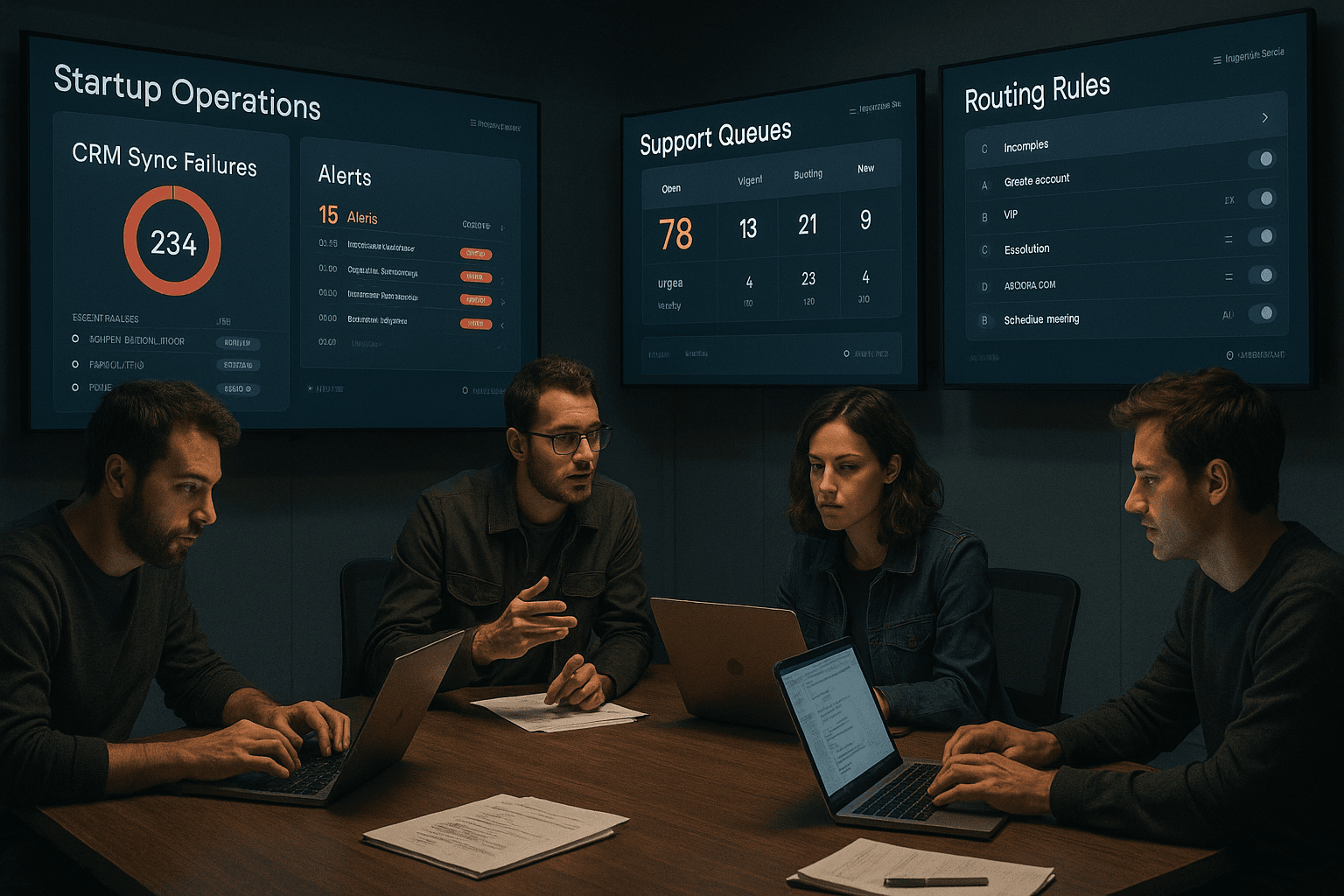
Monday starts with a founder asking a simple question: “Why didn’t this enterprise lead get a follow-up?”
Nobody has a clean answer.
Sales says the lead never hit the right queue. Marketing says the form conversion was recorded. RevOps says the CRM workflow probably failed because the enrichment step timed out. The AE says they never saw it. Finance says the customer record later showed up without the correct plan field, which broke the invoice draft. Support says the same account opened a ticket because onboarding emails never went out. Engineering says all core product systems were up.
And that’s the problem.
The product worked. The company didn’t.
Most startups have learned to think about reliability for customer-facing software. They track uptime, latency, incident response, on-call rotations, and deployment risk. But internally, they run critical revenue operations on a pile of automations, syncs, scripts, routing rules, third-party connectors, spreadsheets, AI agents, and “temporary” manual workarounds that nobody treats with the same discipline.
The result is a dangerous blind spot: non-product failures are allowed to fail a little all the time.
A CRM sync misses 2% of updates. A billing job silently retries and drops edge cases. An onboarding checklist lives across Notion, Slack, and someone’s memory. Support macros drift out of date. An AI triage bot misclassifies a handful of tickets every day. Lead routing breaks only for one segment. A webhook occasionally fails when rate limits spike. Reporting has a small discrepancy everyone has learned to mentally adjust for.
Individually, these are “annoying but manageable.” Collectively, they become a tax on revenue work.
That tax looks like:
- missed lead follow-up
- broken handoffs between sales, success, support, and finance
- inaccurate pipeline and forecast reporting
- invoicing delays
- renewal risk hidden in messy account data
- founders pulled into escalations because nobody trusts the system
- operators spending their best hours reconciling failures instead of building leverage
The core issue is not that errors happen. Errors always happen. The issue is that startups rarely define an acceptable failure rate for internal operations, rarely measure it, and almost never decide what must stop when that failure rate is exceeded.
In product engineering, we call that an error budget.
Startups need the same concept for internal ops.
Not because internal systems should be perfect. They shouldn’t. Perfection is too expensive, and early-stage teams absolutely should move fast with scrappy tooling. But scrappy only works when you know what can break, how often, what it costs, and when the compounding damage becomes unacceptable.
This article is a tactical playbook for creating an error-budget model across internal operations: CRM syncs, billing jobs, routing rules, onboarding tasks, AI automations, support workflows, and the shadow processes that hold together the company between product clicks and cash collection.
The failure scenario most startups recognize too late
Let’s make this concrete.
Imagine a Series A SaaS company with:
- 18 people
- one founder still acting as head of sales
- one RevOps/generalist operator
- HubSpot or Salesforce
- Stripe for billing
- Zendesk or Intercom for support
- a product analytics tool
- Zapier/Make/n8n automations
- Slack notifications for “visibility”
- a growing layer of AI automations for enrichment, triage, call summaries, and ticket drafting
On paper, this looks normal.
Now look at what actually happens over 90 days.
Week 1: tiny breakages start
A lead form passes records into the CRM, but one custom field used for territory routing intermittently comes through blank because of a mapping change. About 3% of inbound demos route to the default queue instead of the assigned AE.
Nobody notices immediately because the default queue is still monitored loosely.
At the same time, an enrichment workflow using a third-party API hits rate limits during a campaign spike. The automation retries once, then marks the task complete even if enrichment failed. SDR prioritization starts drifting because employee count and industry fields are incomplete.
Support deploys an AI triage assistant to auto-tag incoming tickets. It performs well overall, but it sends a small number of billing-related tickets into the generic support bucket rather than the finance escalation path.
Still survivable.
Week 3: manual workarounds normalize
The RevOps person starts doing a Friday cleanup:
- reassigning misrouted leads
- backfilling enrichment for named accounts
- checking for opportunities without owners
- asking support to forward billing complaints manually
This creates the illusion of control. Leadership sees no major incident, so no one prioritizes systemic fixes.
But there is now a hidden queue of operational debt.
Every workaround has two effects:
- it reduces visible pain in the short term
- it trains the company to tolerate recurring failure
The second effect is what kills you.
Week 6: downstream systems diverge
Now the CRM has partial truth. Billing has partial truth. Product usage has partial truth. The dashboards depend on all three.
Customer records in Stripe don’t always match contract metadata in the CRM. Expansion opportunities are being created late because product usage thresholds feed an automation that sometimes fails silently. Onboarding milestones are completed in a project tracker, but the “go-live” event doesn’t always sync back to the CRM lifecycle stage.
So pipeline, activation reporting, and revenue forecasting start to drift.
Nobody says “the system is broken.” They say things like:
- “The dashboard is directionally correct.”
- “You have to know how to read it.”
- “That report’s a little noisy.”
- “Just ask Sarah for the real number.”
Once a business starts saying this regularly, it is already paying a reliability penalty.
Week 10: revenue work slows down
At this point, operators and managers don’t trust the workflow outputs, so they add verification steps everywhere.
Sales checks whether every high-value lead actually got sequenced.
CS checks whether every onboarding email actually went out.
Finance checks invoice drafts against spreadsheets.
Support manually audits AI-tagged queues.
Leadership asks for custom one-off exports before pipeline reviews.
This is where the problem becomes existential for a startup: internal unreliability doesn’t always create a dramatic outage. More often, it gradually converts fast teams into hesitant teams.
When nobody trusts the machinery, every important action gets wrapped in human confirmation. Throughput collapses.
Week 12: founder escalation becomes the monitoring system
A top prospect complains about delayed follow-up. A customer threatens churn after a billing issue. A board meeting exposes a forecasting mismatch. The founder gets pulled in.
Now the company treats a systemic ops reliability problem as a series of executive exceptions.
This is usually when people say:
- “We need better processes.”
- “We should hire RevOps.”
- “Maybe we need to rebuild this stack.”
- “AI is making some weird decisions.”
Those may all be true. But the deeper issue is simpler:
You never defined what level of operational failure was acceptable, and you never instrumented the internal systems to know when you were past the limit.
The pattern: startups normalize low-grade internal failure
Here’s the pattern I see repeatedly.
1. Internal ops systems are treated as glue, not production systems
If a customer-facing API had a 2% silent failure rate, engineering would care immediately.
If a CRM sync has a 2% silent failure rate, most startups shrug until a painful downstream event occurs.
That’s not because the CRM sync is unimportant. It’s because internal ops is culturally classified as admin work, not reliability-critical infrastructure.
But for most B2B startups, revenue is a chain:
lead capture -> routing -> follow-up -> qualification -> handoff -> contract metadata -> billing setup -> onboarding -> support -> renewal signals -> expansion triggers -> reporting
If the chain is noisy at multiple points, your go-to-market engine is effectively running degraded all the time.
2. Teams optimize for local convenience instead of end-to-end integrity
Each function patches its own pain.
- Sales creates a manual view.
- Finance keeps a shadow spreadsheet.
- Support uses a macro workaround.
- CS tracks onboarding in a separate board.
- The founder asks for a custom Slack alert.
Every patch makes sense locally. Globally, they fragment truth and hide system-level reliability issues.
3. “Mostly works” is mistaken for acceptable
This is the startup operator’s trap.
A workflow that succeeds 95% of the time feels good enough in the moment. But if that workflow is triggered 2,000 times per month, that is 100 failures. If 20 of those touch qualified leads, invoice generation, or escalations, the business impact is not small.
The right question is not “Does this generally work?”
The right question is “What is the monthly failure volume, what are the failure modes, and what is the recovery path?”
4. Silent failures are more dangerous than hard failures
If an automation crashes loudly, someone notices.
If it marks complete while dropping edge cases, the organization absorbs the damage invisibly.
The worst internal ops systems are not the ones that fail often. They’re the ones that fail quietly enough to be normalized.
5. Human heroics mask system unreliability
Strong operators are often the reason these issues persist.
They catch edge cases, reconcile discrepancies, reroute tickets, patch broken records, and answer executive questions from memory. That keeps the company moving, but it also prevents leadership from feeling the full cost of unreliability.
Founders then conclude the system is “messy but fine,” when in fact the system only works because a few people are burning discretionary energy to compensate.
Why standard advice fails
When startups realize internal operations are flaky, they usually reach for one of four pieces of standard advice. Each helps a little. None is enough on its own.
Standard advice #1: document the process better
Documentation matters. But most internal ops failures are not caused by lack of documentation alone.
They are caused by mismatch between documented intent and actual system behavior:
- field mappings drift
- owners change
- retries are misconfigured
- dependencies time out
- AI outputs degrade on edge cases
- queues fill faster than review capacity
- manual checkpoints get skipped under load
A beautifully documented broken workflow is still broken.
Standard advice #2: consolidate tools
Tool sprawl is real, and reducing it helps. But replacing five tools with one tool does not automatically create reliability.
A consolidated system can still have:
- bad schema design
- unclear ownership
- hidden failure states
- weak monitoring
- unreliable automations
- poor exception handling
Consolidation reduces surface area. It does not replace operational discipline.
Standard advice #3: hire a strong ops person
You should. But if you hire one operator into an environment with undefined service levels, no observability, no escalation rules, and no authority to pause risky changes, you are hiring a human error-absorber.
They will become the circuit breaker for the company instead of fixing the circuits.
Standard advice #4: automate more with AI
AI can absolutely increase throughput in support, onboarding, enrichment, QA, and routing. But it can also multiply low-confidence actions at scale.
A human making five bad classifications a day is a coaching issue.
An AI workflow making 200 borderline classifications a day without confidence thresholds, review queues, or exception routing is an operational reliability problem.
AI does not remove the need for error budgets. It makes them more necessary.
The better approach: define internal ops error budgets
An internal ops error budget is a simple idea:
For each critical internal workflow, define the acceptable amount of failure over a given period, measure it, and pre-decide the actions you take when the budget is exceeded.
This does four things.
1. It forces you to classify what is actually critical
Not every automation needs the same reliability target.
A Slack FYI notification can fail sometimes.
Lead routing for enterprise inbound should almost never fail.
Invoice generation, plan metadata sync, account ownership transfer, and churn-risk escalation need stricter tolerances than non-critical enrichment.
2. It turns “messiness” into a quantifiable operating risk
Instead of vague complaints, you get explicit numbers:
- 0.4% of qualified inbound leads were misrouted this month
- 3.1% of onboarding tasks missed SLA because automation didn’t create tasks
- 1.8% of billing records required manual correction
- 7% of AI-triaged support tickets required reclassification
Now you can decide rationally whether the current state is acceptable.
3. It creates a trigger for slowing down changes
In engineering, when you burn through your error budget, you reduce release risk and stabilize the system.
The ops equivalent is:
- pause new automation launches
- stop adding workflow complexity
- reduce AI autonomy thresholds
- require manual review for certain paths
- prioritize cleanup over net-new tooling work
This is critical. Most startups keep layering new automations onto unreliable foundations because there is no agreed threshold that says, “Stop. Stabilize first.”
4. It gives operators leverage with leadership
Good operators often know where the rot is. What they lack is a shared model for saying no.
Error budgets create one.
Instead of “I have a bad feeling about this workflow,” the conversation becomes:
“We exceeded the billing metadata error budget two weeks in a row. Until we get back below threshold, we should not launch usage-based invoice automation.”
That is a much stronger management argument.
What to include in an internal ops error-budget system
Keep this lightweight. The goal is control, not bureaucracy.
At minimum, define six things for each critical workflow.
1. Workflow name and business outcome
Example:
- Workflow: inbound enterprise lead routing
- Business outcome: qualified leads are assigned to the correct owner within 5 minutes
Be precise. Name the outcome, not just the tool.
2. Trigger volume
How many times does this workflow run in a week or month?
A 1% failure rate on 50 monthly events is very different from 1% on 20,000 events.
3. Failure definition
What counts as a failure?
Examples:
- record not created
- record created with missing critical field
- routed to wrong owner
- completed outside SLA window
- AI confidence below threshold but action still taken automatically
- duplicate invoice created
- support ticket tagged incorrectly and not corrected within 2 hours
You need explicit definitions or every team will debate whether the workflow “really failed.”
4. Error budget threshold
How much failure is acceptable over what period?
Examples:
- qualified lead routing: <0.25% monthly misroute rate
- billing customer sync: <0.5% monthly records needing manual correction
- onboarding task creation: <1% monthly missed task creation
- AI support triage: <3% monthly misclassification on audited sample, <0.5% for priority queues
This does not need to be perfect on day one. Start with pragmatic thresholds based on business impact.
5. Detection method
How will you know?
Examples:
- automated success/failure logs
- reconciliation reports across systems
- daily exception queue review
- sampled audit of AI actions
- SLA breach dashboard
- ownerless-record report
- comparison of source-of-truth counts between tools
If your answer is “someone usually notices,” you do not have detection.
6. Breach response
What happens when the budget is exceeded?
Examples:
- pause new workflow changes in that domain
- revert to manual approval for risky steps
- assign root-cause owner within 24 hours
- run backfill and reconciliation
- increase audit sampling temporarily
- escalate in weekly leadership review if unresolved for 7 days
This is the difference between measurement theater and an actual operating system.
A practical tiering model for startup ops
Do not give every workflow enterprise-grade treatment. Tier them.
Tier 1: revenue-blocking or trust-destroying workflows
Examples:
- lead capture and routing
- opportunity ownership
- contract-to-billing metadata sync
- invoice generation
- payment failure escalation
- onboarding kickoff creation
- support priority routing
- renewal-risk alerts for high-value accounts
Target: very low error tolerance, explicit owners, daily visibility, fast breach response.
Tier 2: revenue-influencing workflows
Examples:
- enrichment
- lifecycle stage updates
- product usage triggers
- low-priority support tagging
- NPS follow-up assignment
- AI-generated summaries inserted into records
Target: moderate tolerance, sampled audits, weekly review.
Tier 3: convenience workflows
Examples:
- FYI Slack notifications
- internal summaries
- non-critical reminders
- duplicate dashboard syncs
Target: loose tolerance. Do not over-invest.
This tiering matters because startups often make the opposite mistake after getting burned: they try to build a heavy governance process around every automation. That is a waste.
Be strict where failure stops revenue work. Stay light everywhere else.
A simple scorecard you can implement this month
Here is a practical scorecard structure.
| Workflow | Tier | Monthly Volume | Failure Definition | Budget | Actual | Detection | Owner | Breach Action |
|---|---|---|---|---|---|---|---|---|
| Enterprise lead routing | 1 | 420 | Wrong owner or >5 min delay | <0.25% | 1.2% | daily queue reconciliation | RevOps | pause routing changes, manual audit daily |
| CRM -> billing customer sync | 1 | 180 | Missing plan/terms metadata | <0.5% | 0.6% | reconciliation script | Finance Ops | no new billing automation until fixed |
| Onboarding task creation | 1 | 65 | kickoff tasks not created in 1 hour | <1% | 0% | task creation dashboard | CS Ops | none |
| AI support triage, priority tickets | 1 | 300 | misclassified and not corrected in 2 hrs | <0.5% | 1.7% | audit sample + queue diff | Support Ops | lower autonomy, require review |
| Enrichment workflow | 2 | 2400 | missing firmographic data | <5% | 7.8% | nightly null-field report | RevOps | cap campaign volume until stabilized |
This is not complicated. A spreadsheet is enough to start.
The key is not sophistication. The key is that the company now has a shared operating view of internal reliability.
Workflow examples by function
1. CRM and routing
Common failure modes:
- required fields missing after form ingestion
- ownership rules outdated after territory changes
- duplicate contacts split activity history
- enrichment writes over trusted data
- opportunity stage updates lag due to integration issues
Recommended controls:
- explicit required-field validation before routing
- “ownerless or default-owner” exception queue reviewed daily
- duplicate detection rules with weekly merge review
- field-level source-of-truth policy
- pre/post-change test cases for routing logic
Good enough stack:
- native CRM workflows where possible
- light automation layer only when logic exceeds native capability
- nightly reconciliation report
- one dashboard for queue exceptions
2. Billing and finance ops
Common failure modes:
- plan metadata mismatch between CRM and billing system
- invoice timing drift after contract changes
- discounts not reflected correctly
- failed payment escalations routed late
- manual credits applied without CRM visibility
Recommended controls:
- one canonical contract metadata table or object
- pre-invoice validation for required fields
- exception queue for invoice draft mismatches
- daily report of accounts with payment failures and no owner
- audit trail for manual adjustments
If you are usage-based, be stricter. Small data quality issues amplify fast when billing logic is variable.
3. Customer onboarding and handoffs
Common failure modes:
- closed-won does not trigger onboarding project
- implementation owner not assigned
- kickoff email not sent
- go-live milestone not synced back
- onboarding tasks complete in PM tool but customer state remains stale elsewhere
Recommended controls:
- handoff checklist generated from one trigger
- SLA timer from close to kickoff
- exception report for deals missing onboarding artifacts
- milestone sync audit between PM system and CRM
- clear fallback owner if task creation fails
4. Support workflows and AI automations
Common failure modes:
- AI misclassifies urgency or topic
- bot drafts incorrect responses that agents send unedited
- escalations fail to reach the right queue
- sentiment detection overreacts or underreacts
- account context not injected due to CRM lookup failure
Recommended controls:
- confidence thresholds by queue severity
- mandatory human review for billing, security, churn-risk, or VIP accounts
- sampled QA by category, not just aggregate accuracy
- queue-specific error budgets
- visible exception states when context fetch fails
Treat AI operations as probabilistic systems. That means measured autonomy, not blind trust.
Tool comparisons: what to use and where people get trapped
You do not need an expensive enterprise stack to do this well. But you do need to understand tradeoffs.
Native workflows in core systems
Examples: HubSpot workflows, Salesforce Flow, Zendesk automations, Intercom workflows, Stripe-native events.
Pros:
- closer to source data
- fewer moving parts
- lower integration latency
- easier for business users to inspect
- often cheaper at early scale
Cons:
- logic gets hard to manage as complexity grows
- testing/versioning is often weak
- cross-system observability is limited
- failure handling can be opaque
Best for:
- straightforward Tier 1 workflows if native capabilities are sufficient
- reducing unnecessary middleware
Automation middleware
Examples: Zapier, Make, n8n, Workato.
Pros:
- fast to deploy
- flexible cross-system actions
- accessible to operators
- useful for prototyping and mid-complexity flows
Cons:
- silent failure risk if poorly monitored
- logic sprawls across many automations
- rate limits and retries become operational concerns
- debugging dependency chains gets ugly fast
Best for:
- Tier 2 workflows
- temporary bridge logic
- Tier 1 only if you add strong detection and reconciliation
Quick comparison:
- Zapier: fastest for simple automations, easiest for non-technical teams, but can become expensive and hard to govern at volume.
- Make: more visual flexibility and branching, often better cost efficiency for complex scenarios, but can get messy if many people edit flows.
- n8n: more control and lower long-term cost if self-hosted or managed carefully, but higher setup burden and more technical ownership needed.
- Workato: stronger enterprise governance and integration depth, but usually overkill for early startups unless ops complexity is already substantial.
Reverse ETL and warehouse-centric ops
Examples: Hightouch, Census, custom dbt + scripts.
Pros:
- strong for data consistency
- better reconciliation and controlled transformations
- useful when many systems need the same canonical data
Cons:
- slower operational feedback loop for real-time actions
- requires more data maturity
- can create distance from frontline teams if over-centralized
Best for:
- shared dimensions and account health models
- reliable backfills
- cross-system consistency where real-time is not critical
Ticketing and queue systems with AI layers
Examples: Zendesk + AI, Intercom + Fin, custom LLM workflows, helpdesk copilots.
Pros:
- immediate throughput gains
- strong assistance value even before full automation
- useful for tagging, summarization, response drafting
Cons:
- quality varies by category
- failure cost is uneven across ticket types
- teams focus on average accuracy while missing catastrophic edge cases
Best for:
- assistive workflows first
- gradual autonomy by queue type
- environments with active QA and confidence gating
Cost and time analysis: what this actually takes
Founders often avoid this because they assume it means a heavyweight reliability program. It doesn’t.
Here is a realistic implementation path for a 10–50 person startup.
Phase 1: map critical workflows
Time: 1–2 weeks Owner: founder + ops lead + functional owners
Output:
- list of 10–20 critical workflows
- tier classification
- rough business impact notes
Effort is mostly interviews and system walkthroughs.
Phase 2: define failure and budget
Time: 1 week Owner: ops lead with function heads
Output:
- failure definitions
- monthly thresholds
- named owners
- breach responses
This is a half-day workshop plus cleanup, not a transformation project.
Phase 3: add detection
Time: 2–6 weeks depending on stack Owner: ops + data/engineering support if needed
Output:
- reports, exception queues, dashboards, or audit routines
- daily or weekly review cadence
This is where most of the work sits. But even basic detection is enough to start. For many teams, a scheduled report plus one audit queue will catch 80% of the problem.
Phase 4: establish a reliability review
Time: 30 minutes weekly Owner: ops lead
Output:
- scorecard review
- breached budgets
- remediation owners
- decision on whether to pause new changes
This should feel like an operating cadence, not a postmortem committee.
Rough cost ranges
For an early-stage startup:
- Spreadsheet/notion-based scorecard: near zero cash cost
- Basic dashboards/reports in CRM/helpdesk/BI: low cost, 5–20 hours setup
- Reconciliation scripts or warehouse checks: moderate cost, maybe 10–40 engineering/data hours
- Better middleware governance or dedicated ops tooling: moderate recurring SaaS cost
- Enterprise-grade observability/governance tooling: usually unnecessary until complexity truly warrants it
The real cost is not implementation. The real cost is leadership attention.
But compare that to the cost of one quarter of:
- missed enterprise follow-up
- delayed invoicing
- bad forecast confidence
- CSM time wasted on cleanup
- founder interruptions
- support escalations mishandled by AI or routing logic
Internal ops reliability work is almost always cheaper than the revenue leakage it prevents.
How to run this in practice
Here is the operational workflow I recommend.
Weekly review agenda
- Review Tier 1 scorecard
- Check which workflows breached budget
- Confirm customer/revenue impact
- Assign one owner per breach
- Decide whether any new changes should pause
- Review open exceptions older than SLA
- Review top manual workarounds created this week
That last one matters. New manual workarounds are a leading indicator that the system is drifting.
Monthly review agenda
- Trend error-budget burn by workflow
- Estimate hours spent on manual recovery
- Estimate dollar impact where possible
- Reclassify workflow tiers if business criticality changed
- Retire low-value automations adding maintenance burden
- Approve foundational fixes before net-new complexity
Post-incident questions for internal ops failures
Do not run a giant blameless postmortem for every issue. But for meaningful breaches, answer:
- Was the failure silent, delayed, or obvious?
- Did we detect it via system monitoring or human escalation?
- Did the workflow have a clear owner?
- Was the failure mode already known?
- Did a manual workaround exist, and if so, who carried it?
- What would prevent recurrence cheapest: better validation, better monitoring, less automation, or a tool change?
The hard tradeoffs founders need to accept
A few direct truths.
Tradeoff #1: speed without reliability thresholds is fake speed
If teams move fast by launching brittle internal workflows that require recurring cleanup, they are borrowing speed from the future. The interest payment is paid by operators and frontline teams.
Tradeoff #2: not every failure deserves a fix, but every critical failure deserves a policy
Some low-impact workflows can stay messy forever. Fine.
But for revenue-blocking paths, “we’ll keep an eye on it” is not a policy.
Tradeoff #3: more automation is not always better
Sometimes the correct move after exceeding an error budget is less autonomy, not more sophistication.
A partial manual checkpoint in a Tier 1 workflow can be a better business decision than a fully automated unreliable path.
Tradeoff #4: your best operator should not be your monitoring layer
If the system works because one person knows where the bodies are buried, the system does not work.
Tradeoff #5: AI should earn autonomy queue by queue
Do not evaluate AI automation in aggregate. A 92% average accuracy rate may be unacceptable if the 8% errors concentrate in billing, churn-risk, or VIP support. Autonomy should be granted based on failure cost, not demo appeal.
A 30-day implementation plan
If you want to start now, do this.
Days 1–5: identify critical workflows
List every internal process that directly affects:
- lead follow-up
- opportunity progression
- invoice creation or collection
- onboarding start or completion
- support escalation
- renewal risk visibility
- executive reporting trust
Pick the top 10.
Days 6–10: define budgets
For each workflow, write:
- expected outcome
- failure definition
- monthly volume
- acceptable threshold
- owner
- detection method
- breach action
Do not over-model. Make the first version usable.
Days 11–20: build detection
Create:
- exception queues
- ownerless-record reports
- daily reconciliation checks
- AI audit samples
- SLA-breach views
If you can’t automate detection yet, assign temporary manual audits.
Days 21–25: start weekly review
Run the first scorecard review with function owners.
Expect debate. That is healthy. The debate surfaces hidden assumptions about what “working” means.
Days 26–30: freeze and fix one Tier 1 breach
Pick one workflow that is over budget.
Pause new changes in that area.
Fix root cause. Backfill damaged records. Define rollback steps for future changes.
You want the organization to feel the new rule: when critical internal systems exceed reliability thresholds, stabilization takes priority over expansion.
That cultural shift is the real implementation.
The takeaway
Startups rarely die because one internal automation breaks dramatically.
They get slower, noisier, and less trustworthy as dozens of small non-product failures accumulate across CRM, billing, onboarding, support, reporting, and AI-assisted workflows. Revenue work starts requiring supervision. Operators turn into janitors. Founders become escalation routers. Reporting becomes interpretive art. Nobody says there’s been an outage, but the company behaves like one is always in progress.
The fix is not perfection.
The fix is to treat internal operations like the reliability-critical systems they are for revenue execution. Define what failure is. Decide how much of it is acceptable. Detect it early. And when the budget is burned, stop adding complexity until the system is stable again.
That is what mature engineering teams do for product reliability.
Startups should do the same for the machinery behind revenue.
Because once the company stops trusting its own internal operations, growth doesn’t just get harder.
It gets interrupted.