
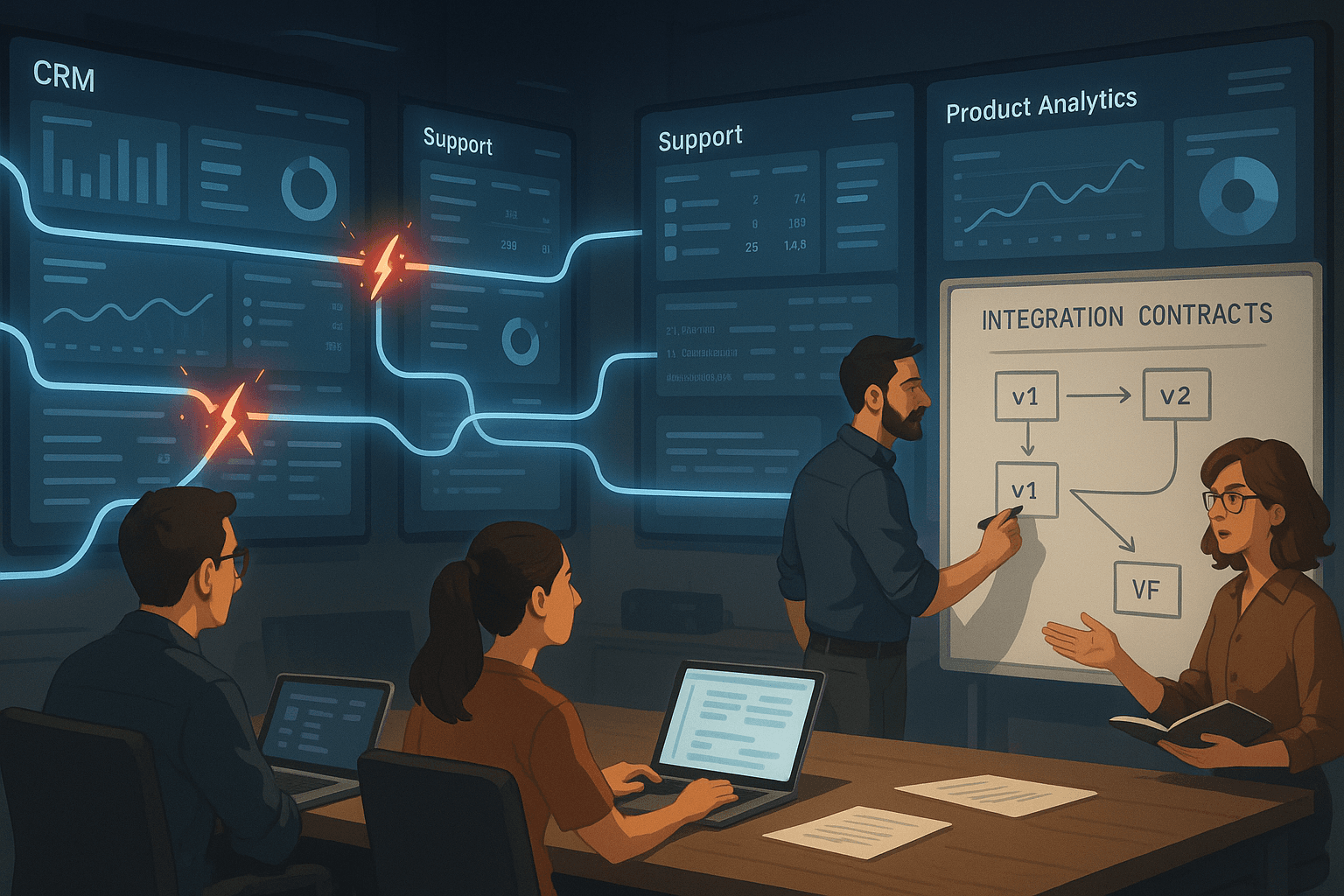
A founder notices the problem the way most teams do: not during implementation, but three weeks later when something important quietly stops happening.
A high-intent lead books a demo. The SDR sees the company in the CRM, but the industry field is blank because marketing changed the form options from free text to a dropdown. The enrichment workflow fails because it expects the old field format. The routing rule sends the account to the default queue. Nobody follows up for two days.
At the same time, finance is chasing a “retained expansion” number that looks too good. Product usage events are still syncing to the customer success platform, but the account identifier was updated in billing and not in the warehouse transform that powers health scores. Some enterprise customers are now counted twice. CS thinks usage is climbing. Finance thinks net revenue retention is strong. The board deck looks great right up until someone asks why renewals are soft.
Then support launches an AI triage workflow. Tickets marked “enterprise” should get premium handling, but the support system pulls plan tier from a CRM property that sales ops renamed during a cleanup. The AI agent still runs, but now half of priority accounts are treated like self-serve users. Nobody realizes until an angry champion emails the CEO.
None of these failures look dramatic in the moment. That is exactly why they are dangerous.
Most startups think of integrations as plumbing and field mappings as setup. Something you configure once in HubSpot, Stripe, Salesforce, Intercom, Zendesk, Segment, a reverse ETL tool, or an AI workflow builder, then forget. In practice, those mappings are not setup. They are product. They define how your company understands customers, money, usage, entitlements, lifecycle stages, and promises made to users.
When you treat mappings like setup, they live in admin screens, hidden dropdowns, one-off zaps, undocumented dbt models, and somebody’s memory. When you treat them like product, they become contracts: explicit definitions of what a field means, where it comes from, how it transforms, who owns it, what depends on it, and how changes get tested before rollout.
That shift sounds semantic. It is operationally massive.
Founders usually feel the pain first in three places:
- automations stop firing or fire incorrectly
- reporting becomes impossible to trust
- customer-facing workflows break in ways that are hard to detect
If you are under 50 people, you can still muscle through this for a while. A generalist operator fixes a few mappings. An engineer hot-patches a sync. RevOps exports CSVs to reconcile records. But once you have multiple systems creating and updating customer data, “we’ll clean it up later” turns into a tax on every GTM, support, finance, and product motion.
The core pattern is simple: the startup never defined an integration contract layer between systems. It let each app become a partial source of truth, then relied on ad hoc field mappings to keep them aligned.
That works until it doesn’t.
The pattern behind the breakage
The integration contract problem shows up when five things are true at once.
1. Multiple tools now write customer state
At the beginning, the CRM holds lead and account data. Then billing starts holding plan and contract data. Product analytics holds usage data. Support holds ticket metadata. The app database holds entitlements. Marketing automation updates lifecycle stages. AI systems classify conversations and write tags back somewhere.
Now your customer record is no longer one object. It is a federation of partially overlapping objects spread across tools built with different assumptions.
2. Field names look stable, but meanings drift
A field called plan, status, owner, account_id, or MRR sounds obvious. It is not.
Examples:
planin billing may mean the invoiceable SKUplanin the product may mean enabled feature bundleplanin support may mean SLA tiercustomer_statusin CRM may mean sales stage, not active subscription stateaccount_idmay refer to a CRM account, internal workspace, billing customer, or warehouse surrogate key
The names stay similar while semantics diverge. Teams continue mapping them because “close enough” feels efficient.
3. Transformations are hidden inside tools
Most critical logic is not direct field-to-field copying. It is transformation.
Examples:
- combine first name and last name into full name
- map annual contract value into monthly MRR equivalent
- convert billing plan codes into customer-facing tiers
- derive enterprise vs SMB from ARR threshold plus contract type
- normalize country values across forms, CRM, and billing
- infer churn risk from product usage deciles
The dangerous part: this logic often lives inside opaque setup screens, formulas, workflow builders, SQL models, middleware branches, or AI prompts. It is not versioned like code. It is not reviewed like product logic. It is not tested like a release.
4. Every downstream workflow assumes the mapping is correct
Once a field is available in another system, teams treat it as real.
Routing rules use it. Lead scoring uses it. Renewal forecasts use it. Support prioritization uses it. AI agents use it. Executive dashboards use it. Customer emails personalize off it.
Nobody asks, “What contract guarantees this field means what we think it means?”
5. Changes happen through local optimization
Marketing wants cleaner form values. Sales ops wants fewer duplicate properties. Finance wants revenue categories reconciled. Product wants a new event schema. Support wants a better priority tag. AI ops wants a new intent classification.
Each change makes sense locally. But there is no contract review process to ask what breaks across systems.
That is why the same startup can have competent people, reasonable tools, and still produce nonsense data and broken automations.
Why standard advice fails
The standard advice sounds good and still fails in practice.
“Pick a source of truth”
Useful idea. Incomplete execution.
Most companies do not have one source of truth for all customer data. They have different systems of record for different domains:
- CRM for pipeline and ownership
- billing for invoices and paid subscription state
- app database for entitlements and workspace state
- warehouse for historical metrics and modeled facts
- support platform for ticket interactions
The problem is not lack of one universal source. The problem is lack of explicit contracts between domain owners.
“Document your fields”
Documentation helps, but static docs decay fast.
A Notion page that says plan_tier syncs from Stripe to HubSpot does not tell you:
- which Stripe field actually drives it
- what transformation rules apply
- whether nulls overwrite existing values
- what happens for grandfathered plans
- which workflows depend on it
- who approves a change
- how to test before rollout
Documentation without ownership and change control becomes archaeology.
“Use an iPaaS tool”
Zapier, Make, Workato, Tray, n8n, Hightouch, Census, Segment, RudderStack, Fivetran, Airbyte, dbt, and vendor-native integrations are all useful. None solve the contract problem by themselves.
They move data. Some transform data. Some observe syncs better than others. But if your team has not defined canonical semantics and ownership, better plumbing only lets bad assumptions travel faster.
“Have RevOps manage it”
RevOps often becomes the dumping ground for cross-system issues because CRM problems are the first visible symptom. But revenue operations should not be the sole owner of product entitlements, billing semantics, support priority logic, or AI classification outputs.
RevOps can coordinate. It cannot be the semantic owner of every business object.
“Let engineering handle integrations”
Engineering can build robust syncs. That still does not answer the product question: what should sync, under what rules, with what downstream meaning, and who decides when that meaning changes?
If engineering owns mechanics while operators own semantics informally, you still get breakage. It just arrives in a better-structured pipeline.
The better approach: treat integration mappings as owned, versioned contracts
Here is the practical model that works.
Every important cross-system field or object needs an integration contract. Not a massive enterprise governance program. A lightweight, explicit artifact your team can actually maintain.
At minimum, a contract defines:
- the business object: account, workspace, user, subscription, invoice, ticket, conversation, opportunity
- the canonical field name
- the business meaning of that field
- the system of record for the raw value
- allowed downstream copies and consumers
- transformation rules
- update rules and precedence logic
- null/default behavior
- identifiers used for joins or matching
- owner
- dependencies
- test cases
- current version and change history
If this sounds like software interface design, that is because it is. You are designing interfaces between business systems.
Start with canonical objects, not tool schemas
One of the biggest mistakes early-stage startups make is adopting the tool’s schema as the company’s schema.
If HubSpot calls something Lifecycle Stage, you let that become your lifecycle model. If Stripe has customer, subscription, and price, you let those become your commercial model. If your support tool has organization, you let that define the account object. Then each new tool imposes more semantics.
Instead, define your own canonical objects first.
For most B2B SaaS startups, that usually includes:
- Person: a human contact
- Account: the commercial buying entity
- Workspace or Instance: the product container actually using the software
- Subscription: the billing agreement
- Opportunity: the active sales process
- Ticket or Case: a support interaction
- Conversation: an email/chat/call thread
- Entitlement: what the customer can access
- Usage Event or Usage Aggregate: measurable product activity
Then define canonical fields inside those objects.
Example for Subscription.plan_tier:
- Meaning: the commercial service tier promised to the customer for current active contract period
- Not equal to: internal SKU code, feature flag bundle, support SLA tag
- Source of truth: billing system, with override table for grandfathered enterprise contracts
- Downstream uses: CRM segmentation, support priority, lifecycle automation, warehouse reporting, AI support routing
- Transformation: map raw SKU/price IDs to one of
free,pro,business,enterprise - Null behavior: never overwrite a non-null downstream value with null unless subscription state is
canceled - Owner: finance ops plus product ops approval for mapping changes
That definition is much more useful than “Stripe plan syncs to HubSpot plan.”
A practical contract template
You do not need a huge governance platform. Start with a table. One row per field contract.
Recommended columns:
- Contract ID
- Object name
- Canonical field name
- Business definition
- Data type and allowed values
- Source system
- Source field/path
- Destination systems
- Destination fields
- Matching key / join logic
- Transformation logic
- Update frequency
- Write direction: one-way or bi-directional
- Precedence rules
- Null/default rules
- Error handling behavior
- Downstream dependencies
- Owner
- Reviewer(s)
- Test cases
- Version
- Last changed date
- Change rationale
Store this somewhere versionable. Good-enough options:
- Git-backed YAML/JSON specs if you have engineering support
- Airtable if ops owns it and rigor matters
- Notion database only if you enforce change review and field completeness
- a dedicated data catalog/governance tool if you are already mature enough to use one
My bias for startups: keep the human-readable contract in Airtable or Git, then link to implementation locations.
Compare the common implementation patterns
Here is how the main approaches stack up.
Vendor-native integrations
Examples: HubSpot–Stripe app, Salesforce–Zendesk app, Intercom–Salesforce sync.
Pros:
- fast to launch
- low engineering effort
- good enough for simple one-way syncs
- maintained by vendors
Cons:
- limited transformation logic
- poor visibility into semantic assumptions
- hidden failure modes
- hard to test safely
- fields get renamed or repurposed without governance
Best for:
- low-risk enrichment
- simple contact/account syncs
- early prototypes
Not ideal for:
- critical contract, billing, entitlement, or reporting logic
iPaaS / workflow tools
Examples: Zapier, Make, Tray, Workato, n8n.
Pros:
- flexible
- fast for operators
- can express conditional logic
- good for event-driven workflows
Cons:
- logic sprawls across many automations
- weak version control in many setups
- difficult dependency mapping
- easy to create duplicate business logic in multiple places
Best for:
- operational tasks and notifications
- lightweight orchestration around well-defined contracts
Not ideal for:
- being the only place your core semantic mapping exists
Event/data pipeline stack
Examples: Segment/RudderStack + warehouse + dbt + reverse ETL.
Pros:
- strong central modeling option
- better testing opportunities
- easier historical analysis
- can define transformations in code
Cons:
- slower to ship if team is non-technical
- operational workflows may still bypass warehouse truth
- real-time edge cases get messy
- can create lag between source changes and operational systems
Best for:
- canonical modeling and reporting
- reusable definitions for metrics and segmentation
Not ideal for:
- replacing all operational sync logic by itself
Custom integration layer
Examples: internal services, webhooks, contract registry, sync workers.
Pros:
- maximum control
- strongest contract enforcement potential
- robust testing and observability
- can encode precedence and validation centrally
Cons:
- higher engineering cost
- maintenance overhead
- overkill for very early stage teams
Best for:
- high-complexity, high-stakes workflows
- larger Series A/B companies with substantial system sprawl
Not ideal for:
- pre-PMF startups with minimal ops complexity
The right answer for most startups is hybrid: native integrations for low-risk sync, iPaaS for tactical workflow orchestration, and a warehouse/model layer or lightweight contract registry for canonical definitions.
Assign owners by business domain, not by tool
This is where most teams get sloppy.
If ownership is “sales ops owns HubSpot” and “support owns Zendesk,” then any field crossing tools has no real owner. It is merely administered by whoever has the login.
Instead, assign ownership by semantic domain.
Example:
lead_status,opportunity_stage,account_owner→ GTM/RevOpssubscription_status,invoice_state,ARR,payment_terms→ finance opsworkspace_state,seat_count,feature_entitlements→ product ops / engineeringticket_priority,support_tier,SLA_policy→ support opsAI_intent,conversation_summary,risk_classification→ AI ops or functional owner
Then define reviewers for cross-functional impact.
For example, changing support_tier mapping may be owned by support ops, but finance ops and product ops should review if that tier is derived from billing and entitlements.
Version your mappings like product changes
A field mapping change can be as consequential as a pricing change. Treat it that way.
At minimum:
- record the previous version
- state what changed
- note who approved it
- link affected workflows
- define rollout date
- define rollback plan
Versioning can be lightweight:
- v1.2:
plan_tiermapping updated to mergegrowthintobusiness - v1.3: null overwrite disabled for canceled subscriptions reactivating within 30 days
- v1.4: support tier now derived from contract SLA override before billing plan lookup
This seems bureaucratic until the day someone asks, “Why did enterprise ticket routing fail last Thursday?”
Without version history, you are guessing.
Test sync changes before rollout
This is the missing discipline in most startups.
Nobody would deploy application code to production without some testing. Yet teams constantly change live integration logic in admin screens and hope for the best.
You need three levels of testing.
1. Record-level test cases
Create a small set of representative records:
- free self-serve customer
- paid monthly SMB customer
- annual business customer
- enterprise customer with custom SLA
- churned then reactivated customer
- merged duplicate account
- multi-workspace account
- customer on grandfathered pricing
For each contract, define expected outputs for these cases.
2. Workflow impact tests
Ask what operational workflows consume the changed field.
Example if plan_tier changes:
- support priority rules
- onboarding email sequence
- CS book assignment
- executive dashboard segment filters
- AI support escalation policy
Testing the field value alone is not enough. You need to test the workflows it drives.
3. Diff / dry-run validation
Before changing production mappings, run the new logic against current records and compare outputs.
Questions to answer:
- how many records will change?
- which high-value accounts are affected?
- are null rates increasing?
- are allowed values still clean?
- do downstream segment counts swing unexpectedly?
Even a CSV diff is better than blind rollout.
A lightweight rollout workflow that actually works
Here is a practical operating workflow for a startup between 15 and 150 people.
Step 1: classify fields by criticality
Use three tiers.
Tier 1: customer- and revenue-critical
Examples: account owner, subscription status, plan tier, ARR, renewal date, support tier, entitlement flags, primary account ID.
Rules:
- explicit contract required
- owner required
- reviewer required
- test cases required
- change log required
- pre-rollout validation required
Tier 2: operationally important
Examples: industry, employee band, lead source normalization, product usage segment, renewal risk bucket.
Rules:
- contract required
- owner required
- sample test cases recommended
- monthly audit
Tier 3: convenience/enrichment
Examples: social URL, inferred logo URL, generic marketing tags.
Rules:
- lighter governance
- failures should not break core workflows
This keeps you from over-governing harmless fields while protecting the fields that matter.
Step 2: create a dependency map
For every Tier 1 field, list:
- upstream systems
- transformation logic locations
- downstream automations
- dashboards and reports
- customer-facing touchpoints
- AI workflows consuming the field
You do not need a beautiful architecture diagram. A simple table is enough. The goal is to stop hidden dependencies.
Step 3: centralize transformation logic where possible
If the same mapping exists in three places, you do not have one mapping. You have three future incidents.
Common consolidation moves:
- move billing-plan-to-tier mapping from multiple workflow tools into one lookup table
- move country normalization into one shared transform used across ingestion and reverse ETL
- move support SLA derivation into one contract rule instead of separate CRM and helpdesk formulas
Step 4: introduce change requests for Tier 1 fields
Again, keep it simple. A change request should answer:
- what field/object is changing?
- why is it changing?
- what systems are affected?
- what records will change?
- what workflows depend on it?
- who reviewed it?
- how will it be tested?
- what is the rollback plan?
A one-page template is enough.
Step 5: deploy with monitoring
For 48 to 72 hours after a Tier 1 change, monitor:
- sync error rates
- record update counts
- null/blank percentages
- segment volume changes
- workflow trigger counts
- manually sampled high-value accounts
Silent breakage becomes much less silent when you deliberately watch for it.
Cost and time analysis: what this really takes
Founders usually worry this sounds heavy. Compared to what?
Let’s compare the two paths.
Path A: no contract discipline
Typical hidden costs per quarter for a 25–75 person startup:
- 2–6 cross-system incidents affecting sales/support/customers
- 10–30 hours of operator cleanup per incident
- 2–10 engineering hours per incident if code/pipeline changes are involved
- 1–3 leadership hours in debugging and exception handling
- corrupted reporting that weakens planning and board communication
- customer trust damage that is hard to measure but very real
Conservative quarterly cost:
- operator time: 40–180 hours
- engineering time: 8–60 hours
- leadership distraction: 4–18 hours
- one missed renewal escalation or delayed enterprise response can dwarf all labor costs
Path B: lightweight contract operating model
Initial setup for an early-stage company:
- identify Tier 1 fields: 4–8 hours
- document first 20–40 key contracts: 15–30 hours
- map dependencies: 6–12 hours
- define test records and review workflow: 6–10 hours
- centralize 3–5 repeated transformations: 10–25 hours depending on stack
Ongoing monthly cost:
- change reviews: 2–5 hours
- audits and monitoring: 2–4 hours
- contract updates as systems evolve: 2–6 hours
This is not free. But it is much cheaper than recurring incidents once your GTM and product operations become system-dependent.
Example workflow: plan tier contract across billing, CRM, support, and AI
Let’s make this concrete.
Problem:
Your startup has Stripe, HubSpot, Zendesk, a warehouse, and an AI support triage agent. The team wants plan_tier available everywhere.
Bad implementation:
- Stripe price nickname copied to HubSpot custom field
- Zendesk org tag derived from separate manual workflow
- warehouse model maps price IDs to tiers in SQL
- AI triage reads HubSpot field for priority
- support occasionally overrides tags manually
Result:
Four definitions of plan tier. Constant drift.
Better implementation:
Canonical contract
- Object: Subscription
- Field:
plan_tier - Definition: active commercial service tier for current contract term
- Allowed values:
free,pro,business,enterprise - Source of truth: Stripe subscription + contract override table
- Transformation: map active price IDs through maintained lookup table; enterprise override wins
- Update rule: update on subscription create/change/cancel/reactivate
- Null rule: no null overwrites to downstream systems unless status becomes
canceled - Owner: finance ops
- Reviewers: RevOps, support ops
Implementation
- one lookup table maintained in warehouse or config registry
- reverse ETL sends canonical
plan_tierto HubSpot and Zendesk - AI triage reads
support_tier, not rawplan_tier, because support policy may consider SLA overrides - separate contract defines
support_tier = SLA override > enterprise plan > business plan > default
Testing
- verify sample records for monthly, annual, enterprise override, canceled, reactivated
- compare old vs new counts by tier
- test Zendesk enterprise ticket routing on 10 live accounts in staging/sandbox if possible
- verify AI escalation triggers still match premium accounts
This design is not fancy. It is just explicit.
AI workflows make this problem worse
A lot of teams are about to rediscover integration discipline the hard way because of AI.
Why? AI workflows consume messy business context and produce new fields that look authoritative.
Examples:
- intent classification from conversations
- account risk scoring from product and support signals
- lead qualification summaries written back to CRM
- ticket priority recommendation based on plan, sentiment, and issue type
- renewal risk flags generated from usage and payment history
These workflows are brittle because they depend on upstream field semantics and often write downstream outputs that humans trust too easily.
If your account_status, plan_tier, support_tier, or ARR_band contracts are unstable, your AI layer will amplify the errors.
Additional AI-specific rules worth adopting:
- never let AI consume ambiguous raw business fields if a canonical field exists
- store prompt assumptions about field meanings alongside the integration contract
- version AI output schemas too
- require confidence thresholds and human review for high-stakes writebacks
- audit whether AI-generated fields are feeding automations without clear ownership
The fastest way to create expensive chaos is to let AI read from drifting fields and write into core systems without contract governance.
What to do in the next 30 days
If this article describes your company, here is the practical reset.
Week 1: find the top 10 dangerous fields
Ask leaders across GTM, finance, product, support:
- which fields, if wrong, would break customer experience or revenue workflows?
- which fields are used in multiple systems?
- which fields are currently disputed or frequently cleaned up manually?
You will usually find the same suspects:
- account ID
- workspace ID
- customer status
- subscription status
- plan tier
- ARR/MRR
- renewal date
- account owner
- support tier
- lifecycle stage
Week 2: define canonical meaning and ownership
For each field, write:
- plain-English definition
- source of truth
- who owns meaning
- who implements sync
- who approves changes
- what systems consume it
This step alone exposes a shocking amount of ambiguity.
Week 3: map transformations and dependencies
Locate where logic currently lives.
Expect to find it in:
- CRM workflows
- billing metadata
- support automations
- SQL transforms
- reverse ETL models
- middleware branches
- AI prompts or agents
- spreadsheets used for overrides
Then choose one place to centralize the most important repeated logic.
Week 4: put Tier 1 fields under change control
Do not boil the ocean. Just introduce one rule:
No Tier 1 mapping change goes live without owner signoff, dependency review, and a sample diff.
That one operating rule prevents a huge share of preventable incidents.
The real mindset shift
The deeper issue here is not tooling. It is how startups think about internal systems.
Founders often treat customer data movement as back-office configuration. But once your workflows depend on it, the mapping layer is part of the product your company delivers.
If a customer should receive enterprise support, your integration logic is part of the support product. If a champion should be routed to the right CSM, your integration logic is part of the customer success product. If finance should know whether expansion is real, your integration logic is part of the reporting product. If an AI agent should escalate risky accounts correctly, your integration logic is part of the AI product.
That means it needs product-like discipline:
- clear definitions
- owned interfaces
- versioning
- testing
- rollout review
- monitoring
Not because process is good. Because silent breakage is expensive.
Takeaways
Treating field mappings as setup works only while your company is small enough to run on tribal knowledge. Once multiple systems update customer state, unmapped semantics and hidden transformations become a recurring failure source.
The fix is not “more integrations.” It is introducing a contract layer:
- define canonical business objects and fields
- separate field names from field meanings
- assign owners by semantic domain, not by tool admin rights
- centralize critical transformation logic
- version Tier 1 mapping changes
- test sync changes with representative records and downstream workflow checks
- monitor after rollout
- keep AI workflows on canonical, owned fields only
If you do this well, the immediate payoff is fewer broken automations. The bigger payoff is trust. Trust in reporting. Trust in routing. Trust in support handling. Trust that when you change a field, you understand the blast radius before customers do.
That is what mature operations looks like in a startup: not heavy governance, but explicit contracts around the data your company runs on.