
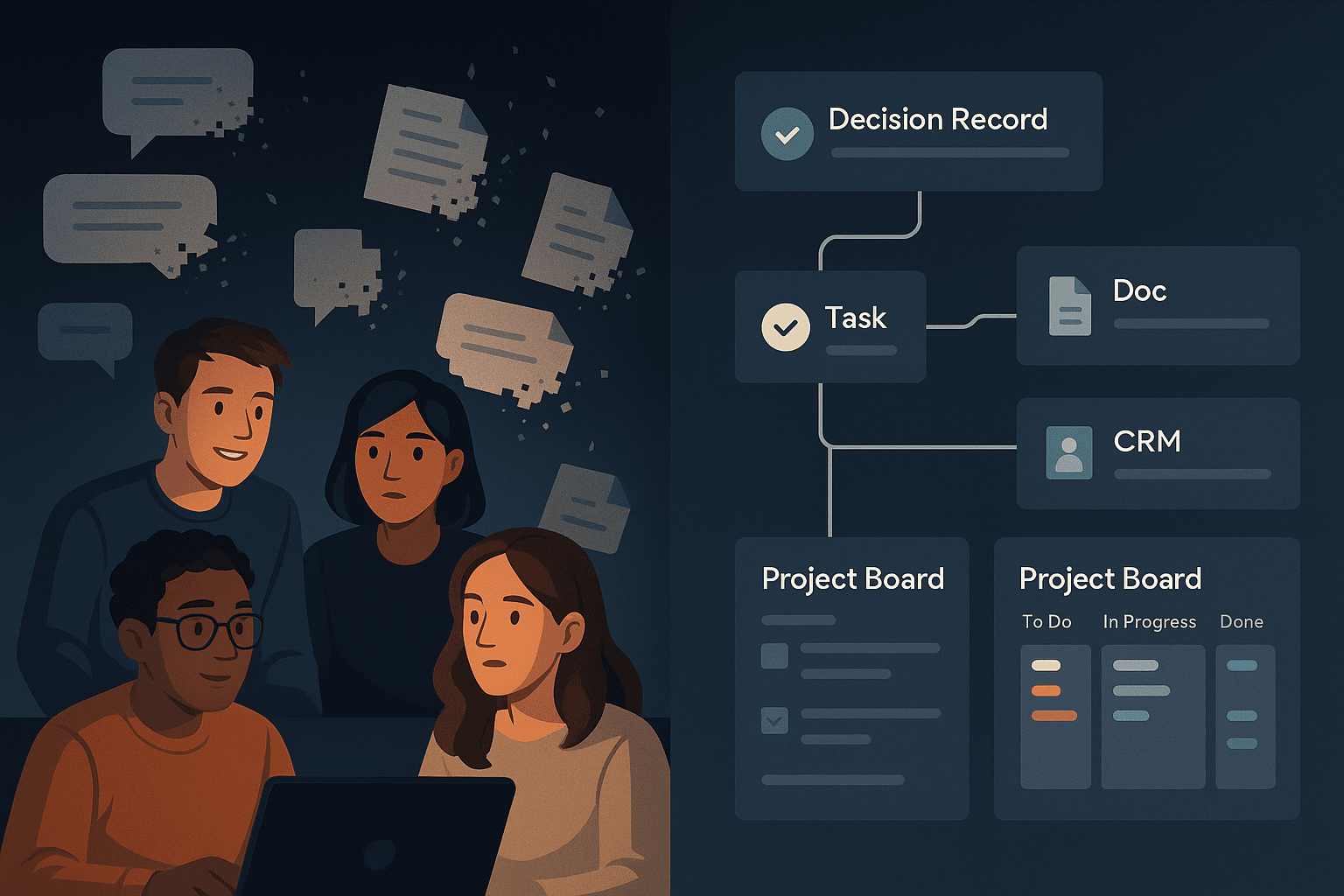
A founder closes a 45-minute call feeling good: pricing direction aligned, two enterprise prospects reprioritized, a product scope cut agreed, and a hiring tradeoff settled. Everyone leaves with the same sentence: “Great, we’re aligned.”
Two weeks later, none of that alignment survives contact with the rest of the company.
Sales is still pitching the old package because nothing changed in the CRM or pricing doc. Product is building the pre-call version of the scope because the ticket was never updated. Recruiting is interviewing for the wrong profile because the hiring discussion lived only in a Zoom recording nobody watched. Customer success promised a timeline based on a decision engineering thought had been reversed. In the next leadership meeting, half the time gets burned re-litigating what was “already decided.”
This is not a communication problem in the generic sense. It is a specific operational failure mode: the meeting artifact gap.
The meeting artifact gap is what happens when a startup makes real decisions verbally, in founder calls, standups, deal reviews, sprint planning, customer debriefs, recruiting syncs, and board prep, but fails to convert those decisions into searchable, durable, operational records that people can find and act on later.
Every startup thinks this is a small issue until the company hits enough surface area that memory stops scaling. At five people, verbal alignment can carry a surprising amount of load. At 15, it starts to crack. At 30, it creates drag. At 75, it becomes a hidden tax on every function: duplicated work, inconsistent messaging, slow onboarding, decision churn, weak accountability, and execution that looks mysteriously worse than strategy.
The core problem is simple: meetings produce decisions, context, and commitments. Operations run on artifacts, owners, and system updates. If you don’t convert the first into the second, your company runs on vibes plus selective recall.
That works right up until it doesn’t.
The pattern: startups are rich in conversation and poor in records
Most early-stage teams have no shortage of discussion. The issue is not whether communication is happening. The issue is whether communication is being transformed into operational state.
Here is the pattern I see repeatedly:
-
A meeting contains high-value information
This could be a strategic choice, a product tradeoff, a customer escalation, a candidate decision, or a GTM change. -
Everyone present believes the outcome is obvious
In the room, context is shared. The decision feels memorable. It feels too important to be lost. -
No one is explicitly responsible for artifact creation
There may be a note-taker, but there usually isn’t a decision recorder, task extractor, or system updater. -
The output remains trapped in low-utility formats
The information lives in one of four places: a Zoom recording, scattered personal notes, a long Slack thread, or an AI summary nobody owns. -
No connection is made to systems of record
The product decision never updates Linear/Jira. The sales decision never updates HubSpot/Salesforce. The hiring decision never updates Greenhouse/Ashby. The policy decision never updates the internal handbook or Notion page. -
Execution diverges from discussion
People act on stale docs, old assumptions, or whatever they personally remember. -
The company pays again later
Decisions get re-discussed, projects stall, onboarding takes longer, and trust erodes because “alignment” did not lead to clear action.
That last point matters. The cost of the meeting artifact gap is not only inefficiency. It is confidence decay. Teams start feeling like meetings are performative because nothing concretely changes afterward.
Why standard advice fails
A lot of common advice sounds reasonable but breaks in actual startup conditions.
“Just take better notes”
This is too vague to be operationally useful.
Better notes for what purpose? Notes are not the same as records. A page of bullets saying “discussed enterprise pricing, maybe remove setup fee, Sarah to follow up?” is not an artifact that sales, finance, and customer success can reliably execute from.
Most notes fail because they optimize for chronological recall rather than downstream use. They capture what was said, not what changed.
“Record the meeting and use AI summaries”
Recordings are archives, not operating systems.
AI summaries help with recall and can reduce manual note-taking overhead, but they do not solve ownership, field normalization, system updates, or action routing. In many teams, AI note tools create a new layer of clutter: dozens of auto-generated summaries dumped into Slack or email, skimmed by no one, connected to nothing.
The tool did its job. The company did not design the workflow around it.
“Put everything in Notion”
Notion is a good workspace, but “put it in Notion” is not a process.
If all meeting outputs go into one generic note database without conventions for decision logging, task extraction, tagging, links to systems of record, and clear ownership, you’ve built a graveyard with search.
Better than chaos, yes. Sufficient for execution, no.
“Make the meeting owner responsible”
Sometimes that works. Often it doesn’t.
Meeting owners are usually optimizing for agenda quality and discussion flow, not post-meeting operational hygiene. Founders especially are bad candidates for reliable artifact conversion because they jump immediately into the next fire. If a workflow depends on the busiest person in the company doing structured cleanup after every important call, it will fail.
“If it matters, people will remember”
This is probably the most expensive lie in startup operations.
People do remember the broad shape of important decisions. They do not reliably remember scope boundaries, assumptions, owners, deadlines, exceptions, dependencies, customer-specific caveats, or where the final version lives.
Execution breaks in those details.
What a better approach looks like
You do not need a heavy knowledge management bureaucracy. You need a lightweight but enforced conversion system.
The principle is straightforward:
Every important meeting must produce one or more durable artifacts in the systems where work actually happens.
That means:
- Decisions become decision records.
- Tasks become assigned tasks in the task system.
- Customer outcomes become CRM updates.
- Product changes become ticket or spec updates.
- Hiring conclusions become ATS updates.
- Policy/process changes become handbook or SOP changes.
The meeting note is not the endpoint. It is the staging layer.
A practical post-meeting capture system has five components:
- Meeting classification: determine which meetings require artifact conversion.
- Standard output schema: define the minimum fields every meaningful meeting must produce.
- Decision and action ownership: assign explicit owners for record creation and system updates.
- System-of-record linking: connect outputs to where execution is tracked.
- Review and enforcement: audit whether verbal decisions actually changed company state.
If you get these five right, the meeting artifact gap narrows fast.
Step 1: classify meetings by artifact requirement
Not every meeting deserves a formal record. If you over-process every standup, people will route around the system.
Instead, classify meetings into artifact tiers.
Tier 1: artifact-required meetings
These always need durable outputs.
Examples:
- Leadership / exec meetings
- Product planning and roadmap tradeoff meetings
- Pricing and packaging discussions
- Customer escalation reviews
- Sales pipeline reviews where deal strategy changes
- Hiring debriefs and headcount decisions
- Incident retrospectives
- Board prep and board follow-up meetings
- Cross-functional launch meetings
For these meetings, “we talked about it” is never enough.
Tier 2: action-only meetings
These may not need a full decision record, but they do require extracted actions.
Examples:
- Weekly project syncs
- Functional standups
- Vendor check-ins
- Routine customer calls with follow-ups
- Recruiting coordination syncs
The key artifact here is the action list with owners and deadlines, plus updates to relevant systems.
Tier 3: low-retention meetings
These can stay lightweight unless they produce something material.
Examples:
- 1:1s
- Brainstorms
- Informal office hours
- Open-ended discussion sessions
If a real decision emerges, promote the output to a Tier 1 or Tier 2 workflow.
This classification keeps the process proportional. The goal is not documentation theater. The goal is preserving operationally meaningful outcomes.
Step 2: define the minimum output schema
Most teams fail because they have no standard for what “captured” means.
Use a simple schema. For any Tier 1 meeting, require these fields:
Decision record fields
- Meeting name
- Date
- Attendees
- Decision owner
- Topic / decision title
- Decision made
- Why this decision was made
- Alternatives considered
- Assumptions / constraints
- What changed because of this decision
- Systems that must be updated
- Linked tasks
- Review date if decision is reversible or time-bound
That looks like overkill until you compare it to the cost of ambiguity.
A good decision record is short. Usually 5–10 lines of substance. The point is not literary quality. The point is that someone six weeks later can answer:
- What was decided?
- Why?
- Who owns it?
- What changed operationally?
- Where should I go to see the current version?
Action extraction fields
For Tier 1 and Tier 2 meetings, every action should include:
- Action statement beginning with a verb
- Owner
- Due date
- Destination system
- Status
- Source meeting link
Bad action: “Follow up on pricing.”
Good action: “Update enterprise pricing one-pager to remove implementation fee language and send revised version to sales team by Thursday, Owner: Maya, Destination: Notion sales collateral + Slack #sales-enable.”
If an action does not have a destination system, there is a good chance it is not operationalized.
Step 3: separate note-taking from artifact ownership
This is one of the highest leverage changes you can make.
Many teams assume the person taking notes is also responsible for making sure the right records, tasks, and updates happen. That’s too much and often too fuzzy.
Instead, define three roles:
1. Facilitator
Runs the meeting, drives decisions, manages tradeoffs.
2. Capture owner
Responsible for creating the structured summary: decisions, actions, blockers, and follow-ups. This can be supported by AI, but a human owns the final output.
3. Record owners
Each material output has an explicit destination owner. Examples:
- Product manager updates the spec and tickets
- Sales ops updates CRM fields and playbooks
- Hiring manager updates ATS and scorecard outcome
- Founder updates company priorities doc
- Engineering manager updates incident record
This matters because meeting artifacts usually need to land in multiple places. One meeting can generate:
- a decision log entry,
- three project tasks,
- one CRM note,
- one customer comms draft,
- an updated roadmap doc.
No single generic note-taker should be expected to know and update every downstream system accurately.
Step 4: build the post-meeting conversion workflow
Here is a practical workflow that works for most startups without creating a lot of process debt.
The 15-minute post-meeting rule
For any Tier 1 meeting, within 15 minutes of the meeting ending, the capture owner publishes a structured summary in the designated workspace.
That summary should contain:
- 1–3 decisions made
- all extracted actions with owner + due date
- open questions
- systems needing updates
- link to recording/transcript if available
This is the “hot capture” phase. Context decays quickly. If you wait until end of day, you’ve already lost fidelity.
The 24-hour operationalization rule
Within 24 hours, record owners must update the relevant systems of record.
Examples:
- Decision log updated
- Jira/Linear tasks created or modified
- CRM opportunity notes and next steps updated
- Hiring status changed in ATS
- SOP/handbook page updated
- Customer issue tracker updated
The startup mistake is thinking the summary itself completes the work. It does not. The summary is only the bridge.
The “changed state” check
For each meaningful decision, ask one mandatory question:
What observable company state changed because this meeting happened?
If the answer is “none yet,” then nothing operational has happened.
Observable state changes include:
- a ticket moved or created,
- a CRM field updated,
- a candidate advanced or rejected,
- a policy document revised,
- a project deadline changed,
- a customer got a committed response,
- a roadmap item re-scoped.
This question sounds basic, but it is brutally effective.
A concrete template you can use
Here is a simple startup-friendly post-meeting template.
Structured meeting output
Meeting: Weekly GTM Leadership Sync
Date: 2026-06-29
Attendees: CEO, Head of Sales, Head of Marketing, Product Marketing, RevOps
Capture Owner: Product Marketing
Decisions Made
-
Enterprise pilot offer will include onboarding support but no custom reporting in standard package.
- Owner: Head of Sales
- Why: Reduced implementation drag in last 3 deals; custom reporting delayed close and overloaded CS.
- Alternatives considered: charge custom reporting separately; continue bundling for pilots.
- Assumptions: top 10 target accounts still value speed over customization.
-
ABM campaign for healthcare paused for 3 weeks; resources shifted to fintech outbound support.
- Owner: Head of Marketing
- Why: pipeline quality stronger in fintech, healthcare messaging not validated.
Actions
-
Update enterprise pricing sheet and sales talk track to remove custom reporting from pilot package.
- Owner: Product Marketing
- Due: July 1
- Destination: Notion sales collateral, Slack #sales
-
Update open enterprise opportunities with new pilot packaging notes.
- Owner: RevOps
- Due: June 30
- Destination: HubSpot
-
Review 10 target healthcare accounts and preserve only tier-1 named accounts during pause.
- Owner: Head of Marketing
- Due: July 2
- Destination: campaign tracker
Open Questions
- Should custom reporting be a paid add-on or implementation milestone after close?
Systems to Update
- HubSpot
- Notion sales playbook
- campaign tracker
- pricing one-pager
Review Date
- Revisit pilot packaging after next 5 enterprise deals
That’s enough. Short, specific, and connected to execution.
Tool comparisons: what to use and where they break
You do not need a perfect tool stack. You need a stack where each tool has a clear role.
Option 1: Notion + Linear/Jira + Slack + CRM
This is the most common startup setup.
Best for: seed to Series B teams that want flexible documentation with lightweight process.
How it works:
- Notion stores meeting outputs and decision log.
- Linear/Jira tracks product and operational tasks.
- Slack distributes summaries and nudges owners.
- HubSpot/Salesforce stores customer/deal implications.
Pros:
- Flexible
- Cheap relative to enterprise knowledge tools
- Easy to adapt as company evolves
- Good search if page structure is disciplined
Cons:
- Easy to create clutter
- Weak enforcement without good habits
- Cross-tool linking can get inconsistent
- Notion databases become messy fast without standards
Approximate cost:
- Notion: low to moderate per seat
- Linear: low per seat / Jira often already included in engineering stack
- Slack: moderate, especially as history/access grows
- HubSpot/Salesforce: ranges from moderate to expensive depending on stage
Verdict: best default for most startups, but only if you define templates and owners.
Option 2: Google Docs/Drive + Asana/ClickUp + CRM
Best for: teams that want lower complexity and are already deep in Google Workspace.
Pros:
- Very low friction
- Strong native search in docs
- Easy sharing externally and internally
- Asana/ClickUp often easier for non-technical teams than Jira
Cons:
- Decision logs get fragmented across folders
- Weak database-like structure compared to Notion/Coda
- Harder to maintain one canonical record model
- Drive folder sprawl becomes real fast
Approximate cost:
- Generally affordable at early stage
- ClickUp/Asana moderate per seat
Verdict: acceptable if you keep a central decision index; otherwise, records scatter.
Option 3: Coda/Airtable as operational layer
Best for: ops-heavy teams that want structured records and lightweight apps without full custom software.
Pros:
- Better than docs for structured decision logs
- Good for linked records, views, and automations
- Can act as meeting-to-action control center
Cons:
- Requires a process-minded builder
- More setup overhead
- Can become a single point of fragility if one ops person owns all logic
Approximate cost:
- Moderate, can increase with scale and automations
Verdict: powerful if someone on the team can design workflows well. Overkill for very early teams, excellent for scaling operations.
Option 4: Dedicated AI meeting tools alone
Examples include meeting transcription and summarization products.
Best for: capture assistance, not as a standalone operational system.
Pros:
- Saves note-taking effort
- Improves transcript recall
- Helps absent participants get context quickly
Cons:
- Does not create accountability by itself
- Summaries often miss operational nuance
- Can flood the company with passive information
- Search works only if people know where to look and trust the summary quality
Verdict: useful input layer, poor system of record.
My recommendation for most startups: use AI meeting tools as the capture assistant, Notion/Coda as the decision layer, your task tool as the action layer, and your functional systems as the source of operational truth.
Workflow examples by function
The meeting artifact gap shows up differently across teams. Here’s how to close it in core startup functions.
1. Product
Failure mode: roadmap and scope decisions happen in calls, but tickets and specs lag.
Better workflow:
- PM or capture owner logs decision summary immediately.
- Any scope change requires linked Linear/Jira updates before end of day.
- Spec page includes a “Decision history” section with dated entries.
- Engineering planning references the spec, not Slack memory.
Rule: if a scope decision does not change the spec or tickets, it did not happen.
2. Sales / GTM
Failure mode: deal strategy shifts in pipeline review, but reps continue from stale assumptions.
Better workflow:
- Each material deal decision creates a CRM update with next step, owner, and risk notes.
- Packaging/pricing decisions trigger collateral updates plus rep-facing Slack summary.
- Competitive positioning changes update the battlecard, not just meeting notes.
Rule: if it affects customer-facing behavior, it must be visible in the CRM or enablement system.
3. Hiring
Failure mode: interview debriefs produce fuzzy verbal consensus, but ATS status, scorecards, and candidate rationale stay incomplete.
Better workflow:
- Debrief output includes hire/no-hire, rationale, concerns, and compensating actions.
- Hiring manager updates ATS immediately.
- Any role profile change updates job scorecard and recruiter brief.
Rule: if a future interviewer cannot understand why the candidate advanced, the debrief failed.
4. Customer success / support
Failure mode: escalations get discussed live, but promises, root causes, and follow-ups aren’t reliably logged.
Better workflow:
- Escalation review outputs customer impact, owner, promised date, internal cause, and communication plan.
- CRM and support ticket both updated.
- Repeated issue themes flow into product backlog with tags.
Rule: if a customer promise exists only in someone’s memory, you are manufacturing churn.
5. Leadership
Failure mode: exec meetings feel productive but create little persistent company direction.
Better workflow:
- Every exec meeting outputs strategic decisions, cross-functional actions, and changes to priorities.
- Company goals / priorities doc updated weekly from these outputs.
- Reversible decisions get review dates; irreversible ones get explicit rationale.
Rule: if the leadership team needs to ask “wait, what did we decide last month?” your decision system is broken.
Time and cost analysis: this is cheaper than rework
Founders often resist process here because it sounds like overhead. In practice, the overhead is small and the savings are large.
Let’s run rough numbers for a 25-person startup.
Assume each week:
- 8 Tier 1 meetings
- 15 Tier 2 meetings
- Average 10 minutes of structured post-meeting capture for Tier 1
- Average 5 minutes of action extraction for Tier 2
- Average 10 minutes of downstream system updates per Tier 1 meeting spread across owners
That’s roughly:
- Tier 1 capture: 80 minutes/week
- Tier 2 action extraction: 75 minutes/week
- Tier 1 downstream updates: 80 minutes/week
Total: about 235 minutes/week, or just under 4 hours across the company.
Now compare that to even modest failure costs:
- one pricing confusion that wastes 3 reps’ time,
- one product scope misunderstanding that creates 2 days of engineering rework,
- one hiring loop run on the wrong profile,
- one customer follow-up missed because ownership was vague,
- one leadership meeting spent rehashing old decisions.
You blow past 4 hours almost immediately.
The meeting artifact gap is one of those classic startup problems where a little structure saves a lot of expensive talent time.
How to prevent the system from collapsing into bureaucracy
There is a real risk here: in trying to fix chaos, you build documentation tax. Avoid that by following a few principles.
Keep the schema minimal
Do not turn every meeting note into a giant form. Capture only what improves execution and retrieval.
Make outputs role-based, not universal
Executives may need decision logs. IC project syncs may only need actions. Keep standards proportional.
Use templates aggressively
People comply with templates more than policies. If the default meeting page already has the right fields, adoption rises.
Automate distribution, not judgment
Use automation to send summaries, create reminders, and prefill links. Do not assume automation can correctly decide what matters without human review.
Audit for usage, not existence
A database full of records means nothing if nobody consults it. Check whether records are searched, linked, and referenced in later work.
A simple operating cadence
If you want this to stick, put it on a cadence.
Daily
- Tier 1 summaries published within 15 minutes
- systems updated within 24 hours
Weekly
- Ops lead, chief of staff, or functional owner reviews missing artifacts from major meetings
- leadership checks unresolved actions from prior week
Monthly
- Review repeated decision churn: what got re-litigated and why?
- Review template quality: are people using fields correctly?
- Prune stale docs and enforce canonical sources
Quarterly
- Reassess systems of record by function
- Identify where AI capture is helping vs creating noise
- Update meeting classifications as organization scales
This cadence matters because every process decays without enforcement.
Metrics that tell you whether it’s working
You don’t need a BI dashboard for this, but you should track a few operational signals.
Useful metrics:
- % of Tier 1 meetings with published structured summaries
- % of extracted actions with owner and due date
- time from meeting end to system-of-record update
- number of decisions re-litigated within 30 days
- number of stale docs discovered in execution work
- onboarding questions answered via records vs Slack pings
You can also use a blunt survey question once a month:
“When a meaningful decision is made in this company, can you reliably find the final record and current owner within 2 minutes?”
If the answer is no, your artifact layer is still weak.
The most common failure points after rollout
Even good systems break in predictable ways.
Failure point 1: nobody knows which source is canonical
Fix: define a source of truth by artifact type.
Example:
- strategy decisions → decision log
- product execution → Linear/Jira + linked spec
- customer commercial state → CRM
- hiring state → ATS
- company policy → handbook
Failure point 2: summaries are too verbose to use
Fix: force a top section with decisions, actions, and updates needed. Everything else is optional detail.
Failure point 3: tasks get captured but not created in task systems
Fix: treat “action extraction” and “task creation” as separate checklist items. Many teams do the first and skip the second.
Failure point 4: AI summaries create false confidence
Fix: require a human capture owner to approve and normalize outputs.
Failure point 5: founders bypass the system
Fix: if founder-made decisions are exempt, the whole process dies. The highest-leverage meetings must be the most disciplined.
A practical rollout plan for the next 30 days
If your company is feeling this problem now, don’t try to solve it with a giant knowledge management initiative. Roll it out in phases.
Week 1: define scope and templates
- Identify Tier 1 meetings
- Pick your decision log home
- Create one structured summary template
- Create one action extraction template
- Define canonical systems by function
Week 2: assign roles and start with leadership + product
- Assign capture owners for recurring Tier 1 meetings
- Assign record owners by function
- Start enforcing 15-minute summary / 24-hour update rules
- Review compliance manually
Week 3: connect GTM and hiring workflows
- Add CRM update rules for deal and customer decisions
- Add ATS update rules for hiring debriefs
- Add enablement doc update rules for pricing/positioning changes
Week 4: review breakdowns and tighten
- Which meetings still generate fuzzy outputs?
- Which systems are still not being updated?
- Which templates are too heavy?
- What keeps getting re-discussed?
At the end of 30 days, you should not be aiming for perfection. You should be aiming for a visible reduction in “I thought we decided that already” moments.
The real takeaway
Startup teams often believe speed and documentation are in tension. Usually they are confusing documentation with bureaucracy.
The right artifact system does not slow decisions down. It prevents decision evaporation.
The meeting artifact gap is dangerous because it hides behind a comforting feeling of alignment. Meetings feel productive. People nod. The recording exists. An AI summary gets posted. But none of that means the company has actually absorbed the decision.
Companies do not run on what was said. They run on what changed.
So if you want a simple standard, use this one:
For every important meeting, ask: what durable artifact now exists, who owns it, where is it stored, and what system changed because of it?
If you cannot answer those four questions, the meeting is not done.
That’s the playbook. Not more talking about alignment. More converting alignment into records that survive the week, guide execution, and save your team from paying for the same conversation twice.