
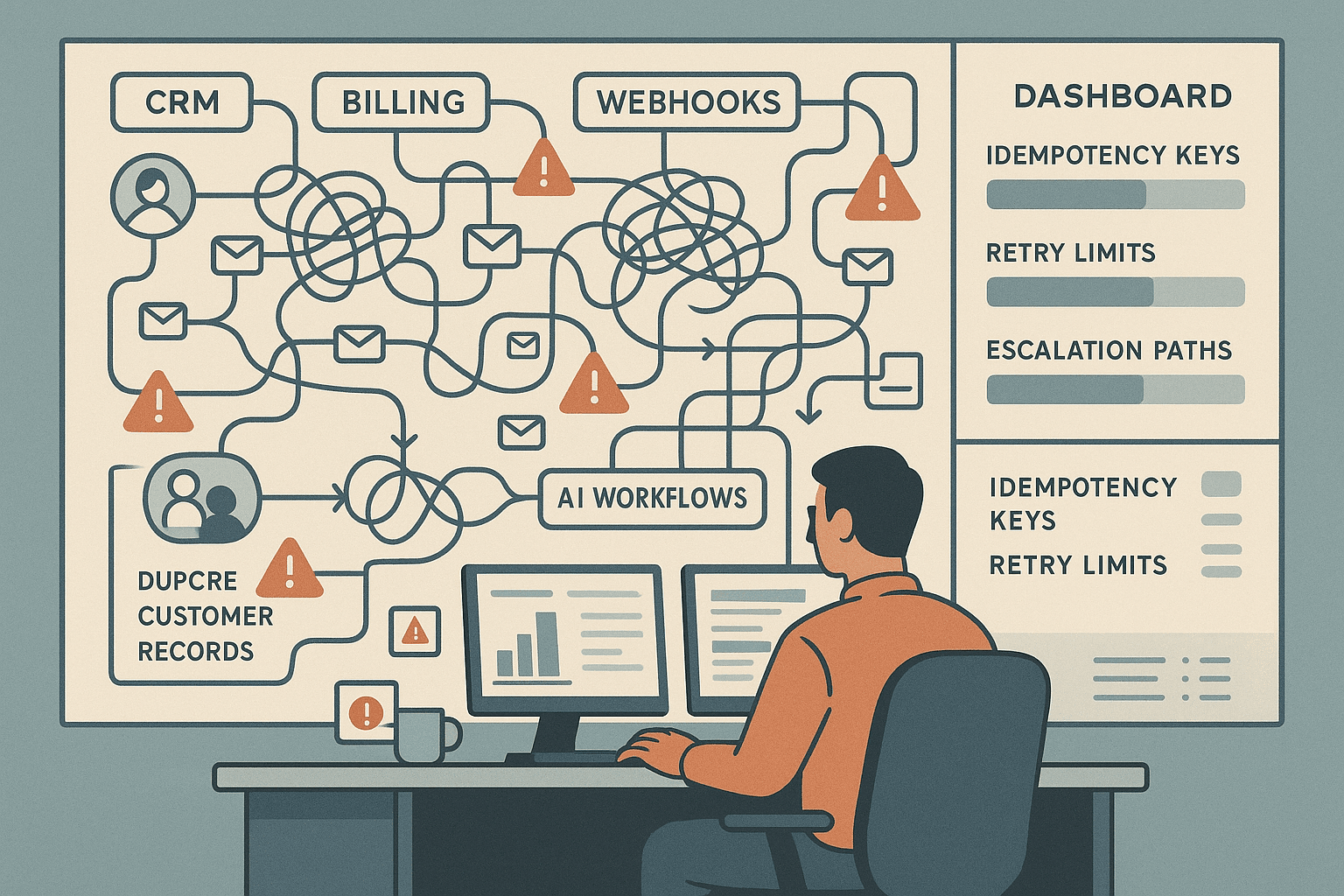
A founder usually notices retry loop debt too late.
Not when the first webhook fails. Not when a Zap reruns. Not when a background job times out and quietly gets put back on the queue.
You notice it when support says a customer got the same onboarding email six times, finance finds duplicate credits in Stripe, sales is working three copies of the same lead in the CRM, and your AI enrichment workflow has burned through a month of budget in three days because every “temporary failure” kept replaying.
The dangerous part is that none of these incidents look catastrophic in isolation. A single retry feels responsible. Standard platform behavior even encourages it: retry on timeout, replay on 5xx, requeue on network error, try again later. That is usually correct. Until it is not.
What turns ordinary resilience into operational debt is the combination of three missing controls:
- No idempotency, so the same action can create multiple side effects
- No escalation path, so terminal failures remain stuck in machine-only loops
- No stop rules, so “temporary” errors become infinite or excessive retries
That combination creates what I call retry loop debt: the hidden liability that accumulates when systems repeatedly rerun failed work without clear guarantees about what is safe to replay, when to stop, and who should own the exception.
This is common in startups because the automation surface area grows faster than the operating model around it. You add Stripe, HubSpot, Salesforce, Segment, Postgres triggers, a queue, a few serverless functions, Intercom workflows, AI summarization, an iPaaS layer like Zapier or Make, and a couple of internal cron jobs. Each tool has its own retry semantics. Almost nobody documents them centrally. Almost nobody classifies which actions are safe to replay. And almost everybody assumes retries are someone else’s problem.
They are not.
Retries are a product trust problem, a finance control problem, a support load problem, and a data integrity problem. They are also one of the fastest ways for a startup to create invisible operational drag while believing it has automation under control.
This article is a practical playbook for fixing it before it becomes a customer-facing incident.
A real failure scenario: the startup that “automated” itself into duplicate operations
Let’s make this concrete.
Imagine a B2B SaaS company with a pretty normal stack:
- Product database in Postgres
- Billing in Stripe
- CRM in HubSpot
- Support in Intercom
- Internal workflows in Zapier and Make
- Background jobs in Sidekiq or BullMQ
- AI enrichment and summarization through an LLM API
- Warehouse syncs to a data store every few hours
The company wants a clean self-serve upgrade flow.
When a user upgrades:
- Stripe payment succeeds
- App updates account plan
- CRM lifecycle stage changes
- Welcome email is sent
- CSM gets notified for larger accounts
- AI account summary is generated
- Usage limits are updated
- Finance record is posted internally
On paper, this seems straightforward. In practice, the flow is spread across five systems and a mix of API calls, webhooks, and queued jobs.
Now the failure.
Stripe sends invoice.paid. Your webhook endpoint takes too long because the AI summary call blocks the request path. Stripe times out and retries. Meanwhile, your app already updated the plan in the database but did not record a durable event-processing marker. On the retry, the webhook handler runs again.
Effects:
- HubSpot gets the lifecycle update twice, creating two timeline events and sometimes two tasks depending on workflow setup
- The “upgrade confirmation” email sends twice because the email tool sees two independent triggers
- The finance posting creates duplicate credits because the internal endpoint has no idempotency key
- The AI summary runs three times because one invocation hit a rate limit, got requeued, and the upstream webhook also retried
- Support gets multiple conversation notes
- Revenue ops sees conflicting activity histories and loses trust in the CRM
Worse, a downstream sync fails on one of the duplicate objects and keeps retrying every 10 minutes. That retry creates new alerts each time. Since nobody owns terminal failures, the team mutes the alerts. A week later, they discover 11% of upgrades over the period have inconsistent records across product, billing, and CRM.
This is what retry loop debt looks like in the real world. Not a Hollywood outage. Just hundreds of small duplicated side effects that quietly erode trust in the system.
The pattern: why retry loops multiply failures instead of containing them
Most founders think of retries as a reliability feature. That is only half true.
Retries improve reliability when all three of these conditions hold:
- The retried operation is idempotent, or otherwise safe to repeat
- The failure is actually transient
- The retry policy is bounded and observable
If any one of those is false, retries can amplify failures.
Here is the basic multiplication pattern:
- A trigger fires
- The action partially succeeds
- The initiating system does not know whether success happened
- It retries
- Downstream systems treat each retry as a new command
- More side effects occur
- Some of those side effects themselves fail and retry
- Humans are not looped in until damage is visible
That is why duplicate emails and duplicate rows are just the visible symptom. The real issue is missing execution control across system boundaries.
In startups, retry loop debt usually accumulates in five zones.
1. Webhook consumers
Providers like Stripe, Shopify, Slack, GitHub, and many others retry webhook deliveries by default. If you do not persist an event ID or dedupe key before applying side effects, you are gambling.
2. Queue workers
Background job systems often retry on exception automatically. That is good for transient infrastructure errors, bad for business actions that can only happen once.
3. No-code and iPaaS automations
Zapier, Make, n8n, Workato, and similar tools can replay tasks after temporary failures, rate limits, auth issues, or step errors. Because logic is fragmented across visual flows, teams often do not realize where retries are happening.
4. AI workflows
LLM calls fail for rate limits, malformed output, timeouts, and provider instability. Teams often wrap them in naive retries, but the workflow may have already written notes, triggered next steps, or consumed usage. AI systems also add token-cost multiplication to the damage.
5. Cron and sync jobs
A scheduled sync that says “find records not yet processed” can repeatedly hit the same edge case. If the “processed” marker is only written after the full pipeline completes, any partial success can become a duplicate factory.
Why standard advice fails
The standard advice you hear is some version of:
- “Just add retries with exponential backoff”
- “Use queues”
- “Make endpoints resilient”
- “Monitor errors better”
This advice is incomplete because it treats retries as an infrastructure concern rather than a business-side-effect concern.
Here is where standard advice breaks down.
“Just retry on failure” ignores partial completion
Many startup workflows are not single atomic actions. They are chains of side effects. The database update may succeed, but the API response may fail. The CRM write may succeed, but your worker crashes before recording completion. The email may send, but the provider times out before returning 200.
In these cases, “failure” does not mean “nothing happened.” It often means “something happened, but the caller cannot prove the final state.” That is the exact situation where idempotency matters most.
“Use exponential backoff” does not answer whether replay is safe
Backoff reduces load. It does not prevent duplication.
Retrying a read operation is usually fine. Retrying create invoice credit, send email, provision seat, or append timeline note may not be.
The key question is not “how often should this retry?” but “what is the worst-case outcome if this runs three more times?”
“Monitor errors” misses silent success/failure mismatches
A lot of retry loop debt never appears as a clean error spike.
Why? Because the systems are technically functioning. Webhooks are being delivered. Jobs are being processed. APIs are returning mixed outcomes. Duplicates are often counted as successful requests. You can have a dashboard that looks healthy while your data quality is degrading in the background.
“Use a dead-letter queue” is not enough
A dead-letter queue is useful. But if the payload landing there lacks context, owner, replay classification, and safe rerun instructions, you have just created a graveyard instead of a recovery process.
“Our vendors handle retries for us” creates false confidence
Vendors handle delivery retries. They do not know your business semantics.
Stripe can retry event delivery. It cannot know whether replaying your handler should reapply credits. HubSpot can retry an API call. It cannot know whether duplicate object creation matters in your reporting. Zapier can replay a failed run. It cannot know whether your downstream side effect is irreversible.
The burden of safe replay design sits with you.
The better approach: build a lightweight retry-control standard
The solution is not to eliminate retries. That would be reckless. The solution is to control them with a simple operating standard that every automation follows.
At an early-stage startup, this standard does not need a platform team or months of architecture work. It needs five things:
- A retry inventory
- A safe-vs-unsafe replay classification
- Idempotency keys or dedupe guards on all side-effecting actions
- Max attempt and stop rules
- Escalation ownership for terminal failures
If you do just those five, you will reduce a huge amount of hidden risk.
Let’s walk through each one.
1. Create a retry inventory across your stack
Start with visibility. You cannot control what you have not mapped.
Build a sheet, Notion table, or internal doc with one row per automated workflow or integration step. You are looking for every place work can be retried automatically or manually.
Use these columns:
- Workflow name
- Trigger source
- Tool/system
- Action performed
- Side effect type
- Automatic retries? yes/no
- Retry owner/tool behavior
- Max attempts
- Backoff schedule
- Idempotency mechanism
- Safe to replay? yes/no/conditional
- Terminal failure destination
- Human owner
- Customer impact if duplicated
- Cost impact if retried
Typical workflows to inventory:
- Payment success webhooks
- Account provisioning jobs
- CRM syncs
- Lead routing automations
- Email sends triggered by state changes
- Refund and credit operations
- AI summarization and enrichment jobs
- Data warehouse reverse syncs
- Scheduled import/export jobs
- Internal admin scripts
This exercise usually uncovers two uncomfortable facts.
First, most startups do not know how many retry-capable paths they actually have.
Second, the same business event is often being retried independently in multiple layers. For example:
- Provider retries webhook delivery
- Your endpoint retries outbound writes
- Queue retries worker failure
- No-code workflow retries failed steps
- Human operator manually replays the job
That stack can turn one ambiguous failure into five executions fast.
A simple audit workflow
Run this audit in one week:
Day 1: list systems
- Billing
- CRM
- Support
- Product DB
- Queue/worker system
- iPaaS/no-code tools
- AI providers
- Internal scripts/cron
Day 2: identify triggers
- Webhooks
- Scheduled jobs
- App events
- Manual button clicks
- Record changes in no-code tools
Day 3: inspect retry defaults For each tool, answer:
- Does it auto-retry?
- On which errors?
- For how long?
- Can retries be disabled or capped?
- Can you distinguish duplicate delivery from new work?
Day 4: mark side effects Highlight anything that:
- Sends to customers
- Moves money
- Creates records
- Changes plan/access state
- Notifies teams
- Writes irreversible audit history
Day 5: assign replay safety
- Safe
- Safe if idempotency key exists
- Unsafe without human review
You do not need perfect architecture diagrams. You need enough clarity to stop flying blind.
2. Classify actions: safe, conditionally safe, unsafe
This is the step most teams skip, and it is where most downstream discipline comes from.
Every automated action should be explicitly classified.
Safe to replay
Usually read-only or overwrite-style operations where repeating the action leads to the same end state.
Examples:
- Fetch latest CRM record
- Recompute derived analytics
- Set account plan to
proif alreadypro - Upsert customer property by stable external ID
Conditionally safe to replay
Safe only if protected by an idempotency key, dedupe check, version check, or compare-and-swap logic.
Examples:
- Create invoice if request ID has not been seen
- Send onboarding email if campaign event key has not been sent
- Add CRM note if external event ID does not already exist
- Generate AI summary if summary version for this source event is absent
Unsafe to replay automatically
Actions where duplication causes financial, legal, customer trust, or data corruption issues.
Examples:
- Issue credit/refund without dedupe guard
- Send password reset or contract email repeatedly
- Create multiple support tickets for the same incident
- Ship downstream partner requests with external consequences
- Trigger human task creation where duplicates lead to manual confusion
Once you classify actions, the retry policy becomes easier:
- Safe actions can retry automatically with bounded backoff
- Conditionally safe actions can retry only if the idempotency guard is in place
- Unsafe actions should not auto-retry blindly; route them for review after limited attempts or require compensating logic
This sounds obvious, but it creates a forcing function. If someone wants automatic retries for a risky action, they must first make replay safety explicit.
3. Implement idempotency like an operator, not a purist
When engineers hear “idempotency,” some imagine a deep platform project. It does not have to be.
At startup scale, idempotency usually means one practical rule:
Every side-effecting action should have a stable operation key that lets the receiver or caller recognize “this is the same intended action as before.”
That key can be:
- Provider event ID
- Internal job execution key
- Composite key like
account_id + action_type + billing_period - Request UUID generated at the workflow start
- Source record version number
Good idempotency patterns
Webhook consumption
- Persist provider event ID before applying side effects
- If event ID already seen, acknowledge and exit
Create operations
- Use external IDs and upserts where supported
- Store your own
operation_idwith the created object - Refuse duplicate creates for the same business event
Email sends
- Record
customer_id + template_id + trigger_event_id - Only send if not already present
Credits/refunds
- Use
invoice_id + credit_reason + source_event_id - Require uniqueness in your ledger or command table
AI workflows
- Key by
source_object_id + prompt_version + purpose - Cache or reuse output when the same work is retried
Weak patterns that fail in practice
- “We check if something similar exists”
- “We search by timestamp window”
- “We assume the provider won’t send duplicates”
- “The worker usually only runs once”
Those are heuristics, not controls.
Implementation options by maturity
Level 1: table-based dedupe Create a simple table:
operation_keyoperation_typestatusfirst_seen_atlast_attempt_atresult_reference
Before running a side effect, attempt to insert the key. If it already exists in completed state, exit. If in processing state, decide whether to skip or recover. This gets you far.
Level 2: command journal Record intended actions in a command table before execution. Workers consume commands and update state transitions: pending, processing, completed, failed_terminal. This provides stronger observability and replay control.
Level 3: workflow orchestration Use a more formal orchestrator or state machine for critical flows. Helpful later, overkill for many early teams.
The point is not architectural elegance. The point is preventing one business event from creating side effects multiple times.
4. Add max attempts and stop rules everywhere
If you only take one tactical step this quarter, do this one.
Every retryable automation should answer:
- What errors are transient?
- How many times should we retry?
- Over what total time window?
- When do we stop permanently?
- What state do we record when we stop?
- Who gets notified?
A retry policy without a stop rule is just delayed chaos.
A practical startup policy
You do not need 20 policy classes. Start with three.
Class A: Safe technical retries Use for read operations, idempotent upserts, non-customer-visible sync steps.
- Retry on network timeout, 429, and 5xx
- Max attempts: 5 to 8
- Backoff: exponential with jitter
- Total retry window: up to 1 to 6 hours depending on criticality
Class B: Conditionally safe side effects Use when idempotency key exists.
- Retry on network timeout, 429, and selected 5xx
- Max attempts: 3 to 5
- Backoff: exponential with jitter
- Require idempotency verification before each replay
- Escalate after final failure
Class C: Unsafe or high-impact actions Use for credits, refunds, customer messaging, provisioning that can over-grant access, irreversible writes.
- At most 1 automatic retry, often 0
- If ambiguous outcome, move to review queue
- Human verifies external state before replay
Stop-rule examples
Stop retrying when:
- Error is 4xx indicating invalid payload or auth misconfiguration
- Required referenced record no longer exists
- Business precondition has changed, such as account canceled
- Retry window exceeded
- Duplicate risk exceeds value of continued automation
These stop rules matter because many loops keep replaying errors that are not transient at all. An expired token, deleted object, invalid mapping, or schema mismatch can generate retries forever if nobody tells the system when to give up.
5. Route terminal failures to actual owners
A retry that eventually stops but goes nowhere is still broken.
Every workflow needs a terminal failure destination with a named owner. Not a team alias that everyone ignores. A person or directly accountable function.
Examples:
- Billing ops owns failed credits/refunds
- Rev ops owns CRM sync terminal failures
- Support ops owns messaging duplication review
- Engineering owns webhook consumer poison events
- Data team owns reverse sync schema mismatches
What a terminal failure payload should include
When a job stops retrying, the escalation should contain:
- Workflow name
- Operation key
- Source event ID
- Number of attempts
- First failure time
- Last error
- Replay safety classification
- Customer/account impacted
- Whether any side effects may already have occurred
- Recommended next action
- Link to logs and payload
This turns an alert into an actionable work item.
Without this, the human has to reconstruct what happened under pressure, which usually leads to either unsafe manual reruns or inaction.
Tool comparisons: where retry loop debt hides by platform type
Different tools create different risks. Here is the practical comparison.
Application queues: Sidekiq, BullMQ, Celery, etc.
Strengths
- Fine-grained retry control
- Good observability if configured well
- Can implement idempotency in app layer
- Easier to route to dead-letter or failure queues
Weaknesses
- Easy to retry exceptions blindly
- Mixed business logic and technical retry logic
- Duplicate side effects if workers are not idempotent
Best use Critical app-owned workflows where you can enforce operation keys and state transitions.
Webhook providers: Stripe, Shopify, GitHub, Slack, etc.
Strengths
- Reliable delivery attempts
- Event IDs usually available
- Well-understood model
Weaknesses
- Providers retry on their timeline, not yours
- Delivery success does not equal business action correctness
- Duplicate or out-of-order events must be handled by you
Best use As ingress events only. Do not put long-running or multi-step side effects directly in request handlers.
No-code/iPaaS: Zapier, Make, n8n, Workato
Strengths
- Fast to ship
- Business teams can own workflows
- Built-in connectors reduce engineering time
Weaknesses
- Retry behavior can be opaque
- Logic fragmented across steps and scenarios
- Harder to centralize idempotency
- Manual replay is common and risky
Best use Low-risk orchestration, notifications, internal workflows, and carefully bounded syncs with dedupe guards.
AI workflow layers
Strengths
- Automates enrichment, summaries, classification
- Can improve ops leverage quickly
Weaknesses
- Rate limits and malformed output create many retry cases
- Cost scales with retries
- Outputs may not be deterministic
- Replays can duplicate downstream notes or actions
Best use As sidecar enrichment, not as a blocking step in payment, provisioning, or customer-critical request paths.
Integration platforms with stronger enterprise controls
Some platforms provide better auditability, run history, replay controls, and error routing than lightweight no-code tools. They cost more and take longer to configure, but they reduce hidden execution ambiguity.
Tradeoff
- Higher subscription and implementation cost
- Better control for critical workflows
If you are moving money, provisioning enterprise access, or syncing core customer records across systems, the additional control is often worth it.
Cost and time analysis: why founders should care now
Retry loop debt looks small until you price it.
Let’s do rough startup math.
Assume:
- 8 critical workflows with side effects
- 2% ambiguous or failed executions across those workflows
- 1,500 relevant events per week
- Average duplicate incident affects either support, rev ops, or finance for 10 minutes of cleanup
- Loaded ops cost: $60/hour
That is:
- 1,500 × 2% = 30 problematic events/week
- 30 × 10 minutes = 300 minutes = 5 hours/week
- 5 × $60 = $300/week in direct labor
- Roughly $15,600/year in visible cleanup alone
Now add hidden costs:
- AI retries: duplicate token/API spend
- Duplicate email sends: trust damage and unsubscribe risk
- Sales confusion from duplicate CRM records
- Finance reconciliation overhead
- Engineering interruption cost during incident review
If even one retry loop causes a double refund batch or customer-facing spam incident, the reputational cost dwarfs the direct labor.
Lightweight implementation cost
For an early-stage team, a first-pass retry-control standard typically takes:
- 1 to 2 days to inventory critical workflows
- 2 to 5 engineering days to add dedupe tables, event markers, and retry caps to the worst offenders
- 1 ops day to define owners and escalation paths
- 1 day to document a standard and rollout checklist
Call it 1 to 2 weeks of concentrated work for one engineer and one operator.
That is much cheaper than living with recurring corruption and periodic cleanup fires.
A practical implementation blueprint
Here is a lightweight way to roll this out without stalling product work.
Phase 1: Stop the bleeding
Pick the top five workflows where duplicate side effects would hurt most. Usually:
- Billing webhooks
- Customer emails triggered by state changes
- CRM record creation/update flows
- Account provisioning
- Refund/credit operations
For each one:
- Add or verify idempotency key
- Set max attempts
- Define stop rules
- Route terminal failures to owner
- Remove long-running work from synchronous webhook handlers
Success metric: no critical workflow can retry indefinitely or create duplicate side effects without a dedupe check.
Phase 2: Standardize patterns
Create a one-page internal retry standard with required fields:
- Workflow name
- Owner
- Trigger
- Operation key
- Replay classification
- Retry class
- Max attempts
- Stop conditions
- Escalation target
- Runbook link
Require new automations to complete this before launch.
Success metric: every new automation has an explicit replay policy instead of inheriting random defaults.
Phase 3: Improve observability
You need a small dashboard, not a giant platform.
Track:
- Retry counts by workflow
- Terminal failures by workflow
- Duplicate suppression counts
- Average attempts per successful operation
- Manual replay count
- Costly retried AI calls
Good signals to alert on:
- Sudden jump in retries for one workflow
- High duplicate suppression rate, which can indicate upstream instability
- Repeated terminal failures for one account/customer
- Manual replay spikes
Success metric: you can identify emerging retry loop debt before customers report it.
Workflow examples
Example 1: Stripe webhook handling done right
Bad flow:
- Receive
invoice.paid - Update DB
- Call CRM
- Send email
- Generate AI summary
- Return 200 only after all steps finish
Problems:
- Provider timeout causes redelivery
- No durable event marker
- Many side effects happen in one ambiguous transaction boundary
Better flow:
- Receive
invoice.paid - Persist provider event ID and enqueue internal command
- Return 200 immediately
- Worker processes command using
stripe_event_idas operation key - Each downstream side effect uses its own sub-key or dedupe guard
- AI summary moved to non-critical sidecar workflow
- After N failures, billing ops gets a terminal issue with account context
Example 2: CRM sync with conditional replay safety
Bad flow:
- Product event triggers “create contact” in Zapier
- Zapier retries after timeout
- CRM now has duplicate contacts because no external ID was used
Better flow:
- Use stable external ID from product user ID
- Change create to upsert when supported
- Record sync operation key in your app or middleware
- Retry only for transient API issues
- Stop on validation errors and route to rev ops
Example 3: AI note generation without runaway spend
Bad flow:
- Every support conversation closure triggers LLM summary
- Invalid JSON output retries 5 times
- Timeout from note-posting API triggers another upstream replay
- Same conversation gets three summaries and triple token spend
Better flow:
- Key workflow by
conversation_id + model_purpose + prompt_version - Retry model call only on transient provider errors
- Use structured output validation with one repair pass max
- If note already exists for operation key, skip posting
- Route repeated parsing failures to ops/engineering review
Common objections and the honest tradeoffs
“This feels heavy for our stage”
If you have only two internal automations, maybe. But if your startup already relies on billing events, CRM syncs, customer messaging, and AI workflows, you are beyond the point where this is overkill.
You do not need a reliability program. You need basic execution discipline.
“We can just clean up duplicates manually”
You can, until manual cleanup becomes normalized and nobody trusts reports, customer timelines, or billing history.
Manual cleanup is not free. It also does not repair trust with customers who got spammed or over-credited.
“Idempotency is hard across third-party tools”
Sometimes, yes. But partial controls still help:
- Use external IDs
- Store sent-event markers
- Add command tables in your own system
- Split risky side effects out of no-code flows
- Disable or cap retries where guarantees are weak
Perfect idempotency is not required to dramatically reduce risk.
“Humans in the loop slow things down”
Correct. That is the tradeoff for unsafe actions.
The right question is not whether human review slows a workflow. The question is whether a duplicate refund, duplicate provisioning, or duplicate contract email is cheaper than a review queue. Usually it is not.
The minimum retry-control standard every startup should adopt
If you want the shortest possible version, adopt this policy:
- No side-effecting automation launches without an owner.
- Every workflow must declare whether replay is safe, conditionally safe, or unsafe.
- Every conditionally safe or unsafe action must have an operation key or dedupe mechanism.
- All retryable workflows must define max attempts and stop conditions.
- Terminal failures must route to a human owner with context.
- Long-running work must not happen inline in webhook acknowledgments.
- Manual replay must use the same idempotency controls as automated replay.
- AI workflows must include retry caps and cost visibility.
- Duplicate suppression events should be logged and reviewed.
- New tools must have retry behavior reviewed before adoption.
This is not bureaucracy. It is how you stop automation from quietly multiplying mistakes.
Takeaways
Retry loop debt is one of those startup problems that looks technical but is really operational.
The issue is not that retries exist. The issue is that most startups inherit retry behavior from vendors, queues, webhooks, and no-code tools without defining what should happen when work is repeated.
That gap produces duplicate side effects, hidden data corruption, wasted AI spend, noisy alerts, and eventually customer trust damage.
The fix is simpler than most teams think:
- Inventory where retries happen
- Classify replay safety
- Add idempotency keys to side-effecting actions
- Cap attempts and define stop rules
- Escalate terminal failures to named owners
If you do this well, retries go back to being what they should be: a resilience mechanism.
If you ignore it, they become a failure multiplier.
Founder to founder: this is one of those controls that feels optional right until the week it becomes the thing everyone is cleaning up. Build the lightweight standard before that week arrives.