
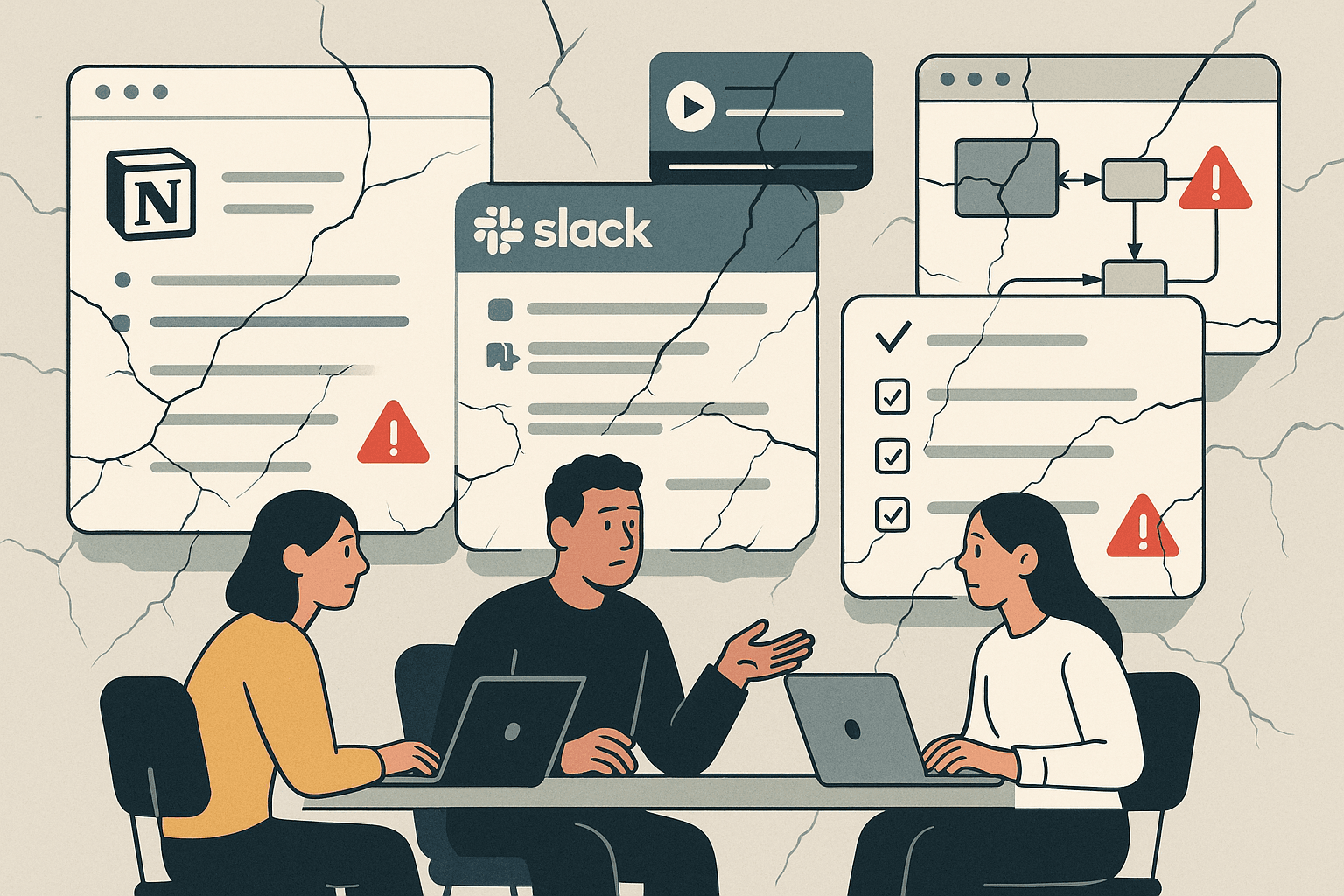
A new support hire joins on Monday. Their onboarding checklist is polished. The Notion hub says it was updated “2 weeks ago.” There’s a Loom walkthrough embedded at the top. There’s a Zendesk macro folder organized by issue type. There’s even an AI prompt library for drafting responses faster.
By Wednesday, the hire is stuck.
The macro names in the doc don’t match what exists in Zendesk. The escalation path says “tag #urgent-bugs in Slack,” but the team moved to a dedicated incident form last month. The Loom shows a UI that no longer exists. The AI prompt tells the rep to pull refund policy language from a help center section that was rewritten after the last pricing change. The handoff checklist says enterprise tickets go to customer success, but in practice support now routes them through an operations queue because CS was overloaded.
None of this looks broken from a distance.
That’s the problem.
The page exists. It looks maintained. It has emojis, headings, and recent edit history. But it no longer reflects how work actually happens. So the new hire doesn’t fail because they ignored the process. They fail because they followed it.
That is runbook rot: operating instructions that appear current enough to be trusted but have silently drifted away from real execution.
Most startups think they have a documentation problem. Usually they have an operational integrity problem disguised as documentation. The issue is not that nobody wrote the SOP. The issue is that the SOP is no longer connected to reality, and nobody owns the feedback loop that would expose the gap.
This happens everywhere:
- Onboarding docs that describe old tools or old org charts
- Support macros that encode policies nobody still follows
- Incident runbooks with dead links, outdated responders, or impossible escalation paths
- Sales-to-success handoff checklists that omit fields everyone now manually asks for later
- AI workflow instructions that still reference deprecated prompts, models, or policy constraints
- Loom walkthroughs that preserve old clicks long after the product changed
- Zapier, Make, or internal automations that assume field names or statuses that no longer exist
And because these artifacts are spread across Notion, Google Docs, Slack, ticketing systems, wikis, CRMs, videos, and AI tools, teams confuse surface freshness with actual reliability.
A last-edited timestamp is not proof of correctness. A clean SOP library is not the same thing as an operational system.
If you’re scaling a startup, runbook rot is expensive in ways that don’t show up cleanly on a dashboard. It slows onboarding. It increases handling time. It creates rework. It causes inconsistent customer communication. It makes incidents worse. It forces experienced employees to become human translators between documented process and actual process. And eventually it creates a hidden tax on every new initiative because nobody knows which instructions are real.
The pattern is common enough that it deserves more than generic advice like “document things better” or “review docs quarterly.” That advice sounds sensible and usually fails.
What follows is a practical playbook for identifying runbook rot, understanding why it forms, and turning SOPs into testable operational assets instead of stale documentation theater.
The failure pattern: your process has split into two companies
When runbook rot sets in, you effectively have two companies operating at once.
The first company is the documented company.
In that company, work flows neatly from checklist to checklist. Sales captures complete handoff notes. Support uses the right macros. Incidents escalate through known channels. Finance approvals happen in the prescribed sequence. AI prompts pull from approved sources. New hires can self-serve. Every process has a home.
The second company is the lived company.
In that company, the actual work gets done through tribal knowledge, side-channel Slack messages, habitual workarounds, bookmarked threads, renamed fields, unofficial templates, and “just ask Maria, she knows how it really works.”
The documented company is what leadership sees.
The lived company is what operators survive.
As long as your experienced team can bridge the gap, this split can remain invisible. Early-stage teams are especially vulnerable because they mistake speed for robustness. When five people are in constant contact, informal correction loops hide process drift. By the time you have 20, 50, or 100 people, the hidden bridge builders become bottlenecks.
Here’s what runbook rot typically looks like in the wild:
1. The doc is technically updated, but only cosmetically
Someone changed the intro, added a section, or refreshed formatting, so the page feels current. But nobody validated the actual steps in the tool.
Example: a sales handoff SOP says “mark implementation complexity in Salesforce.” The field still exists, but revops changed the allowed values three months ago, so downstream automation no longer triggers for half the deals.
2. The canonical source is unclear
The process exists in multiple forms:
- A Notion SOP n- A Loom recorded during a past tool setup
- A Slack pinned message
- A checklist template in ClickUp or Asana
- A macro library in a support tool
- A prompt in ChatGPT, Claude, or an internal AI workspace
Each source is individually plausible. Together, they drift.
3. Exceptions become the actual workflow
The documented path covers the happy case. Actual work now consists mostly of edge cases, exceptions, and compensating controls.
Example: the refund SOP says “approve if within 30 days.” In reality, reps are also checking plan tier, discount status, chargeback risk, contract type, region-specific rules, and prior concession history because the policy evolved informally.
4. Tool changes break process silently
A field is renamed. A button moves. An integration mapping changes. A Slack channel is archived. A macro is merged. An API payload changes. Nobody updates the runbook because the change was “small.”
But small tool changes often break process at the exact point where new people depend on it most.
5. AI makes bad SOPs feel productive longer
This is new and important.
When teams add AI assistants on top of decayed process, the system can still generate fluent outputs. That creates false confidence. A rep using an outdated workflow prompt may get a polished answer that feels operationally correct while encoding obsolete policy, wrong tool steps, or invalid escalation logic.
Bad docs used to fail noisily. AI can make them fail smoothly.
That is dangerous because it extends the half-life of bad process.
How runbook rot forms
Runbook rot is rarely caused by laziness. It’s usually produced by normal startup behavior.
You change tools quickly. You reorganize teams. You ship product changes. You update pricing. You create temporary workarounds. You experiment with AI workflows. You route around bottlenecks. You compress decision cycles. Each individual move is rational.
Rot forms when the company gets faster at changing execution than it gets at updating and validating instructions.
There are five root causes I see most often.
1. Documentation is treated as a publishing task, not a system
Most teams think the job ends when the SOP is written.
It doesn’t.
A useful runbook is closer to software than to writing. It has dependencies, versions, failure modes, interfaces, and production behavior. If you don’t maintain it like an operational asset, it decays like one.
The typical anti-pattern is this:
- A knowledgeable operator writes the SOP
- The page gets shared in onboarding or pinned in Slack
- A few people trust it
- Reality changes
- Small mismatches are worked around informally
- Nobody updates the SOP because the process “mostly still works”
- New people suffer the mismatch first
The doc becomes an artifact of intent, not an asset of execution.
2. Ownership is diffuse or fake
A page says “Owner: Operations,” which means nobody specific is accountable.
Or the owner is the person who created the doc, who has since changed roles.
Or there is an owner, but they only own the page, not the underlying process or tooling dependencies.
A real process owner is not just responsible for wording. They are responsible for whether following the runbook produces the expected result today.
That’s a different standard.
3. Startups create process fragments across too many surfaces
The modern startup stack is a rot machine if you don’t control it.
A process may live across:
- Notion for SOP narrative
- Loom for walkthrough
- Slack for exceptions and updates
- Linear/Jira for engineering escalation
- Zendesk/Intercom/Front for macros and statuses
- HubSpot/Salesforce for handoff fields
- Zapier/Make for automation logic
- Google Drive for templates
- AI prompt libraries for execution shortcuts
Every additional surface is another opportunity for drift.
The issue is not “too many tools” in the abstract. The issue is too many ungoverned process surfaces with no defined source-of-truth hierarchy.
4. Review cycles are calendar-based instead of event-based
“Review quarterly” sounds disciplined. It is not enough.
Process usually breaks because something changed:
- Product release
- Policy update
- Team restructure
- New pricing or packaging
- New CRM fields
- Support platform migration
- New approval rules
- New AI tool or prompt standard
If the review is not triggered by these events, rot accumulates in the gap between change and calendar review.
5. Nobody tests the SOP against reality
This is the biggest one.
Most runbooks are never executed as written by someone unfamiliar with the process while being observed against a success criterion.
That means teams do not know whether the SOP is executable. They know only that it exists.
Imagine shipping product code that was never run in production-like conditions. That is how many startups treat process.
Why standard advice fails
You’ve probably heard all the usual recommendations:
- “Document everything.”
- “Create a single source of truth.”
- “Do quarterly audits.”
- “Train people better.”
- “Standardize naming conventions.”
These are directionally fine and operationally weak.
Here’s why.
“Document everything” creates documentation theater
If your process changes weekly, documenting everything without verification just gives you a larger graveyard of plausible lies.
More pages do not mean more reliability. In fact, excess documentation often lowers trust because people stop knowing what matters.
“Single source of truth” is often impossible in practice
You can have a primary source, but many workflows inherently span systems.
The real question is not whether only one artifact exists. It’s whether one artifact is explicitly designated as canonical for the logic of the process, and whether all other surfaces are treated as derived or supporting assets.
“Quarterly audits” are too slow and too broad
By the time a quarterly review happens, a broken incident procedure may already have hurt you three times.
Audits also become checklist exercises unless they test actual execution. Teams end up confirming that pages exist, not that workflows work.
“Train people better” hides process defects behind human heroics
If the only way to complete a workflow is to know all the undocumented exceptions, your training burden will grow forever.
That is not a people problem. It is a process integrity problem.
“Standardize naming conventions” solves a small slice of the issue
Useful, yes. Sufficient, no.
Runbook rot is fundamentally caused by broken feedback loops between process documentation and live operations. Naming discipline helps readability. It does not create truth.
A better approach: treat SOPs as testable operational assets
The shift is simple to say and harder to implement:
Stop managing SOPs like documents. Start managing them like production systems.
That means five things:
- Every critical runbook has a named owner
- Every runbook has a defined source-of-truth structure
- Every runbook has expiry or review triggers tied to real change events
- Every critical workflow is periodically verified through execution
- Every mismatch produces a repair loop, not just a doc edit
If you do only one thing after reading this, do this: define “correct” for a runbook as “a reasonably trained person can use it today to complete the task successfully without hidden tribal knowledge.”
That standard changes behavior fast.
The operational model that works
Here’s the model I recommend for startups from roughly 10 to 300 people. It is lightweight enough to run without a bureaucracy team and strong enough to reduce the worst forms of rot.
Layer 1: classify your runbooks by criticality
Not all SOPs deserve the same maintenance rigor.
Create three tiers.
Tier 1: business-critical execution runbooks
These are runbooks where mismatch causes customer harm, financial loss, security risk, compliance risk, or serious internal disruption.
Examples:
- Incident response
- Security escalation
- Refund or billing exception handling
- Sales contract approval paths
- Onboarding that grants system access
- Customer outage communication
- AI workflows that generate external customer communications
These need owners, triggers, explicit verification, and short review windows.
Tier 2: high-frequency operational runbooks
These are used often, and drift creates inefficiency or inconsistency more than catastrophic risk.
Examples:
- Support triage flows
- Lead qualification process
- Sales-to-CS handoff
- Content publishing workflows
- Recruiting coordination steps
These need owners and periodic verification, but lighter controls.
Tier 3: reference documentation
These are helpful but not execution-critical.
Examples:
- Background explainers
- Team norms
- Historical rationale docs
- How-to references used occasionally
These still need cleanup, but not the same operational testing burden.
This classification matters because most teams fail by treating all docs equally. They either over-govern everything or under-govern what matters.
Layer 2: assign a real owner per runbook
A runbook owner must be a person, not a team.
Their job is not to write every update personally. Their job is to ensure the runbook remains executable and aligned with reality.
A useful owner charter looks like this:
Runbook owner responsibilities
- Maintain canonical process logic
- Approve structural changes to the workflow
- Ensure supporting artifacts are linked and current
- Define review triggers
- Run or delegate verification checks
- Resolve or assign mismatch issues within a defined SLA
- Archive or replace obsolete runbooks
This owner should usually sit where the work lives, not in a generic documentation function.
For example:
- Support manager owns support escalation SOPs
- RevOps owns CRM field-dependent handoff processes
- Engineering manager or incident commander lead owns incident runbooks
- Finance ops owns refund and exception policies
- GTM systems owner owns automations tied to handoffs
If ownership is too far from execution, the runbook becomes polished but inaccurate. If ownership is too far from systems, the owner can’t actually keep dependencies aligned. You want the person closest to both outcomes and operational change.
Layer 3: define source-of-truth hierarchy
For each critical workflow, answer these questions explicitly:
- Where is the canonical process logic?
- Where are the supporting walkthroughs?
- Where are the executable tool assets?
- Where do temporary exceptions live?
- What should people trust if sources conflict?
A simple hierarchy might look like this:
- Canonical logic: Notion SOP page
- Executable assets: Zendesk macros, Salesforce fields, Zapier automation, form templates
- Walkthrough support: Loom video
- Temporary updates: Slack change log channel linked from SOP
- Incident exceptions: incident ticket or postmortem record
Then write the conflict rule directly in the SOP:
If this page conflicts with tool behavior, stop and report a runbook mismatch using the linked form. Do not invent a local workaround without documenting it.
That one sentence reduces silent drift because it gives people a path other than guessing.
Layer 4: create expiry rules and event-based review triggers
Every critical runbook should expire under certain conditions unless re-verified.
That sounds heavy. It is not. It’s practical.
Examples of expiry rules:
- Incident runbook expires 30 days after any on-call routing change
- Sales handoff SOP expires when CRM fields or stages change
- Refund SOP expires when pricing, terms, or regional policy changes
- AI support prompt expires when product packaging, policy language, or help center taxonomy changes
- Onboarding access checklist expires after any identity provider or permission model update
Also define maximum review intervals by tier:
- Tier 1: 30–60 days or event-triggered
- Tier 2: 60–90 days or event-triggered
- Tier 3: 180+ days or ad hoc
The point is not frequent ritual review for its own sake. The point is making process drift visible when change happens.
Layer 5: verify through execution, not visual inspection
This is the heart of the system.
A verified SOP is one that somebody actually used to complete the workflow successfully under realistic conditions.
Verification methods that work:
Dry run
A trained team member follows the SOP step by step and confirms that each action still works.
Good for incident response, onboarding access, finance approvals.
Shadow execution
A newer team member performs the workflow using the SOP while an expert observes.
Good for support workflows, sales handoffs, content ops.
Artifact audit
You inspect outputs generated by the SOP against expected quality and policy requirements.
Good for AI-generated customer responses, handoff records, escalation tickets.
System trace audit
You compare documented steps to system logs, automation runs, CRM transitions, or ticket metadata.
Good for automation-heavy workflows where the process spans multiple tools.
Tabletop simulation
You simulate an edge-case scenario and require the team to navigate the documented process.
Good for incidents, security response, PR escalation.
The key is that verification produces a pass/fail result, not just “looks fine.”
How to detect mismatch between documented and lived process
You do not need a giant audit to find runbook rot. You need the right signals.
Here are the strongest ones.
Signal 1: new hires ask “which version is right?”
If onboarding includes frequent clarification questions like:
- “Should I follow the Loom or the Notion page?”
- “This macro doesn’t exist.”
- “The field names are different in my view.”
- “People in Slack told me to do something else.”
You have a source-of-truth problem and likely runbook rot.
Track these questions. They are not random onboarding friction. They are operational defect reports.
Signal 2: veterans consistently bypass the documented path
Watch experienced operators.
If they never open the SOP, that alone is not a problem. But if they tell others, “Ignore that page, here’s how we really do it,” the doc has lost integrity.
This is especially dangerous when the workaround lives only in DMs or oral coaching.
Signal 3: the same correction keeps happening in Slack
Search for repeated phrases in Slack:
- “We changed this recently”
- “Don’t use that macro”
- “That page is outdated”
- “Actually the new process is…”
A recurring correction is a missing update loop.
Signal 4: outputs are inconsistent across operators
If two competent people following “the same process” generate materially different outcomes, the runbook likely underspecifies important decision logic or hides exceptions elsewhere.
Common examples:
- Different refund decisions for similar cases
- Different customer language for the same issue
- Missing handoff details depending on AE
- Different incident severity labels for similar outages
Signal 5: automation errors rise after process changes
Monitor failed zaps, skipped automation steps, missing required fields, misrouted tickets, or manual backfills after tooling updates.
Those are often process mismatch signals before they become visible in docs.
Signal 6: AI outputs need repeated human correction in the same places
If AI-generated drafts are consistently corrected for the same reasons, ask whether the workflow instructions, policy source material, or retrieval references are stale.
AI correction patterns are process telemetry.
A practical runbook rot audit you can do in two weeks
If your team is already feeling this problem, here is a fast audit process that won’t collapse under its own weight.
Week 1: inventory and risk-rank
Build a simple spreadsheet or Airtable with these columns:
- Runbook name
- Workflow category
- Tier (1/2/3)
- Owner
- Canonical source link
- Supporting asset links
- Primary tools touched
- Last verified date
- Last major process change date
- Known mismatch reports
- Status: Active / Needs verification / Retire / Replace
You are not trying to catalog every doc in the company. Start with the runbooks that touch customer outcomes, money, access, incidents, and cross-functional handoffs.
Usually this is 20–50 workflows, not 500 pages.
Cost/time estimate
For a 25–50 person startup:
- Ops lead setup: 4–6 hours
- Functional owner input: 30–60 minutes each
- Initial inventory size: 15–30 critical runbooks
- Total elapsed time: 3–5 business days
Use whatever tool your team will actually maintain.
Tool comparison for the inventory layer
Spreadsheet / Google Sheets
- Pros: fast, flexible, zero setup friction
- Cons: weak workflows, easy to neglect
- Best for: first pass and smaller teams
Airtable
- Pros: better views, ownership fields, status management, light automation
- Cons: another tool surface to maintain
- Best for: ops-heavy teams that will actually use it
Notion database
- Pros: close to SOPs, easy linking to docs
- Cons: weak for serious operational alerting unless you add discipline
- Best for: teams already centralized in Notion
Don’t overbuild this. The inventory is a control layer, not the work itself.
Week 2: verify the top 10 highest-risk runbooks
For each runbook, run one verification exercise.
A simple scorecard:
- Pass: workflow completed as documented without hidden intervention
- Pass with friction: workflow completed, but unclear or stale steps found
- Fail: workflow could not be completed accurately from the runbook
Log defects like software bugs:
- Broken link
- Wrong field name
- Missing exception path
- Outdated screenshot or Loom
- Wrong owner/escalation path
- Tool dependency changed
- AI prompt references stale source
- Automation mismatch
Cost/time estimate
Per runbook:
- Preparation: 10–15 minutes
- Verification: 20–45 minutes
- Fix logging: 10 minutes
For 10 runbooks, budget roughly 8–12 hours total across the relevant owners.
This is a cheap exercise compared with one botched incident, one week of broken onboarding, or one quarter of bad handoffs.
Turning SOPs into testable assets: the minimum viable control system
You do not need enterprise knowledge management software to solve this. You need a few non-negotiable controls.
Control 1: every SOP header includes operational metadata
At the top of each Tier 1 and Tier 2 runbook, include:
- Owner
- Backup owner
- Tier
- Canonical source designation
- Last verified date
- Verification method
- Next review or expiry trigger
- Tools touched
- Change log link
- Mismatch reporting link
This matters because most pages tell you content but not trust state.
Control 2: create a lightweight mismatch reporting mechanism
Make it stupidly easy for anyone to flag drift.
Examples:
- A short form linked in every SOP
- A dedicated Slack workflow shortcut
- A Jira/Linear issue template tagged
runbook-defect
Fields to capture:
- Runbook name
- What step failed or mismatched
- Which tool was affected
- What the person expected
- What actually happened
- Severity
- Screenshot or link optional
Do not send these into a black hole. Route them to the owner with an SLA.
Control 3: maintain a visible process change log
When the workflow changes, the owner should record:
- What changed
- Why
- Which artifacts were updated
- Which still need updates
- Effective date
This can live in the SOP itself or a linked database. The point is making change explicit instead of ambient.
Control 4: tie process changes to operational change events
Whenever these changes happen, a runbook review should be triggered automatically or manually:
- Product launch affecting support/customer messaging
- Pricing or policy changes
- Team ownership changes
- CRM schema changes
- Support tool migrations
- Automation edits
- Security/access model changes
- AI prompt or model policy changes
This is where ops, revops, support ops, and engineering should collaborate. Documentation cannot be downstream of every system change forever. It must be part of the change process.
Control 5: archive aggressively
One reason rot spreads is that obsolete process artifacts remain discoverable.
If a workflow is retired, archive the old SOP visibly. Mark it as deprecated. Remove it from onboarding hubs and search-heavy indexes.
A mediocre current SOP is less harmful than three plausible obsolete ones.
How this works across specific startup systems
Notion
Notion is where runbook rot often looks the healthiest.
Pros:
- Easy to write
- Feels organized
- Good for linking context and templates
Cons:
- Edit timestamps create false confidence
- Pages proliferate fast
- Embedded Looms and screenshots age quietly
- Search can surface outdated pages beside current ones
Best practice:
- Use database properties for owner, tier, verified date, expiry status
- Add a clear “canonical” badge
- Archive deprecated pages out of default search/navigation paths
- Link tool assets directly, not just describe them
- Add a visible mismatch-report link on every operational SOP
Slack
Slack is where undocumented truth accumulates.
Pros:
- Fast updates
- Captures edge cases and exceptions in real time
Cons:
- Corrections disappear into history
- Pinned posts become fossilized
- Thread knowledge rarely makes it back into SOPs
Best practice:
- Create a process-updates channel for changes that affect execution
- Require owners to fold material changes back into the canonical SOP within a defined window, like 48 hours for Tier 1, 5 business days for Tier 2
- Stop using random pins as durable process storage
Loom
Loom is useful and dangerous.
Pros:
- Great for showing tool flow
- Speeds onboarding
Cons:
- UI drift makes old videos actively misleading
- Teams trust video over text even when outdated
Best practice:
- Treat Looms as supporting assets, not canonical logic
- Add recorded date visibly in the SOP
- Expire walkthrough Looms after major UI or tooling changes
- Keep videos short by sub-process so you can replace one segment instead of redoing a 30-minute tour
Automations: Zapier, Make, native workflows, internal scripts
Automation creates hidden process coupling.
Pros:
- Enforces some consistency
- Reduces manual work
Cons:
- Breaks silently on schema or routing changes
- Process can continue manually, masking system defects
Best practice:
- Document the automation’s role inside the SOP
- Name dependent fields/statuses explicitly
- Monitor failure rates and manual overrides
- Trigger runbook review whenever automation logic changes
AI workflow instructions
This is where many teams are currently underestimating risk.
Pros:
- Faster draft generation
- Easier scaling of repetitive work
Cons:
- Outdated instructions still produce polished output
- Source references go stale fast
- Prompt libraries become shadow SOP systems
Best practice:
- Treat prompts as executable process assets
- Store approved prompts with owners, version dates, and valid source references
- Define when human review is mandatory
- Re-verify prompts after policy, product, taxonomy, or model behavior changes
- Audit recurring human edits to detect stale guidance
A concrete workflow example: support escalation
Let’s make this real.
Suppose your support escalation process currently touches Notion, Slack, Zendesk, Linear, and an AI drafting assistant.
What the decayed version looks like
- Notion says to apply macro
bug-escalation-v2 - Zendesk now has
eng_escalate_bug - Slack channel
#urgent-bugswas replaced by an intake form - Linear project labels changed from
sev-1/sev-2top0/p1 - AI prompt still tells reps to mention a 24-hour engineering SLA that no longer exists
- The Loom shows an older Zendesk sidebar layout
Everyone “kind of knows” the current version except new hires and anyone working after-hours.
What the repaired version looks like
Canonical SOP in Notion contains:
- Exact trigger criteria for escalation
- Decision tree for priority assignment
- Link to the actual Zendesk macro
- Link to current intake form
- Current Linear field mapping
- Approved customer messaging templates
- Exception handling for enterprise accounts
- Header metadata including owner and last verified date
- Mismatch reporting shortcut
Verification loop:
- Monthly shadow test by a newer support rep
- Event-triggered review after any support tool or engineering triage change
- Weekly review of escalation defects or misrouted tickets
Operational results:
- Faster first escalation
- Fewer Slack clarification pings
- Lower inconsistency in customer comms
- Less manager intervention
That is what “SOP as operational asset” actually looks like.
What to measure
If you want this to stick, measure integrity, not just activity.
Useful metrics:
- % of Tier 1/Tier 2 runbooks with named owner
- % with verified date inside policy window
- Number of mismatch reports per month
- Median time to resolve runbook defects
- New-hire process clarification rate
- Rework caused by incorrect handoffs
- Misroutes/escalation defects per workflow
- AI draft correction rate by workflow type
- Time-to-productivity for onboarding cohorts
Counterintuitive point: mismatch reports going up at first is good.
It means people finally have a mechanism to surface reality instead of silently compensating for it.
Common implementation mistakes
Mistake 1: building a giant documentation cleanup project
This dies under scope.
Start with high-risk workflows. Prove the model. Expand later.
Mistake 2: making one ops person the owner of everything
That centralizes administration and decentralizes truth. The people closest to execution must own correctness.
Mistake 3: treating verification as a writing review
A better sentence does not fix a broken field mapping. Verification must test execution.
Mistake 4: ignoring AI prompt libraries as process surfaces
If people use prompts to do work, those prompts are part of the SOP system whether you admit it or not.
Mistake 5: letting temporary exceptions live forever
The startup phrase “for now” causes a lot of rot. Temporary policies need expiry dates too.
The tradeoff: this adds overhead, but less than you think
Yes, all of this introduces structure.
But compare the overhead honestly.
Without controls
You pay through:
- slower onboarding
- repeated Slack interrupts
- inconsistent execution
- manager corrections
- failed automations
- customer confusion
- bad incident response
- hidden operator dependency
With controls
You pay through:
- owner assignment
- lightweight metadata
- periodic verification
- change-triggered reviews
- defect resolution
For most startups, the controlled version is significantly cheaper once you have more than a handful of people and more than one major workflow per function.
If you are 8 people in one room, you can get away with more tribal knowledge. If you are 30 people across functions and time zones, you are already paying the rot tax whether you track it or not.
The real takeaway
Runbook rot is not a side issue. It is one of the main ways startup execution quality degrades while leadership still believes the operating system is documented.
That’s why it’s dangerous.
It does not look like chaos. It looks like order. Pages exist. Videos exist. templates exist. macros exist. prompts exist. But the map no longer matches the terrain.
The fix is not “document more.” The fix is to create operational truth loops.
Name owners. Define canonical sources. Tie reviews to change events. Verify by execution. Capture mismatch reports. Archive aggressively. Treat prompts and automations as part of the process, not sidecars.
If you do that, your SOPs stop being documentation theater and start becoming infrastructure.
And in a startup, infrastructure that people can actually trust is a competitive advantage. It speeds onboarding, reduces rework, protects customer experience, and lowers dependence on whoever “just knows how it works.”
Founder to founder: you do not need perfect process. You need process that fails visibly, gets repaired quickly, and stays close to reality.
That is the standard worth building.