
The failure usually starts as a small embarrassment.
A founder is on a customer demo. The product works in production, mostly, but the team is using a staging workspace for the demo because it has fake accounts, preloaded projects, and a “safe” environment for trying edge cases. Halfway through, a workflow fails. A button is missing because the feature flag config in staging is outdated. The analytics event names don’t match production because someone renamed them two sprints ago. The AI assistant generates nonsense because the retrieval index in staging hasn’t been rebuilt in weeks. The CRM sync appears broken, but only because the sandbox API key expired. Everyone on the startup team knows, in some vague way, that staging is weird. But in that moment, the prospect only sees one thing: the company looks sloppy.
Then the second-order effects show up.
QA starts approving things that later fail in production because test data doesn’t reflect real account states. Support can’t reproduce customer issues because internal test workspaces use impossible combinations of permissions and seed data. Product decisions get made off dashboard behavior that only exists in staging. New hires learn workflows in an internal sandbox that doesn’t resemble the live product. The data team excludes half the events from non-production systems, but internal users keep mixing test and real records anyway. AI workflows trained, evaluated, or prompt-tuned on contrived sandbox data underperform the moment they hit live usage patterns.
No single incident looks catastrophic. That’s why the problem survives so long. It doesn’t announce itself as “your environment strategy is broken.” It appears as demo friction, flaky QA, bad trust signals, false analytics, avoidable support churn, and recurring confusion about what is “real.”
That is the Sandbox Sync problem.
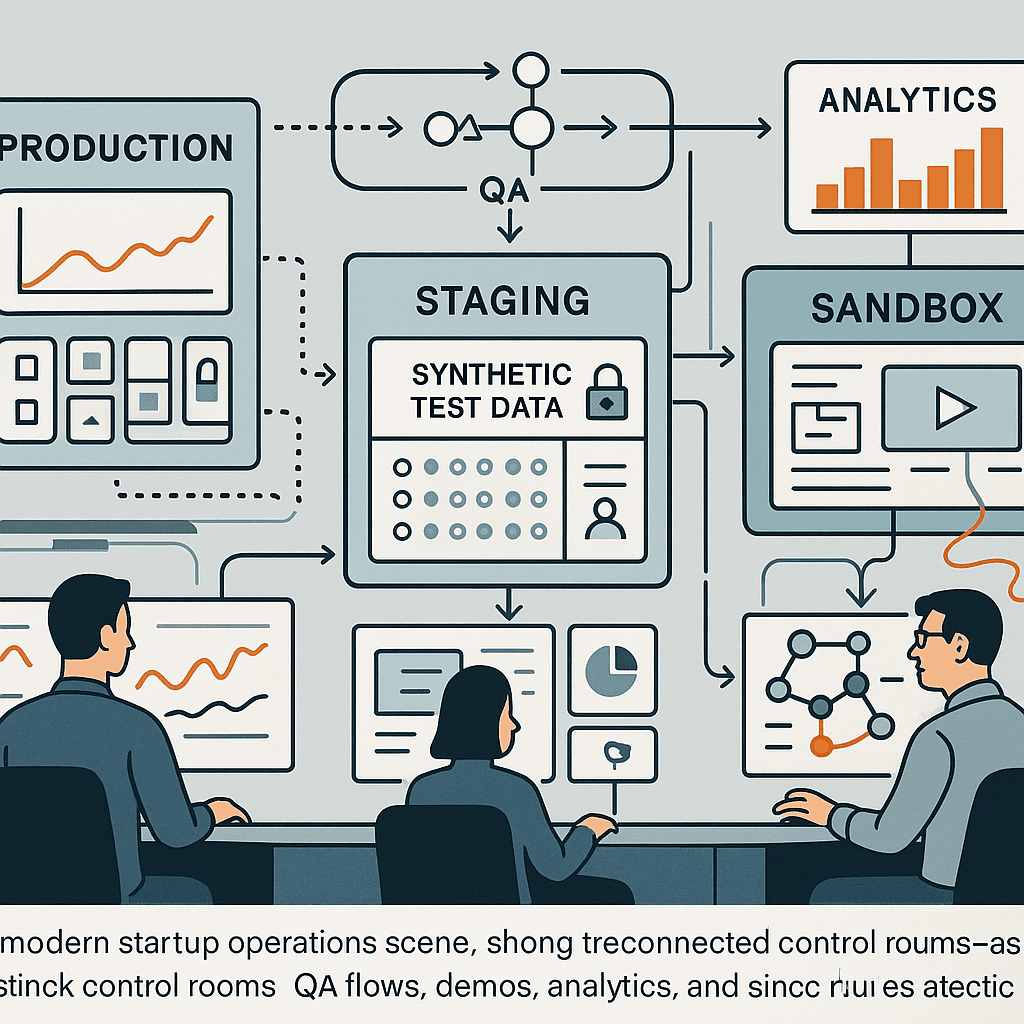
It shows up when startup teams treat staging, test data, internal sandboxes, and demo workspaces as miscellaneous leftovers instead of production-adjacent systems with real operational weight. Production gets care because customers touch it. Non-production gets scraps because it feels temporary. But the minute your team uses those systems for QA, onboarding, support reproduction, analytics validation, sales demos, model evaluation, or partner testing, they stop being side projects. They become part of your execution layer.
The hard truth: most startups do not have a staging problem. They have a trust problem created by environment drift.
The pattern: drift compounds faster than teams expect
At the beginning, everything feels manageable. There is one app, one database, a single “staging” deploy, and maybe a shared test Stripe account. A few scripts seed sample data. Someone on engineering knows how to reset things if they get messy.
Then the company adds a little complexity:
- Separate web and API deploys
- Background jobs
- Third-party integrations
- Feature flags
- Permissions or role-based access
- Billing states
- AI components like embeddings, prompt configs, or evaluation datasets
- Product analytics pipelines
- CRM, support, or outbound automation
- Mobile clients or browser extensions
- Enterprise features hidden behind special configuration
Now the environment problem is no longer “do we have staging?” It becomes:
- Which services are actually deployed there?
- Which integrations are connected and with what credentials?
- Which data is synthetic versus copied versus manually created?
- Which flags, plans, roles, and edge cases exist in non-production?
- Who is allowed to use each environment, and for what?
- How often is the data refreshed?
- What should never be copied from production?
- What’s the source of truth for test accounts and seeded scenarios?
- How do we ensure AI and analytics behave realistically without exposing sensitive data?
Most teams answer these questions informally. That is where corruption starts.
Not always database corruption. Operational corruption.
People start making assumptions that are no longer true:
- “If it works in staging, it should work in prod.”
- “This dashboard is just test data.”
- “That account is safe to use for demos.”
- “We can debug the issue in the sandbox.”
- “The prompt worked in eval.”
- “The integration is flaky.”
What’s actually happening is that each environment has diverged in quiet ways. Schema may be aligned, but workflows are not. Deploy cadence may match, but data states do not. UI may look similar, but the permissions model, queue behavior, webhooks, jobs, models, or indexes are stale.
A lot of standard startup advice makes this worse because it over-rotates to simplification.
Why standard advice fails
You will hear some version of the following:
- “Just use production-like staging.”
- “Seed your database.”
- “Don’t overbuild internal tooling.”
- “Use feature flags instead of multiple environments.”
- “Mask production data and refresh it occasionally.”
- “Keep staging as close to prod as possible.”
None of this is wrong. It’s just incomplete in ways that matter operationally.
1. “Keep staging close to prod” ignores purpose-specific usage
A single staging environment is usually asked to do too many jobs:
- Pre-release QA
- Customer support reproduction
- Sales demos
- Integration testing
- Internal training
- AI evaluation
- Analytics validation
- Partner testing
These jobs conflict.
QA wants fresh code and deterministic states. Sales wants polished, stable scenarios. Support wants customer-like reproduction. AI eval wants representative data distributions. Analytics validation wants clean event boundaries. If one shared staging environment serves all of them, it degrades into a lowest-common-denominator mess.
2. “Just seed data” ignores stateful complexity
Simple seed scripts work when your product is a CRUD app. They break down when workflows depend on:
- Time-based states
- Multi-step approvals
- Billing lifecycle transitions
- Permission inheritance
- Job queues and retries
- Search indexes and vector stores
- CRM ownership and sync status
- External callbacks and webhooks
- Rate limits and quota usage
- Human-entered narrative or file content
You do not need more seed rows. You need scenario design.
3. “Use masked production data” is often lazy and dangerous
Founders love this because it sounds practical: copy prod, scrub PII, done.
In reality:
- Masking is often incomplete
- Relationships still leak sensitive context
- Free-text fields are hard to sanitize
- File attachments are risky
- AI systems can expose hidden residuals in transformed data
- Users start trusting non-production systems with broader access than they should
Even if you avoid a security incident, you create a behavioral one: your team normalizes sloppy data handling.
4. “Feature flags solve it” confuses code paths with environment states
Feature flags help control rollout. They do not solve:
- Divergent datasets n- Broken sandbox credentials
- Stale indexes
- Analytics contamination
- Expired tokens
- Dead webhooks
- Missing edge-case accounts
- Internal users editing shared demo records
Flags are not an operating model.
5. “Don’t overinvest yet” ignores compounding trust debt
This is the most expensive bad advice. Teams postpone environment hygiene because it feels non-core. But every function starts routing around the problem in its own way:
- Sales creates private demo accounts in prod
- Support keeps spreadsheets of “good test users”
- PMs maintain hidden docs of feature toggles
- Engineers manually backfill states before QA
- Data teams hardcode filters for test traffic
- AI teams evaluate on curated samples that no longer reflect users
These workarounds are not lightweight. They are a distributed tax on execution.
A better approach: treat non-production systems as a product with explicit jobs
The fix is not “build a perfect staging platform.” Early-stage startups rarely need that.
The fix is to define jobs, environments, data classes, and ownership clearly enough that non-production systems remain trustworthy.
Here is the practical model.
Principle 1: Stop treating all non-production environments as one thing
You likely need at least three distinct categories, even if they share infrastructure patterns.
1. Release staging
Purpose: validate upcoming code and configuration before production.
Characteristics:
- Mirrors current release candidate
- Production-like infrastructure shape where possible
- Refreshes often
- Limited long-lived manual edits
- Strong deploy parity
- Minimal shared “demo magic”
This environment is for confidence, not storytelling.
2. Scenario sandbox
Purpose: stable, curated workflows for demos, onboarding, training, support runbooks, and product education.
Characteristics:
- Intentional seeded scenarios
- Slower-changing data
- Protected from random edits or at least resettable
- Clearly documented user journeys
- Representative but synthetic records
This environment is for repeatability, not release verification.
3. Isolated dev/test workspaces
Purpose: developer experimentation, integration debugging, prompt testing, agent workflows, and branch-specific chaos.
Characteristics:
- Disposable
- Low trust by default
- Narrow access
- Can be ugly
- Should not be used for company-wide QA or demos
This is where mess is allowed.
Most startups collapse all three into “staging.” That is the root design flaw.
Principle 2: Define data classes before choosing refresh strategy
The right question is not “should we copy production?” It is “what kinds of data do these workflows require?”
A useful lightweight taxonomy:
Class A: Fully synthetic scenario data
Use for:
- Demos
- Onboarding
- Internal training
- Documentation screenshots
- AI prompt examples
- Regression scenarios
Properties:
- Intentionally crafted
- Realistic shape, fake content
- Safe to share internally
- Stable identifiers where useful
Class B: Synthetic data generated from production patterns
Use for:
- QA coverage
- Load profiles
- Analytics validation
- AI eval datasets
- Search and ranking tests
Properties:
- Derived from aggregate production characteristics
- Preserves distributions, not records
- Can model realistic edge cases
- Safer than masked copies
Class C: Restricted, transformed production extracts
Use sparingly for:
- Specific bug reproduction
- Data migration testing
- Rare enterprise edge cases
Properties:
- Time-bound
- Access-controlled
- Sanitized beyond superficial masking
- Approved explicitly
- Deleted after use
The main operating rule: default to A or B. Require process for C.
Principle 3: Environment usefulness matters more than superficial parity
Founders often obsess over making staging look like production while ignoring whether it supports the workflows the team actually needs.
Ask:
- Can QA test the top 20 failure-prone scenarios in under 30 minutes?
- Can a sales engineer run a polished demo without manual cleanup?
- Can support reproduce account states without touching live customer data?
- Can analytics verify event integrity without filtering ten kinds of junk?
- Can AI workflows be evaluated on realistic, current examples?
If not, your environment strategy is failing even if the infra diagram looks elegant.
The operating model: lightweight ownership without bureaucracy
You do not need an “environment team.” You do need explicit ownership.
A simple model that works for early-stage startups:
1. Assign a Directly Responsible Owner for each environment category
Not a committee. A named person.
Example:
- Release staging owner: engineering manager or senior IC on platform/application
- Scenario sandbox owner: product ops, solutions engineer, or PM with engineering partner
- Synthetic data owner: data/infra-minded engineer or analytics lead
- Access control owner: engineering/security/IT depending on size
This does not mean they do all the work. It means drift has somewhere to go.
2. Create one source-of-truth doc with five sections
Keep it short. One page is enough if done well.
For each environment, document:
- Purpose
- Allowed uses
- Data type allowed
- Refresh/reset cadence
- Owner
Optional but useful:
- Integrated services list
- Known limitations
- Canonical test accounts/scenarios
- “Do not use this for…” warnings
3. Set service-level expectations, not perfect guarantees
Example:
- Release staging: deploy parity within 1 version; resettable daily; critical integrations checked weekly
- Scenario sandbox: curated flows validated every Monday; full reset monthly; sales-critical accounts protected
- Dev sandboxes: no reliability guarantee; auto-delete after 14 days
This language matters. It resets expectations. Not every environment deserves the same reliability.
Implementation details that actually work
Now the practical part: how to run this without turning it into a side company.
1. Build scenario packs, not giant seed scripts
A scenario pack is a reproducible bundle of states needed for a job.
Examples:
- New workspace onboarding with admin + member + pending invite
- Usage-based billing account at 80% quota
- Failed payment with retry banner
- Enterprise account with SSO enabled but incomplete mapping
- Project with stale documents and broken sync alert
- AI assistant workspace with mixed-quality source files and expected answer set
- Support reproduction case for permission mismatch across parent/child entities
Each scenario pack should define:
- Entities created
- Relevant roles/permissions
- Time/state assumptions
- External integration stubs or sandbox config
- Expected UI or API behaviors
- Reset instructions
Why this is better than generic seeds:
- Easier to maintain against real workflows
- Clearer for QA and GTM teams
- Better for regression testing
- More reusable for demos and onboarding
2. Use synthetic data generation tied to production metrics, not one-off fake data
A lot of startup test data is cartoonishly unrealistic. Every company is named Acme, every user signs up on the hour, every project has 3 items, every support ticket is cleanly structured. That kills QA and AI quality.
Instead, derive synthetic generation rules from production patterns:
- Account size distribution
- Event frequency ranges
- Common permission combinations
- Typical document lengths
- Error frequency and retry patterns
- Time-to-completion distributions
- Most common workflow branches
- Long-tail edge cases by customer segment
You do not need full synthetic data science sophistication. Even lightweight heuristics help.
Example workflow:
- Query production aggregates only
- Extract distributions and category frequencies
- Generate synthetic records to match shapes
- Inject representative outliers intentionally
- Validate scenario usefulness with QA/support/product
For AI workflows, also preserve:
- Realistic ambiguity
- Messy user phrasing
- Incomplete source context
- Contradictory documents
- File/type diversity
If your AI eval data is too clean, you are grading yourself on fan fiction.
3. Separate shared demo/training accounts from mutable QA accounts
One of the most common startup mistakes is putting everyone into the same “test company.” It becomes unusable within days.
Use at least two classes of accounts/workspaces inside non-production:
Curated accounts
Used for:
- Sales demos
- Investor demos
- New hire onboarding
- Documentation
Controls:
- Restricted edits
- Easy reset
- Named scenarios
- Stable UI state
Mutable accounts
Used for:
- Exploratory QA
- PM validation
- Integration tests
- Engineering debugging
Controls:
- Open editing
- Frequent reset or expiration
- No promise of stability
This alone removes a huge amount of noise.
4. Put refresh rules in calendar terms, not aspiration terms
“Refresh as needed” means never.
A better lightweight schedule:
- Release staging database reseed nightly
- Integration credential check every Monday
- Scenario sandbox reset on the first business day of the month
- Search/vector index rebuild after every major content schema change
- Analytics schema verification after each release touching instrumentation
- AI eval dataset review every two weeks
- Dev sandbox auto-expiry after 7–14 days
You are not optimizing for elegance. You are optimizing for drift containment.
5. Add visible environment labeling everywhere
Many trust failures come from simple confusion.
Label clearly in:
- App header/footer
- Email templates
- Slack notifications
- Exported files
- Analytics event properties
- API responses where appropriate
- Admin panels
Use unmistakable markers:
- ENV: STAGING
- SYNTHETIC DATA ONLY
- SANDBOX ACCOUNT
- NOT CUSTOMER DATA
This reduces accidental misuse and helps downstream filtering.
6. Control who can access what, especially when using transformed production extracts
Access controls in non-production are usually too loose because “it’s just internal.” That is backwards. Internal sloppiness creates external risk.
Minimum rules:
- SSO required for all shared non-production systems
- Group-based access by job function
- Temporary access for restricted data environments
- Audit logs for admin actions in shared sandboxes
- Separate credentials and secrets per environment
- No shared superadmin accounts
- Auto-expiry for one-off reproduction environments
If you use transformed production extracts, add:
- Explicit approval owner
- Defined retention window
- Prohibited export/download paths where feasible
- Tracking of who accessed the dataset
You do not need enterprise theater. You need basic containment.
7. Keep third-party sandbox integrations honest
A huge percentage of environment drift comes from external systems:
- Stripe test mode differs from production setup
- CRM sandboxes miss workflows or field mappings
- OAuth apps use stale redirect URLs
- Webhook endpoints point to old hosts
- Email providers suppress or rewrite behavior
- Search, file, or vector services use different indexes/models
- AI providers differ by model version, rate limits, or tool availability
Maintain a simple integration checklist per environment:
- Credential valid?
- Endpoint correct?
- Required webhooks present?
- Feature parity limitations known?
- Test fixture accounts available?
- Last successful end-to-end check date?
For critical flows, assign a weekly owner check that takes 10–15 minutes. It is cheap insurance.
Tooling comparisons: what to use at different stages
There is no universal stack, but here is a practical view.
Option 1: Manual scripts + shared docs
Best for:
- Very early-stage teams
- One product surface
- Low compliance pressure
What it looks like:
- SQL/seed scripts
- Basic reset scripts
- Notion doc for accounts and scenarios
- Simple cron jobs
Pros:
- Fastest to start
- Cheap
- Flexible
Cons:
- Drifts quickly
- Tribal knowledge accumulates
- Hard to scale across teams
Cost/time:
- Setup: 1–3 days
- Ongoing: 1–3 hours/week if disciplined, much worse if not
Option 2: Infrastructure-managed environments + scripted scenario packs
Best for:
- Teams with 5–25 people
- Multiple workflows using non-production systems
- Need for repeatability without huge platform work
What it looks like:
- Managed staging deploys via CI/CD
- Seed/scenario pack scripts or fixtures
- Scheduled resets
- Access groups via SSO
- Basic environment health checklist
Pros:
- Good reliability-to-effort ratio
- Scales across engineering, product, support, and sales
- Prevents most drift classes
Cons:
- Requires owner discipline
- Needs some scripting maturity
- Can still become messy if purpose boundaries are unclear
Cost/time:
- Setup: 1–3 weeks
- Ongoing: 2–4 hours/week across owners
This is the sweet spot for most startups.
Option 3: Ephemeral preview environments + dedicated scenario sandbox
Best for:
- Teams shipping frequently
- Strong CI/CD habits
- Need branch-level validation
What it looks like:
- Per-branch previews for app/API
- Disposable test data
- Separate long-lived scenario sandbox for demos/training
- Automated teardown
Pros:
- Great for engineering iteration
- Reduces contention in shared staging
- Cleaner separation between validation and storytelling
Cons:
- Doesn’t solve data realism by itself
- Can get expensive with many services
- Integration testing may still require shared systems
Cost/time:
- Setup: 2–6 weeks depending on architecture
- Ongoing: moderate infra cost; low manual cleanup if automated
Option 4: Production-clone heavy model with masking/transformation platform
Best for:
- Later-stage startups with compliance and complex enterprise workflows
- Teams needing high-fidelity reproduction under strict controls
Pros:
- Best for rare production-only bug reproduction
- High realism when done correctly
Cons:
- Expensive
- Easy to do dangerously
- Overkill for many early-stage companies
Cost/time:
- Setup: 4–12+ weeks
- Ongoing: meaningful security/governance overhead
Most seed-stage and Series A companies should avoid making this their default strategy.
A weekly workflow example that keeps things sane
Here is a lightweight operating cadence for a startup with 12 people across engineering, product, support, and sales.
Monday
- Scenario sandbox owner validates top 5 demo/onboarding flows
- Engineering owner checks release staging deploy parity and integration checklist
- Data/AI owner reviews synthetic eval dataset freshness and analytics environment labels
Time: 30–45 minutes total
During the week
- Engineers use dev sandboxes or previews for branch testing
- QA uses release staging plus mutable test accounts
- Sales uses curated sandbox accounts only
- Support requests restricted reproduction environment only for edge cases that cannot be simulated synthetically
Before release
- Release staging reset/reseed
- Run scenario pack regression for top workflows
- Validate analytics events changed in release
- Rebuild any dependent indexes or AI retrieval resources if schema/content changed
Time: 30–90 minutes depending on release scope
End of month
- Full scenario sandbox reset
- Remove stale users/accounts/workspaces
- Rotate sandbox credentials where needed
- Audit restricted extract usage
- Retire scenarios nobody uses
Time: 1–2 hours
That is not a lot. The key is consistency.
Cost of doing nothing
Founders tend to underestimate this because the costs are distributed.
Here is what Sandbox Sync debt usually costs in practice:
1. Slower releases
If QA is testing on stale or unrealistic data, issues are found late or missed entirely. Engineers spend time debating whether a bug is real, environmental, or user-specific.
Typical cost:
- 1–3 extra hours per release across team
- More if integrations or AI behavior are involved
2. Bad demos and lower conversion confidence
A broken or awkward demo does not always kill a deal, but it damages trust. Especially for early startups, trust is part of the product.
Typical cost:
- Lower close rates on marginal deals
- Founder and sales time spent rehearsing around fragility
3. Polluted analytics
If test traffic and synthetic scenarios leak into reporting, teams either make bad decisions or spend time building brittle filters.
Typical cost:
- Weekly analyst/PM cleanup
- Delayed confidence in experiments and funnel metrics
4. Support inefficiency
Without reliable reproduction scenarios, support escalations bounce between teams.
Typical cost:
- Longer time to resolution
- Engineering interruptions
- More customer back-and-forth
5. AI underperformance masked by fake confidence
This one is increasingly important. Teams evaluate prompts, agents, or retrieval systems in sandboxes with neat data and stable assumptions. Production then introduces ambiguity, missing context, malformed content, and edge-case volume.
Typical cost:
- False positives in evals
- Poor launch quality
- Rework on prompts, chunking, routing, or tool selection after release
6. Security and trust risk
Loose non-production data handling often becomes the place sensitive information quietly leaks or is overexposed internally.
Typical cost:
- Incident risk
- Customer concern during diligence
- Painful cleanup if enterprise buyers ask hard questions
The pattern is clear: the organization starts paying a reliability tax on every function.
A 30-day tactical playbook
If your current setup is messy, do this in order.
Days 1–3: Inventory and classify
List every non-production environment and shared workspace.
For each one, answer:
- Who uses it?
- For what jobs?
- What data is in it?
- When was it last reset or refreshed?
- Which integrations matter?
- Who owns it?
Then classify each as:
- Release staging
- Scenario sandbox
- Dev/test workspace
- Restricted reproduction environment
This step alone usually reveals the chaos.
Days 4–7: Pick owners and cut misuse
Assign named owners.
Then stop the worst behaviors immediately:
- No sales demos in mutable QA accounts
- No shared use of random dev sandboxes
- No unrestricted production copies
- No unlabeled test traffic into analytics without environment tags
These are policy changes, not engineering projects.
Week 2: Define scenario packs and canonical accounts
Pick the top 10 workflows your company relies on most.
Usually these include:
- Signup and onboarding
- Core product success path
- Billing edge case
- Permission/admin flow
- Integration setup
- Common failure recovery path
- AI-assisted workflow
- Enterprise configuration path
- Support reproduction case
- Demo wow moment
Create scenario packs and assign canonical accounts/workspaces for them.
Week 3: Add reset rules, labels, and access controls
Implement:
- App-level environment labeling
- Scheduled reseeds/resets
- Separate curated vs mutable accounts
- Group-based environment access
- Integration checklist doc
Do not wait for perfection. Visible order beats hidden chaos.
Week 4: Clean analytics and AI evaluation paths
Ensure:
- Every event carries environment metadata
- Synthetic/demo traffic is identifiable
- AI eval datasets are intentionally managed, not copied ad hoc
- Retrieval indexes and prompt configs are versioned per environment
- Non-production outputs cannot be confused with customer-facing production behavior
This is where many modern teams are currently weakest.
The real takeaway
The Sandbox Sync problem is not about whether your startup has staging. It is about whether your team can trust the non-production systems it depends on every day.
When staging, test data, and internal sandboxes drift from production, the damage is subtle but broad: broken QA, shaky demos, noisy analytics, weak onboarding, slower support, and AI systems that look good in rehearsal and fail in public.
The answer is not to chase perfect parity or build heavyweight platform bureaucracy.
The answer is to make non-production systems intentional:
- Separate environments by job
- Default to synthetic data designed for real workflows
- Use restricted production extracts rarely and deliberately
- Build scenario packs, not generic seed dumps
- Assign owners
- Set refresh rules in calendar terms
- Label environments visibly
- Control access
- Keep integrations and AI resources in sync on purpose
If you do this well, your startup gets something more valuable than a cleaner staging environment.
You get faster execution because fewer teams are guessing.
You get better trust because demos, onboarding, QA, and support behave predictably.
And you avoid the kind of operational debt that feels harmless at 8 people and becomes a drag on every decision at 25.
Founder to founder: this is one of those unglamorous systems problems that signals whether a company is learning how to operate.
If your team uses non-production systems for anything important, they are important. Treat them that way.