
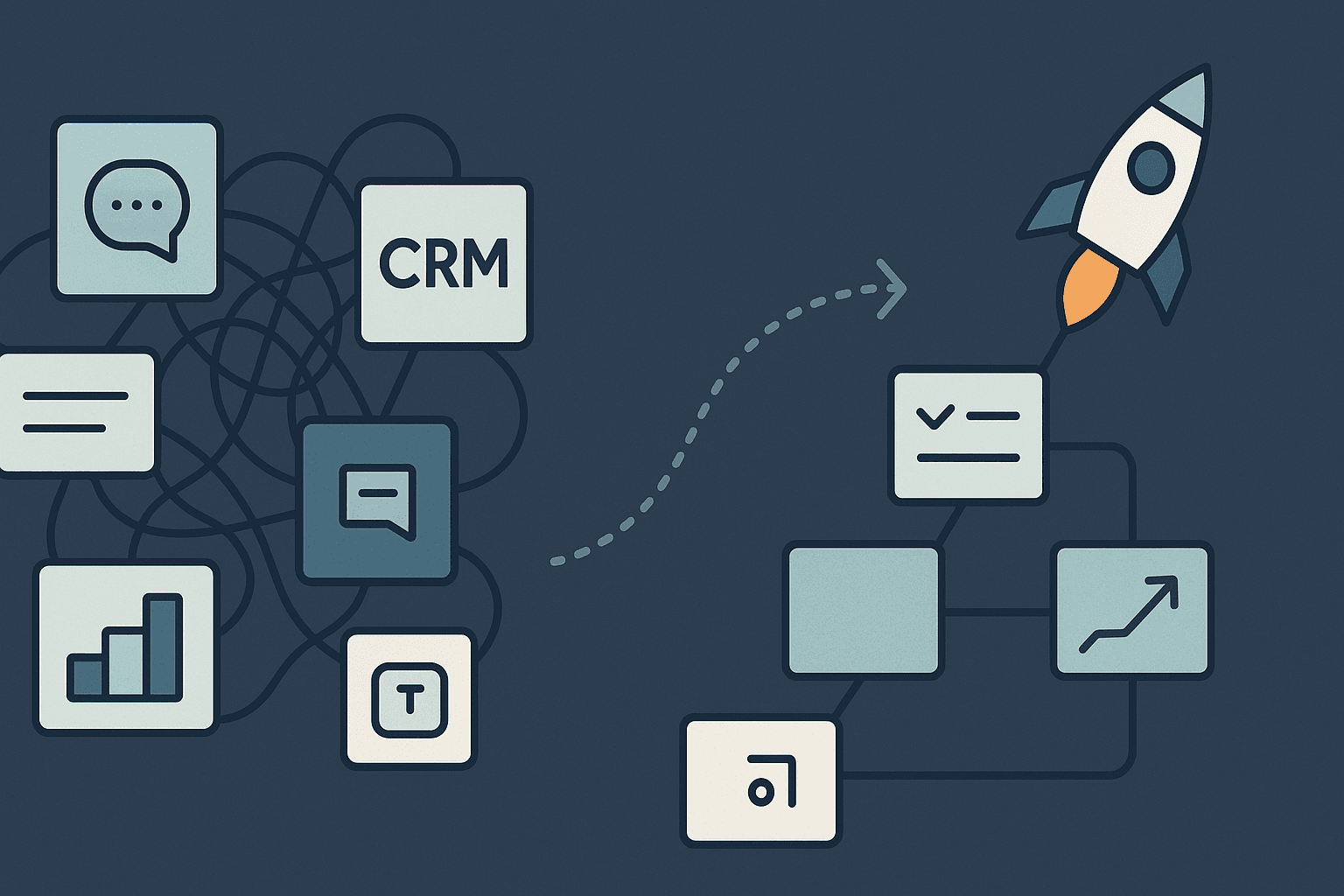
The hidden tax of tool sprawl
Most startups don’t die from lack of tools, they die from the side effects of having too many.
Tool sprawl rarely feels like a crisis in the moment. It starts as a series of reasonable decisions:
- “We just need something quick for support.”
- “This analytics tool is faster to set up than the platform one.”
- “Let’s buy this product-led growth widget for a month.”
- “Engineering likes Linear, Marketing lives in Asana.”
In a year, you have:
- Multiple sources of truth
- Conflicting definitions (e.g., what counts as an “active user”)
- Repeated data entry
- Shadow workflows that only one person understands
- A budget full of SaaS line items no one owns
This is not just “waste.” It’s operational debt: and it compounds.
What tool sprawl actually costs you
Tool sprawl creates three categories of cost:
- Direct spend: subscriptions, seats, usage-based fees.
- Indirect spend: admin time, onboarding, training, contract negotiation, compliance review.
- Execution drag: context switching, duplicated work, delayed decisions, broken handoffs.
Execution drag is the killer because it’s invisible. You feel it as:
- “Why is it so hard to get a simple answer?”
- “We keep re-litigating the same decision.”
- “Why did support promise something engineering can’t find?”
There’s good research showing how expensive switching and fragmentation can be. For example, the American Psychological Association has documented the productivity cost of task switching and interruptions (often summarized as “switching costs”). While estimates vary, the underlying point is consistent: fragmented systems create fragmented attention. (APA: Multitasking: Switching costs).
Meanwhile, SaaS spend itself has exploded across industries, and many orgs underestimate how much is unused or redundant, this is a common theme in SaaS management reports from vendors like Zylo, Productiv, Torii, BetterCloud, and others (useful even if you don’t buy their products).
Why startups are especially vulnerable
Enterprises have bureaucracy. Startups have speed. Tool sprawl often looks like speed:
- A team ships faster by choosing its own tools.
- A leader closes a gap by buying a niche product.
- A contractor brings their preferred stack.
But startups also have:
- Less operational rigor
- Fewer admins
- Less security/compliance depth
- Higher turnover risk (knowledge walks out the door)
So fragmentation hits harder.
The trap: “Consolidation slows us down”
Founders often avoid consolidation because they picture months of migration pain and morale loss.
That happens when consolidation is treated as a cost-cutting project.
Done correctly, consolidation is a speed project:
- Reduce handoff friction
- Reduce duplicate work
- Reduce time-to-answer
- Improve onboarding
- Stabilize systems
The key is to consolidate around workflows, not software categories.
The principle: standardize the workflow, not the preference
Preferences are personal (“I like Notion”). Workflows are organizational (“This is how we ship a feature”).
You can tolerate preference variance early. You can’t tolerate workflow variance forever.
Here are the workflows that, if fragmented, tend to create the most drag:
- Roadmap → tickets → delivery (product + engineering)
- Bugs → triage → incident response (engineering + support)
- Lead → pipeline → close → handoff (sales + success)
- Customer feedback → prioritization → release comms (product + marketing)
- Knowledge → onboarding → decision logs (everyone)
A consolidation initiative that doesn’t start by mapping workflows will turn into “tool wars.”
A practical consolidation playbook (without losing speed)
This playbook is designed for founders and technical leaders in B2B startups (but applies broadly). The goal is not maximal consolidation. The goal is minimum viable stack: the smallest set of tools that supports your workflows well.
Phase 0: Set guardrails (so you don’t create new sprawl)
Before auditing, stop the bleeding.
Add lightweight purchasing and tool-intake rules:
- Every tool must have an owner (a person, not a team).
- Every tool must have a sunset review date (e.g., 90 days).
- Every tool must have a documented workflow it supports.
- No new tool replaces a workflow unless it is paired with a migration plan.
- Centralize billing (one card/account) to make spend visible.
This mirrors principles from IT service management and governance, but kept startup-light. Even a simple intake form in your existing ticketing system works.
Phase 1: Inventory your stack (in one week)
You can’t consolidate what you can’t see.
Data sources for inventory:
- Finance: credit card statements, invoices, AP records
- Identity: Google Workspace / Microsoft Entra ID (Azure AD) app catalog, SSO logs
- Browser extensions and OAuth grants (often overlooked)
- Engineering: cloud marketplace subscriptions (AWS/GCP/Azure)
- Department heads: “What would break if this disappeared?”
Create a spreadsheet with these columns:
- Tool name
- Category (rough)
- Primary workflow supported
- Departments using it
-
of active users (not seats)
- Monthly cost (and pricing model)
- Data sensitivity (low/med/high)
- Integrations (what does it connect to?)
- Contract renewal date
- Owner
- Alternatives already in stack
If you do nothing else, do this. You’ll immediately find duplicates and “zombie spend.”
Phase 2: Map workflows and systems of record
Now the important part: decide what your systems of record are.
A system of record is where truth lives, not where it’s copied.
Typical systems of record in startups:
- Customer/account data: CRM (e.g., Salesforce, HubSpot)
- Product usage events: data warehouse + event pipeline (or analytics platform)
- Work tracking: ticketing/project system (Jira/Linear/Shortcut)
- Knowledge: docs/wiki (Confluence/Notion/Google Drive)
- Support interactions: helpdesk (Zendesk/Intercom/Help Scout)
- Source code: Git provider (GitHub/GitLab)
Your goal is to reduce the number of systems of record. Multiple sources of truth create reconciliation work and decision delays.
Tip: it’s okay to have specialized tools, but they should feed or read from the system of record rather than creating a parallel one.
Phase 3: Use a consolidation scorecard (so decisions aren’t political)
Consolidation gets messy when decisions are based on vibes.
Use a scorecard. It makes tradeoffs explicit.
Consolidation Scorecard (copy/paste)
Score each tool (or each candidate platform) from 1–5 on each dimension. Weight based on your stage.
| Dimension | What it means | Suggested weight |
|---|---|---|
| Workflow fit | Supports your actual process end-to-end | 3 |
| Adoption & satisfaction | People actually use it; low friction | 2 |
| Time-to-value | How quickly new hires can be productive | 2 |
| Integration depth | APIs, webhooks, native integrations | 2 |
| Data model & exportability | Can you get data out cleanly? | 3 |
| Security & compliance | SSO, audit logs, SOC2/ISO needs | 2 (higher if enterprise) |
| Admin overhead | Permissions, config complexity | 2 |
| Total cost | Direct + indirect | 2 |
| Vendor risk | Longevity, roadmap, support quality | 1 |
| Flexibility | Custom fields, workflows, automation | 2 |
Then add two forced-choice questions:
- If we removed this tool next month, what breaks?
- If we keep this tool for 24 months, what breaks?
The second question is where most teams get honest.
Phase 4: Identify the “Big Four” consolidation opportunities
Most startups find the biggest wins in these zones:
1) Project management + docs fragmentation
Common scenario:
- Engineering uses Linear/Jira
- Product specs live in Notion
- Decisions in Slack
- Roadmap in slides
- Postmortems in Google Docs
Result: no durable record.
Consolidation move: pick one “work hub” where work objects connect (issue ↔ spec ↔ decision). This might be Jira+Confluence, Linear+Notion, or GitHub Issues+Discussions+Projects depending on your culture.
The winning stack is the one that makes it easy to answer:
- What are we building?
- Why?
- Who decided?
- When did it ship?
- What did it impact?
2) Customer communication sprawl
Common scenario:
- Support in Intercom
- Sales emails in Gmail + sequences in Apollo/Outreach
- Success in Slack Connect
- Feedback in Canny
Result: customers get inconsistent responses, and context is missing.
Consolidation move: define a canonical location for customer context (usually CRM + helpdesk). Everything else should sync in.
3) Analytics tool overlap
Common scenario:
- Product analytics in Amplitude/Mixpanel
- Marketing analytics in GA4
- BI in Looker/Metabase
- Data in spreadsheets
Overlap is normal. The problem is inconsistent definitions.
Consolidation move: standardize metrics definitions and route core events into a warehouse (or at least one canonical pipeline). Tools can sit on top, but definitions must be shared.
References worth reviewing for analytics governance and metrics consistency include:
- Google’s documentation on GA4 event models
- Amplitude/Mixpanel docs on event tracking plans
- Best practices from dbt Labs on analytics engineering and semantic layers (dbt semantic layer concepts)
4) Identity, permissions, and access sprawl
This one is less visible until it’s painful.
If you have 50 tools and no consistent offboarding, you have a security problem.
Consolidation move: use SSO wherever possible and standardize provisioning/deprovisioning (SCIM if available). Even early-stage startups benefit from central identity hygiene.
Guidance from NIST on access control and identity management is a useful reference point even if you’re not aiming for formal compliance yet (NIST SP 800-series, especially around access control).
How to consolidate without slowing shipping
Consolidation fails when it becomes a “stop-the-world migration.”
Instead, treat it like product work: incremental, measured, reversible.
Step 1: Choose consolidation targets by ROI and disruption
Plot candidates on a 2x2:
- Savings/impact (high vs low)
- Migration risk (high vs low)
Start with high savings + low risk. Typical quick wins:
- Kill unused seats
- Remove duplicate meeting/recording tools
- Consolidate forms/surveys
- Standardize e-signature
- Retire redundant internal wikis
Then tackle high impact + higher risk (e.g., helpdesk, CRM, project system) with more care.
Step 2: Define “non-negotiable workflows” (and protect them)
Before touching tools, write down what must not break.
Examples:
- Support must respond to P1 within X minutes.
- Engineering must deploy at least N times/week.
- Sales must not lose pipeline history.
- Finance must maintain audit trails for revenue.
These become your migration acceptance criteria.
Step 3: Run a dual-write period (when data matters)
For systems of record migrations (CRM/helpdesk/analytics), consider a dual-write or sync window:
- New records get created in the new system
- Old system remains readable
- Critical updates sync both ways (if feasible)
This is common in database migrations for a reason: it reduces cutover risk.
Step 4: Migrate workflows, not just data
Most migrations focus on data export/import.
But the real loss is workflow:
- Automations
- Routing rules n- Permissions
- Templates
- Naming conventions
- Notifications
- Dashboards
Create a migration checklist that includes workflow parity.
Step 5: Make the new way the default
Tool sprawl persists when the “old way” remains easy.
After cutover:
- Remove bookmarks from onboarding docs
- Disable new object creation in old systems
- Archive old Slack channels that point to old tools
- Update templates
- Update SOPs and onboarding
If people can keep using the old system, they will.
Step 6: Train with role-based playbooks, not generic demos
Most training fails because it’s feature tours.
Instead, write short role playbooks:
- “As a PM, here’s how to write a spec and link it to delivery.”
- “As support, here’s how to escalate to engineering.”
- “As sales, here’s how to log activity and hand off to CS.”
Training should be about your workflows, not the vendor UI.
Standardization patterns that work (and ones that don’t)
What works: “Golden paths” + controlled flexibility
A golden path is the recommended default workflow.
Examples:
- All customer-facing bugs follow one intake template.
- All roadmap items require an RFC or PRD with specific fields.
- All analytics events follow a tracking plan naming convention.
Allow exceptions, but make them explicit.
This is the same principle used in internal developer platforms: paved roads, not walls.
What doesn’t: forcing one tool to do everything
Consolidation isn’t “replace best-in-class with suite” by default.
Suites can be great (Microsoft, Google, Atlassian, HubSpot). They reduce integration overhead and vendor count.
But suites can also:
- Underperform in specialized areas
- Lock you into weak workflows
- Create painful pricing escalations later
A rational approach:
- Consolidate where switching cost is low and overlap is high.
- Keep best-in-class where it’s mission-critical and clearly differentiated.
A founder-friendly decision framework: suite vs best-of-breed
Here’s a practical framework.
Go suite-heavy when:
- You need strong admin/security controls quickly (SSO, audit logs, centralized permissions)
- You’re selling to larger customers who care about compliance posture
- You have lots of cross-functional workflows (support ↔ product ↔ eng ↔ success)
- Your team is small and you can’t afford tool admins
Examples:
- HubSpot as a unified CRM/marketing/success hub for early GTM teams
- Atlassian (Jira + Confluence) for orgs that want tight engineering/project governance
Go best-of-breed when:
- A workflow is a competitive advantage (e.g., dev speed, unique data science)
- Your team has strong ops/enablement capacity
- You’re already committed to a robust integration layer (warehouse, iPaaS, internal tooling)
Examples:
- Modern data stack setups with warehouse + dbt + specialized analytics/activation tools
- Engineering orgs standardizing on GitHub for source, actions, issues, and security features
The goal is not ideology. It’s reduced fragmentation.
A concrete 30-60-90 day plan
Days 0–30: Visibility and quick wins
- Build the inventory and assign owners
- Kill unused seats and redundant tools with low dependency
- Standardize procurement: intake form + renewal calendar
- Define systems of record for customer, work, knowledge, analytics
- Establish naming conventions (projects, tickets, customers, environments)
Deliverables:
- Stack inventory spreadsheet
- Tool owner list
- Renewal calendar
- “Systems of record” one-pager
Days 31–60: Workflow consolidation
- Choose 1–2 core domains to consolidate (commonly: work tracking/docs and customer comms)
- Create golden-path workflows and templates
- Update onboarding and SOPs
- Start migration for one high-ROI tool cluster
Deliverables:
- New workflow playbooks
- Templates (PRD/RFC, bug report, escalation, postmortem)
- Training sessions recorded
Days 61–90: Migration and enforcement
- Complete the migration
- Lock old systems to read-only
- Remove old integrations and automations
- Monitor KPIs (see next section)
- Add quarterly tool review
Deliverables:
- Migration report (what moved, what didn’t, why)
- Access review and deprovisioning sanity check
- QBR-style “stack health” dashboard
How to measure success (so you don’t optimize only for cost)
Consolidation that only measures spend often backfires.
Track both efficiency and throughput.
Suggested metrics
Execution speed
- Deployment frequency (DORA metrics)
- Lead time for changes (DORA)
- Cycle time from spec → shipped
(DORA metrics are widely referenced in the DevOps Research and Assessment work; see Google Cloud’s DORA research summaries.)
Operational clarity
- Time to answer key questions (e.g., “What’s the status of X?”)
- Onboarding time to first meaningful contribution
- % of work items linked to a spec/decision
Customer experience
- First response time and resolution time (support)
- Escalation rate and re-open rate
Stack health
- Total tools with active users
- Tools without owners (should be zero)
- Tools without SSO (as a % of sensitive tools)
- Duplicate category count (e.g., 3+ PM tools)
Migration steps (detailed, repeatable)
Use this migration recipe for each consolidation initiative.
1) Define the target state
- What is the new system of record?
- Which workflows must be supported on day 1?
- What integrations are required?
Write it down. If it’s not written, you’ll discover mismatched expectations at cutover.
2) Clean before you move
Migrations are a chance to delete junk:
- Archive dead projects
- Remove old tags and statuses
- Normalize fields
- Deduplicate customers/accounts
Bad data moved faithfully becomes bad data forever.
3) Build mapping tables
You need explicit mappings:
- statuses old → new
- custom fields old → new
- owners/assignees old → new
- tags/labels old → new n- permissions groups old → new
4) Pilot with a real team
Choose a team that:
- Feels the pain most
- Is capable and cooperative
- Has enough complexity to reveal edge cases
Run 2–4 weeks. Fix workflow gaps before broad rollout.
5) Cut over with a freeze window
For critical systems:
- Announce freeze window
- Export final delta
- Import to new
- Validate
- Switch integrations
Aim for the smallest possible freeze window.
6) Verify with acceptance tests
Create a checklist aligned to “non-negotiable workflows.”
Examples:
- Can support escalate to engineering in < 2 minutes?
- Do sales emails log correctly?
- Can we generate the same weekly KPI report?
7) Decommission responsibly
- Make old system read-only for a defined period
- Export a final archive
- Remove OAuth tokens and API keys
- Cancel contract at renewal (or earlier if possible)
- Update security inventory
Common consolidation pitfalls (and how to avoid them)
Pitfall 1: “We consolidated tools but not behavior”
If teams keep using Slack as the decision log, you still don’t have a decision log.
Fix: add lightweight process rules:
- Decisions require a recorded artifact (doc or ticket comment) linked from Slack.
Pitfall 2: “We picked the tool leadership likes”
Leadership preference doesn’t predict adoption.
Fix: require a pilot and adoption metrics.
Pitfall 3: “We saved money and lost visibility”
Cutting analytics tooling without a measurement plan can make you blind.
Fix: protect instrumentation, definitions, and dashboards as first-class assets.
Pitfall 4: “We kept best-of-breed but forgot integration cost”
Best-of-breed stacks often die from glue code and brittle zaps.
Fix: track integration ownership and failure modes. If an integration has no owner, it will silently rot.
A pragmatic end state: the minimum viable stack
A healthy startup stack isn’t tiny; it’s intentional.
A good end state looks like:
- 1–2 work management surfaces (not 4)
- 1 knowledge system with clear rules (what goes where)
- 1 customer system of record (CRM + helpdesk, tightly integrated)
- 1 analytics backbone with agreed definitions
- Central identity and offboarding
- A small number of specialized tools with explicit ROI
Most importantly:
- Every tool has an owner
- Every tool supports a workflow
- Every workflow has a default path
Closing: consolidate to move faster, not just cheaper
Tool sprawl isn’t a moral failing, it’s a natural outcome of speed, autonomy, and modern SaaS abundance.
But once you’re past the earliest stage, tool sprawl becomes a drag multiplier. Teams lose time to coordination, not execution. Leaders lose confidence in data. Customers get inconsistent experiences.
Consolidation done well is one of the highest-leverage operational projects a startup can run because it improves:
- shipping speed
- clarity of execution
- onboarding
- security posture
- and yes, burn
Use the playbook:
- Stop the bleeding with ownership and review dates.
- Inventory ruthlessly.
- Consolidate around workflows and systems of record.
- Use a scorecard to make tradeoffs explicit.
- Migrate incrementally with pilots, dual-write when needed, and enforcement.
If you do it right, your team won’t feel like they “lost tools.” They’ll feel like they got their time back.
References (selected)
- American Psychological Association (APA), research summaries on multitasking and switching costs
- Google Cloud: DORA/DevOps Research and Assessment metrics and research summaries
- NIST publications (SP 800-series) on access control and security principles
- GA4 documentation on event models and measurement
- Amplitude/Mixpanel documentation on tracking plans and event governance
- dbt Labs resources on analytics engineering and semantic layer concepts
- SaaS management industry reports and benchmarks (Zylo, Productiv, Torii, BetterCloud) for spend visibility and utilization patterns