
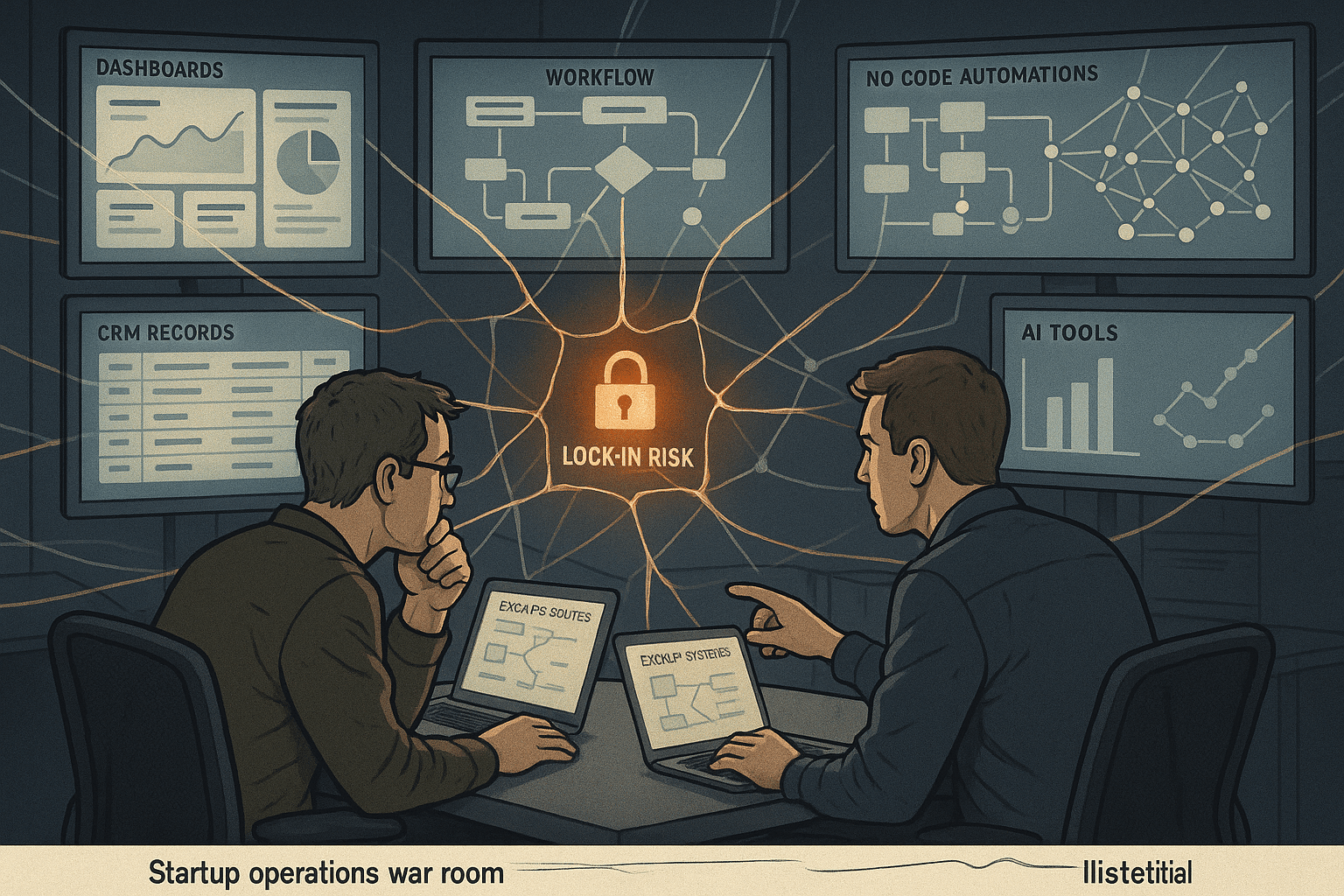
A founder I know had what looked like a modern, efficient operating stack.
Sales lived in HubSpot. Customer onboarding ran through Airtable and Zapier. Support was in Intercom. Billing logic sat inside Stripe with a handful of custom rules. Internal approvals happened in Notion. A lightweight AI layer summarized calls, drafted follow-ups, classified support tickets, and pushed structured data back into half a dozen systems.
It looked clean from the outside. The team moved fast. They had launched all of it in less than nine months without hiring a large engineering team. That speed mattered. They closed deals faster, automated handoffs, and kept headcount lean.
Then three things happened in the same quarter.
First, their CRM pricing changed right as seat count expanded. Second, an enterprise prospect asked for a detailed explanation of where customer data flowed, who could change scoring logic, how lead routing decisions were made, and what would happen if one vendor failed. Third, a senior ops hire tried to unwind part of the stack and discovered that nobody could fully explain which workflows were authoritative and which were just syncing copies around.
That was the real problem.
Not that a vendor got more expensive.
Not that an outage might happen.
Not even that one workflow needed replacement.
The problem was that the company had quietly built core operating logic inside tools they did not really control, could not fully audit, and could not migrate without rebuilding a chunk of how the company actually worked.
This is the tool exit risk problem.
Most startups think about vendor risk in narrow terms: contract lock-in, pricing power, compliance exposure, or API limits. Those matter, but they are not the main operational failure mode. The bigger risk is that a tool stops being “software we use” and becomes “the place where our business logic lives.” Once that happens, exiting is no longer a procurement decision. It becomes an operating surgery.
That surgery is painful because the lock-in usually isn’t in one obvious place. It hides in field definitions, naming conventions, undocumented automations, brittle workflow assumptions, permissions, one-off scripts, AI prompts, routing rules, webhook retries, data cleanup habits, and the tribal knowledge of the one operator who built it all at 11 p.m. over six months.
If you’re moving fast with CRMs, no-code tools, AI wrappers, billing platforms, and workflow automation, you need a portability strategy before you need a migration.
This article is a tactical playbook for doing that.
The failure pattern is operational, not contractual
Here’s what usually happens.
A startup starts with a tool for one clear use case.
- A CRM to track pipeline
- Zapier or Make to connect systems
- Airtable to manage onboarding or revops workflows
- Stripe for billing and subscriptions
- Notion for approvals and internal operations
- An AI wrapper to summarize calls or classify inbound requests
At first, each tool is replaceable in theory.
Then the team starts layering logic into it.
The CRM stops being a database of deals and becomes the source of truth for lead scoring, account ownership, outbound sequencing eligibility, pipeline stage criteria, forecasting categories, and customer lifecycle definitions.
The billing platform stops being where invoices are issued and becomes the system that encodes plan structure, discounts, grandfathering logic, usage metering assumptions, tax handling, retry logic, entitlement triggers, and finance reporting dependencies.
The no-code layer stops being glue and becomes your real backend for operational workflows.
The AI layer stops being assistive and starts influencing decisions: qualification, tagging, prioritization, escalation, routing, renewal risk flags, document extraction, or support triage.
By the time anyone notices, three distinct dependency layers have formed.
1. Data dependency
Your records, history, attachments, field values, and object relationships live in the tool.
This is the most obvious layer, and the one teams overfocus on. People ask: “Can we export the data?” That’s necessary, but far from sufficient.
If you can export contacts and deals but lose associations, historical state transitions, comments, custom object links, event timelines, or billing edge cases, the export is not enough to rebuild operations.
2. Logic dependency
Your actual operating rules live inside workflows, formulas, prompts, routing rules, custom properties, and permission schemes.
This is where migrations go off the rails. Teams discover they can move the data, but not the behavior.
Examples:
- Lead assignment depends on a chain of territory rules and exceptions built inside the CRM
- Renewal forecasts depend on a custom Airtable scoring model with manual overrides
- Finance closes depend on Stripe metadata conventions plus a reconciliation workflow in Zapier
- Customer onboarding depends on a Notion database plus Slack approval path plus an Airtable status table
- AI tagging logic depends on a prompt library and post-processing rules that were never versioned
3. Habit dependency
The team has adapted its behavior to the tool.
This is the quietest and often hardest layer to unwind. People stop following documented process and start following “how this tool works.” Reps know they must set fields in a specific sequence. Support agents know which tags trigger hidden automations. Finance knows which invoice notes matter for downstream reports. Customer success knows that the health score is wrong unless one manual override happens first.
These aren’t system features. They are operating habits that formed around tool constraints.
When you try to migrate, you’re not only rebuilding data structures and automation. You’re changing muscle memory across the company.
That’s why a tool exit is expensive even when the replacement software is objectively better.
Why standard advice fails
The standard advice on vendor lock-in usually sounds reasonable and is often incomplete.
“Just pick tools with good APIs”
Useful, but shallow.
A good API helps you read and write data. It does not guarantee portability of workflow logic, permissions, approvals, human operating conventions, audit trails, or AI behavior. Many tools are API-accessible and still deeply sticky because the hard part is reconstructing meaning, not moving rows.
“Own your data”
Yes, but define ownership correctly.
Owning a CSV export is not the same as owning the operational model behind it. If your subscription state machine, enrichment assumptions, lead lifecycle definitions, prompt templates, and exception handling only make sense inside one vendor, you do not meaningfully own the system.
“Don’t over-customize”
In startup reality, you will customize.
You should. Generic tools rarely fit the actual messiness of GTM, onboarding, support, finance, or internal operations. Telling founders to avoid customization is like telling them not to adapt process while searching for product-market fit.
The real issue is not customization. It is untracked customization.
“Build in-house if it matters”
Sometimes correct, often premature.
Founders hear the lock-in warning and jump to the opposite extreme: build bespoke internal systems. That creates a different trap. Now you have engineer dependency, unclear maintenance ownership, weak UI, poor admin usability, and a backlog of operational requests that your product team should not be servicing.
A lot of startups would be better off staying on third-party tools longer, but with better architecture around them.
“We’ll deal with migration later”
This is the killer.
Later is when you have:
- More customers
- More users
- More automations
- More edge cases
- More reporting dependencies
- More compliance obligations
- Less appetite for disruption
Migration gets harder nonlinearly. Tool exit debt compounds exactly like code debt: the first 20% feels fine, the next 30% is annoying, and the final 50% is a dangerous tangle nobody wants to touch.
The better approach: manage for minimum viable portability
The right goal is not full tool neutrality.
That is too expensive and usually unnecessary.
You do not need every system to be replaceable at a moment’s notice. You do need to avoid a situation where one vendor holds your critical workflow hostage because too much of your business logic became inseparable from their product.
The better operating principle is minimum viable portability.
Minimum viable portability means:
- You know where critical data, logic, and operating dependencies live.
- You can explain what would break if a major tool changed pricing, access, terms, roadmap, or reliability.
- You have documented the smallest viable version of each mission-critical workflow outside the vendor UI.
- You can extract enough data and logic to re-create priority operations in a reasonable timeframe.
- You have intentionally placed escape hatches around your highest-risk systems.
This is not about theoretical architecture elegance. It is about making sure a forced migration is painful but survivable, not existential.
Start with a tool exit audit, not a stack inventory
Most companies already have a tool list. That is not useful enough.
You need a tool exit audit.
A stack inventory asks, “What software do we use?”
A tool exit audit asks, “If this disappeared or became unacceptable in 30 days, what parts of the company stop functioning, and what exactly would we need to reconstruct?”
Run the audit across your core operating domains:
- CRM / revenue operations
- Marketing automation
- Customer onboarding
- Support operations
- Billing and finance ops
- Internal approvals and requests
- Data sync / iPaaS / automation
- AI workflows and decision support
- Identity / permissions / access control
For each critical tool, document six things.
1. What business outcome does it actually support?
Do not write the vendor category. Write the business dependency.
Bad:
- “HubSpot for CRM”
Good:
- “Owns account and contact lifecycle state, lead routing, SDR assignment, pipeline stage progression, and handoff from sales to onboarding”
Bad:
- “Stripe for billing”
Good:
- “Owns subscription state, invoicing, plan logic, discount eligibility, failed payment recovery triggers, and entitlement signals consumed by product and finance”
2. What data is authoritative there?
Be specific.
- Primary records
- Custom fields
- Relationships
- Historical events
- Attachments
- Status timelines
- Comments / notes
- Audit trail
- Usage events
- AI outputs
- Human overrides
If a field can be reconstructed elsewhere, say so. If not, flag it.
3. What logic lives there?
This is the heart of the exercise.
List:
- Workflow automations
- Formulas
- Conditional routing rules
- Scoring models
- Approval chains
- Prompt templates
- Post-processing rules
- Retry logic
- Exception handling
- User permissions that affect process behavior
- Hidden dependencies on naming conventions or field formats
If the logic is undocumented, mark it as undocumented. That alone is a risk signal.
4. What human habits depend on it?
Ask operators and frontline users:
- What do you do manually because the tool expects it?
- What workarounds do you use?
- What breaks when a step is skipped?
- Which fields are “required in practice” but not formally required?
- Which reports does leadership trust, and what manual cleanup makes them usable?
This is where you surface operational folklore.
5. What would a 30-day exit look like?
Force specificity.
- Which workflows must continue on day 1?
- What can be degraded temporarily?
- What fallback tools exist?
- What data export is required?
- What logic can be simplified during transition?
- Which customers or teams are most exposed?
The point is not to promise a clean migration in 30 days. The point is to reveal whether you could keep the lights on.
6. What is the realistic rebuild cost?
Estimate in:
- Operator weeks
- Engineer weeks
- External consultant spend
- Workflow downtime risk
- Reporting disruption
- Training burden
- Revenue exposure
- Compliance or security review effort
Most teams understate this by 3–5x because they count setup, not unwinding.
Map hidden dependency layers before they become migration landmines
Once you’ve audited individual tools, map the dependency graph between them.
This is where lock-in usually becomes visible.
A practical way to do it is to create a workflow dependency map with five columns:
- Trigger source
- Transformation / decision logic
- System of record
- Downstream consumers
- Human intervention points
Here’s a simplified example for a B2B sales-to-onboarding workflow.
| Workflow step | Trigger source | Logic location | System of record | Downstream consumers | Human intervention |
|---|---|---|---|---|---|
| New lead created | Web form / enrichment | HubSpot workflow + Clearbit mapping | HubSpot | SDR queue, scoring dashboard | RevOps fixes bad enrichment |
| Lead assignment | HubSpot record update | Territory rules in HubSpot | HubSpot | SDR notifications, sequencing tool | Manager overrides edge cases |
| Deal closed-won | Stage change in CRM | CRM automation + Zapier | HubSpot + Airtable | Onboarding tracker, Slack, billing prep | AE enters implementation notes |
| Customer provisioning | Airtable status update | Airtable formulas + Make scenario | Airtable | CSM tasks, internal approvals | Ops resolves failed runs |
| First invoice creation | Manual approval + deal metadata | Stripe setup rules | Stripe | Finance reporting, product entitlements | Finance checks discount correctness |
Now ask:
- Where is logic duplicated?
- Where are status fields copied instead of referenced?
- Which steps depend on one person noticing a Slack message?
- Which AI-generated fields become inputs for downstream rules?
- Which systems are pretending to be the source of truth when they are really caches?
This exercise often reveals that the true lock-in tool is not the obvious one.
Many startups think their CRM is the issue, but the real fragility is the automation layer connecting six systems with undocumented assumptions. Others think billing is portable, but the trap is really in how entitlements, reporting, and customer communications all depend on billing metadata conventions.
Where lock-in gets especially dangerous
Not all tool categories create the same exit risk.
Here’s a direct view.
CRMs
Risk profile: High habit dependency, high logic creep, medium data portability difficulty.
Why dangerous:
- Lifecycle stages become company language
- Routing, ownership, forecasting, and reporting calcify inside the tool
- Adjacent tools assume CRM field conventions
- Leadership reporting depends on CRM hygiene habits
Escape hatch priorities:
- Document lifecycle definitions outside the tool
- Version lead routing and stage rules
- Maintain schema map for key objects and custom fields
- Export historical stage transitions regularly if possible
No-code databases and internal ops tools
Risk profile: Very high logic dependency, medium-to-high habit dependency.
Why dangerous:
- Easy for ops to build critical workflows quickly
- Logic hides in views, formulas, linked records, filters, and automations
- “Temporary” process becomes operational backbone
- Business rules rarely get documented elsewhere
Escape hatch priorities:
- Maintain workflow specs separate from implementation
- Record object models and formulas in plain language
- Limit multi-step mission-critical processes without backup paths
- Snapshot schema and automation definitions periodically
iPaaS / automation layers like Zapier, Make, Workato
Risk profile: Extremely high hidden dependency risk.
Why dangerous:
- They connect everything
- Failure handling is often weak or invisible to leadership
- Logic is distributed across many scenarios/zaps
- One field change upstream can silently break downstream operations
Escape hatch priorities:
- Keep a registry of all automations and owners
- Tag criticality levels
- Document triggers, transformations, destinations, and retries
- Centralize alerting for failed runs
- Reduce business-critical branching logic in low-visibility automations
Billing systems
Risk profile: High data and logic dependency, very high migration pain.
Why dangerous:
- Subscription edge cases are ugly
- Historical invoicing matters
- Finance, support, product access, and customer communications all depend on billing state
- Data portability is often technically possible but operationally nasty
Escape hatch priorities:
- Separate plan catalog definition from vendor-specific implementation
- Keep entitlement logic outside billing when possible
- Maintain customer billing state model in internal documentation
- Regularly test exports needed for reconciliation and migration
AI wrappers and workflow copilots
Risk profile: Medium data dependency, high logic opacity, growing audit risk.
Why dangerous:
- Prompt logic becomes hidden business policy
- Outputs influence downstream automation
- Teams often don’t version prompts or evaluation criteria
- Vendor/model changes can alter behavior without process owners noticing
Escape hatch priorities:
- Version prompts and classifiers
- Track where AI outputs feed deterministic workflows
- Keep human override paths
- Store structured outputs and confidence handling separately from raw model calls
Tool comparison: where portability is better or worse
A quick rule: the more a tool combines data model, workflow engine, permissions, UI, and reporting in one place, the more carefully you should manage exit risk.
CRMs: HubSpot vs Salesforce vs lighter stacks
- HubSpot: Faster for startup teams, strong all-in-one usability, but easy to accumulate hidden workflow and lifecycle dependencies because so much can be configured by ops without code.
- Salesforce: More configurable and often more exportable at enterprise scale, but can become its own deep customization trap with admins, objects, flows, and managed packages.
- Lighter CRM stacks: Lower initial lock-in, but teams often rebuild missing logic in adjacent tools, shifting risk into automation layers.
Tradeoff: HubSpot tends to hide lock-in in convenience. Salesforce tends to hide it in complexity. Lighter tools hide it in glue code and process drift.
Automation: Zapier vs Make vs Workato vs custom event bus
- Zapier: Fastest for non-technical teams, great for early speed, but branching logic and observability get weak as mission-critical workflows grow.
- Make: More flexible, better for complex scenarios, but can become visually dense and difficult to audit.
- Workato: Stronger enterprise controls and governance, but higher cost and more formal admin overhead.
- Custom event bus / internal workflows: Better long-term control and observability, but slower to build and maintain.
Tradeoff: Zapier is perfect until it isn’t. Workato may be overkill early. Custom infra gives control but creates internal platform obligations. The answer is often phased: no-code first, then harden only the most critical workflows.
No-code ops: Airtable vs Notion vs Retool/internal apps
- Airtable: Great for structured operational workflows, but formulas, automations, and linked-record logic can become a real backend without backend discipline.
- Notion: Good for documentation and lightweight process coordination, weaker as a true system of record for high-stakes workflows.
- Retool/internal apps: Better when you need explicit interfaces over data and process, though they require more technical maintenance.
Tradeoff: Airtable creates fast leverage and hidden backend risk. Notion creates process sprawl and weaker data integrity. Internal apps improve control if you have enough technical ownership.
Design escape hatches before you need them
You do not need a full replatforming roadmap. You need escape hatches in the places most likely to trap you.
Here are the practical ones.
1. Separate workflow specification from tool implementation
For every mission-critical workflow, maintain a simple external spec.
Not a giant architecture document. Just enough to answer:
- Trigger
- Inputs
- Decision rules
- Outputs
- Exceptions
- Authoritative records
- Owner
- SLA / criticality
If your workflow only exists as a maze inside one vendor, your company does not understand its own operations.
2. Define authoritative systems intentionally
Many startups accidentally create multiple “sources of truth.”
Pick one authoritative home for each critical entity or state:
- Account ownership
- Customer lifecycle stage
- Subscription status
- Product entitlement
- Onboarding status
- Support escalation state
Then document which systems consume that state versus copy it.
This alone reduces migration pain because you know what must be moved accurately versus what can be regenerated.
3. Keep business logic legible
Some logic belongs in the tool. Fine.
But the rules themselves should exist in human-readable form elsewhere.
Examples:
- Lead routing rule table in a doc or repo
- Plan and discount matrix maintained outside Stripe UI
- Prompt library with version history
- Customer health score formula documented separately from Airtable implementation
You are not duplicating implementation. You are preserving the policy.
4. Create data extraction routines before emergency day
Do not wait for a migration project to test exports.
For each critical tool, know:
- What can be exported via UI
- What requires API access
- What historical data is missing from standard exports
- How object relationships are preserved
- Whether comments, attachments, logs, and audit events are recoverable
- How long extraction takes at real scale
A quarterly export drill for critical systems is cheap insurance.
5. Minimize irreversible downstream coupling
If one tool emits data that gets transformed differently in five downstream systems, exiting becomes hard because behavior has fragmented.
Where possible:
- Centralize transformations
- Use stable internal identifiers
- Avoid encoding logic in field naming hacks
- Reduce duplicate status derivations across tools
- Prefer event logs over brittle state syncing when practical
6. Add manual fallback paths for critical workflows
This feels inefficient until you need it.
For the workflows that matter most, new customer onboarding, billing corrections, support escalations, lead routing, define a degraded manual mode.
Example: If automation fails, can the team operate from a shared queue, CSV export, Slack checklist, or lightweight internal form for 72 hours?
That fallback buys breathing room during outages or migrations.
7. Treat AI-assisted decisions as auditable logic
If AI output affects revenue, support, finance, compliance, or customer experience, treat it like business logic.
That means:
- Version prompts
- Log model/version used
- Store structured outputs
- Define confidence thresholds
- Add human review for high-impact cases
- Measure drift over time
The lock-in risk is not only vendor dependence. It is also not knowing how your decisions were being made.
A practical implementation plan for a startup team
If you’re under 100 people, here is a realistic 6-week approach that does not require a giant transformation project.
Week 1: Identify Tier 1 workflows
Pick the workflows where failure would materially hurt revenue, customer experience, or compliance.
Typical Tier 1 list:
- Lead capture and assignment
- Opportunity progression and forecasting
- Closed-won handoff to onboarding
- Subscription creation and invoice accuracy
- Product entitlement updates from billing events
- Support escalation routing
- Customer renewal / expansion tracking
Do not try to map everything. Start with the revenue-critical chain.
Week 2: Run the tool exit audit
For each tool touching Tier 1 workflows, document:
- Authoritative data
- Embedded logic
- Human dependencies
- Integrations
- Export capability
- 30-day exit scenario
Assign one owner per tool. Timebox each audit to 60–90 minutes plus follow-up.
Week 3: Build the dependency map
Create a shared doc or sheet showing:
- Workflow steps
- Trigger systems
- Logic locations
- Systems of record
- Failure alerts
- Human intervention points
- Downstream reporting consumers
This is where you’ll find hidden single points of failure.
Week 4: Define minimum viable portability
For each Tier 1 workflow, answer:
- What is the simplest version that must keep running during a forced exit?
- Which logic can be simplified temporarily?
- Which historical data is mandatory on day 1 versus later?
- Which users need retraining?
- What fallback operating procedure exists?
This creates a practical migration floor rather than an abstract aspiration.
Week 5: Implement 3–5 escape hatches
Choose high-leverage actions such as:
- Export script for CRM objects and histories
- Prompt versioning in a repo or tracked doc
- Billing plan/discount matrix documented outside vendor
- Automation registry with owners and criticality
- Manual fallback SOP for onboarding or support routing
- External workflow specs for core handoffs
Week 6: Review and prioritize remediation
Now score each tool/workflow combination on:
- Criticality
- Exit difficulty n- Auditability
- Single-owner risk
- Compliance/security exposure
- Cost sensitivity
Then prioritize.
You are not trying to eliminate lock-in everywhere. You are trying to reduce unacceptable concentrations of it.
What this costs versus what failure costs
Founders need the tradeoff plainly.
A basic portability program for an early-stage startup is not free.
Rough cost for a company with 20–80 employees:
- Ops lead: 1–2 days/week for 4–6 weeks
- Part-time engineering support: 1–2 days/week for export checks, schema review, API feasibility
- Functional owners: a few hours each for workflow walkthroughs
- Optional consultant support: $5k–$20k if you need help on revops or billing architecture
Call it roughly $10k–$40k in internalized time/opportunity cost for a serious first pass, depending on complexity.
That can feel annoying when there is no current fire.
Now compare it to reactive failure costs.
Example: CRM forced migration after pricing shock
Likely costs:
- RevOps redesign: 3–6 weeks
- Data cleanup and schema mapping: 2–4 weeks
- Rebuilding automations and reports: 3–8 weeks
- Sales retraining and productivity dip: 2–6 weeks
- Forecasting disruption for leadership: 1–2 cycles
- Consultant spend: $15k–$75k+
Example: Billing migration after enterprise requirements or roadmap mismatch
Likely costs:
- Subscription model redesign
- Historical invoice reconciliation
- Customer communication plan
- Entitlement sync rebuild
- Finance process revalidation
- Support burden from billing edge cases
This can easily become a quarter-long project with real customer risk.
Example: AI workflow vendor shift due to security or output drift
Likely costs:
- Recreating prompts and evaluations
- Rewiring downstream structured outputs
- Retraining human reviewers
- Revalidating thresholds and exception handling
- Explaining changed behavior to teams that trusted previous outputs
The point is simple: a little preventive structure is dramatically cheaper than emergency unwinding.
A founder-level rule for deciding what to harden
Not every workflow deserves the same treatment.
Ask three questions.
1. If this tool broke tomorrow, would customers or revenue feel it within 72 hours?
If yes, this is operationally critical.
2. Is important logic living there that we cannot clearly describe outside the tool?
If yes, you have logic opacity risk.
3. Would migration require changing team behavior, not just moving records?
If yes, habit dependency is high and the exit will be slower than expected.
When all three are true, harden that workflow now.
The real mindset shift
The mistake is not using third-party tools aggressively.
You should use them aggressively. That’s how startups move.
The mistake is confusing shipping speed with reversible decisions.
A lot of operational tooling choices feel reversible when they are small. Then workflows accrete around them, reporting depends on them, teams adapt to them, and hidden policy gets encoded inside them. At that point the tool is no longer just software. It is part of the company’s operating system.
That is not automatically bad. It becomes bad when nobody has mapped the dependency, documented the logic, or prepared an exit path.
You do not need to eliminate tool exit risk.
You need to know where it sits, how deep it goes, and what your minimum survivable path looks like if you ever have to unwind it.
That is what mature startups do differently.
They still move fast.
They still use CRMs, no-code systems, automations, billing platforms, and AI wrappers.
They just stop letting critical business logic disappear silently into vendor UIs.
Takeaways
- Tool exit risk is usually operational lock-in, not just contract lock-in.
- The real trap sits across three layers: data, logic, and habit dependency.
- “We can export our data” is not enough if workflow behavior and business rules are trapped.
- Minimum viable portability is a better goal than theoretical full neutrality.
- Run a tool exit audit around critical workflows, not just a software inventory.
- Map hidden dependencies across automations, no-code tools, billing systems, CRMs, and AI layers.
- Maintain external workflow specs and policy definitions even when implementation lives in vendor tools.
- Add escape hatches: export routines, automation registries, prompt versioning, documented schemas, and manual fallback modes.
- Prioritize systems where outage or migration would hit revenue/customers quickly and where logic is opaque.
- The cheapest time to prepare for a painful tool exit is before you need one.
If you’re a founder or operator, the bar is not “could we migrate someday?”
The bar is: “If this became a problem next month, do we understand our own workflow well enough to keep operating?”
If the answer is no, that’s your next ops project.