
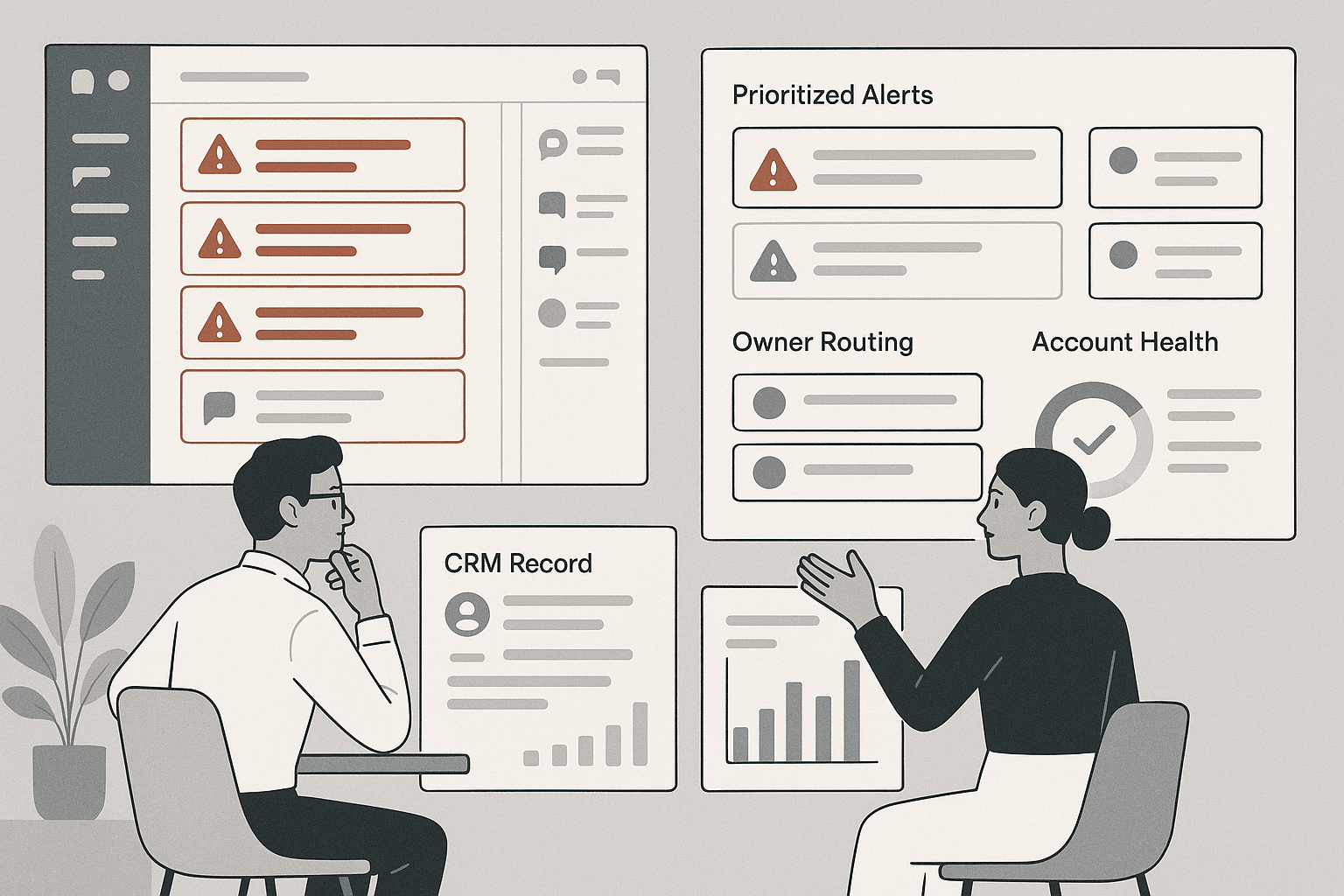
The failure usually looks boring at first.
A startup has 40 customers, then 120, then 300. Somewhere along the way, the company gets “serious” about customer visibility. Product events start flowing into Slack. The CS team gets health-score changes. Sales asks for usage summaries before renewals. Founders want instant notification when a strategic account drops activity. The data team pushes a few automated reports. Support adds incident warnings. Marketing wants PQL-style spikes for expansion outreach.
So the company wires everything together.
Now every day looks like this:
- 9:12 AM:
Acme Corp weekly active users down 11% - 9:18 AM:
Northstar imported 142 records - 9:23 AM:
Beta customer has not used feature X in 14 days - 9:31 AM:
Champion at Zenith viewed pricing page - 9:44 AM:
Health score changed from 72 to 69 - 10:02 AM:
Strategic account login failure spike - 10:13 AM:
Usage exceeded seat threshold - 10:40 AM:
Trial user invited 3 teammates - 11:06 AM:
Admin has not completed setup checklist - 11:22 AM:
NPS detractor submitted feedback
Individually, these all sound useful. In aggregate, they create learned helplessness.
Nobody can tell what actually matters, so teams start reacting to whatever feels emotionally loudest:
- The founder DM from a big-name logo
- The renewal that is already on fire
- The customer complaint that came in through email
- The revenue opportunity that has a salesperson attached to it
Meanwhile the product-generated signals that should have triggered action 2, 4, or 8 weeks earlier just pile up in Slack and die.
That is the usage alert flood problem.
It is not really a tooling problem. It is an operating model problem. Startups confuse visibility with response capacity. They believe that if important account behavior is “surfaced,” the organization will naturally do something with it. It won’t. Not unless you define which signals deserve action, who owns them, what threshold matters, what action should happen, and where the work should live.
If you do not build that system early, your company trains itself to ignore the very signals that should drive retention, expansion, and customer rescue.
The pattern: startups create notification systems, not intervention systems
Here’s the underlying pattern I’ve seen repeatedly in early-stage B2B companies.
Stage 1: Product instrumentation improves
The team gets better at capturing events:
- logins
- active users
- feature adoption
- setup completion
- data imports
- admin actions
- API volume
- seat utilization
- error rates
- support events
This is good. You need the raw material.
Stage 2: Teams ask for “visibility”
Every function wants alerts:
- Founders want strategic-account warnings
- CSMs want health change notifications
- AEs want expansion indicators
- Support wants reliability risk flags
- Product wants adoption feedback
- Marketing wants product-qualified lead triggers
Also good in theory.
Stage 3: Alerts get routed to convenient channels
Because Slack is easy, most of it ends up in Slack.
Other signals get pushed into:
- email digests
- CS tooling dashboards
- CRM activity logs
- BI dashboards
- spreadsheets
- random internal Notion pages
At this point, the company feels more data-driven than it actually is.
Stage 4: No one defines actionability rigorously
This is where the system breaks.
The team rarely agrees on:
- which alerts are informational versus intervention-worthy
- how severe a change must be before human action is justified
- whether action belongs to CS, sales, support, product, or an automated sequence
- what response time is expected
- whether every alert should create a task or only some should
- what “resolved” means
Without those definitions, every alert becomes optional.
Stage 5: Teams become desensitized
After a few weeks, people stop trusting alerts for one simple reason: most alerts lead nowhere.
When 80–95% of notifications don’t require action, your team learns the correct behavior is to ignore them. That behavior is rational. You trained it.
The result is nasty because the costs are delayed and distributed:
- preventable churn signals are missed
- adoption gaps persist until QBRs or renewals
- expansion timing is blown
- strategic accounts decay quietly
- CSMs become reactive firefighters
- founders think the team lacks urgency when the real problem is system design
Why standard advice fails
The usual advice sounds reasonable but often makes the problem worse.
“Just build a health score”
Health scores are useful, but they are not a response system.
Most early-stage health scores fail for three reasons:
- They compress too much information into one number. A score drop from 78 to 71 tells you something changed, but not what action should happen.
- They are unstable. Small weighting changes create noise that teams stop trusting.
- They mix lagging and leading indicators. Support tickets, NPS, renewal stage, usage, champion changes, and implementation status get blended into something too abstract for daily action.
A health score can help prioritize. It should not be the primary unit of operational response.
“Send alerts to Slack so everyone has visibility”
This is maybe the most common failure mode.
Slack is great for awareness. It is bad as a system of record for customer interventions.
Why?
- alerts disappear in fast-moving channels
- there is weak ownership
- actions are not reliably tracked
- resolution status is unclear
- nobody audits alert-to-outcome conversion
Slack can be an intake or escalation layer. It should not be the final resting place of a customer-risk signal.
“Let the CSM use judgment”
Experienced CSMs absolutely should use judgment. But “use judgment” cannot be the system.
If a CSM portfolio has 25 accounts, judgment can carry a lot. If they have 80 accounts and 40 signal types, judgment turns into triage under ambiguity.
In practice, “let the CSM decide” usually means:
- different accounts receive inconsistent treatment
- the loudest customer gets the attention
- hidden-risk accounts slip
- action thresholds live in people’s heads
- new hires never learn the playbook
Judgment should sit on top of a designed workflow, not replace it.
“We’ll clean it up later when we scale”
You won’t. Or rather, you’ll clean it up only after damage accumulates.
The reason is path dependence. Once the company has 15 alert sources, multiple channel integrations, and unofficial operating habits, cleanup becomes politically messy and technically annoying. Every team believes its alerts matter. Nobody wants fewer notifications; they want everyone else to pay attention better.
By the time you finally fix it, you have already:
- normalized alert fatigue
- lost trust in product signals
- created inconsistent account coverage
- hidden the true response burden from leadership
This is one of those problems that is much cheaper to solve at 20 customers than at 500.
A better approach: build a minimum viable signal-response system
The goal is not “more visibility.” The goal is a system where the right product/account signals create the right customer actions with clear ownership.
Think about it like this:
Signal → Interpretation → Owner → Workflow → Action → Resolution → Review
If any part of that chain is missing, you don’t have an intervention system. You have a notification.
For early-stage B2B startups, the right answer is usually not an enterprise-grade customer-success architecture. It is a minimum viable signal-response system with a small number of trusted signals and explicit workflows.
That system has five parts:
- Audit every alert source
- Classify signals by actionability
- Define owner-specific thresholds
- Route intervention-worthy signals into work systems
- Review signal-to-action performance every month
Let’s walk through each.
1. Audit every alert source
Before you add anything, make a list of every place customer/product alerts currently originate.
Most startups discover they have far more sources than expected.
Typical alert sources:
- product analytics tools (Amplitude, Mixpanel, Heap, PostHog)
- reverse ETL or warehouse alerts
- CS platforms (Gainsight, Vitally, Planhat, Catalyst, ChurnZero)
- CRM workflows (HubSpot, Salesforce)
- support systems (Zendesk, Intercom, Front)
- app monitoring/incident tools
- marketing automation
- billing systems
- internal SQL reports
- Slack bots and webhook automations
- founder-built spreadsheets and one-off scripts
Build a simple inventory with these columns:
- Signal name
- Source tool
- Current destination
- Audience
- Frequency/volume
- Account segment covered
- Supposed purpose
- Actual action taken when it fires
- Owner
- Keep / change / kill
This exercise alone is clarifying.
A lot of alerts exist because they were once useful for a temporary initiative and never removed. Others were created to prove observability, not drive intervention. Some are duplicates in different tools. Some are impossible to act on without additional investigation, which means they rarely get acted on at all.
A practical audit method
For a two-week period, collect:
- total alert count by source
- unique account count affected
- number of alerts that resulted in human follow-up
- number that created a task/opportunity/ticket
- number tied to measurable customer action
If you want one sharp metric, use this:
Alert Action Rate = alerts that produced a documented action / total alerts sent
If a source sends 300 alerts in two weeks and only 12 produce documented action, that is a 4% action rate. That source is probably noise, poorly thresholded, misrouted, or all three.
Questions to ask during the audit
- If this alert disappeared tomorrow, what would we miss?
- Does the recipient know what to do when it fires?
- Can the recipient act without doing 15 minutes of detective work?
- Is this a single-account signal or a portfolio trend signal?
- Should this be real-time, daily, weekly, or on-demand?
- Is this primarily for awareness, prioritization, or intervention?
- Could automation handle this instead of a human?
You are not trying to prove that signals matter. You are trying to prove that specific alerts deserve operational bandwidth.
2. Separate FYI noise from intervention-worthy signals
This is the step most companies skip.
Not every useful signal should be an alert.
That sounds obvious, but teams routinely convert dashboards and reports into real-time notifications. Bad idea.
The simplest model is a three-tier classification:
Tier 1: FYI signals
These are informational. They may be useful context but do not justify immediate or guaranteed human action.
Examples:
- minor week-over-week usage changes in small accounts
- one user trying a secondary feature
- routine import activity
- low-severity health score movements
- trial curiosity events without qualification
Good destinations:
- dashboard views
- weekly summaries
- account timeline context
- manager reviews
Bad destination:
- high-volume Slack channels pretending to require attention
Tier 2: Prioritization signals
These help teams decide where to look, but they still may not require a direct customer touch every time.
Examples:
- adoption plateau in mid-market accounts
- healthy seat utilization nearing plan ceiling
- decreasing engagement over 30 days in a renewal cohort
- feature underuse after onboarding completion
Good destinations:
- CSM book-of-business views
- weekly account review queues
- CRM task suggestions
- expansion/risk reports
These signals support planning and prioritization, not instant reaction.
Tier 3: Intervention signals
These are the only alerts that should reliably create work.
Examples:
- multi-week activity drop in a strategic account
- implementation stalled past a defined milestone
- champion inactivity plus admin decline before renewal
- severe error spike affecting active users
- seat exhaustion with active stakeholder engagement and expansion fit
- POC account failing core activation milestones by day 10
If a signal is Tier 3, it should trigger one of the following:
- a CRM task
- a CSM queue item
- an account playbook
- a support incident workflow
- an owner notification with SLA
If a signal does not justify a documented next step, it is not Tier 3.
A simple test
Ask: If this fires, what exactly should happen in the next 24–72 hours?
If your answer is vague, “someone should probably look at it”, that’s not an intervention signal yet.
3. Define owner-specific thresholds
This is where signal systems become operationally useful.
Thresholds should not just describe customer behavior. They should be tuned to an owner’s ability to act.
A common mistake is setting one global threshold, such as “usage down 20%,” across all accounts and teams. That’s lazy and usually wrong.
A 20% drop in a 5-seat SMB account may not matter. A 20% drop in a 400-seat flagship renewal account absolutely does. Similarly, a sales rep, CSM, and support lead need different thresholds because they are solving different problems.
Threshold dimensions that matter
At minimum, calibrate thresholds using:
- account segment (SMB, mid-market, enterprise, strategic)
- lifecycle stage (trial, onboarding, active, renewal, expansion)
- baseline usage pattern
- contract value
- product maturity/reliability context
- owner role
Example: usage decline signal
Instead of one alert, define versions by context.
SMB active account
- Trigger: 30-day active users down 40% and below minimum healthy floor
- Owner: pooled CS or lifecycle automation
- Action: automated check-in email, human review only if unresolved in 7 days
Mid-market active account
- Trigger: 14-day usage down 30% plus no admin activity
- Owner: named CSM
- Action: create CRM task for investigation within 2 business days
Enterprise renewal within 90 days
- Trigger: 14-day core usage down 20% plus champion inactivity plus open renewal
- Owner: CSM + AE
- Action: account risk playbook launched, internal account review within 48 hours
Same general behavior. Different thresholds, different owners, different workflows.
That is the point.
Example: expansion signal
A lot of startups waste expansion alerts on raw seat growth or page views.
Better:
Intervention-worthy expansion signal
- Seat utilization above 85%
- At least 3 departments active or a defined multi-team usage pattern
- Admin engagement in last 14 days
- No unresolved support/escalation issue
- Contract review or planning window in next 120 days
Owner:
- AE or expansion rep for commercial motion
- CSM for validation and internal prep
Action:
- create expansion opportunity or account plan task
This is far stronger than “customer hit 80% of seats.”
The capacity filter
A threshold is wrong if it creates more actionable alerts than the owner can reasonably work.
This matters a lot.
If your CSM team can realistically investigate 10 intervention alerts per week per person, don’t configure a system that sends 35 and call the team unresponsive. That is management theater.
Set thresholds so that alert volume matches available response capacity. If you want broader coverage, use automation or summary queues for lower-severity cases.
4. Route alerts into systems where work actually gets done
This is the operational hinge.
A signal without a destination workflow is just a message.
Most startups need to route Tier 3 signals into one of four systems:
- CRM task/opportunity workflows
- CS platform queues/playbooks
- Support/incident workflows
- Automated customer messaging sequences
Slack can still be used, but mostly for escalation, visibility, or exception handling.
Routing model by use case
Risk and retention signals
Best home:
- CRM account task
- CS platform risk queue
- account playbook trigger
Examples:
- adoption collapse
- champion inactivity
- onboarding stall
- pre-renewal usage decline
Why:
- ownership is clearer
- follow-up can be tracked
- account history is preserved
- managers can inspect open/closed work
Expansion signals
Best home:
- CRM opportunity creation or task
- AE/CSM account planning queue
Examples:
- seat saturation
- additional team adoption
- premium feature usage without plan match
Why:
- ties signal to pipeline process
- prevents “interesting but forgotten” growth alerts
Support/reliability signals
Best home:
- support ticket workflow
- incident management system
- engineering escalation path
Examples:
- elevated failure rates for active accounts
- API usage disruption for strategic customers
Why:
- these require operational remediation, not just relationship management
Low-severity behavioral nudges
Best home:
- automated email/in-app sequence
- weekly review list rather than immediate task
Examples:
- setup checklist incomplete
- feature onboarding reminder
- low early activation in low-ACV cohort
Why:
- human follow-up is too expensive at scale
A practical routing rule set
For each intervention signal, define:
- Primary owner
- Backup owner/escalation
- Destination system
- Task/opportunity/ticket type
- Required fields/context
- SLA
- Closure criteria
Example:
Signal: Enterprise account core usage down 25% over 14 days
Conditions:
- ARR > $25k
- renewal within 120 days or strategic logo flag
- admin activity also down
Primary owner: CSM
Backup/escalation: AE if renewal open; founder if top-10 logo
Destination: HubSpot task + Vitally playbook + Slack escalation only for top tier
Task context attached:
- usage trend chart
- active user count delta
- top feature drop details
- renewal date
- open support issues
- last contact date
SLA: investigate within 2 business days
Closure criteria:
- customer outreach completed OR
- issue explained as expected seasonal pattern OR
- account moved to formal risk plan
This level of definition eliminates a huge amount of ambiguity.
5. Build minimum viable playbooks before buying more tooling
Tool sprawl often follows alert sprawl. The company feels the pain and assumes the answer is a more sophisticated CS or data platform.
Sometimes that’s right. Often it’s not.
Before expanding tooling, write the playbooks.
At minimum, create playbooks for these scenarios:
- Onboarding stall
- Sustained adoption decline
- Champion/admin inactivity
- Reliability-impact risk on valuable account
- Seat/utilization expansion opportunity
- Multi-threaded usage growth suggesting upsell
- Renewal risk from product disengagement
Each playbook should include:
- trigger criteria
- owner
- investigation checklist
- internal collaboration path
- recommended customer outreach
- escalation conditions
- resolution outcomes to log
Example: adoption decline playbook
Trigger
- Core usage down 30% over 21 days
- Applies to accounts above $10k ARR
- Excludes known seasonal or paused accounts
Owner
- Named CSM
Investigation checklist
- Is decline broad or tied to one team/user segment?
- Is admin/champion still active?
- Any unresolved support issues?
- Any recent workflow or product changes?
- Has value-driving feature usage declined specifically?
- Renewal timing?
Action path
- If decline is narrow and recoverable: outreach with usage insight and help offer
- If tied to support issue: open coordinated remediation plan
- If broader disengagement near renewal: move to risk review with AE
Customer outreach example
- “We noticed your operations team’s weekly processing volume dropped materially over the last three weeks, especially in [workflow]. Usually that means either process changed internally or the team hit friction. Worth a quick review?”
That is much better than “Hey, just checking in.”
Tool comparisons: what to use at different stages
You do not need a massive stack to solve this, but you do need the right division of labor.
Option 1: Lightweight stack for early-stage teams
Typical setup:
- Product analytics: PostHog or Mixpanel
- CRM: HubSpot
- Support: Intercom/Zendesk
- Automation: Zapier/Make or native workflows
- Reporting: Metabase/Looker Studio/warehouse-lite
- Communication: Slack
Best for:
- pre-Series A to early Series A
- founder-led CS or small named CS team
- 20 to 300 customers
Pros:
- low cost
- fast to implement
- flexible enough for core signal-response workflows
Cons:
- brittle if logic becomes too complex
- harder to maintain consistent account health views
- more manual governance required
Rough cost:
- $500–$3,000/month depending on seats and volume, excluding engineering time
Option 2: CS-platform-centered stack
Typical setup:
- Product data into Vitally, Planhat, Catalyst, ChurnZero, or Gainsight
- CRM sync with HubSpot/Salesforce
- support integration
- playbooks and health views centralized in CS platform
Best for:
- growing CS org with named ownership
- more formal renewals/expansion process
- 100+ customers with segmentation complexity
Pros:
- stronger account-centric workflows
- built-in playbooks, health scores, tasking
- better manager visibility into execution
Cons:
- expensive relative to early-stage needs
- can encourage over-modeling too early
- implementation discipline still required
Rough cost:
- $1,500–$10,000+/month depending on platform and team size
Option 3: Warehouse-first stack
Typical setup:
- product and customer data into warehouse
- dbt or modeling layer
- reverse ETL into CRM/CS tools
- BI and custom account scoring logic
Best for:
- product/data mature organizations
- more complex segmentation or custom product model
- cross-functional revenue operations support
Pros:
- highest flexibility
- strongest control over definitions
- easier to unify product, support, billing, and CRM data
Cons:
- heavier technical burden
- slower to stand up if team is small
- easy to overbuild
Rough cost:
- highly variable; often $3,000–$20,000+/month plus data/engineering time
My practical advice
If you are early-stage, resist buying an expensive CS platform solely because alerts are messy.
Messy alerts usually mean you have not made workflow decisions yet. A new tool may make the mess more organized, but it will still be mess.
Start with the minimum viable signal-response design first. Then buy tooling to support the proven operating model.
A workflow example: from noisy alert to usable intervention
Let’s take a common scenario.
Before
A startup sends these to Slack:
- account usage down 15%
- admin inactive 7 days
- health score down 4 points
- feature X not used in 10 days
- open support ticket
Five alerts, four tools, no owner.
Result:
- CSM glances at it
- AE maybe notices if renewal is close
- founder pings someone only if logo is important
- nothing is consistently documented
After
The company redesigns into one intervention signal:
Trigger:
- Core workflow usage down 25% over 14 days
- Admin inactive 10 days
- Open support ticket older than 5 business days
- Renewal within 120 days OR ARR above strategic threshold
Owner: named CSM
Destination: CRM risk task + CS playbook
Task payload includes:
- usage chart
- admin engagement status
- support case summary
- renewal date
- last meeting date
- recommended outreach template
SLA: 48 hours
Manager review: open risk tasks older than SLA reviewed weekly
Now the team has one signal that means something, instead of five disconnected pings.
That is the entire game: reduce ambient noise, increase intervention precision.
Cost and time analysis: what this actually takes
Founders often avoid this work because it sounds like process overhead. In reality, a minimum viable setup is not that large.
Phase 1: Audit and classification
Time:
- 1 operator/revops/CS lead: 8–15 hours
- stakeholder review: 3–5 hours total
Output:
- alert inventory
- keep/change/kill decisions
- initial FYI/prioritization/intervention classification
Phase 2: Threshold and owner design
Time:
- 1 CS lead + sales lead + founder/revops: 6–12 hours
Output:
- top 5–10 intervention signals
- owner-specific thresholds
- SLA definitions
- routing rules
Phase 3: Workflow implementation
Time:
- lightweight stack: 10–25 hours
- more complex tooling: 20–60+ hours
Output:
- CRM tasks or CS playbooks
- Slack reductions
- basic reporting on alert-to-action flow
Phase 4: Playbooks and QA
Time:
- 6–10 hours to draft basic playbooks
- ongoing tuning in weekly/biweekly reviews
So in practice, a startup can get to a functional minimum viable signal-response system in roughly 30–60 focused hours if the tooling is already in place.
That is far cheaper than one preventable churn event on a meaningful account.
The hidden cost of not doing it
Let’s say you have:
- 2 CSMs
- 150 accounts
- 300 alerts/week
- only 5% action rate
That means 285 alerts/week are noise or misrouted effort.
Even at only 1.5 minutes of attention per alert, reading, context switching, mentally parking it, that’s more than 7 hours per week burned across the team. Realistically it’s often more.
Now add the bigger cost:
- one expansion opp missed because nobody followed seat saturation at the right time
- one mid-market churn that showed disengagement 60 days earlier
- one renewal downgrade because feature adoption gaps surfaced too late
That cost swamps the implementation effort.
Governance: how to stop alert flood from coming back
You can clean this up once and still regress if you do not govern the system.
Three lightweight governance rules help a lot.
Rule 1: Every new alert needs an owner and action definition
No alert gets launched because “it would be nice to know.”
For any new proposed signal, require:
- objective trigger definition
- intended audience
- action expectation
- destination system
- success metric
- review date
If nobody can define these, it is probably a dashboard metric, not an alert.
Rule 2: Track signal performance monthly
For each Tier 3 signal, review:
- volume fired
- accounts affected
- action rate
- SLA adherence
- outcome rate (rescued, expanded, resolved, false positive)
You are looking for:
- noisy triggers to tighten
- under-sensitive triggers to loosen
- owner overload
- dead workflows no one follows anymore
Rule 3: Kill aggressively
Most startups are too sentimental about alerts.
You should be comfortable deleting or downgrading signals if:
- action rate is consistently low
- false positives are high
- ownership is unclear
- the signal duplicates a stronger one
- the action is better handled in a weekly review
Alert systems improve as much by subtraction as by addition.
Metrics that matter
Do not judge the system by number of alerts sent. That is vanity.
Track these instead:
- Alert Action Rate: % of intervention alerts that create documented work
- Time to First Action: median time from trigger to owner action
- SLA Compliance: % handled within expected timeframe
- False Positive Rate: % closed as no action needed / expected behavior
- Signal Coverage: % of strategic/risk-worthy account changes actually captured by intervention signals
- Outcome Conversion: % of relevant risk alerts leading to rescue plans, or expansion alerts leading to qualified pipeline
- Alert Load per Owner: intervention alerts per owner per week
If you monitor only one behavior metric, make it documented action per alert. It keeps the team honest.
What founders should do personally
This problem often persists because founders are accidental contributors.
Founders ask for “let me know when X happens” without considering workflow consequences. They also create bypass behavior by reacting manually to select accounts while the core team handles everything else ad hoc.
Founder responsibilities here are simple:
- insist that important signals have an owner and destination workflow
- refuse high-volume vanity alerts
- protect the team from endless exceptions
- review the handful of top intervention signals monthly
- ask for action and outcome data, not more dashboards
If you are constantly hearing “we knew usage was dropping, but…” that is not a people problem first. It is a design problem.
The real takeaway
Startups do not usually lose customers because they had zero data. They lose them because they had too many weak signals and no system to convert them into timely action.
The usage alert flood problem is dangerous because it masquerades as sophistication. Your company feels instrumented, informed, and proactive. In reality, it may be training itself to ignore the only product behaviors that matter.
The fix is not dramatic:
- audit sources
- classify signals
- set owner-specific thresholds
- route intervention-worthy alerts into real workflows
- build a few trusted playbooks
- review performance and delete aggressively
That is enough to create a minimum viable signal-response system.
And that system matters more than most founders think. Because by the time an at-risk customer tells you they are unhappy, or an expansion buyer asks why nobody brought up increased usage earlier, the signal already existed.
The question is whether your company treated it like actionable intelligence or just another Slack message.
If you want the shortest version:
Do not build an alerting culture. Build a response culture.
That means fewer signals, better thresholds, explicit owners, and work happening in the systems where customers are actually managed.
The startups that get this right do not necessarily have more data. They have less noise and better follow-through.
That’s the competitive advantage.