
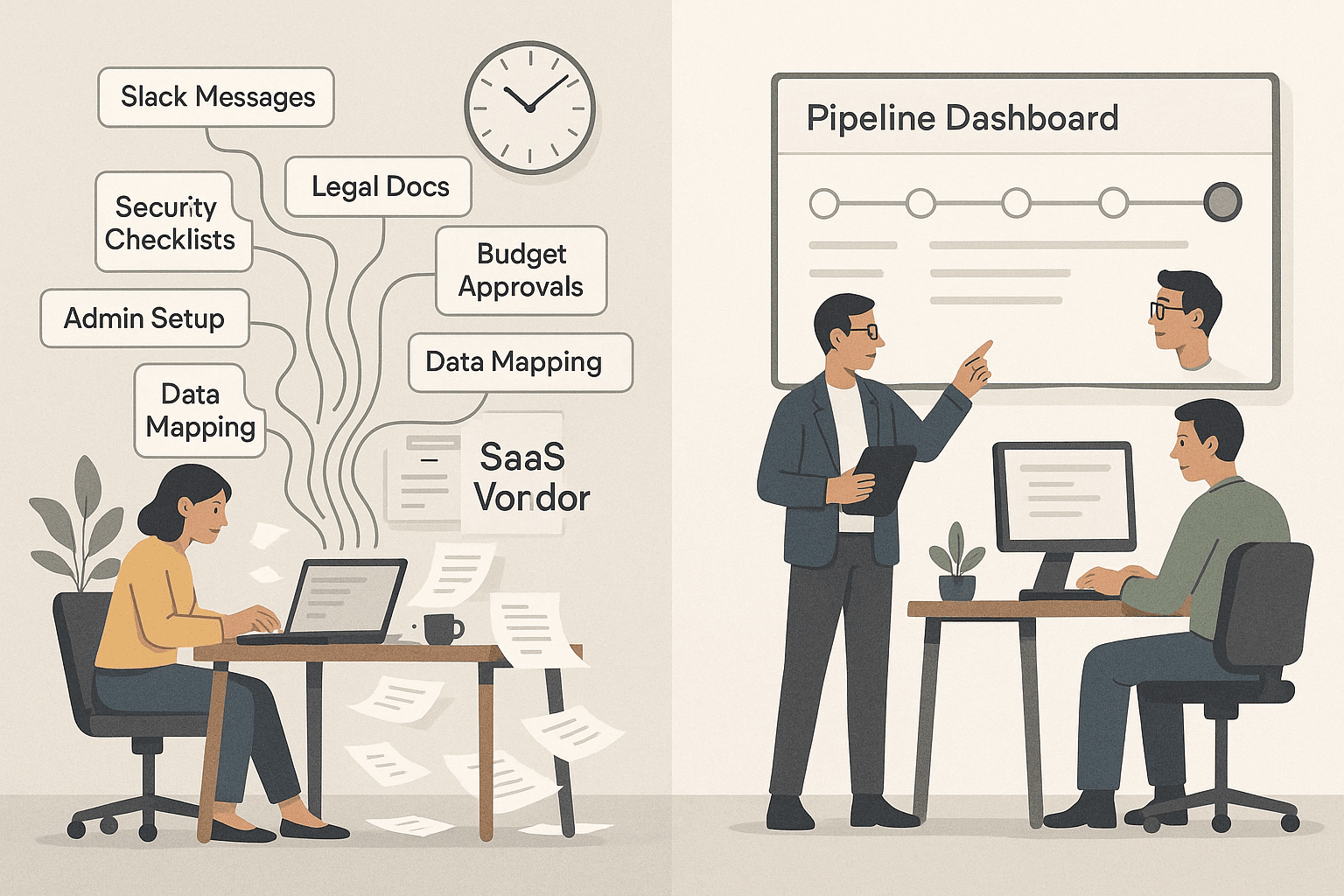
A familiar startup failure mode looks like this: someone on the team finds a tool that promises to save hours a week, gets a quick thumbs-up from a department lead, starts a free trial, and announces in Slack that the company is “probably moving to this next week.” Then everything slows to a crawl.
Finance asks who approved the budget and whether it is monthly or annual. Security asks whether the vendor stores customer data, supports SSO, or has a SOC 2. Legal wants to review the MSA and DPA. IT or whoever plays IT asks who will be the admin, how users will be provisioned, and whether the tool overlaps with something already in the stack. The functional team asks how historical data will be imported, what the migration plan is, and whether the tool connects to the CRM, warehouse, ticketing system, or identity provider.
Nobody is wrong. The problem is that nobody owns the process between “we should buy this” and “the tool is live, governed, and actually being used.” So the work gets spread across Slack threads, half-filled forms, forwarded PDFs, and DMs to whoever remembers setting up the last vendor. Two weeks later, the free trial expires. Four weeks later, the contract is still unsigned. Six weeks later, the team either gives up or brute-forces a purchase on a corporate card and creates a future mess for everyone else.
This is the vendor intake black hole. It is one of those operational gaps that feels small until the company has 40, 80, or 200 SaaS tools and every new purchase triggers the same avoidable chaos.
Founders tend to underestimate this problem because the first few tools feel easy. In the earliest days, one person can click “buy now,” connect Google Workspace, and move on. But once the company has customer data, compliance expectations, procurement controls, multiple functions, and a real budget, every net-new tool creates work across finance, security, legal, operations, and the requesting team. If that work is not productized into a lightweight process, you end up paying for delay in three ways at once: time-to-value slips, spend leaks increase, and your stack gets harder to unwind later.
The good news is that this problem is very fixable. You do not need an enterprise procurement department. You need a clear operating system for vendor intake that matches startup speed without pretending approvals do not matter.
The real failure scenario
Let’s make this concrete.
Imagine a 70-person B2B SaaS company. The RevOps lead wants a conversation intelligence tool because managers are manually reviewing calls and pipeline inspection is weak. She evaluates three vendors, picks one, and gets verbal support from the VP of Sales. The price is $18,000 annually. The vendor says implementation takes less than a week.
Here is what actually happens:
- Day 1: RevOps shares the vendor in Slack and asks, “Any objections if we move forward?”
- Day 2: CFO asks whether this was budgeted.
- Day 3: CTO asks if the tool records customer calls and where that data lives.
- Day 4: Someone in IT asks whether it supports SSO and SCIM.
- Day 5: Legal asks for the MSA, DPA, and subprocessors list.
- Day 6: Sales asks whether historical calls can be imported.
- Day 7: Customer Success asks whether Gong already covers some of this need for another team.
- Day 9: Vendor sends an order form and asks for signature by Friday to honor quarter-end pricing.
- Day 10: Finance asks who owns the contract renewal.
- Day 12: Security asks if call recordings include PII.
- Day 14: The original Slack thread is unreadable.
- Day 16: RevOps starts another thread to “summarize open questions.”
- Day 18: The VP of Sales pings the CEO because the rollout is stuck.
- Day 21: Someone discovers the company already has limited functionality in an existing sales enablement platform.
- Day 24: The vendor offers a discount if the team signs an annual agreement today.
- Day 27: Procurement-by-exhaustion happens. The contract gets signed because everyone wants the thread to die.
- Day 40: Admin setup is still incomplete because no one assigned an implementation owner.
- Day 55: Only a third of intended users are provisioned.
- Day 90: Renewal notice arrives for another niche tool bought by a different team doing adjacent work.
This is not an edge case. This is normal in startups where tooling decisions are decentralized but intake is not standardized.
The visible symptom is delay. The less visible damage is worse:
- Duplicate systems creep in.
- Security review is inconsistent.
- Budget accountability is weak.
- Contract terms vary wildly.
- Offboarding becomes painful because nobody knows what data lives where.
- Critical admin access sits with a former employee or an individual manager.
- SaaS spend becomes impossible to rationalize.
The pattern underneath the chaos
The vendor intake black hole exists because startups usually have five separate workflows but no shared one.
Those workflows are:
- Business justification: Why do we need this tool, and what problem does it solve?
- Financial approval: Is this spend budgeted, and who owns ROI?
- Risk review: What data, systems, and compliance exposure does this create?
- Contracting: Are the legal and commercial terms acceptable?
- Implementation: Who will configure, integrate, provision, train, monitor, and eventually offboard the tool?
In many startups, each of these workflows has a different owner, different standard, and different trigger. Worse, none of them starts early enough. The requesting team picks the vendor first and only then discovers all the constraints.
That creates a predictable set of failure patterns.
Failure pattern 1: Approval is implied, not explicit
A leader says “sounds good” in Slack. The requester interprets that as approval. Finance interprets it as a request. Legal interprets it as not yet approved. Nobody is technically wrong because there is no explicit decision checkpoint.
Failure pattern 2: Risk review happens too late
Teams often evaluate tools based on features and price, then discover the chosen vendor cannot support SSO, has weak data retention controls, or wants unacceptable terms in the DPA. By then, everyone is emotionally committed to the tool, so pressure builds to waive the issue.
Failure pattern 3: The implementation owner is missing
Even after signature, rollout stalls because the buyer is not the operator. The team that wants the tool assumes IT or Ops will set it up. IT or Ops assumes the business team will own configuration. Nobody writes down who is responsible for the last mile.
Failure pattern 4: Tool overlap is discovered after purchase
Without a single intake view, adjacent teams buy similar tools to solve similar problems. Marketing buys one survey platform. Product buys another. Customer Success buys a third. Each one makes sense locally. Collectively, it is waste.
Failure pattern 5: Offboarding is invisible at purchase time
Most teams do not document data exports, admin ownership, deprovisioning steps, contract notice periods, or replacement dependencies when buying a tool. That means six or eighteen months later, removing the vendor is far more painful than adding it.
Why the standard advice fails
A lot of advice on procurement and vendor management is built for large companies. It usually boils down to one of two bad fits for startups.
The first bad fit is “just make everyone fill out a long procurement form.” That slows down legitimate purchases, creates resentment, and drives people to bypass the process with free trials and expense cards.
The second bad fit is “move fast and trust teams.” That works until customer data, compliance obligations, multi-year contracts, and tool sprawl catch up with you.
Startups need something in between: light enough that teams will use it, structured enough that the company does not absorb hidden risk every time a new SaaS product shows up.
Standard advice fails for three reasons.
1. It assumes specialization you do not have
Most startups do not have a procurement function, dedicated IT, security operations, legal ops, and systems admins for each domain. One finance lead, one ops generalist, and one engineering manager are often carrying all of this. Your workflow has to work in that reality.
2. It optimizes for control over speed
Large-company procurement processes are designed to reduce variance. Startups need to reduce variance without killing velocity. If your process adds three weeks to a $2,000 low-risk tool, people will route around it.
3. It ignores post-signature execution
Many intake processes stop at approval and signature. But rollout is where a lot of startup value is lost. If provisioning, configuration, data mapping, training, and usage tracking are not part of intake, then “approved” does not mean “live.”
The better approach: treat vendor intake like an internal product
The fix is to build a lightweight vendor intake workflow with explicit owners, risk-based paths, and a single source of truth. Think of it as an internal product, not an administrative hurdle.
Your goal is simple:
Every new tool should move through a standard path from request to live status, with known owners, known decision points, and known implementation requirements.
That does not mean every tool gets the same level of scrutiny. It means every tool gets the same intake shell, and then routes into the right lane based on cost, risk, and complexity.
The core design principles are:
- One request entry point
- Clear decision owner per stage
- Risk tiers that determine review depth
- Required implementation fields before approval closes
- Central tool registry for visibility and renewal management
- Time-boxed SLAs for reviewers
If you set this up well, you can cut cycle time dramatically without increasing risk.
A practical vendor intake workflow for startups
Here is the workflow I recommend for most companies from roughly 20 to 300 employees.
Step 1: Use one intake form for all net-new tools
Every request should start with the same lightweight intake form. Not a procurement essay. Just enough to prevent ambiguity.
Minimum fields:
- Requestor name
- Department
- Tool/vendor name
- Problem being solved
- Why existing tools are insufficient
- Estimated annual cost
- Budget owner
- Desired go-live date
- Data involved: none, internal only, customer data, regulated data
- Systems touched: email, CRM, data warehouse, HRIS, identity provider, support platform, etc.
- Number of users
- Proposed admin owner
- Renewal owner
- Alternatives considered
- Whether free trial already started
This does two things immediately: it forces the requester to think through ownership, and it creates a single object the rest of the company can review.
Step 2: Auto-assign a risk tier
Do not make every tool go through the same path. Create 3 tiers.
Tier 1: Low risk
Examples:
- Simple internal productivity tool
- No customer data
- Under a spend threshold, maybe under $5,000 annual
- No critical integrations
- Limited users
Review path:
- Budget owner approval
- Ops/IT awareness
- Basic contract sanity check if needed
Tier 2: Moderate risk
Examples:
- Team software with internal business data
- Integrates with core systems
- Spend between $5,000 and $25,000 annually
- Multiple departments involved
Review path:
- Budget owner approval
- Security/IT checklist
- Legal review of core terms
- Implementation owner assignment
Tier 3: High risk
Examples:
- Touches customer data or production systems
- Stores recordings, financial data, HR data, or regulated data
- Large annual commitment or multi-year terms
- Company-wide deployment
- Requires custom security or data processing review
Review path:
- Executive budget signoff
- Security review
- Legal review of MSA/DPA
- Architecture/integration review
- Implementation plan and rollback/offboarding notes
The point is not perfect risk scoring. The point is reducing random handling.
Step 3: Define one owner for each decision, not one committee for all
This is where most processes fail. If “everyone should weigh in,” nobody owns the outcome.
A simple owner model looks like this:
- Business need owner: department lead requesting the tool
- Budget owner: function head or finance
- Risk owner: IT/security lead or delegated operator
- Legal owner: internal legal, founder, or outside counsel gatekeeper
- Implementation owner: systems admin, ops, or business admin
- Renewal owner: person accountable for usage and ROI at renewal
Each owner should have one job: approve, reject, or request changes within a stated SLA.
This matters more than fancy software. A mediocre workflow with clear owners beats a polished workflow with committee ambiguity.
Step 4: Add a mandatory implementation block before final approval
Do not let “approved” mean “someone signed the order form.” Before the request closes, capture the implementation basics.
Required implementation fields:
- Admin account owner
- SSO required? yes/no
- SCIM required? yes/no
- User provisioning approach
- Groups/roles needed
- Systems to integrate
- Data import/migration requirements
- Internal launch owner
- Training/documentation owner
- Go-live success metric
- Offboarding/export requirements
This is the step that prevents the post-contract drift where nobody knows how the tool actually gets into production use.
Step 5: Maintain a live SaaS registry
Every approved tool should automatically land in a central registry.
At minimum, track:
- Vendor name
- Category
- Owner department
- Business owner
- Admin owner
- Renewal owner
- Contract start/end
- Auto-renewal notice date
- Annual cost
- Payment method
- Risk tier
- Data classification
- Integrations
- User count
- SSO enabled?
- Contract location
- Security docs location
- Offboarding notes
- Status: requested, approved, implementing, live, retiring
Without a registry, you cannot manage renewals, overlap, or decommissioning.
Recommended tools and what to use at each stage
You do not need an expensive procurement platform early on. The right stack depends on company stage.
Option A: Lean startup stack
Best for: 10 to 75 employees
Use:
- Google Form or Typeform for intake
- Airtable or Notion as the SaaS registry
- Slack for notifications only, not decision storage
- DocuSign or vendor-native e-sign for contracts
- Google Drive or a legal folder for agreement storage
- Your identity provider admin console for provisioning tracking
Pros:
- Cheap
- Fast to launch
- Flexible
Cons:
- More manual routing
- Reporting gets messy over time
- Weak audit trail unless maintained carefully
Estimated cost:
- $0 to $200/month incremental if you already use these tools
Setup time:
- 1 to 2 weeks for a solid v1
Option B: Mid-stage operational stack
Best for: 50 to 250 employees
Use:
- Airtable, Retool, or Jira Service Management for intake workflow
- A contract repository like Ironclad, Dropbox Sign, or organized Drive structure
- Okta or Microsoft Entra for access standards
- Finance system plus a spend management tool like Ramp or Brex for card and vendor visibility
- Slack integration for status updates
Pros:
- Better routing and accountability
- Better reporting on cycle time and bottlenecks
- Easier approval logging
Cons:
- More setup work
- Can become overengineered if not scoped tightly
Estimated cost:
- $200 to $2,000+/month depending on tools already in place
Setup time:
- 2 to 6 weeks
Option C: Procurement-heavy stack
Best for: later-stage companies with formal procurement and security review
Use:
- Zip, Tropic, Airbase, Coupa, or equivalent procurement workflow tools
- Dedicated CLM for contracts
- Security review workflow tooling
- Full SaaS management platform
Pros:
- Strong controls
- Auditability
- Vendor consolidation opportunities
Cons:
- Heavy process overhead
- Expensive
- Usually overkill for early and true mid-stage startups
Estimated cost:
- Meaningful, often several thousand per month and up
Setup time:
- 1 to 3 months or more
My practical view: most startups should avoid jumping straight to a procurement suite. Get 80 percent of the value from a disciplined Airtable or Jira-based process first. Then upgrade when volume and compliance requirements justify it.
A lightweight workflow example that actually works
Here is a startup-friendly workflow in plain English.
- Requestor submits intake form.
- Form creates a record in Airtable or Jira.
- Workflow auto-tags the tool by spend and data sensitivity to suggest a risk tier.
- Budget owner gets notified and approves or rejects.
- If Tier 2 or Tier 3, risk owner gets a standard checklist.
- If customer or regulated data is involved, legal review is triggered automatically.
- Before signature, implementation owner must fill the rollout block.
- Contract is signed and stored in a linked folder.
- Registry status changes from approved to implementing.
- Go-live checklist is completed: admin setup, SSO, integrations, user provisioning, training.
- Registry status changes to live.
- Renewal reminder is scheduled 90 days before notice date.
That is it. You do not need seven committees. You need one path with branching logic.
What to put in the risk checklist
Risk review does not need to be a 200-question spreadsheet for every tool. For startups, a right-sized checklist is enough.
Suggested checklist fields:
- What data will the tool access or store?
- Does it ingest customer data, employee data, financial data, or source code?
- Does it require OAuth to critical systems?
- Does it support SSO?
- Does it support role-based access control?
- Is data encrypted at rest and in transit?
- Does the vendor have SOC 2 or equivalent?
- Are subprocessors disclosed?
- Can data be exported on termination?
- What is the retention/deletion process?
- Is the tool business-critical if unavailable?
- Does it create lock-in through proprietary workflow or stored assets?
The purpose is not to eliminate all risk. It is to make risk visible early enough to decide knowingly.
Cost of doing this poorly
Founders often ask whether this level of process is worth it. It is, because the hidden cost of unmanaged intake compounds fast.
Let’s do rough math for a 100-person startup buying 20 net-new tools per year.
Assume each unmanaged intake wastes:
- 6 hours of requester time
- 2 hours of finance time
- 2 hours of legal/founder review time
- 3 hours of IT/Ops time
- 2 hours of manager/executive follow-up
That is 15 hours per vendor. At 20 tools per year, that is 300 hours.
Now add delay cost. If average rollout delay is 3 weeks and the tool was meant to improve a team workflow, there is real productivity loss. If just five users were supposed to save 2 hours each per week from the new tool, a 3-week delay costs 30 user-hours. Multiply that across 20 tools and you are at 600 hours of delayed value, before accounting for implementation churn.
Now add spend leakage. If poor visibility causes just three duplicate or low-usage tools at $10,000 each annually, that is $30,000 of waste.
Now add renewal pain. Missing one 60-day notice period on a $25,000 contract because nobody tracked it can wipe out the savings of all your process shortcuts.
The point is simple: lightweight structure is cheaper than recurring chaos.
Implementation details: how to stand this up in 30 days
If I were installing this at a startup from scratch, here is the sequence I would use.
Week 1: Define ownership and tiers
Decide:
- Who can request tools
- Who approves budget by spend threshold
- Who owns risk review
- Who signs contracts
- Who owns implementation by system category
- What your Tier 1, Tier 2, Tier 3 thresholds are
Keep this brutally simple. You can refine later.
Example threshold model:
- Tier 1: under $5,000, no customer data, no critical integration
- Tier 2: $5,000 to $25,000 or internal system integration
- Tier 3: customer/regulated data, production access, or over $25,000
Week 2: Build the intake form and registry
Create:
- Intake form
- Registry table
- Status fields
- Approval owner fields
- Contract and document links
- Renewal reminder fields
If using Airtable, one table is enough for v1. Add filtered views by status, owner, and renewal date.
Week 3: Write the checklists
Create three templates:
- Low-risk intake checklist
- Security/risk checklist
- Implementation checklist
Also create a short vendor overlap question: “What existing tools were checked before choosing this one?” This alone reduces duplicate purchases.
Week 4: Launch with policy and SLAs
Announce one clear policy:
No net-new SaaS tools, paid trials, or annual commitments without intake submission.
Then add SLAs so the process does not become a dead end:
- Budget review within 2 business days
- Risk review within 3 business days for standard cases
- Legal triage within 3 business days
- Implementation owner assigned before signature
If reviewers miss SLAs, fix the staffing or threshold logic. Do not let the process quietly become another black hole.
A few important tradeoffs to be honest about
This kind of process always creates tension. Better to be explicit about it.
Tradeoff 1: Speed vs control
If you want perfect review on every tool, you will slow the company down. If you want maximum speed, you will buy duplicate, insecure, or poorly owned tools. The answer is tiered review, not universal friction.
Tradeoff 2: Centralization vs team autonomy
Teams should still choose tools that fit their workflows. But choice should happen inside guardrails: ownership, budget, integration awareness, and risk visibility.
Tradeoff 3: Process simplicity vs future reporting
A very simple system launches faster. A richer system gives better analytics on cycle time, spend, and overlap. Start with simplicity, but choose a registry that can evolve.
Tradeoff 4: Founder involvement vs delegation
In early startups, founders often become the default legal approver, escalation point, and spending gate. That is fine at first, but dangerous at scale. The more vendor intake runs through founder DMs, the less scalable it becomes.
How to prevent random SaaS purchases specifically
The intake workflow solves most of the issue, but a few supporting controls matter a lot.
1. Tie spend controls to the workflow
If the company uses Ramp, Brex, or another spend platform, require an intake ID or approved request link for new vendor charges above a threshold. This closes the gap between process and payment.
2. Lock admin standards early
Require central admin ownership for any company tool. Do not let “the person who bought it” remain the sole super admin. This is one of the biggest future offboarding problems.
3. Require renewal ownership at purchase time
A tool without a renewal owner becomes zombie spend. Make someone accountable for proving continued value before auto-renew dates.
4. Standardize categories
Use categories like collaboration, CRM, marketing automation, analytics, support, HR, finance, engineering, security. Categorization makes overlap visible much earlier.
5. Review your registry quarterly
Do a quarterly SaaS review by category and spend band. Ask:
- Which tools are underused?
- Which tools overlap?
- Which tools lack SSO or admin clarity?
- Which renewals are approaching?
- Which teams keep requesting adjacent products?
This turns intake from reactive control into proactive stack management.
Signs your process is working
You do not need sophisticated KPIs on day one, but you should track a few basics.
Measure:
- Average intake-to-approval cycle time
- Average approval-to-go-live cycle time
- Number of requests by tier
- Percentage of tools with assigned admin owner
- Percentage of tools with SSO enabled where supported
- Number of duplicate/overlap saves identified before purchase
- Renewal savings from timely renegotiation or cancellation
Good outcomes look like this:
- Fewer Slack-thread approvals
- Faster decisioning on low-risk tools
- Fewer surprises late in the process
- Clearer accountability after signature
- Better visibility into total SaaS footprint
What founders should personally own
Even if you delegate the workflow, founders should set the operating standard.
You should personally insist on three things:
- No off-process buying for meaningful SaaS spend.
- Named owners for budget, implementation, and renewal.
- A live registry of what the company is actually running.
You do not need to review every tool. You do need to make sure the system exists and is enforced.
Because this is not really about procurement. It is about operational integrity. Every tool you add changes how data moves, how work happens, how spend accumulates, and how future complexity compounds.
The startups that handle this well are not necessarily more bureaucratic. They are more intentional. They know that the messy space between “let’s buy this” and “it’s live” is where hidden drag lives.
The takeaway
The vendor intake black hole is what happens when a company decentralizes tool discovery but fails to operationalize tool adoption. The result is familiar: Slack-thread approvals, delayed rollouts, inconsistent review, duplicate spend, and ugly offboarding later.
The fix is not enterprise procurement theater. It is a lightweight, founder-grade operating system:
- one intake form
- one registry
- three risk tiers
- explicit decision owners
- mandatory implementation planning
- renewal accountability from day one
If you put that in place, new tools stop arriving as random events and start moving through a predictable path. Teams still move quickly, but the company stops paying the tax of reinvention every time a vendor enters the stack.
That is the real goal. Not more process. Less chaos.