
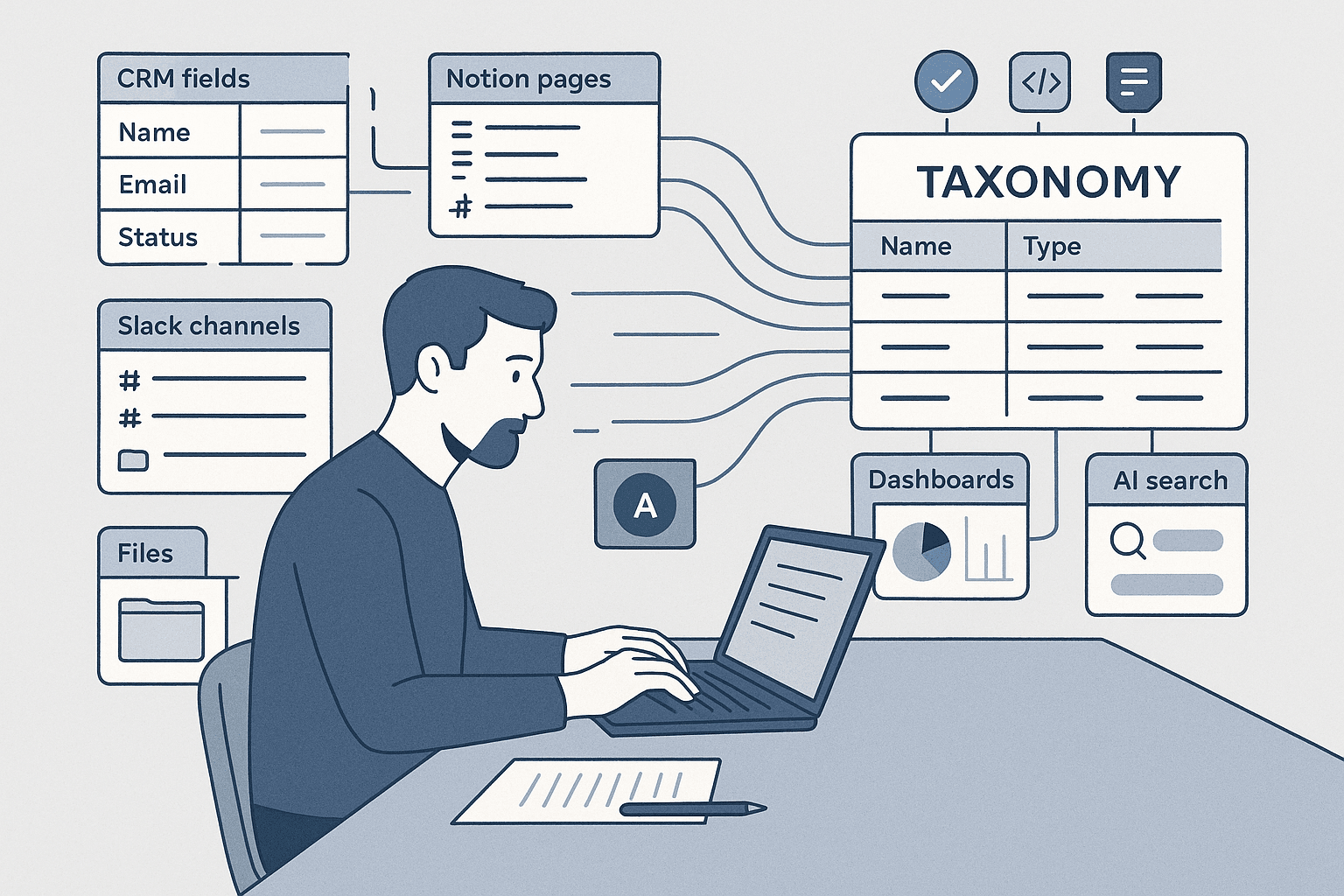
A startup usually doesn’t notice taxonomy debt when it starts. It shows up as tiny annoyances that feel too small to prioritize.
Sales calls an account “OpenAI.” Success calls it “Open AI.” Finance has it as “OpenAI, LLC.” The Slack channel is #openai-pilot, the Notion page is “OpenAI onboarding,” the shared drive folder is “Open AI - contract,” and the CRM has two duplicate records because one rep entered the company website and another imported from a CSV with a slightly different legal name.
Marketing runs an experiment named pricing-test-v2-final, product logs it as exp_pricing_page_may, and analytics tags it pricing_hero_01. Three months later, the CEO asks a reasonable question: “What happened with the pricing test for enterprise leads?”
Now everyone burns half a day.
One operator is exporting CRM rows. A PM is searching Notion with six keyword variations. Someone in RevOps is checking whether “enterprise” means company size, plan tier, sales segment, or a self-reported form field that was deprecated last quarter. Finance says the revenue report doesn’t match the board deck. The AI workspace assistant returns five near-duplicate docs and misses the latest one entirely because the naming and metadata are inconsistent.
Nobody thinks of this as a strategic systems problem. It gets treated like cleanup. Administrative work. Something to fix later.
That is the mistake.
This is taxonomy debt: the accumulated cost of naming the same things differently across systems, teams, and time.
And once you cross a certain scale, taxonomy debt stops being annoying and starts breaking core operating functions:
- Search stops being trustworthy.
- Dashboards stop being comparable.
- Automations stop routing correctly.
- Onboarding slows because nothing is where people expect.
- AI retrieval gets noisy because context is fragmented across aliases, duplicates, and inconsistent labels.
- Cross-functional execution gets slower because every question requires translation first.
If technical debt is what happens when engineers ship code without enough structure, taxonomy debt is what happens when the company ships work without a shared naming architecture.
Most startups have way more of it than they realize.
A real failure scenario: when naming inconsistency becomes an operating problem
Here’s the pattern I’ve seen repeatedly in B2B startups between 20 and 250 people.
The company has:
- Salesforce or HubSpot for CRM
- Notion for docs
- Slack for communication
- Google Drive or Dropbox for files
- A product analytics tool like Amplitude, Mixpanel, or PostHog
- A warehouse and BI layer like BigQuery + Looker/Mode/Metabase
- Some AI layer for workspace search, call summaries, support drafting, or internal Q&A
They grew fast. Every tool was set up locally by a function trying to move quickly.
Sales created deal stages that fit how the first reps sold. Marketing created campaign naming based on channel. Product named experiments by sprint or PM initials. Customer success made account tags that reflected onboarding status. Finance cared about legal entities and invoicing names. Support created macros and folders based on issue type. Nobody stopped to define canonical objects or naming rules across the stack.
Then the startup tries to do one of these very normal things:
- Build a reliable pipeline dashboard
- Create account-level health reporting
- Roll out internal AI search or copilots
- Automate renewals and handoffs
- Clean up duplicate records before an enterprise push
- Merge GTM and product data around customer segments
And everything starts breaking.
A pipeline dashboard is off by 18% because “Closed Won” in CRM excludes a custom stage called “Verbal Commit,” while finance counts bookings when the order form is signed. Customer success thinks “live” means implementation complete; product thinks it means first production event. The AI assistant can’t answer “What is Acme’s current status?” because there are four Acme records, two Notion pages, and one Slack channel named after the project codename instead of the customer name.
The company does what startups usually do under pressure: manual reconciliation.
Ops creates mapping tables.
Analysts write CASE statements.
People learn tribal translations like:
- “SQL” means one thing in Salesforce and another in HubSpot export history.
- “Expansion” means upsell in finance but any existing-customer opportunity in sales.
- “Pilot” means pre-contract for enterprise but post-contract for mid-market.
This works for a while. Until it doesn’t.
Because manual reconciliation is not a solution. It’s interest payments on taxonomy debt.
The pattern: startups standardize systems too late
Founders are usually trained to look for technical bottlenecks, hiring bottlenecks, and go-to-market bottlenecks. Taxonomy bottlenecks hide in plain sight because they masquerade as communication issues or one-off data cleanup.
But the underlying pattern is consistent.
Phase 1: local naming is rational
In the early days, local naming is fine. Five people can hold translations in their heads.
A rep can remember that “POC,” “pilot,” and “trial” are basically interchangeable for the three deals in flight. The PM knows that onboarding-v2 and activation-refresh refer to the same project. Search still works because there aren’t many documents.
Phase 2: each function optimizes for its own tool
As teams grow, every function creates naming shortcuts that make sense in its own workflow.
- Sales optimizes for speed of data entry.
- Marketing optimizes for campaign slicing.
- Product optimizes for shipping velocity.
- Finance optimizes for auditability.
- Success optimizes for account execution.
- People optimize for whatever the tool UI makes easy.
This is not incompetence. It is local optimization.
Phase 3: cross-functional work depends on shared objects
Then the company matures enough that shared objects matter more:
- What counts as a customer?
- What is the canonical account name?
- What stage is this deal actually in?
- What is the official experiment identifier?
- What does “active” mean?
- What customer segment should power reporting, routing, and AI retrieval?
At this point, inconsistent naming is no longer cosmetic. It becomes structural.
Phase 4: AI and automation multiply the damage
The new wrinkle is AI.
Historically, bad naming mainly hurt humans, dashboards, and integrations. Now it also hurts retrieval and model context.
If your internal AI system ingests Slack, docs, CRM notes, support tickets, call transcripts, and file folders, it is effectively building a context graph from your operating exhaust. If the same customer appears under five names, if experiments are undocumented or ambiguously labeled, if statuses are overloaded, retrieval quality degrades fast.
AI does not magically fix taxonomy debt. In many cases it amplifies it.
A human can infer that “Acme rollout,” “Project Falcon,” and “Acme EU onboarding” are probably related. Retrieval systems often cannot do that reliably unless you provide consistent metadata, aliases, and canonical identifiers.
That means taxonomy debt is no longer just an ops hygiene issue. It is a prerequisite layer for useful enterprise search and internal AI.
Why standard advice fails
Most advice on this problem is either too abstract or too heavy.
Bad advice #1: “Just create naming conventions”
This sounds sensible and usually fails.
Why? Because a naming convention document alone does not change behavior across tools. Without ownership, migration, defaults, field controls, and enforcement, conventions become a dead wiki page nobody reads.
You don’t have a documentation problem. You have a systems design problem.
Bad advice #2: “Clean up the CRM”
CRM is important, but taxonomy debt is not a CRM-only issue.
Even if your CRM is perfect, you can still have:
- inconsistent Slack channel names
- Notion pages without account metadata
- experiment IDs that don’t match analytics events
- file structures nobody can search
- dashboards using stale mapped definitions
- AI retrieval with fragmented context
If you fix only CRM, the mess just relocates.
Bad advice #3: “Wait until we’re bigger”
This is the classic startup reflex.
The problem is that taxonomy debt compounds nonlinearly.
At 12 people, inconsistent naming is a nuisance.
At 40 people, it is slowing coordination.
At 100 people, it is poisoning reports and automations.
At 200 people, it is a governance project with migration risk.
The cheapest moment to fix taxonomy is earlier than feels necessary.
Bad advice #4: “Buy a better search or AI tool”
Founders often try to solve a metadata problem with a smarter interface.
There are good tools in this space: Glean, Guru, Slab, Notion AI, enterprise search layers, warehouse catalogs, CRM enrichment tools, and MDM-style products. Some are genuinely useful. None can fully compensate for inconsistent object definitions and naming chaos upstream.
A better retrieval engine on top of garbage taxonomy gives you faster confusion.
Bad advice #5: “Centralize everything in one tool”
This also sounds attractive and usually collides with reality.
Startups are multi-tool environments. They will remain multi-tool environments.
The goal is not one tool. The goal is one naming architecture across tools.
That is a very different thing.
The better approach: build a lightweight naming architecture
You do not need a bureaucracy. You do need a shared operating layer.
The practical solution is to define a lightweight taxonomy architecture with five parts:
- Canonical objects
- Canonical names and IDs
- Controlled vocabularies for high-value fields
- Ownership and change management
- Enforcement at creation points
This sounds more complicated than it is. For most startups, this can begin as a tight operator-led initiative over 4 to 8 weeks.
1. Define canonical objects first
Don’t start with formatting rules. Start with what entities matter across the business.
In most startups, the core cross-functional objects are:
- Account / customer
- Contact
- Deal / opportunity
- Company segment
- Lifecycle stage
- Product / plan
- Experiment
- Project / initiative
- Document type
- Support issue type
- Region / market
Pick the smallest set of objects that repeatedly show up in workflows, reporting, and retrieval.
For each object, define:
- what it is
- why it matters
- which system is source of truth
- who owns its definition
- which fields are canonical
- which aliases are allowed
- which downstream systems consume it
Example for Account:
- Definition: A unique customer or prospect organization represented at the company level
- Source of truth: CRM
- Canonical fields: account_id, canonical_account_name, legal_name, website_domain, segment, owner, lifecycle_stage
- Owner: RevOps
- Downstream consumers: CS tooling, billing references, support platform, Notion templates, Slack channel creation, AI retrieval metadata
That one definition alone prevents a surprising amount of mess.
2. Separate display names from stable IDs
This is where many teams go wrong.
Names change. IDs should not.
If you rely on text strings alone, every rename becomes a data integrity problem. If you assign stable identifiers, you can tolerate display changes without breaking joins, automations, or retrieval mappings.
Examples:
acct_001284for accountopp_009411for opportunityexp_2026_014_pricing_page_headlinefor experimentproj_2026_q3_customer_migrationfor initiatives
Humans can still use readable names. But systems should anchor to IDs.
This matters especially for:
- AI document chunk metadata
- warehouse joins
- automation routing
- Notion database relations
- file and folder references
- duplicate prevention
If you only do one thing from this article, do this.
3. Use controlled vocabularies for high-value fields
Not every field needs rigid control. But some absolutely do.
These fields usually deserve enumerated values, not free text:
- deal stage
- lifecycle stage
- segment
- region
- experiment status
- project status
- support severity
- implementation phase
- reason codes for churn, loss, expansion
A controlled vocabulary means:
- a fixed list of values
- precise definitions
- clear ownership
- explicit deprecation rules
- mappings for old values
For example, if sales says Pilot, success says Implementation, and product says Live Test, you may need a shared lifecycle model like:
- Prospect
- Qualified
- Contracting
- Onboarding
- Live
- Renewing
- Expanded
- Churned
That doesn’t mean every team loses nuance. It means company-wide reporting and automation run on a common spine, while local tools can still hold sub-statuses.
4. Create an ownership model that is actually lightweight
Taxonomy without ownership decays immediately.
You don’t need a committee for every field. You need a simple RACI-style model.
A workable startup setup is:
- RevOps owns customer/account/deal taxonomy
- Product Ops or analytics owns experiment/event naming standards
- BizOps or PMO owns project/initiative taxonomy
- Knowledge/Ops owns document taxonomy and workspace templates
- IT/Ops owns provisioning hooks and enforcement mechanics
- One executive sponsor resolves tradeoffs when local optimization conflicts with company-wide consistency
Then create one visible asset: a taxonomy registry.
This can live in Airtable, Notion database, Google Sheet, or a lightweight internal catalog.
Each row should include:
- object type
- field name
- definition
- allowed values or format
- owner
- source of truth
- date updated
- deprecated values
- migration notes
This is boring. It is also one of the highest-leverage ops documents you can create.
5. Enforce at creation points, not just in cleanup
Most taxonomy programs fail because they focus on cleanup rather than prevention.
You need to reduce entropy where names get created:
- CRM object creation
- Slack channel creation
- Notion page templates
- experiment launch workflows
- file/folder generation
- support ticket categories
- form submissions
- CSV imports
Examples:
- Use required dropdowns instead of free-text fields where possible.
- Auto-create Slack channels from CRM or onboarding workflows with standard names like
acct-acme-incrather than ad hoc channel labels. - Require experiment IDs generated from a template before launch.
- Use Notion templates with metadata properties for account, segment, status, owner, and linked project ID.
- Block CSV imports that don’t map to controlled values.
- Create alias tables for common legacy variants.
The rule of thumb: the later you fix naming, the more expensive it gets.
A practical implementation plan for startups
Here’s a realistic rollout that works without turning into a six-month enterprise architecture project.
Phase 0: scope the damage in two weeks
Goal: quantify where taxonomy debt is creating the most operational drag.
Run a fast audit across the main tools.
Look for:
- duplicate accounts and contacts
- inconsistent stage/status values
- overloaded terms with multiple meanings
- missing metadata on docs and files
- inconsistent experiment names across product and analytics
- Slack channel naming drift
- dashboards using different definitions for the same KPI
- AI retrieval failures on common account/project queries
A simple audit table should capture:
- object
- issue type
- example
- systems affected
- cost of failure
- frequency
- owner candidate
Scoring framework:
- Severity: does this break reporting, automation, customer execution, or AI retrieval?
- Volume: how often does it occur?
- Fixability: can we address it with field controls/templates, or is migration heavy?
Prioritize areas where all three are high.
In most startups, the first wave is usually:
- accounts and account names
- lifecycle/deal stages
- experiments/projects
- document metadata
- Slack/channel conventions
Phase 1: define the minimum viable taxonomy
Do not try to standardize every noun in the company.
Pick 5 to 8 core objects and 10 to 20 critical fields.
A good minimum viable taxonomy often includes:
- canonical account name
- account ID
- website domain
- segment
- lifecycle stage
- opportunity stage
- product/plan
- experiment ID
- project ID
- document type
- owner
- status
For each, define:
- allowed format
- whether free text is allowed
- source of truth
- sync direction across systems
- whether historical mappings are required
This should fit on a few pages, not fifty.
Phase 2: establish mappings before migration
Before you rename or merge anything, create a mapping layer.
This is critical.
Build a canonical mapping table with columns like:
- system_name
- object_type
- source_value
- canonical_value
- canonical_id
- status: active/deprecated/alias
- effective_date
Examples:
Open AI->OpenAI->acct_001284POC->Pilot->lifecycle_pilotPricing Test May->exp_2026_014_pricing_page_headline
Why this matters:
- preserves historical reporting
- makes BI remediation easier
- allows AI retrieval alias expansion
- reduces migration risk during cutover
Without a mapping table, cleanup becomes destructive and brittle.
Phase 3: migrate the highest-value systems first
Recommended migration order for most startups:
- CRM core objects and controlled fields
- Warehouse/BI definitions and mapping tables
- Notion or knowledge base templates/databases
- Slack channel naming and creation policy
- File storage structure
- AI indexing metadata and retrieval aliases
Why this order works:
- CRM usually drives the customer spine.
- BI needs canonical logic early so reporting stabilizes.
- Docs and channels should inherit from the same account/project identifiers.
- AI should be reindexed after canonical metadata improves.
Do not start with a giant workspace rename campaign. Fix the spine first.
Phase 4: enforce with defaults, automation, and review
Once the canonical model exists, wire in lightweight controls.
Examples:
- CRM validation rules for stage names and required fields
- duplicate detection based on domain + normalized company name
- Slack workflow for approved channel prefixes
- Notion templates with required properties
- experiment intake form that generates the official experiment ID
- dashboard semantic layer definitions tied to canonical fields
- retrieval metadata enrichment for AI systems
Then add one monthly review:
- new values introduced
- deprecated values still in use
- duplicate rates
- search failure examples
- AI retrieval misses
- dashboard definition conflicts
You do not need a governance theater. You need recurring hygiene.
Workflow examples that make this real
Let’s make this concrete.
Workflow example 1: enterprise customer onboarding
Before:
- Sales closes “Acme Corp” in CRM
- CS creates Notion page called “Acme onboarding”
- Slack channel becomes
#acme-kickoff - Drive folder is
Acme / US / 2026 - Support tags account as
Acme Inc - AI assistant indexes all of it as separate likely-related entities
Result:
- Search returns partial history
- onboarding checklist is disconnected from CRM state
- support and success reports don’t match account rollups
- AI can’t reliably summarize account status
After:
- CRM record: canonical account name
Acme, IDacct_001284, domainacme.com - CS workflow auto-generates Notion page with linked account ID
- Slack channel created as
#acct-acme - Drive folder created as
acct_001284_acme - support sync includes canonical account ID and account alias table
- AI index metadata includes
account_id=acct_001284,canonical_name=Acme, aliasesAcme Corp|Acme Inc
Result:
- one searchable account graph
- cleaner handoff automation
- accurate dashboard joins
- significantly better AI retrieval precision
Workflow example 2: product experiment tracking
Before:
- PM writes “New pricing test” in Notion
- engineer uses feature flag
pricing_v3 - analytics names event group
price_exp_may - growth spreadsheet logs
homepage pricing copy - no owner-defined canonical experiment ID
Three months later no one can compare results or find final decisions.
After:
- experiment intake form generates
exp_2026_014_pricing_page_headline - Notion doc title includes the ID
- feature flag carries the same ID in metadata
- analytics events are tagged with experiment ID
- final decision doc links back to the experiment record
- dashboard filters on the canonical ID, not text labels
Now search, reporting, and AI retrieval all reference the same object.
That is what good taxonomy buys you: not prettier names, but operational coherence.
Tool comparisons: what helps and what doesn’t
No tool solves this alone, but some are better suited for maintaining taxonomy discipline.
CRM: HubSpot vs Salesforce
HubSpot
Pros:
- easier to set up controlled properties quickly
- simpler admin experience for smaller teams
- decent workflows for enforcing field completion
Cons:
- teams often allow too much free text early
- object complexity can become messy without strong ops ownership
- custom modeling is less robust than Salesforce at scale
Best for: startups that need to move fast but are willing to lock down critical fields before chaos spreads.
Salesforce
Pros:
- more robust object modeling
- stronger validation and admin control
- better for complex account/opportunity taxonomies at scale
Cons:
- easier to over-customize into a maze
- admin overhead is higher
- migrations and field cleanup can be painful if standards were absent early
Best for: companies with real RevOps maturity and a willingness to treat CRM architecture as infrastructure.
Knowledge base: Notion vs Confluence vs Guru
Notion
Pros:
- flexible databases and templates
- easy to add metadata properties
- good for lightweight taxonomy registries
Cons:
- flexibility creates inconsistency fast
- page sprawl is common without templates and ownership
- search quality depends heavily on disciplined structure
Best for: startups that will actually use templates, databases, and naming rules.
Confluence
Pros:
- more structured hierarchy by default
- better for formalized documentation systems
Cons:
- heavier authoring experience
- can become cluttered and stale in a different way
Best for: orgs willing to impose more documentation structure.
Guru
Pros:
- better for curated knowledge with verification workflows
- stronger for canonical knowledge snippets than sprawling project docs
Cons:
- not a replacement for broader workspace taxonomy
- less flexible as the central system for all docs
Best for: teams that need trusted answers, not just doc storage.
AI retrieval/search: Glean vs native tool AI
Glean
Pros:
- strong cross-tool retrieval
- better enterprise search layer than most native search experiences
- useful when metadata and permissions are reasonably well managed
Cons:
- expensive for smaller startups
- does not eliminate source inconsistency
- still depends on canonical naming and metadata quality
Best for: companies with enough tool sprawl that cross-system retrieval matters and budget exists.
Native tool AI/search
Pros:
- lower cost n- easier adoption inside each tool
- good for local workflows
Cons:
- fragmented across silos
- weak cross-tool object resolution
- inconsistent naming hurts more because there is no shared retrieval layer
Best for: early-stage teams, but only if they accept that taxonomy discipline must come from process and metadata, not search intelligence.
Lightweight registry options
Google Sheets
Pros: fast, universal, low friction Cons: weak governance, easy to fork, hard to operationalize
Airtable
Pros: better relational structure, easier views, simple workflows Cons: another tool to maintain, may not become company habit
Notion database
Pros: easy adoption if Notion is already central Cons: governance depends on good permissions and process
My bias: use whatever tool your operators will actually maintain, then push enforcement into the creation systems themselves.
Cost and time analysis
Founders often resist this work because it sounds non-revenue-generating. That’s shortsighted.
Taxonomy debt creates hidden tax everywhere.
Let’s do rough math for a 75-person startup.
Assume:
- 15 GTM/ops people lose 1.5 hours per week to search/reconciliation/naming confusion
- 10 product/analytics people lose 1 hour per week to experiment/reporting ambiguity
- 20 general employees lose 30 minutes per week to poor search and onboarding friction
That’s:
- 22.5 hours/week
- 10 hours/week
- 10 hours/week
Total: 42.5 hours per week
At a blended fully loaded rate of $85/hour, that’s $3,612.50 per week, or roughly $187,850 annually.
And that excludes:
- wrong decisions from bad dashboards
- delayed renewals or handoffs
- duplicate customer communication
- failed automations
- poor AI answer quality
- analyst time spent hardcoding mappings
- executive time resolving definition disputes
Now compare that to a lightweight taxonomy initiative.
Typical startup investment:
- 1 operator or RevOps lead at 25–50% allocation for 4–8 weeks
- 1 analytics/engineering partner for validation and migration support
- 3–5 functional owners for workshops and signoff
Approximate cost:
- $15k–$50k internal time depending on stage and cleanup depth
That is usually paid back inside one or two quarters if the mess is already visible.
The bigger savings often come from avoided future complexity. Fixing naming discipline before a warehouse rebuild, AI rollout, or enterprise GTM expansion is much cheaper than retrofitting later.
Enforcement rules that don’t feel oppressive
The best standards are strict where it matters and flexible where it doesn’t.
Here’s a practical policy set.
Hard rules
Use hard enforcement for:
- account IDs and canonical account names
- controlled revenue/reporting stages
- required owner fields
- experiment IDs
- project status enums used by dashboards
- document metadata needed for retrieval or compliance
Soft rules
Use soft guidance for:
- page title phrasing beyond required prefixes/IDs
- internal meeting note names
- working draft files
- temporary channels with expiration
Expiration rules
A lot of startup clutter comes from temporary artifacts becoming permanent.
Add expiration patterns:
- temp Slack channels auto-archive after 30 or 60 days
- draft docs without metadata are flagged after 14 days
- deprecated stage values trigger warnings, then get blocked
- alias mappings reviewed quarterly
Exception handling
There must be an exception path, or people will route around the system.
Use a simple process:
- request new value or naming pattern
- assign owner review within 72 hours
- approve, reject, or create a temporary exception with expiry
This keeps the system adaptable without letting entropy spread unchecked.
Common mistakes during cleanup
A few traps to avoid.
Mistake 1: trying to standardize every legacy artifact
Don’t rename every historical doc and channel. Standardize active workflows and high-value records first. Use aliasing and metadata for the rest.
Mistake 2: forcing one team’s model onto everyone else
Shared taxonomy should define the company spine, not erase functional nuance. Let local teams keep sub-statuses if mappings exist.
Mistake 3: ignoring historical comparability
If you change stage definitions or segment labels without preserving mappings, your trend lines become fiction.
Mistake 4: treating AI retrieval as separate from metadata governance
If AI matters, taxonomy matters more. Retrieval quality is downstream of naming discipline, identifiers, and document metadata.
Mistake 5: no executive sponsor
At some point, someone must decide whether local convenience or company-wide consistency wins. Without sponsorship, every debate becomes political drift.
What “good” looks like six months later
A healthy startup taxonomy system is not perfect. It is predictable.
You know you’re in a good place when:
- account search returns one clear canonical entity with aliases
- dashboards use shared definitions with fewer reconciliation fights
- automations route based on controlled values, not brittle text parsing
- new employees can find docs without needing tribal knowledge
- experiments are traceable from brief to flag to result to decision
- AI workspace tools return more precise, less duplicated context
- teams know who owns naming decisions when edge cases appear
That is the goal. Not cleanliness for its own sake. Faster execution with less translation overhead.
The operating takeaway
Founders tend to invest in visible infrastructure: product, hiring, pipeline, finance, engineering systems.
But there is a hidden operating layer underneath all of it: the names, labels, statuses, and identifiers that let information travel reliably across tools and teams.
When that layer is inconsistent, the company becomes harder to search, harder to measure, harder to automate, and harder for AI systems to understand.
That is workspace taxonomy debt.
You do not need a heavyweight governance program to fix it. You need a lightweight architecture:
- define canonical objects
- separate stable IDs from display names
- control the highest-value vocabularies
- assign clear owners
- enforce at creation points
- migrate with mappings, not blunt renames
- review monthly before entropy compounds again
If you’re under 30 people, this is the moment to put basic guardrails in place.
If you’re between 30 and 150 people, there is a good chance taxonomy debt is already quietly taxing every function.
If you’re rolling out internal AI, this should move even higher on the priority list.
Because AI retrieval quality is not just a model problem. It is an operating system problem.
And naming is part of the operating system.
Treat it that way.